 November 6, 2025
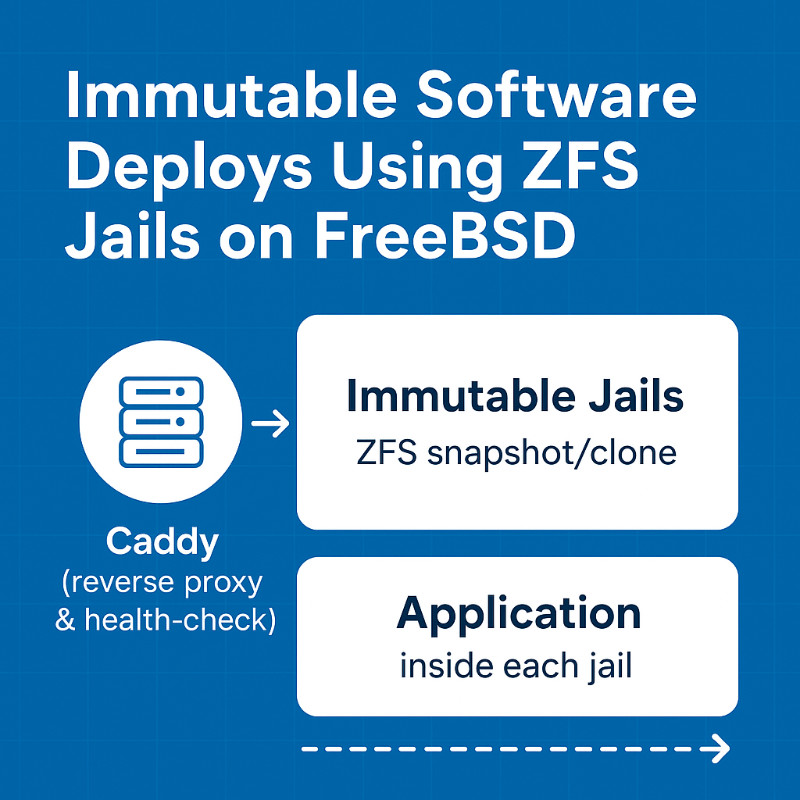
FreeBSD’s native support for ZFS snapshots and jails provides a powerful foundation for immutable deployments. By creating a new jail from a ZFS snapshot for every release, we get instant roll‑backs, zero‑downtime upgrades, and a clean, reproducible environment. This article walks through the (very opinionated) flow that we use. From jails setup through running Caddy as a health‑checked reverse proxy in front of the jails.
1. Prerequisites
FreeBSD 14+ (or the latest stable release) offers the necessary ZFS and jail primitives. Enabling ZFS with a zpool installed allows cheap, instant cloning. The Caddy v2 binary handles TLS, reverse-proxying, and health checks.
2. Architecture Overview
+--------------------+      +------------------------+      +-------------------+
|                    |      |                        |      |                   |
|   Caddy (reverse   | <->  |  Immutable Jails       | <->  |  Application      |
|   proxy & health-  |      |  (ZFS snapshot/clone)  |      |  inside each jail |
|   check)           |      |                        |      |                   |
|                    |      |                        |      |                   |
+--------------------+      +------------------------+      +-------------------+
- Caddy routes to the currently healthy jail.
- Each deployment clones a ZFS snapshot → new jail.
- After passing health‑checks, Caddy reconfigures to the new jail.
3. Configure the Jails Host Server
Create a new loopback network interface for the jails. We'll use 172.16.0.0/12 which means jails can use any IP address within the range 172.16.0.1 – 172.31.255.254. Then create a new service to manage the loopback interface via a file at '/usr/local/etc/rc.d/lo1' with the following content:
#!/bin/sh
# PROVIDE: lo1
# REQUIRE: NETWORKING
# BEFORE:  jail
# KEYWORD: shutdown

. /etc/rc.subr

name="lo1"
command="ifconfig"

start_cmd="${command} ${name} create && ${command} ${name} inet 172.16.0.1 netmask 255.240.0.0 up"
stop_cmd="${command} ${name} down"

run_rc_command "$1"
Then make the service start at boot and enable it:
chmod +x /usr/local/etc/rc.d/lo1
sysrc lo1_enable="YES"
service lo1 start
Now we can go onwards to enabling jails:
sysrc jail_enable="YES"
sysrc jail_parallel_start="YES"
Create a /etc/jail.conf file with the below configurations so that it includes the configurations for each jail.
NOTE: Each jail configuration should be placed in a separate file in '/etc/jail.conf.d/'.
NOTE: The leading '.' before include is required.
.include "/etc/jail.conf.d/*.conf";
Create a ZFS dataset mount point and paths for the jails:
zfs create -o mountpoint=/usr/local/jails zroot/jails
Create child datasets for the jails:
# Contains the compressed files of the downloaded userlands.
zfs create zroot/jails/media
# Will contain the templates.
zfs create zroot/jails/templates
# Will contain the containers.
zfs create zroot/jails/containers
4. Build the Base Image Template
Download the base FreeBSD image and unpack it:
# Set environment variable for the FreeBSD version. Note that the cut is to remove the patch level.
export FREEBSD_VERSION=$(freebsd-version | cut -d- -f1-2)
zfs create -p zroot/jails/templates/$FREEBSD_VERSION
fetch https://download.freebsd.org/ftp/releases/$(uname -m)/$FREEBSD_VERSION/base.txz -o /usr/local/jails/media/$FREEBSD_VERSION-base.txz
tar -xf /usr/local/jails/media/$FREEBSD_VERSION-base.txz -C /usr/local/jails/templates/$FREEBSD_VERSION --unlink
Copy critical files to the image template:
cp /etc/resolv.conf /usr/local/jails/templates/$FREEBSD_VERSION/etc/resolv.conf
cp /etc/localtime /usr/local/jails/templates/$FREEBSD_VERSION/etc/localtime
Update the image template to the latest patch level.
freebsd-update -b /usr/local/jails/templates/$FREEBSD_VERSION fetch install
Finally, create a ZFS snapshot of the base image template. From this snapshot we we'll use ZFS clones to create new jails.
zfs snapshot zroot/jails/templates/$FREEBSD_VERSION@base
5. Create a New Jail
Check which ip addresses on the 'lo1' loopback interface are in use so that we can assign an available ip address to the new jail.
ifconfig lo1 | grep 'inet ' | awk '{print $2}'
Lookup the git repo commit hash for the latest commit.
git ls-remote https://github.com/yourusername/mygitrepo.git | head
Clone the base image template to create a new jail. We'll be creating a new jail within our git repo path.
export FREEBSD_VERSION=$(freebsd-version | cut -d- -f1-2)
export JAIL_NAME=mygitrepo_gitSHA
zfs clone zroot/jails/templates/$FREEBSD_VERSION@base zroot/jails/containers/$JAIL_NAME
Create a config file for the jail to be located at '/etc/jail.conf.d/$JAIL_NAME.conf'.
We name the jail using the SHA of the git commit that we're deploying.
mygitrepo_gitSHA {
	# STARTUP/LOGGING
	exec.start = "/bin/sh /etc/rc";
	exec.stop = "/bin/sh /etc/rc.shutdown";
	exec.consolelog = "/var/log/jail_console_${name}.log";

	# PERMISSIONS
	allow.raw_sockets;
	exec.clean;
	mount.devfs;

	# HOSTNAME/PATH
	host.hostname = "${name}";
	path = "/usr/local/jails/containers/${name}";

	# NETWORK. We're using the lo1 loopback interface that we created for jails to use.
	interface = lo1;
	ip4.addr = 172.16.0.2; # Use an available ip address within the range of the lo1 interface. You can find available ip addresses by running "ifconfig lo1 | grep 'inet ' | awk '{print $2}'"
}
Start the jail.
service jail start $JAIL_NAME
Confirm that the jail's ipaddress is within the range of the lo1 interface:
jexec $JAIL_NAME ifconfig lo1 | awk '/inet /{print $2}'
Confirm that the jail is up and what it's running:
jls
jexec $JAIL_NAME ps aux
6 Create a Proof of Concept Service Within Our Newly Created Jail
Here is the proof of concept Go hello world binary that we'll run as a service within the jail.
// main.go
package main

import (
	"fmt"
	"log"
	"net/http"
)

func main() {
	http.HandleFunc("/", func(w http.ResponseWriter, r *http.Request) {
		fmt.Fprintf(w, "Hello World!")
	})
	http.HandleFunc("/up", func(w http.ResponseWriter, r *http.Request) {
		w.WriteHeader(http.StatusOK)
	})
	log.Fatal(http.ListenAndServe(":8080", nil))
}
Build the binary and place it in the jail's bin directory.
go build main.go
mkdir -p /usr/local/jails/containers/$JAIL_NAME/usr/local/bin
cp main /usr/local/jails/containers/$JAIL_NAME/usr/local/bin/main
Create a service file for the binary.
#!/bin/sh
#
# PROVIDE: main
# REQUIRE: LOGIN
# KEYWORD: shutdown

. /etc/rc.subr

name="main"
rcvar="main_enable"

# Path to your Go binary
command="/usr/local/bin/main"
pidfile="/var/run/${name}.pid"

# Redirect output to a log file
logfile="/var/log/${name}.log"

# How to start the process
start_cmd="${name}_start"
stop_cmd="${name}_stop"

main_start() {
	echo "Starting ${name}..."
	daemon -p "${pidfile}" -f -o "${logfile}" "${command}"
}

main_stop() {
	echo "Stopping ${name}..."
	if [ -f "${pidfile}" ]; then
		kill "$(cat ${pidfile})" && rm -f "${pidfile}"
	else
		echo "No pidfile found; process may not be running."
	fi
}

load_rc_config $name
: ${main_enable:="NO"}

run_rc_command "$1"
Copy the service file to the jail's /etc/rc.d directory and enable it.
mkdir -p /usr/local/jails/containers/$JAIL_NAME/usr/local/etc/rc.d
cp /usr/local/etc/rc.d/main /usr/local/jails/containers/$JAIL_NAME/usr/local/etc/rc.d/main
jexec $JAIL_NAME chmod +x /usr/local/etc/rc.d/main
jexec $JAIL_NAME sysrc main_enable=YES
jexec $JAIL_NAME service main start
Setup log rotation so they don't fill up the disk, and do the initial rotation.
jexec $JAIL_NAME sh -c "echo '/var/log/main.log  root:wheel  644  5  100  *  Z  /var/run/main.pid' >> /etc/newsyslog.conf.d/main.conf"
jexec $JAIL_NAME newsyslog -vF
Confirm the service is running.
jexec $JAIL_NAME service main status
curl 172.16.0.2:8080 # Use the ip address of the jail.
7 Setup Caddy (reverse proxy)
Add a 'service', or similar, group to the system if it doesn't already exist. This group should have permissions to write to the pid and log files. Make sure to use the same group in the next step when we create a user.
pw groupadd service
chown root:service /var/run
chown root:service /var/log
chmod 770 /var/run
chmod 770 /var/log
Add a user and assign permissions. Make sure to add the user without login capabilities and assign to the 'service' group.
pw useradd caddy -d /nonexistent -s /sbin/nologin -c "Caddy Service Account" -g service
Note: We're running Caddy behind a Cloudflare Tunnel on port 8080. If you're not and using a port below 1024 then you'll need to setup security/portacl-rc to enable privileged port binding, and configure for user 'caddy'. This will allow the caddy user to bind to ports below 1024.
pkg install security/portacl-rc
sysrc portacl_users+=caddy
sysrc portacl_user_caddy_tcp="http https"
sysrc portacl_user_caddy_udp="https"
service portacl enable
service portacl start
Install Caddy.
cd /usr/ports/www/caddy
make install clean
Change the ownership of the caddy binary and required files to the caddy user.
chown caddy:service /usr/local/bin/caddy
chmod 740 /usr/local/bin/caddy
chown -R caddy:service /var/log/caddy
chown -R caddy:service /usr/local/etc/caddy
chown -R caddy:service /var/db/caddy
Setup log rotation so they don't fill up the disk.
echo '/var/log/caddy.log  root:wheel  644  5  100  *  Z  /var/run/caddy.pid' >> /etc/newsyslog.conf.d/caddy.conf
newsyslog -vF
Add the caddy service to the system startup and make sure it runs as the caddy user.
sysrc -f /etc/rc.conf caddy_enable="YES"
sysrc -f /etc/rc.conf caddy_user="caddy"
sysrc -f /etc/rc.conf caddy_group="service"
Caddy reads the configuration file at '/usr/local/etc/caddy/Caddyfile'.
Inside the jail, '/up' returns '200 OK' when healthy.
Caddy polls the specified health‑check endpoint using the healthcheck directive, routing traffic exclusively to backends that return a successful health check.
Important: We're only disabling automatic HTTPS because we're running behind a Cloudflare Tunnel. If that's not the case, you should enable automatic HTTPS by removing the 'auto_https off' line.
# /usr/local/etc/caddy/Caddyfile
{
	auto_https off # Note: Disable automatic HTTPS since we're running behind a Cloudflare Tunnel.
}

:8080 {

	# Matcher and reverse proxy for serviceA.null.live.
	@serviceA host serviceA.null.live # Change the hostname to your actual hostname.
	reverse_proxy @serviceA 172.16.0.2:8080 {
		health_uri /up
		health_interval 10s
		health_timeout 5s
	}

	# Matcher and reverse proxy for serviceB.null.live.
	@serviceB host serviceB.null.live # Change the hostname to your actual hostname.
	reverse_proxy @serviceB 172.16.0.3:8080 {
		health_uri /up
		health_interval 10s
		health_timeout 5s
	}
}
8. Deploy a New Jail and Switch Caddy to the New Jail
Create a config file for the jail to be located at '/etc/jail.conf.d/$JAIL_NAME.conf'.
Make sure to replace the ip4.addr variable value with the next available ip address.
ifconfig lo1 | grep 'inet ' | awk '{print $2}'


mygitrepo_gitSHA {
	# STARTUP/LOGGING
	exec.start = "/bin/sh /etc/rc";
	exec.stop = "/bin/sh /etc/rc.shutdown";
	exec.consolelog = "/var/log/jail_console_${name}.log";

	# PERMISSIONS
	allow.raw_sockets;
	exec.clean;
	mount.devfs;

	# HOSTNAME/PATH
	host.hostname = "${name}";
	path = "/usr/local/jails/containers/${name}";

	# NETWORK. We're using the lo1 loopback interface that we created for jails to use.
	interface = lo1;
	ip4.addr = 172.16.0.3; # Use the ip address we found in the previous step.
}
Create a new jail. We name our jail using the format: mygitrepo_gitSHA. For the repo of the application being deployed. This makes it easy to track which version of the application is running in each jail. The last line is used to confirm the jail is running.
git ls-remote https://github.com/yourusername/mygitrepo.git | head
export FREEBSD_VERSION=$(freebsd-version | cut -d- -f1-2)
export JAIL_NAME=mygitrepo_gitSHA
export SERVICE_NAME=conradresearchcom # Note: '-' are not allowed in service names.
zfs clone zroot/jails/templates/$FREEBSD_VERSION@base zroot/jails/containers/$JAIL_NAME

# Copy the binary of the application to the jail. We'll use our 'main' demo app from previous steps.
go build main.go
mkdir -p /usr/local/jails/containers/$JAIL_NAME/usr/local/bin
cp $SERVICE_NAME /usr/local/jails/containers/$JAIL_NAME/usr/local/bin/$SERVICE_NAME

# Copy the rc.d script to the jail.
mkdir -p /usr/local/jails/containers/$JAIL_NAME/usr/local/etc/rc.d
cp $SERVICE_NAME /usr/local/jails/containers/$JAIL_NAME/usr/local/etc/rc.d/$SERVICE_NAME

# Start the jail.
service jail start $JAIL_NAME
jexec $JAIL_NAME chmod +x /usr/local/etc/rc.d/$SERVICE_NAME
jexec $JAIL_NAME sysrc ${SERVICE_NAME}_enable=YES
jexec $JAIL_NAME service $SERVICE_NAME start
while ! curl -s -o /dev/null -w "%{http_code}" http://172.16.0.3:8080/up; do sleep 1; done
Using your favorite text editor, update the Caddy configuration at '/usr/local/etc/caddy/Caddyfile' to point to the new jail via updating the jail's IP address to the new jail's IP address. Then run the following command to reload Caddy:
service caddy reload
9. Conclusion
By combining ZFS snapshots, FreeBSD jails, and a Caddy reverse‑proxy, you get:
- Zero‑downtime upgrades.
- Instant rollbacks.
- A predictable environment that can be reproduced at any time.
Give it a try, tweak the scripts for your own stack, and enjoy the peace of mind that comes with immutable infrastructure.
Cheers 🥂