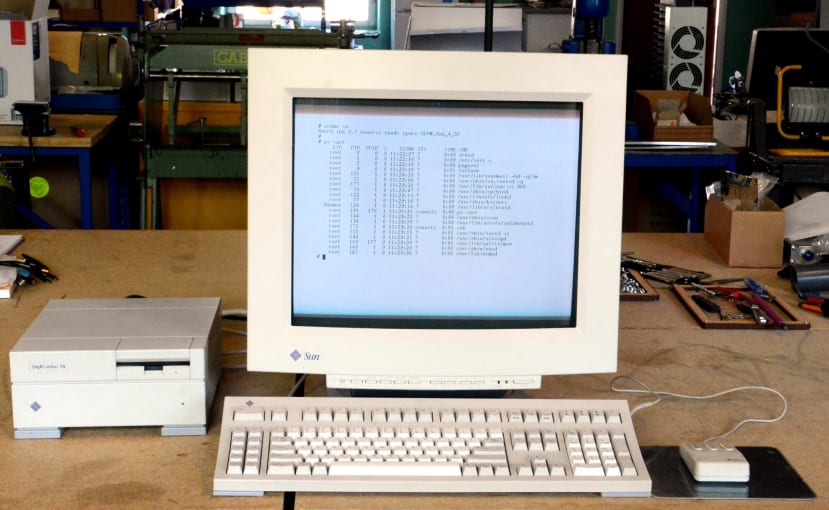
Repairing a dead power supply and replacing the NVRAM in a vintage UNIX workstation.
If you worked in computing in the early 90s, studied computer science around then, or just had a keen interest in computers, the chances are that Sun Microsystems was a familiar name and their workstations were highly coveted. At this time PCs were fast becoming the standard desktop computer and pretty much all looked the same, while if you worked in a creative industry you might have been lucky enough to use a Mac — but even then, the differences were not so profound.
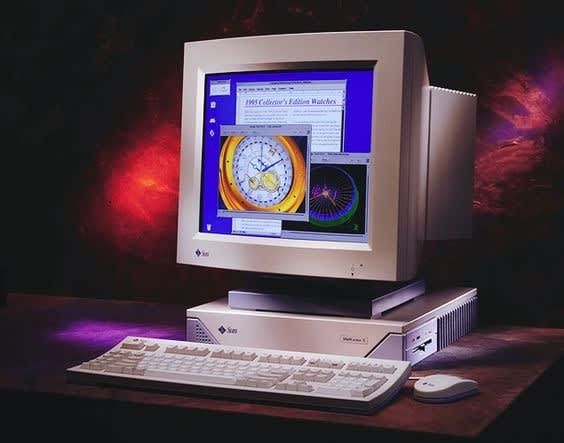
Detail from a Sun SPARCstation 5 ad, circa 1994.
However, there was a breed of computer that really stood out from the rest and not only looked far more exotic, but had a clear lead in terms of performance and capabilities — the UNIX workstation. While most people were running Windows 3.x and being frustrated at the limited resources, lack of true multitasking and all too frequent instability, UNIX workstations provided a far more advanced, feature rich and robust environment. This included proper multitasking and typically greater RAM, more powerful CPU and advanced graphics, plus higher performance disks etc. Of course, this all came at a cost and a UNIX workstation could easily have a price tag 10x that of a typical PC.
There were numerous competing UNIX vendors and many had their own niche in which they excelled. Such as Silicon Graphics, who as the name suggests, specialised in powerful graphics workstations, which proved popular in applications such as 3D visualisation, and film and TV.
Sun Microsystems hardware found many different uses, but was notably popular in the nascent Internet industry, with “headless” (no VDU etc.) versions of their workstations and also larger server chassis configurations often being put to use as DNS, FTP, e-mail and web servers.
As the first UNIX computer that I ever used, I have a particular fondness for the Sun SPARCstation IPX, which is a compact “lunchbox” form factor machine that packed a lot of power — at that time — into a small space and featuring an attractive industrial design.
Hardware specs
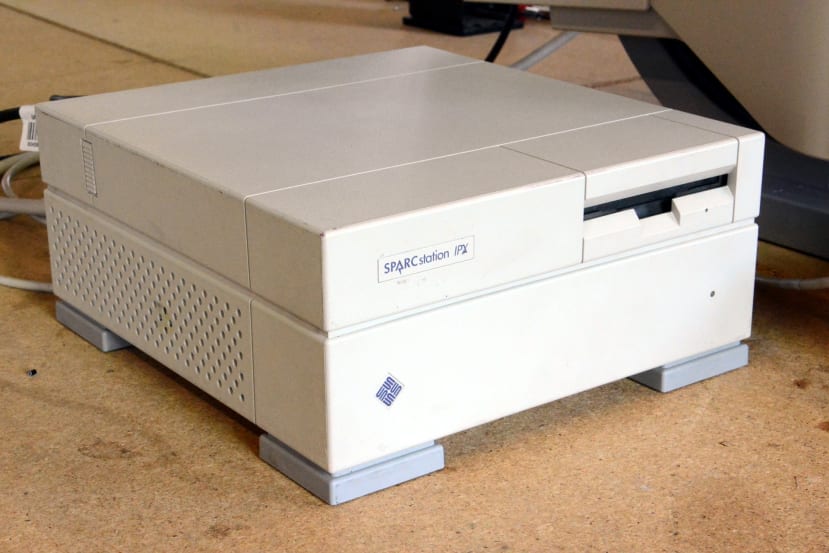
- 40MHz 32-bit SPARC CPU + FPU (Sun 4/50)
- Up to 64MB RAM as standard
- Sun Turbo GX colour framebuffer
- 3.5” floppy drive
- SCSI drive
- 10M Ethernet (uses an external transceiver)
- Audio input and output
- Serial port
- 2x SBus expansion slots
SPARC is a RISC instruction set architecture (ISA) that was developed by Sun and Fujitsu, first released in 1987 and which continues to be developed today by Fujitsu. Earlier Sun computers were based on the Motorola 68K processor and the first SPARC workstation was introduced in 1989.
The processor clock speed may seem incredibly low to us now and at the time there would have been Intel CPUs clocked at similar speeds. However, the SPARC CPU was designed with UNIX in mind and the IPX featured an MMU with 8x hardware contexts, which benefited multitasking.
The price upon introduction in 1991 was around $15,000 for a SPARCstation IPX complete with 19” CRT monitor, keyboard and mouse. Hence use tended to be limited to specialist applications and the one that I used around this time was employed in mobile data network conformance testing.
The SPARCstation IPX that is the subject of this blog post has a HDD installed which is a few hundred megabytes and it has 32MB of RAM fitted. I’ve owned it for some years and it did previously work, but at some point the power supply developed a fault.
Failed electrolytic capacitors
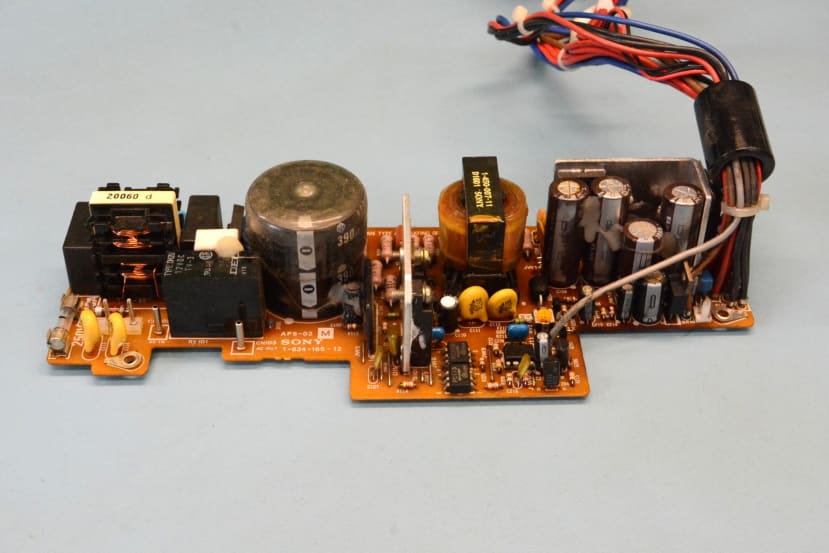
Out-of-spec and out-and-out failed electrolytic capacitors are a common issue with ageing electronics and it appears that, out of all the Sun SPARCstation models, this is particularly an issue with the IPX and IPC power supplies. Which suggests that those originally fitted may have been of a poor quality or from a bad batch, else something in the design of the PSU has caused them to fail.
The SPARCstation IPC and IPX share the same power supply and this web page gives a description of replacing the electrolytics in a PSU from an IPC. Interestingly, the author notes elsewhere that they had two IPCs with dead PSUs, whereas one fitted in an IPX worked fine. However, the IPC is a slightly earlier model and it could simply be that these were older, else perhaps pure chance. In any case, I have two IPXs and both of which with suffered from dead power supplies.
All the electrolytic capacitors were replaced, apart from the physically large line-side filter capacitor with the rubber cap on top. The RS parts used are:
- Nichicon 470μF Electrolytic Capacitor 25V (715-2669)
- Panasonic 3300μF Electrolytic Capacitor 10V (526-1171)
- Wurth Elektronik 47μF Electrolytic Capacitor 50V (839-8850)
- Wurth Elektronik 1μF Electrolytic Capacitor 50V (839-9351)
- Panasonic 220μF Electrolytic Capacitor 16V (449-0974)
- Nichicon 100μF Electrolytic Capacitor 25V (520-0867)
- Nichicon 1000μF Electrolytic Capacitor 25V (715-2678)
There were originally both 25V and 50V rated 47uF capacitors fitted, but for the sake of convenience, only 50V rated parts were ordered and these were fitted in place of both.
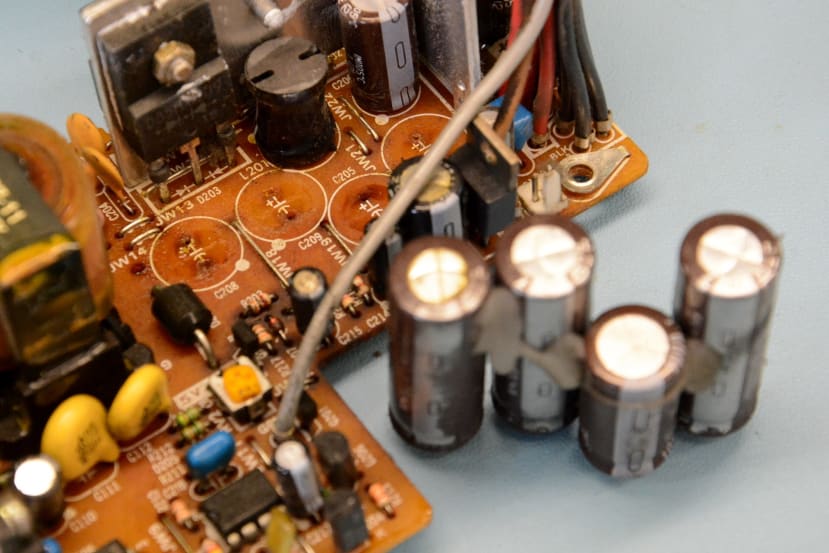
As can be seen above, the original capacitors had leaked electrolyte and this is never a good sign.
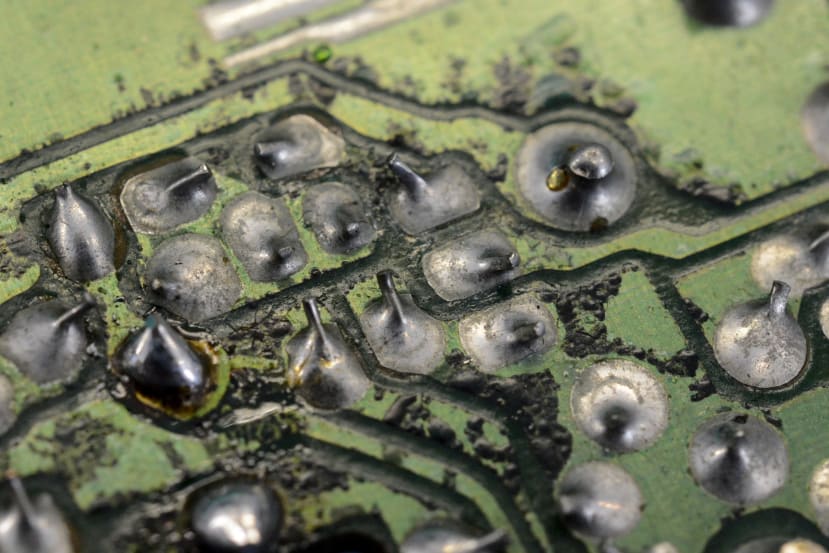
This had led to what looks like corrosion on the underside of underside of the board.
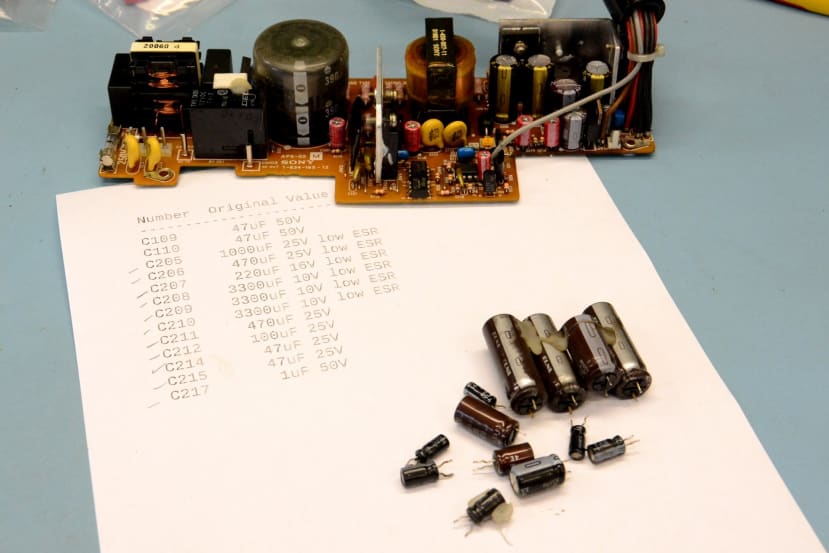
Once the caps had been replaced, the power supply was reassembled and fitted back into chassis.
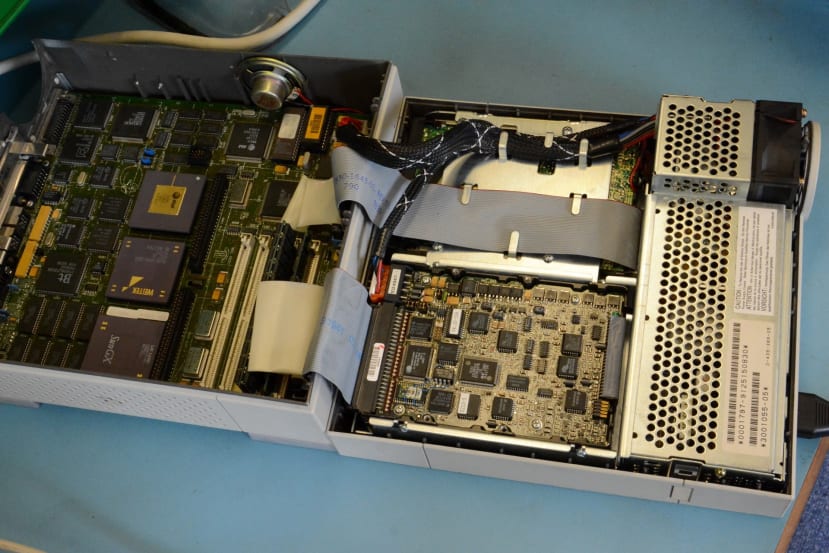
Following which, power could be applied and it was the moment of truth.
Unfortunately, the SPARCstation didn’t spring back into life and there was just a slight kick of the PSU fan upon powering on. At this point the PSU was removed, soldering was re-checked for shorts etc. and nothing looked obviously out of place. Apart from the aforementioned corrosion.
Given that replacing the caps didn’t take too long and there was a 2nd dead IPX, the decision was made to proceed to re-cap its power supply. This was in a much better state, without electrolyte on the top of the PCB and with no corrosion on the underside.
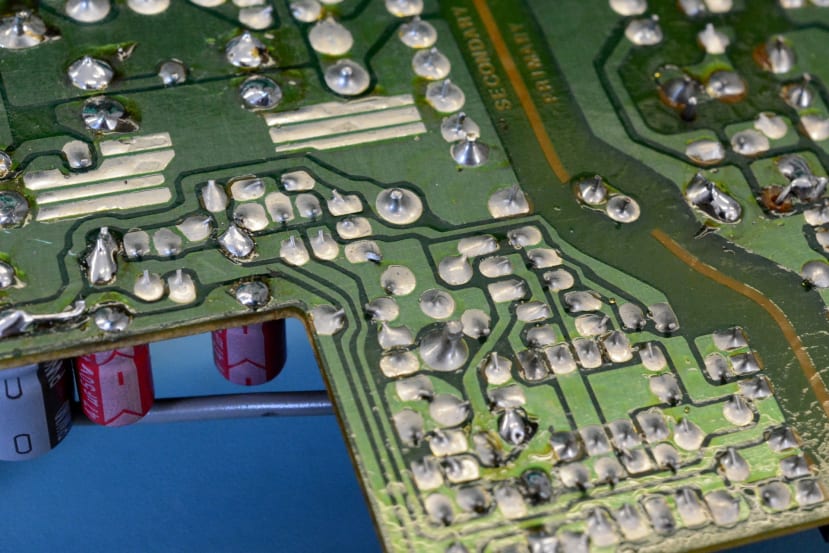
Unfortunately, when removing the old caps a section of pad/trace lifted, but nothing too serious and this was easily dealt with when fitting the new capacitor.
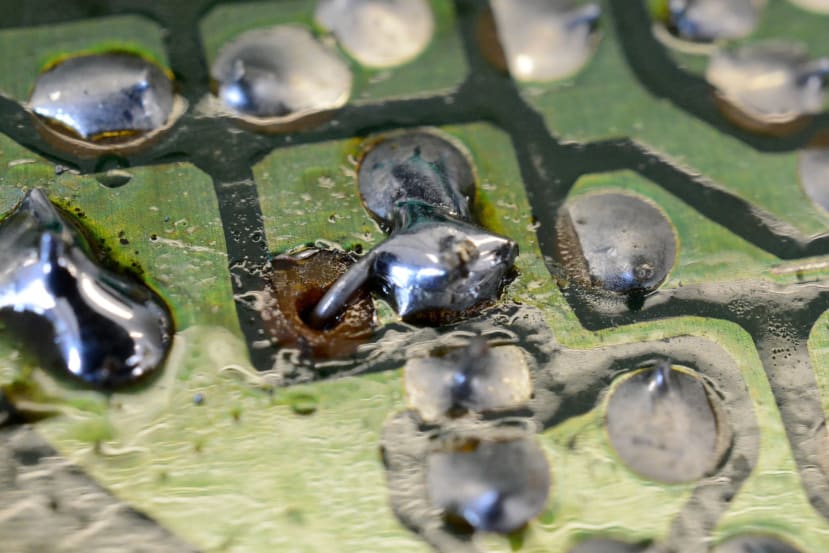
Once re-capped and reassembled, this was fitted into the first SPARCstation, power was applied and thankfully it then sprung into life.
The priority was to get one system working and at some point I’ll return to the first PSU and attempt to track down the fault, which should be easier with a second working power supply, since measurements can be made at various points on the PCB with both and then compared.
Now on to resolve the next issue.
Replacing the NVRAM
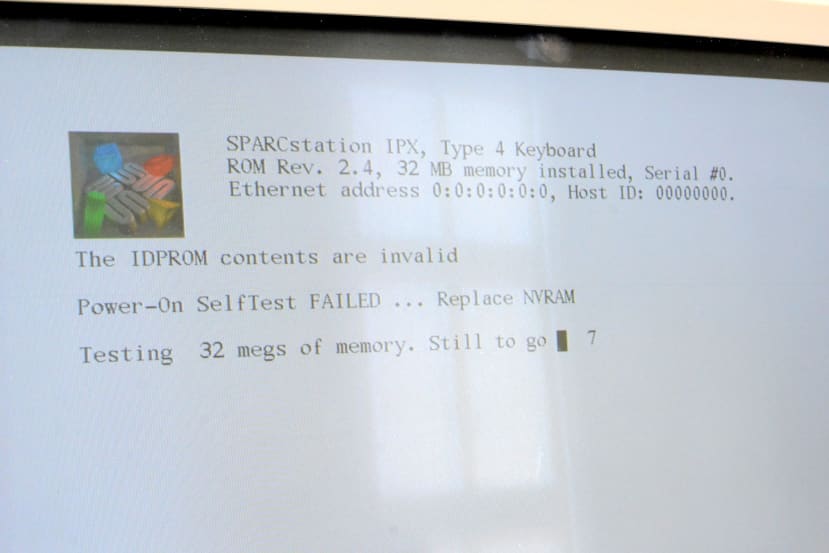
Similar to how a PC has BIOS for initialising the hardware and loading an O/S, Sun machines have OpenBoot PROM (OBP) firmware. Which like BIOS can also be used to make configuration changes — such as setting which device to boot from by default — and these are persisted in non-volatile RAM (NVRAM).
However, whereas PCs typically have a rechargeable battery or removable coin cell that is used to retain configuration settings and maintain the time-of-day while powered down, Sun hardware instead uses a TIMEKEEPER device which integrates SRAM, RTC and a battery. Hence when the battery fails, the entire device must be replaced.
Above we can see the error displayed on power-up, as the OBP determines that the NVRAM chip battery is dead. Unfortunately, this is also used to store the Ethernet MAC address and its Sun hostid, a unique ID that is used for things such as locking licensed software to a specific machine.
The venerable Sun NVRAM/hostid FAQ can be consulted to find details of the replacement part, which is specified for the IPX as being M48T02 (310-9655) . Once this is fitted we then need to program the MAC address and hostid. However, if we didn’t have a record of these we will have to make them up and just need to ensure sure that the MAC address doesn’t clash with that of another device on our network. The above linked FAQ has details of the hostid format, which has a prefix specific to the machine model, while the MAC address prefix is that assigned to Sun Microsystems.
Prior to reprogramming the IDPROM, we first need to reset to NVRAM defaults and disable the diag option, by entering at the OBP “ok” prompt:
set-defaults
setenv diag-switch? false
The OBP monitor is actually a Forth interpreter and the mkp command can be used to reprogram the IDPROM section of the NVRAM. Handily, the FAQ has an example based on SPARCstation IPX hardware and for this a hostid of 57c0ffee is used, with a MAC address of 08:00:20:c0:ff:ee.
1 0 mkp
real-machine-type 1 mkp
8 2 mkp
0 3 mkp
20 4 mkp
c0 5 mkp
ff 6 mkp
ee 7 mkp
0 8 mkp
0 9 mkp
0 a mkp
0 b mkp
c0 c mkp
ff d mkp
ee e mkp
0 f 0 do i idprom@ xor loop f mkp
The first command sets byte 0, which holds the format/version number, to 01. Bytes 2-7 hold the MAC address. Bytes c-e store the hostid. Byte f is used to hold a checksum and this is computed and programmed using the final command shown above. For detailed information, see the FAQ.
At this point we can enter reset at the prompt.
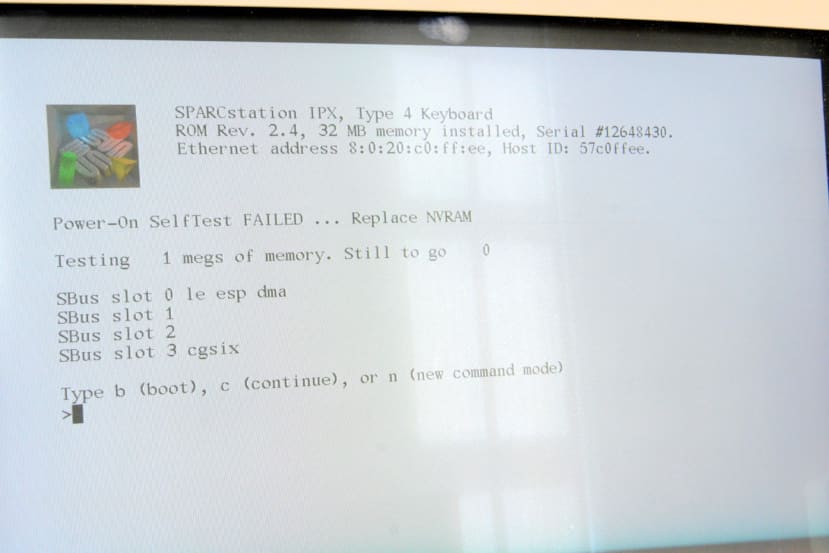
Now we find that we have a MAC address and hostid configured, but sadly there is still an error warning that NVRAM needs replacing, despite configuration changes persisting when powered down. It seems that this is not uncommon and there are various discussions online regarding this, with one thread suggesting that the issue may be resolved by fitting an M48T12 part instead.
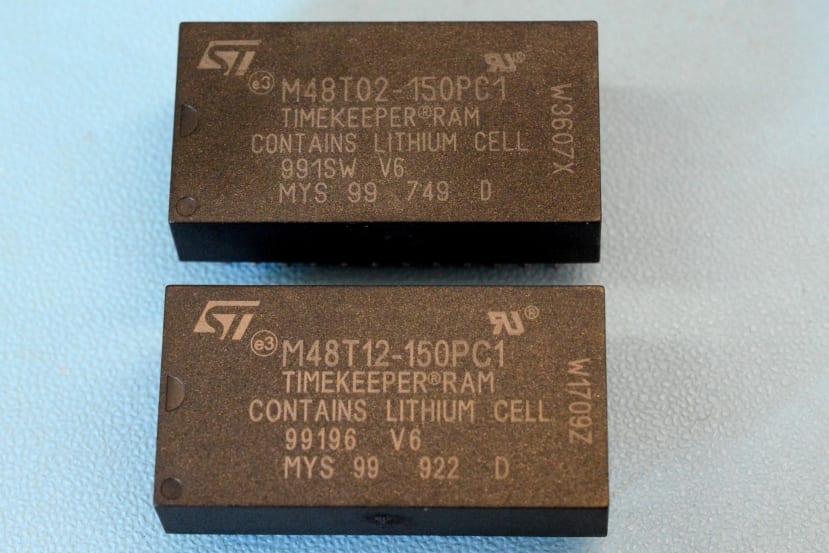
The downside to this error persisting is that the machine will not automatically boot, so in an effort to resolve this an M48T12 part (829-4073) was ordered and the IDPROM programming repeated. Unfortunately, this gave the same results and so more research is required, but at least the SPARCstation will keep time and it won’t be necessary to program the MAC address and hostid every time it’s powered on; not automatically booting is a minor annoyance to put up with.
First boot
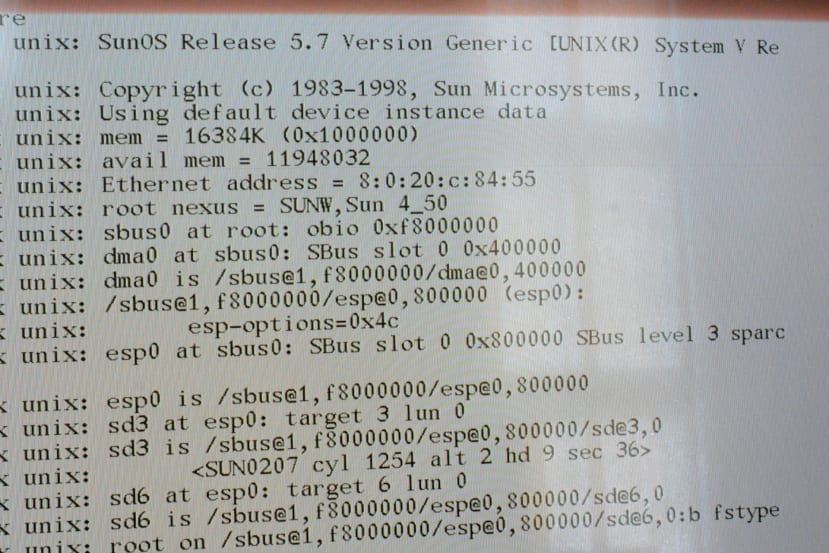
To boot from the internal disk we simply enter at the OBP prompt:
boot disk
Following which Solaris 7 (SunOS 5.7) was loaded.
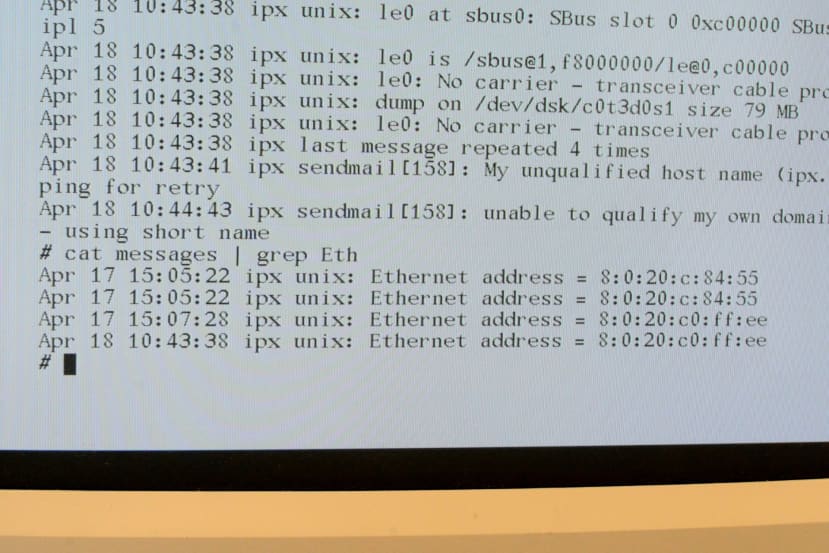
After a short while it was then possible to log in as root. From the logs it appears as though the machine was last booted in the year 2000 — or at least it thought that was the year! It was also possible to search the logs to see what the Ethernet address was when it was previously booted, which is useful as we could then go back to the OBP monitor and reprogram the IDPROM with this address. Of course, it is always possible that this wasn’t the original MAC address and it had been set to some random value when the original one had previously been lost.
Next steps
Now that we have a working machine, it would be nice to see if we can clean the enclosure up and remove some of the marks and if possible, the yellowing of the plastic. Further research is also required to see if the NVRAM error can be cleared. Finally, Solaris 7 was released in late 1998 and is perhaps a little modern for a SPARCstation IPX, hence it would seem appropriate to load a Solaris 1.x release from around 1991-1994, closer to when the system was introduced.