Since many devices are also Zigbee router (it's a mesh network after all), maybe some additional lightbulb for exterior would suffice ?
Docker compose with a zwave management server, reverse proxies for TLS, vlan isolation for the server, macvlan for HA container so it does see the host network, etc, etc. All to turn on and off a lightbulb with the sun. All the while AI is telling me to configure things insecurely.
I think when I get some more spare time, I’d like to write a statically linked program that handles a zwave controller and basic automation scripting. No IP networking needed for my lightbulbs. Then it wouldn’t feel risky to just make a system user and udev rule to give it permissions to the controller, and run with systemd.
I have a door sensor that monitors my kids bedroom door, and when it opens it turns on a desk lamp in my room. This allows me to get to him before he gets to my partner who's sleeping with the new born.
I would instead recommend people use HAOS instead - either running on dedicated hardware OR as a VM. Just dont run it from an SD card if you go down the Raspberry Pi/SBC route - it will kill the card from IO cycles.
I have an IOT VLAN on my network that all the IOT bits sit in, including WIFI devices. What internet access it gets (if any) depends on the device profile.
I tried splitting things up into multiple VLANs but a whole lot of things assume just a flat network, so things stop working if you get too fancy.
Just because you CAN run something in a container, does not mean you should.
HAOS exists because it is a docker run time. It is a whole ecosystem, not just the home assistant software itself.
It might not. I have a Raspberry Pi 2 that has been running a weather station for over 12 years, and it has been on the original SD card. I have other RPi's doing dumb things around the house and I have never had an SD card failure.
YMMV and all that.
I don't run addons though, which might be part of it.
I had the same thought after I joined a local group for Home Assistant users.
Everyone always talks about a happy path where you pick the right choices, use the right setup, and everything just works immediately. More often when people come to this local group's shared Slack channel it's because they're 10s of hours into trying to set up something that appeared to be simple. Then all of the old timers remember that they, too, suffered through something similar once and share what they can remember.
I think HA can be a lot of fun for people who like to experiment and debug, but if you're not the kind to be entertained by debugging your home's operation then it can feel like a chore. Some have an easy time setting it up and then get trapped when an upgrade breaks something or they try to add a new device with less than mature support.
I set up HA from scratch on a new mini PC with Proxmox and HAOS in about 30 mins having never touched either before.
For VLANs, I just used port-based VLAN to attach it to the IoT VLAN, with firewall rule to allow UI access, but Proxmox has tagging support if preferred.
Home Assistant does a surprising amount of Disk I/O, if for nothing than for logs. Sibling commenters are also advising not running it on the SD card to avoid wearing it out, so there's definitely some truth here. This means we're adding a Pi M.2 hat + SSD into the mix. The Pi5 SSD kit for 256 GB, when it was available, was around $60 USD. A Pi5 with 8 GB of RAM is $130 USD. Now we need a cooler, a case that will fit the Pi5 with said M.2 hat, and a power supply. We're already well north of $250 USD, encroaching on $300, and we're not even using the core benefits of the Pi's platform. No need for GPIO pins, tightly integrated cameras or other sensors, none of that.
For all we know, the blog author did this assessment (or trusted the assessment of others, eg: Jeff) and came to the came conclusion - it wasn't worth the price of entry.
^1: https://www.jeffgeerling.com/blog/2025/intel-n100-better-val...
Just deny WAN access to the IoT junk you don't trust at the router, or for things like cameras, a separate switch for those. That usually makes sense, since they're one of the few devices that must be powered with PoE and doesn't require gig+ bandwidth. A cheap 100mbit PoE switch will handle a good number of cameras.
I've since also bought https://www.home-assistant.io/connect/zwa-2/ and got rid of all my third party bridges (Ikea, Hue etc.). I also feel good about buying devices from them as it supports the project and the work they are doing on it.
I was trying to get some of the IoT I have at home like pool equipment, lights, HVAC, blinds, etc. Some of the setup were an uphill battle looking for more information in forums and trying to figure out what was broken.
Recently I decided over the weekend to use Claude and write a small app that controls my pool equipment and then deployed it using Cloudflare Zero Trust (kind of a reverse VPN). What a joy! Not only I had lots of fun reverse engineering my pool equipment API (I didn't want to depend on existing libraries - which I know exist) but I managed to create a fun and custom UI with React that my kids and wife love using. For example, whenever the pool heater is on, it adds an animated flame to the UI and change the background to a red-ish color. Plus it has a bar chart that shows the pool temp progression (takes hours to heat it up) with an animated volcano colors. The theme of the app is beach/pool vibe.
I don't think anyone here would be that excited if we were using the lower-denominator that HA turns out to be. I know it's a very cool automation tool, but just not very exciting and pretty obscure to configure every equipment I have at home.
I've been thinking about writing a blog post with the details of my fun project, let me know if anyone is interested in this. So far I've done the blinds and pool equipment. Next will be HVAC and lights. Took me 1-2 weeks total for each using Claude in my spare time.
HA on my RPI is just not reliable, requiring a reboot 4-6 times a year for reasons I don't understand. Frustration at being in the literal dark doesn't translate to the right mindset to root cause.
What I need is an opinionated guide on minimum viable virtualization, but so much of the resources online are from folks that are homelabing maximalists.
I feel the same temptation as parent to create a spartan solution.
1. Water tank and gravity
2. Medical IV flow regulator¹
3. Servo hooked up to that IV flow regulator via a 3D-printed part
It worked very well. In medical applications off must be really off, so it was also quite safe in that regard as well. Her 3D-printed part had a little bit too much flex in it, but in principle this works quite well. If it is really, really safety critical I would still recommend a mechanical fallback that protects in case of power loss or when the servo fails open (e.g. bending the hose with the force of a spring if electricity is gone).YMMV certainly applies but I feel like the warning is important.
I have servers for running VMs and containers but I felt like it would be nice to have this one as a separate device. It's also easy to plug in radio devices.
- Smokeping - Nginx proxy manager (with tailscale and - copyparty - home assistant - regular samba fileserver
Let's hope you don't have to get to the bathroom quickly late at night...
Now I do like a challenge every now and then, so I'm currently setting up Proxmox to gain live migrations and high availability for virtual machines, because I've become quite dependent on all of these services in virtual machines actually running successfully :-) even in the face of eventual hardware failure (like what happened to me in the past months).
Get a nuc or a mini pc: i5-8500 or better (used, ebay https://www.servethehome.com/introducing-project-tinyminimic... for a baseline of what's out there)
Ram is your friend (but prices are gross). Dont be cheap on storage.
Get an external USB drive (3/2/1 rule).
Install proxmox on said device.
Use the proxmox community scripts to install HAOS as a VM. https://community-scripts.org/categories?category=operating-...
Pass through what ever USB devices you need (or spring for POE devices ).
Enjoy your HA setup.
Proxmox is the way to go here. Once you have a working install dont over commit before you learn to: 1. back up, 2. restore. These should both be local and remote (HA can enable this to various sources).
As a bonus you now have a runtime (proxmox) that can do tons of other things (see the whole community scripts link).
I have been running HA for years now, and this method makes things a pleasure and is easy (at least if you're a nerd) and cheap (the solutions are lower power).
There is another option that I don't think many people are aware of: You can put a battery powered relay downstream of the (dumb) switch, and have it broadcast events when power comes on and off, to control other smart devices, which just have to listen for the events (via a broker like HA).
The switches are mostly Mikrotik, with some Unifi switches.
The wifi APs are all Unifi - they are all PoE and wired into the same network, no mesh. Even between buildings I ran fibre.
For the switching and routing, were I to do it again now I might go all Unifi. They recently implemented some much needed updates to make doing things like firewall rules and routing based on device much easier. I have a complicated set of rules in OPNsense to route IOT VLAN traffic out via a VPN connection, which require static IP assignments via DHCP, but under the new Unifi network I could do it with a few clicks and being able to use device attributes rather than a static IP.
I am also using an SLZB-MR1 for a ZigBee controller and Matter over Thread border router. I've got a bunch of IKEA and Mercator ZigBee light bulbs/fixtures that act as ZigBee routers. It's a strong enough mesh I rarely have issues with the ~180 devices on the net.
Actually, both OPNsense and Hass are VMs on the same machine, with the latter's network not even connected to any physical port outside the box. I'm not even running Proxmox or anything fancy, just libvirt on Arch. The only "fancy" thing is a 2nd hand Mellanox NIC I got off eBay for 30 €, which presents virtualized interfaces to the VMs, but HASS doesn't actually use those.
There's also no need to manually screw around with any reverse proxy for TLS; HASS does it with the Let's Encrypt add-on. The only missing piece when I set this up a while ago was something to regularly renew the cert (the add-on would only get started at boot-up).
Your suggestions should be fine for hardware failure but I'd be more concerned about software failure: what if a bug in your software makes it unresponsive and stuck in the state with the flow open? Maybe a watchdog or some other system running in parallel checking for a heartbeat or a max amount of time water can be flowing?
I haven't tried BT, but my HA box lives underneath a couch with a big steel pull-out bed so I don't imagine it would work very well anyway.
There's other things I forget which are also more difficult/annoying to manage on the container version.
I have a rather large docker compose stack so my first experiments with HA were as running it there.
That lasted maybe a week before I went and ran it as a VM instead.
There are regularly threads from people with "I restarted HA and now I get this weird boot error message", and it's because their SD card died.
You do you, but it's common enough of a problem that I think it's worth calling out as a "Don't do this".
While it is technically no longer supported, you can still install the whole kit and caboodle using pip in a Python virtual environment, but why would you?
Most likely there is some sort of motion or presence sensor that turns on the lights which then turn themselves off after some time or no more presence is detected. There are also small wireless switches that could be used in place of the actual wall switch.
I have done so in my apartment for example. Since the bedroom light switch is for some reason outside of the room I taped it down and put a wireless switch in a more reasonable spot. Another example is the hallway light, which only turns on by motion sensing when the sun is starting to go down.
Task for an RTOS or no OS IMO. Or a single executable that runs on any OS without config. Should be simple, fast, "just work".
Some readers will know, but most will not, that I am a bit of a self-confessed foodie. I enjoy cooking, but especially so when others get enjoyment from it. Be it friends, family, or neighbours, and sometimes all three, I’m always up for putting something together.
Food isn’t what this post is about, but it’s the underlying motivation for much of the things I talk about, mingled with a healthy dose of nerdism.
At work, some of my colleagues enjoy tinkering with Home Assistant. For anyone unfamiliar, HA is a platform for collecting data from devices, controlling them, and running automations. It’s pretty cool. I was unfamiliar with it, but it sounded pretty cool. OK, so we have a solution. Now to find a problem.
My property has a basic irrigation system for the lawns. 6 zones, you attach the right hose to the tap and let it run until you remember to turn it off. All well and good, but I figured it could be smarter and safer. So, that became the first thing I decided to solve with Home Assistant.
Here are the requirements for the system:
The hardest part was choosing some hardware for this new platform. I didn’t want to mess around building a server, something off the shelf would suffice. I ended up going with a Beelink EQ14 Intel Twin Lake N150 which seemed like a good fit. It has a 500GB SSD, gigabit ethernet, 16GB RAM and a decent CPU. I paid $259 USD shipped to NZ. It’s definitely overkill for running Home Assistant and a couple of containers, but I wanted some headroom for future projects like a media server and it uses very little power.
Going back to my first use-case for Home Assistant (irrigation), I needed something to control water flow. Various solutions exist, from off the shelf to DIY, but I didn’t want to muck around with custom electronics in close proximity to water, where the failure state is a flood. I also wanted something that operated locally to the property and didn’t require cloud connection. I stumbled across Link-Tap which can either run as a cloud client or it can use a local MQTT server, which I figured would be easy to integrate with Home Assistant, so I took the plunge and got their Q1 4-zone unit.
Once it all showed up, I started by testing out the Link-Tap with their app and cloud integration. It all worked flawlessly and I was really pleased with it. I ran the irrigation schedule for a few days to prove it was working as expected.
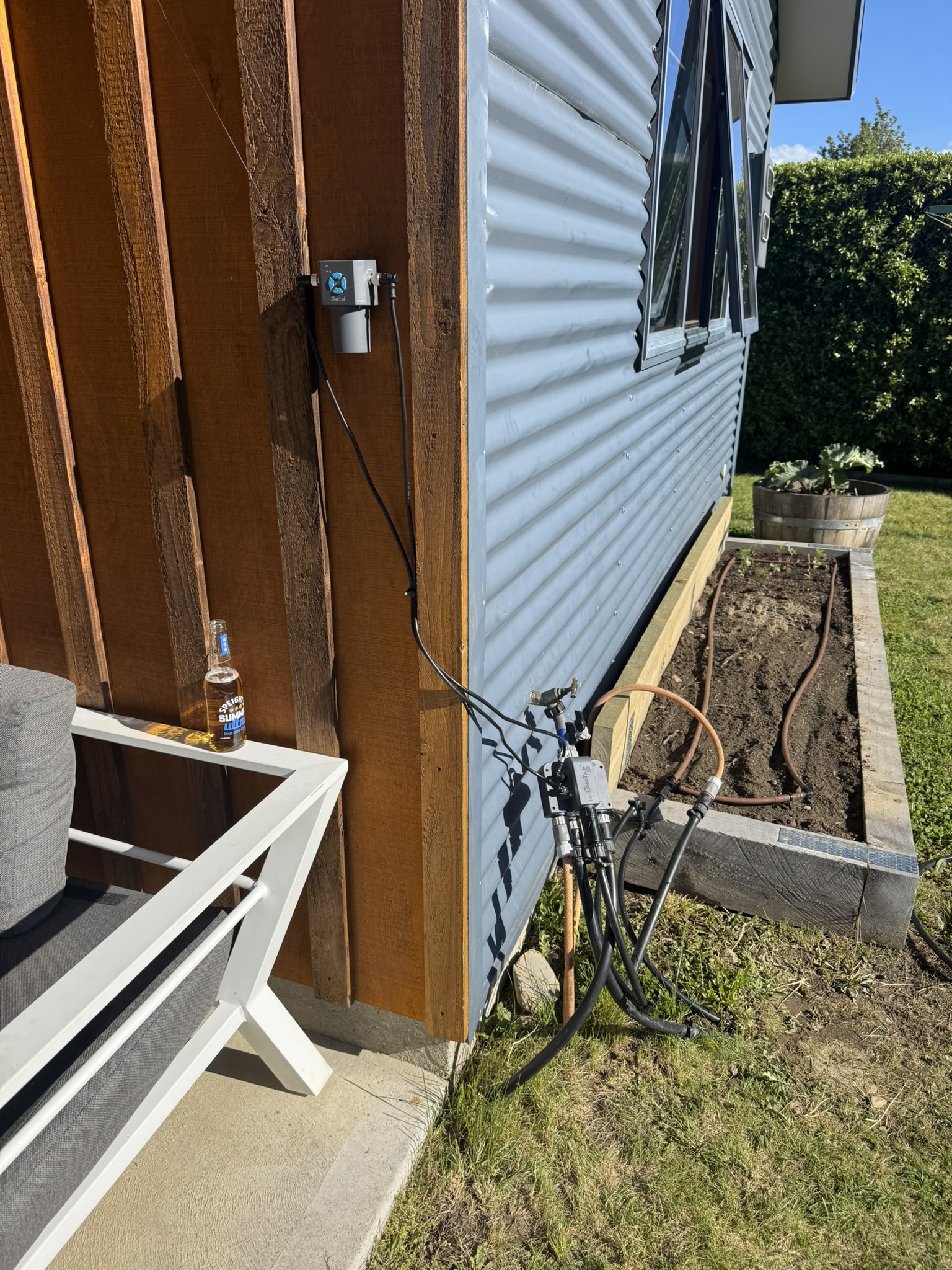
Link-Tap installed with transceiver placed up high.
Next step was to get Home Assistant installed and configured. I decided to go full nerd homelab setup and install Proxmox on the Beelink. This was pretty straightforward, I just made a bootable USB stick and ran the Proxmox installer.
I found it confusing as to whether I should run HA in a Linux container, or as a VM. As most guides suggested the latter would be easier if I wanted to pass-through USB (e.g. for a Zigbee transceiver, more on that later), I opted to do that. With that, Home Assistant was up and running!
The next step was to setup an MQTT broker, which was also really easy. I ran it as a container in Proxmox and then connected the Link-Tap gateway to it so communications could happen over MQTT. The sensors (water flow, etc) and switches immediately showed up in Home Assistant which was cool.
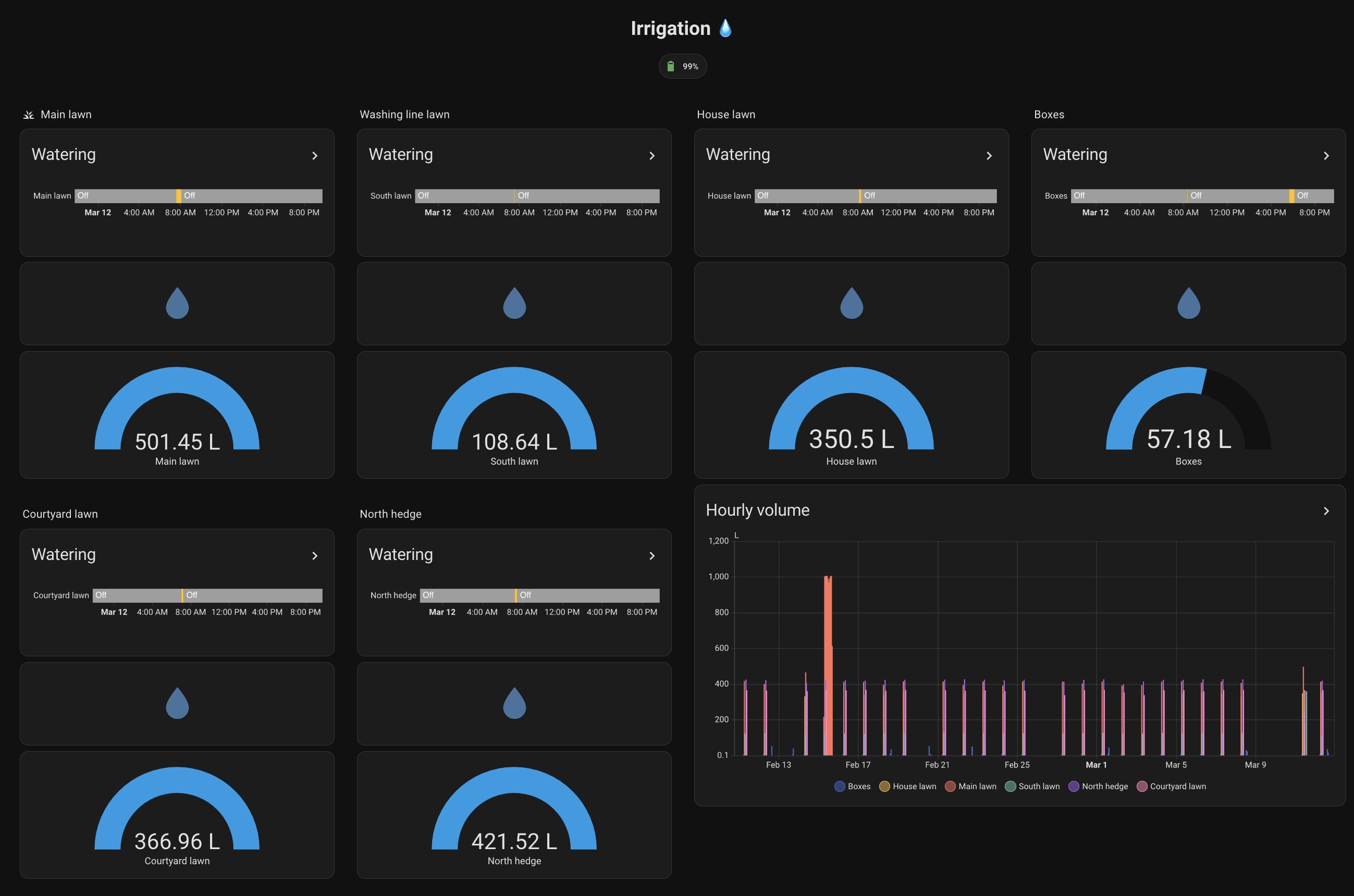
Irrigation dashboard in Home Assistant
I was able to easily configure an automation to run the irrigation every morning, taking into account the forecast for the day (e.g. don’t run if it’s going to rain!). I also added automations to send me push notifications when any zone turns on.
I mentioned Zigbee earlier. I liked the idea of various sensors around the house and outside the property for measuring things. I picked up a SONOFF ZBDongle-P for $32 USD as it had good support for Home Assistant. It was easy to get working with zigbee2mqtt running in another container.
I started with climate sensors in various rooms but I’ve also added soil moisture and humidity sensors to the mix. These were all cheap battery devices from Aliexpress. The climate sensors are great but the soil sensors report data sporadically. I think I need more Zigbee repeaters to get a reliable mesh network, but to date I haven’t found any consumer-grade devices certified for use in NZ.
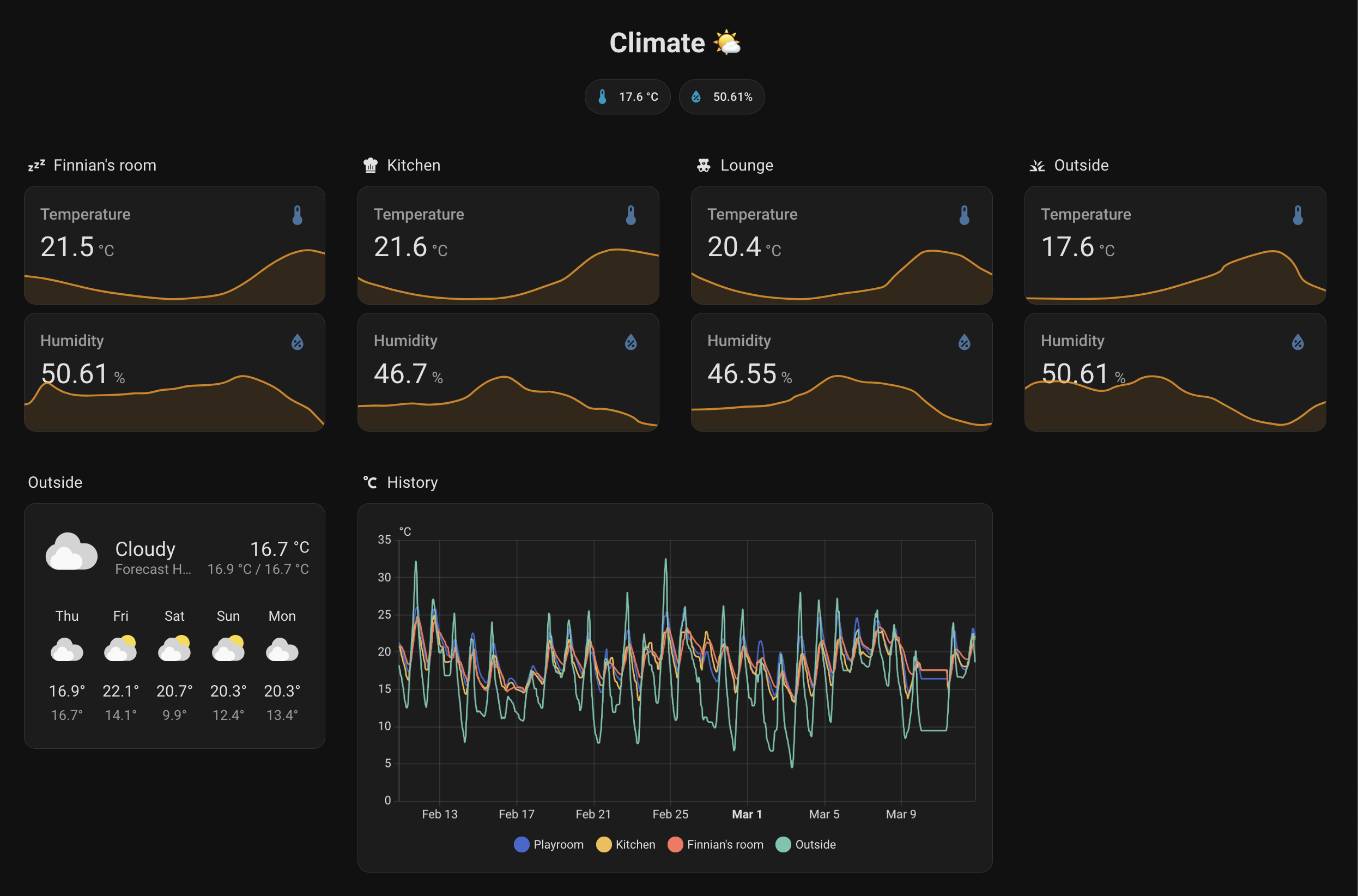
Climate dashboard in Home Assistant showing data from various rooms.
To take things a step further, I wanted to be able to remote into Home Assistant to check on things. I only wanted to expose Home Assistant though, not any of the other services to keep the surface area minimal. I decided to use Cloudflare tunnels for this, in combination with WARP VPN for security. It’s configured to only allow connections from within my Zero Trust account for safety. It mostly works, there’s a bit of friction when the session expires but it works OK most of the time. The Home Assistant CarPlay app even offers up my irrigation controls when I’m driving. Lol.
I’ve setup automatic backup of VMs and containers in Proxmox (I need to add an external disk for redundancy). Having never used Proxmox, I thought this might be hard, but I was pleased with how easy it was to setup a backup schedule.
I ran into a weird problem every few months where the mini PC wouldn’t recognise it’s NVME drive and would die, then fail to boot. It did this once when I was away for 3 weeks which was irritating. I have hopefully resolved this by disabling NVME deep sleep with nvme_core.default_ps_max_latency_us=0, see this ChatGPT conversation. If that doesn’t fix it, it’s probably a low-quality SSD causing the issue and I may need to replace it or send it back to Beelink which would be annoying.
Further things I’d like to do:
I’ll leave you with some photos of the greenery!
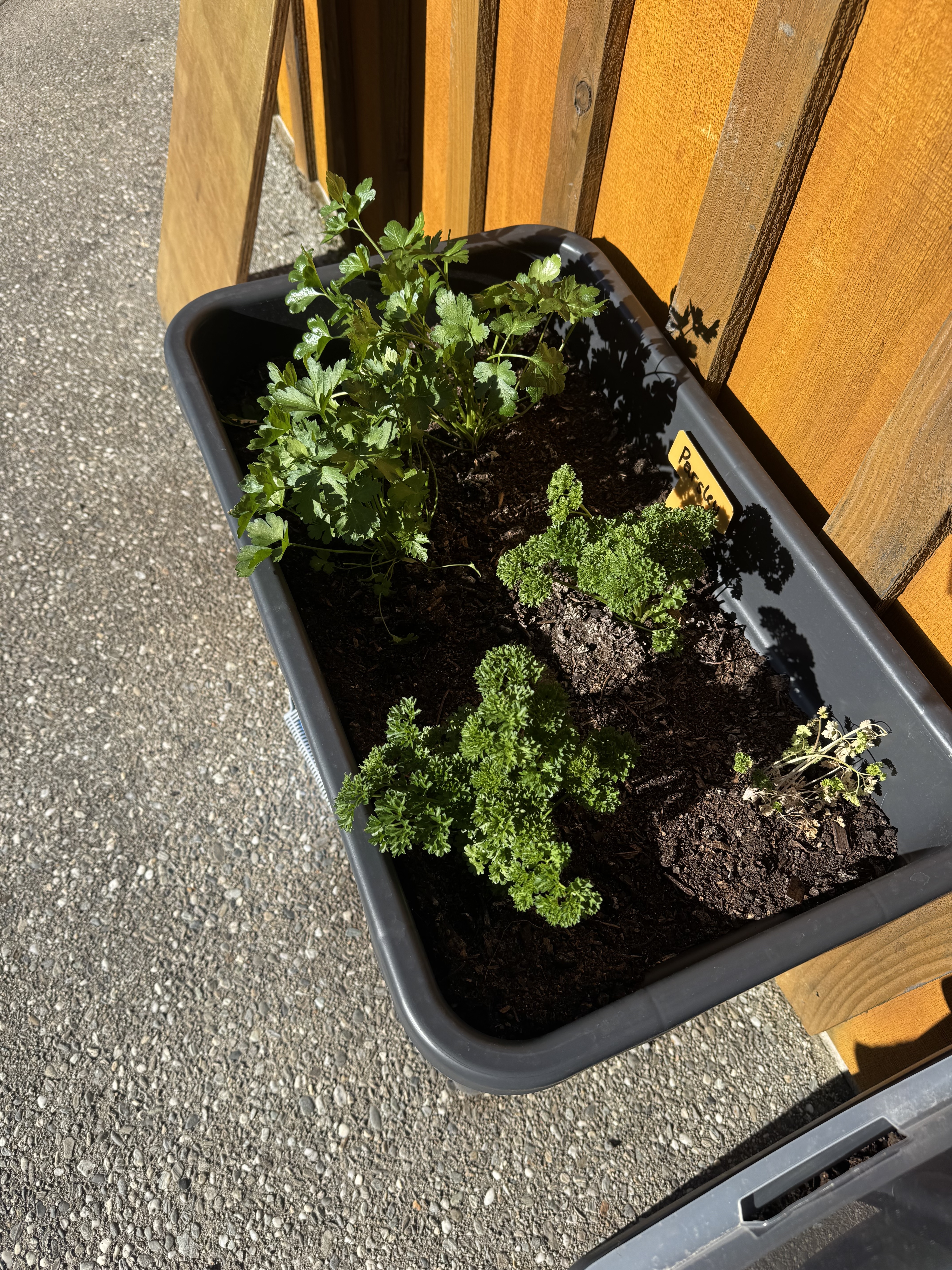
Flat-leaf and curly parsley
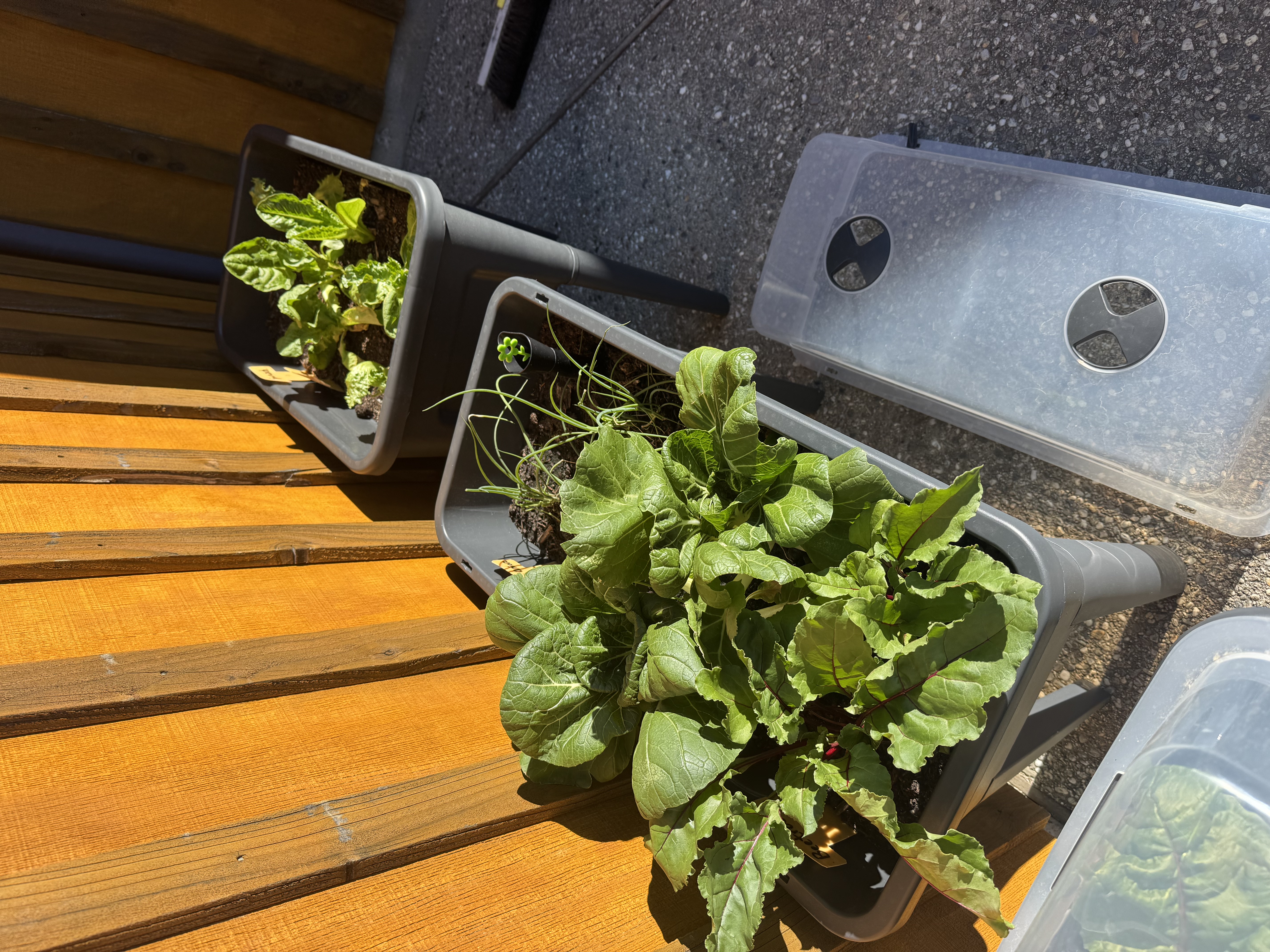
Pak choy, spring onions, lettuces, beets
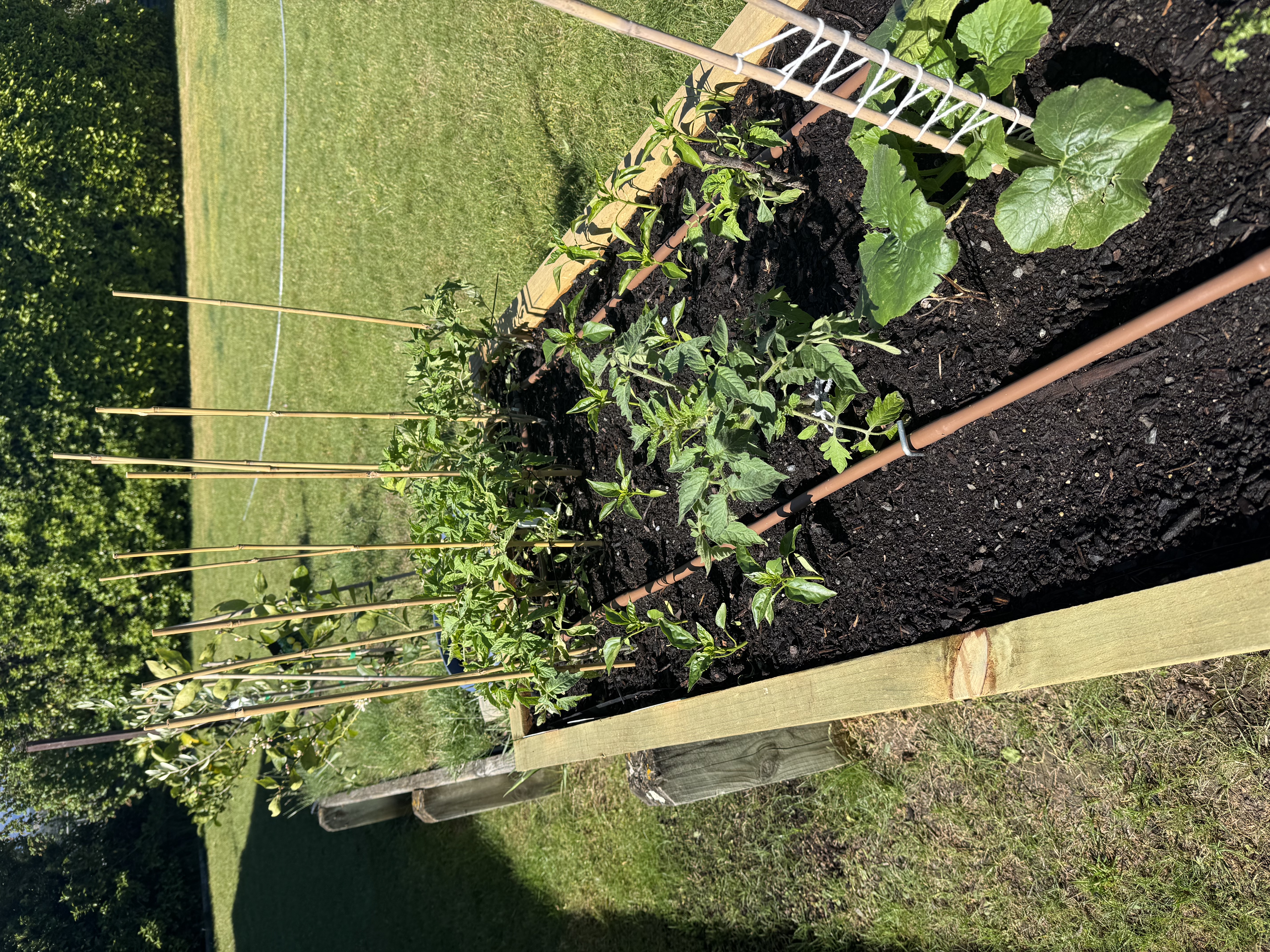
Tomatoes, capsicums, courgettes
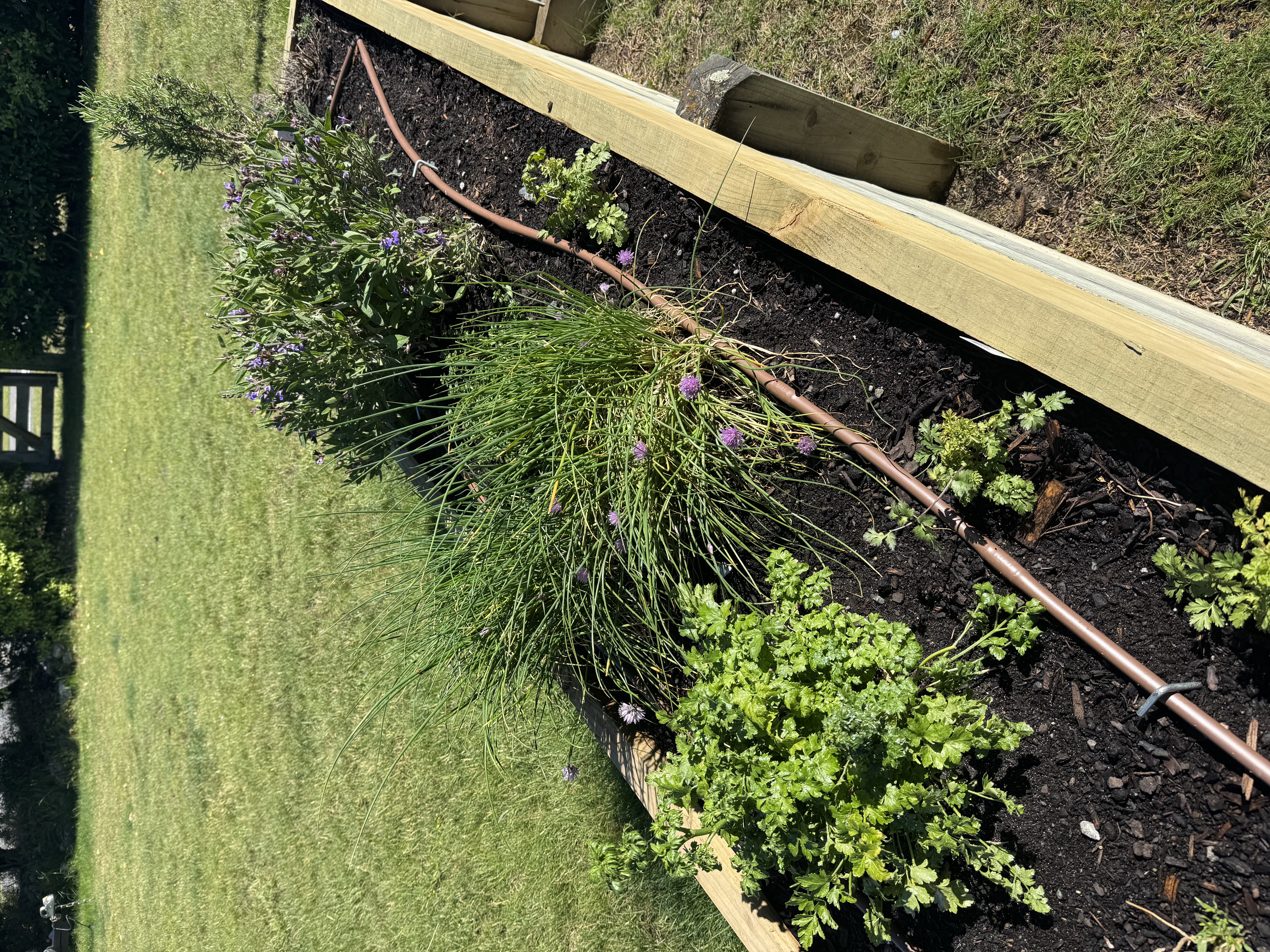
Taragon, coriander, chives, thyme, sage, rosemary
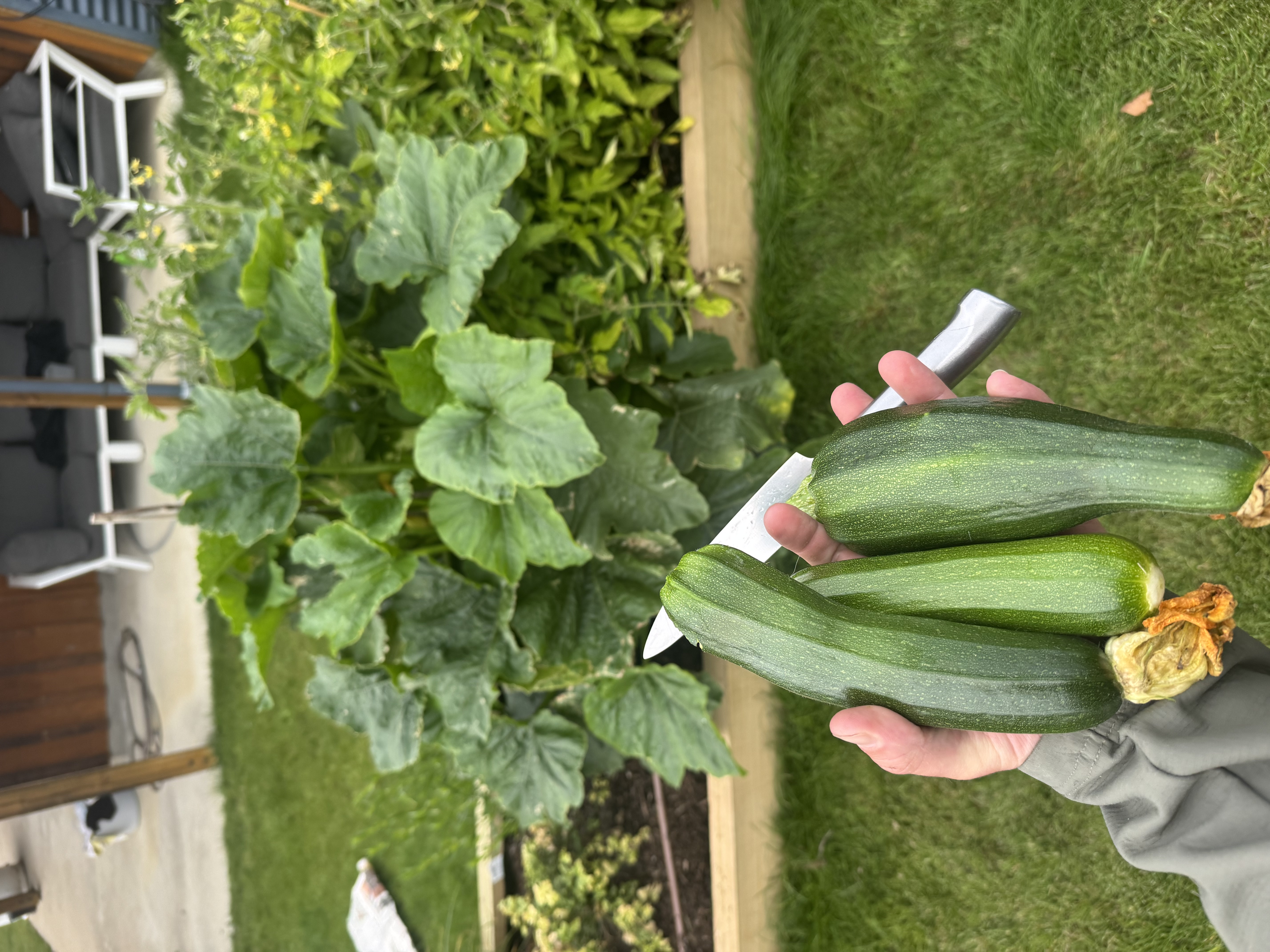
Courgettes
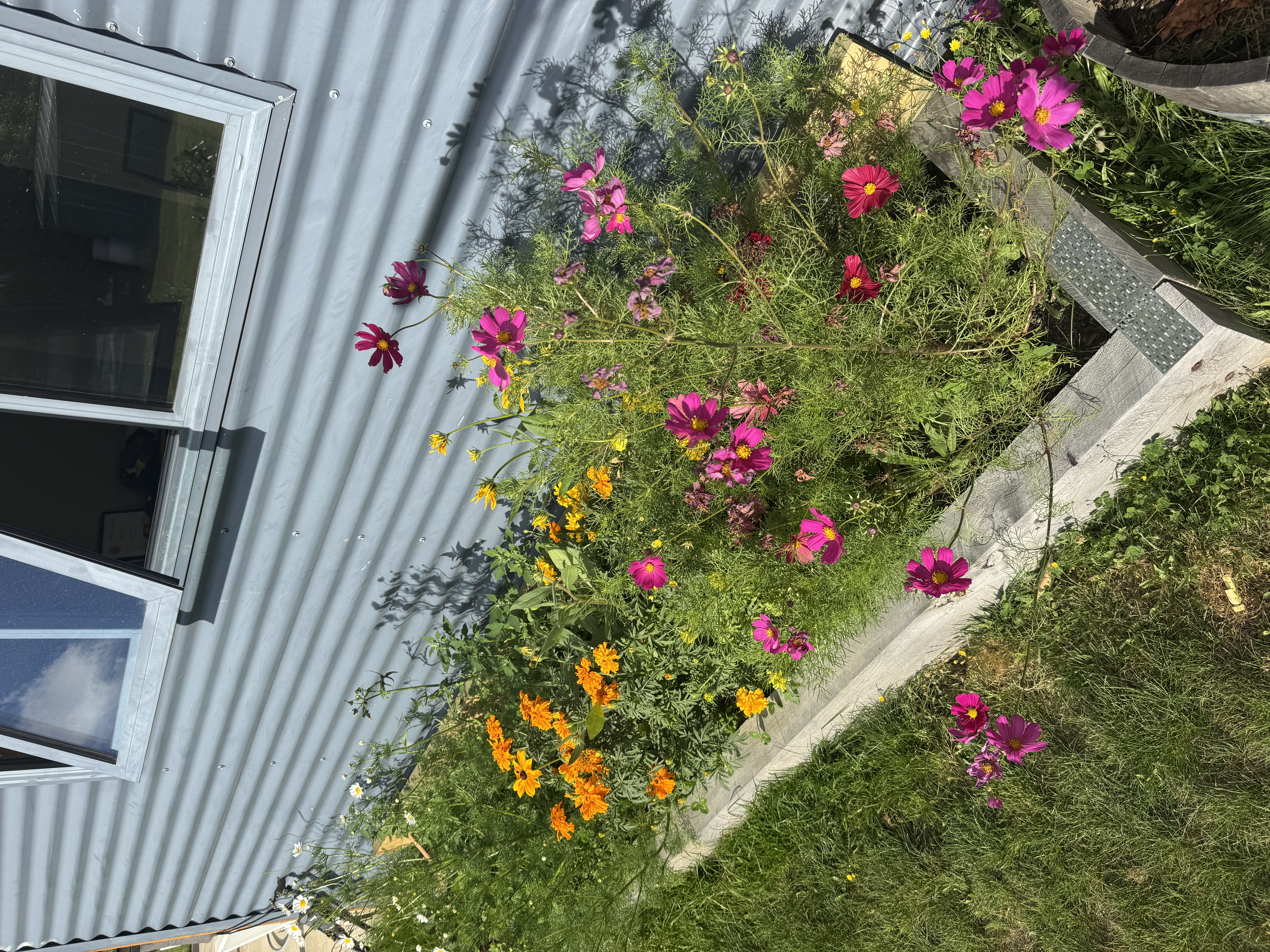
Flower raised bed
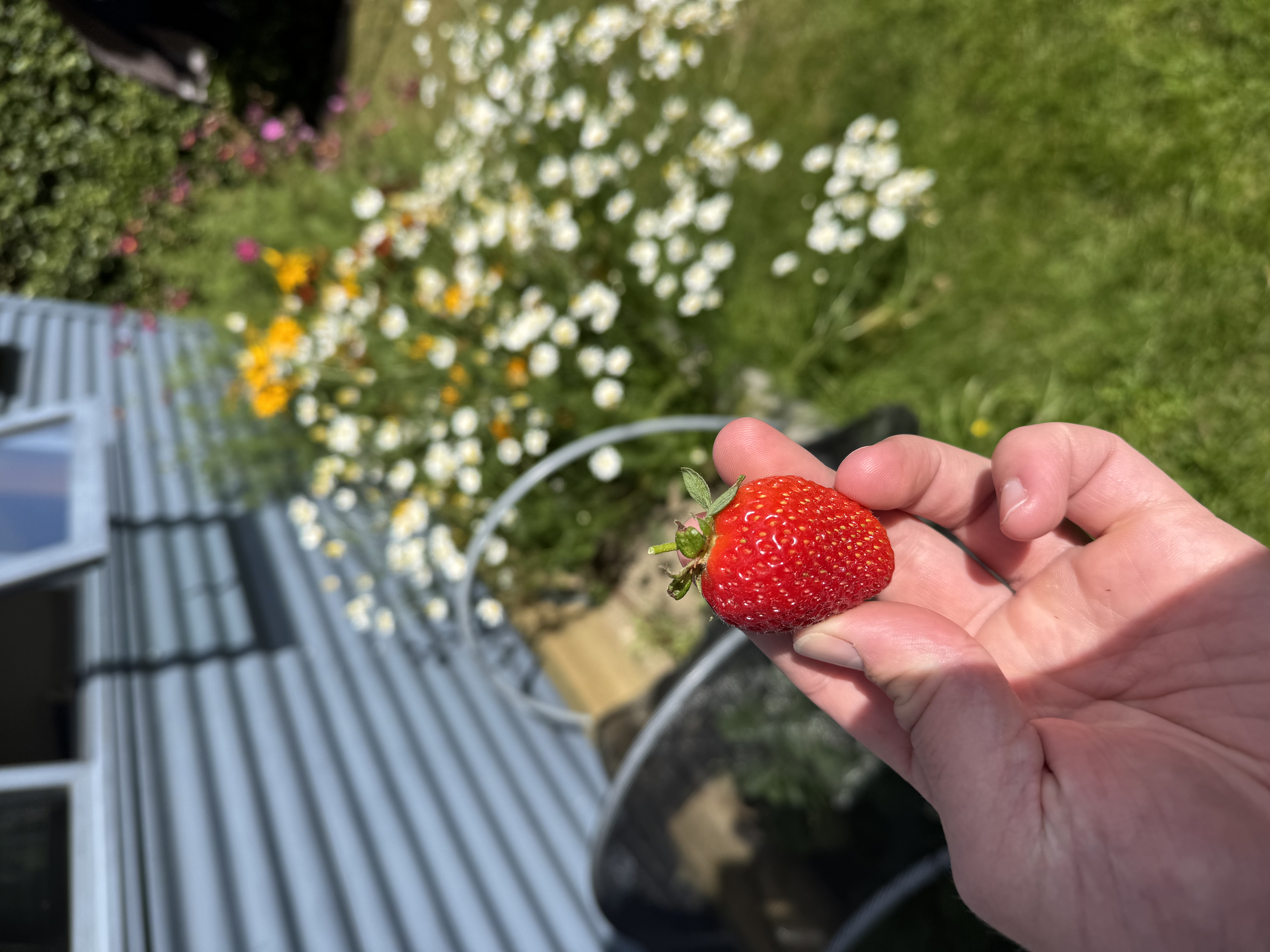
Strawberry!
Also my track record of writing stable, bug free embedded software has been pretty solid as of now. But if human life would be on the line (for example) special precautions like multiple independent failsafe mechanisms are non-negotiable.
But it was also quite easy to pass a USB device to the HAOS VM in Proxmox.
you mean an image like this?
This is what I've been running on my generic x86-64 system for a couple of years now, 0 issues. Even migrated to a newer system recently because I wanted something that was slightly faster for ESPHome compilations.
On the weather station I wrote to the SD card 1,068,266 database records, along with all the nginx logs, etc...
> it's common enough of a problem
It's probably survivorship bias, where everyone complains about SD card corruption, while those with no issues really don't say anything. Well, except my comments today.
The important thing is that it's pretty much always easy to make an upgrade thanks to the good design of the backup system. Don't forget to set up backups in either case, it's a sin to not use such a complete system :)