
I built multiple iOS apps and went through two start up acquisitions with my M1 MBA as my primary computer, as a developer. And the neo is better than the M1 MBA. I edited my 30-45 min long 4k race videos in FCP on that air just fine.
No.
>Do I reject a world where all of the above is necessary to realize value from an entry-level MacBook?
In theory, yes.
I’m guessing so many devs started out on 32gb MacBooks that the NEO seems underpowered. but it wasn’t too long ago that 8gb, 1500mb/sec IO & so many cores was an elite machine.
I did a lot of dev work on a glorified eePC Chromebook when my laptop was damaged. You don’t need a lot of ram to run a terminal.
I’m hoping NEO resets the baseline testing environment so developers get back to shipping software that doesn’t monopolize resources. “Plays nice with others” should be part of the software developer’s creed.
I wish more companies would do showcases like this of what kind of load you can expect from commodity-ish hardware.
Having said that duckDB is awesome. I recently ported a 20 year old Python app to modern Python. I made the backend swappable, polars or duckdb. Got a 40-80x speed improvement. Took 2 days.
Did a PoC on a AWS Lambda for data that was GZ'ed in a s3 bucket.
It was able to replace about 400 C# LoC with about 10 lines.
Amazing little bit of kit.
Props for identifying the issue immediately, but armed with that knowledge, why not redo the benchmark on a different instance type that has local storage? E.g. why not try a `c8id.2xlarge` or `c8id.4xlarge` (which bracket the `c6a.4xlarge`'s cost)?
:shrug: as to whether that makes the laptop or the giant instance the better place to do one's work…
2025-09-08 : "Big Data on the Move: DuckDB on the Framework Laptop 13"
"TL;DR: We put DuckDB through its paces on a 12-core ultrabook with 128 GB RAM, running TPC-H queries up to SF10,000."
https://duckdb.org/2025/09/08/duckdb-on-the-framework-laptop...
Any modern Mac is more than capable. I had the baseline M1 Macbook Air that I did work on as well, just to see how that fared. Much better than this machine - 10x the price, but more than 10x the performance. This one is great as a "I don't mind if I break it or lose it" device.
8gb has ALWAYS been fine in Apple Silicon Mac OS. RAM usage on a fresh boot is a meaningless statistic (unused RAM is wasted RAM). And they're just plain capable!
> Here's the thing: if you are running Big Data workloads on your laptop every day, you probably shouldn't get the MacBook Neo.
> All that said, if you run DuckDB in the cloud and primarily use your laptop as a client, this is a great device
I developed some work that keeps tens of thousands of people alive every day on a $100 Acer netbook almost 15 years ago. The tools are always there, I don't think anyone thinks the work is actually impossible to do on a limited machine.
I also was using an Intel MacBook Pro with 16GB at the time. Doing the same thing there was much smoother and snappier. On the whole, it actually made me want to just the laptop instead since it "felt" nicer. (This isn't measuring build times or anything like that, just snappiness of the OS.)
My good old LG Gram (from 2017? 2015? don't even remember) already had 24 GB of RAM. That was 10 years ago.
A decade later I cannot see myself being a laptop with 1/3rd the mem.
Their numbers are a bit outdated. M5 Macbook pro SSDs are literally 5x this speed. It's wild.
Or am I missing something?
That's not tldr, that's just subheader.
With I/O streaming and efficient transformation I do big data on my consumer PC and good old cheap HDDs just fine.
The worst corner they cut is no keyboard backlighting. That saves them what, $1 BoM per MacBook Neo? Especially because now they have to put up an entire new keyboard production line instead of just piggybacking off of the Air keyboard production line.
(Maybe the fans sometimes sound like they're a jet engine taking off…)
Finally just put an order in for a new 16" MBP M5 Max with 48GB memory only because it looks like they're going to stop supporting the Intel stuff this year and no more software updates. It'll probably be obsolete in six months with the rate things are going, but I've been averaging seven years between upgrades so it should be good!
Running neovim on termux was fine. Developing elixir was no problem, the test suite took 5s on my phone, and takes 1s on my laptop. Rust and cargo compiling was slow enough that I didn't really enjoy it though.
Meant that I could just pack up instantly and have an agent do review workflows while I was out and about as well in my pocket, and didn't really notice a big battery hit.
Before I was a professional software developer, I used a scrawny second-hand laptop with a Norwegian keyboard (I'm not Norwegian) because that was what I could afford: https://i.imgur.com/1NRIZrg.jpeg
This was the computer I was developing PHP backends on + jQuery frontends, and where I published a bunch of projects that eventually led to me getting my first software development job, in a startup, and discovering HN pretty much my first day on the job :)
The actual hardware you use seems to me like it matters the least, when it comes to actually being able to do things.
It’s staggering. Jaw dropping. Bandwidth is even worse, like 10000X markup.
Yet cloud is how we do things. There’s a generation or maybe two now of developers who know nothing but cloud SaaS.
I watched everyone fall for it in real time.
Not sure the difference other than weight, but I wasn't carrying it day to day when i could leave it in my hotel room.
Is still handling the load well, though at times, fans get quite loud, especially with all the background processes and VM setups.
Hope to get a new MBP this year, as being on Intel means lots of software that won't run on it (ie, Codex app for example, won't run on Intel Macs)
[1] https://www.zdnet.com/article/how-to-use-the-new-linux-termi...
The terminal and CLI app within ran locally on a smartphone, which was the premise of the experiments within the linked post.
They also weren't comparing a Swift app on an iPhone with their Android run, they were comparing both against "... the system in the research paper that originally introduced vectorized query processing[.]"
Outside of the king's ransom you now have to pay for it, you can fit 99% of problems into RAM.
Where I live, our government-funded clam research programs are mostly shutting down. Very sad.
But I'm planning to do a big jump: Soon I will switch to a 2012 Mac Mini as my primary linux server!
After all, the actual server ran the code, I just needed text editors, terminal windows, and web browsers.
I am jealous of my wife’s 13” M5 iPad Pro though, that oled screen is gorgeous, a wonder of modern engineering.
I benchmarked I4i at ~2GB/s read, so let's say I7i gets 3GB/s. The Verge benchmarked the 256GB Neo at 1.7GB/s read, and I'd expect the 512GB SSD to be faster than that.
Of course, an application specific workload will have its own characteristics, but this has to be a win for a $700 device.
It's hard to find a comparable AWS instance, and any general comparison is meaningless because everybody is looking at different aspects of performance and convenience. The cheapest I* is $125/mo on-demand, $55/mo if you pay for three years up front, $30/mo if you can work with spot instances. i8g.large is 468GB NVMe, 16GB, 2 vCPUs (proper cores on graviton instances, Intel/AMD instance headline numbers include hyperthreading).
So, the m5 with 48gb of ram will be amazing.
No 8GB, compressed or whatever was not enough for MacOS when M1 was released. Even for simple outlook, web browser, excel type of workflows.
After 3-4 hours of work, the window manager process itself is consuming gigabytes of memory. Not even considering any browser or electron apps.
My M1 Mac mini was choking up so much that I had to trade it in. That was back in 2021. Today apps are even more bloated.
Those apps don’t need every single byte of memory you see in Activity Monitor to be active in RAM all of the time. The OS swaps out unused parts to the very fast SSD. If you push it so far that active pages are constantly being swapped out as apps compete then you start to notice, but the threshold for that is a lot higher than HN comments seem to think.
Can we please just move on? Maybe get your hardware checked if you’re legitimately still having these issues.
i have a computer that benchmarks literally 10x faster and with 32x the amount of RAM, but i miss that little thing that helped me build my career from nothing
You're either underestimating how big cloud instances can get or overestimating how much it costs to rent a cloud instance that would beat an M1 Max at any multi-core processing.
According to Geekbench, the M1 Max macbook pro has a single-core performance of 2374 and multicore of 12257; AWS's c8i.4xlarge (16 vCPUs) has 2034 and 12807, so relatively equivalent.
That c8i.4xlarge would cost you $246/mo at current spot pricing of $0.3425/hr, which is, what, 20% of the cost of that M1 Max MBP?
As discussed recently in https://news.ycombinator.com/item?id=47291906, Geekbench is underestimating the multi-core performance of very large machines for parallelizable tasks -- the benchmark's performance peaks at around 12x single-core performance. (I might've picked a different benchmark but I couldn't find another benchmark that had results for both the M1 Max and the Xeon Scalable 6 family.)
If your tasks are _not_ like that, then even a mid-range cloud instance like a 64-vCPU c8i.16xlarge (which currently costs $0.95/hour on the spot market) will handily beat the M1 Max, by a factor of about 4. The largest cloud instances from AWS have 896 vCPUs, so I'd expect they'd outperform the M1 Max by about 50-to-1 for trivially parallelizable workloads. Even if you stay away from the exotic instances like the `u7i-12tb.224xlarge` and stick to the standard c/m/r families, the c8i.96xlarge has 384 vCPUs (so at least 24x the compute power of that M1 Max) and costs $3.76/hr.
Claude suggested to just use DuckDB instead and indeed, it made short work of it.
If it didn't, Apple has other laptops today with more RAM.
- c8gd.4xlarge - this has a single 950 GB NVMe SSD.
- c5ad.4xlarge - this has 2 x 300 GB disks, which I put in a RAID 0 array. There are no c6ad.4xlarge instances, so this is the closes NVMe-enabled approximate to ClickBench's most popular choice, c6a.4xlarge.
I also added results from my local dev machine, a MacBook M1 Max with 64 GB RAM and 10 cores.
Here are the results:
| machine | cold_run_avg | cold_run_sum | hot_run_avg | hot_run_sum |
| -------------- | -----------: | -----------: | ----------: | ----------: |
| macbook m1 max | 0.48 | 20.68 | 0.43 | 18.60 |
| macbook neo | 1.39 | 59.73 | 1.26 | 54.27 |
| c8gd.4xlarge | 0.51 | 22.04 | 0.24 | 10.36 |
| c5ad.4xlarge | 1.29 | 54.14 | 0.55 | 22.91 |
| c6a.4xlarge | 3.37 | 145.08 | 1.11 | 47.86 |
| c8g.metal-48xl | 3.95 | 169.67 | 0.10 | 4.35 |
On the cold run, the MacBook is on par with the c5ad.4xlarge. The c8gd.4xlarge is about ~2.5x faster on the cold run.I know this is moving the goalpost, however, it's quite interesting that both of these cloud instances with instance-attached storage are still outperformed by the M1 Max (which is 4+ years old) on the cold run. And they would quite likely lose against the latest MacBook Pro with the M5 Pro/Max on both the cold and the hot runs. But that's an experiment for another day.
the laptop is gonna have some local code, maybe a lot, but if I'm doing legitimate "big data" that data is living i the cloud somewhere, and the laptop is just my interface.
The Neo is neat and for someone who mostly does surfing and standard office work kind of stuff I suspect it’s a pretty great little laptop for way less than Apple usually charges.
But it’s not going to compete with an M5 anything.
That couldn't be more accurate
I just thought it was neat. It’s a phone chip, we’ve never been able to do stuff like this on an Apple phone chip before. No one was porting this to the iPhone to run there.
In my mind this is purely a curiosity article, and I like that.
There is always a trade-off of cost/convenience/power, and some folks are going to end up the the Neo end of the spectrum.
I’m really surprised just how competitive it was in their benchmark. I was expecting “sure it doesn’t compete but it works and you can use it”, not “it beat an Amazon instance, though not a really powerful one”.

Gábor Szárnyas
2026-03-11 · 7 min
TL;DR: How does the latest entry-level MacBook perform on database workloads? We benchmarked it using ClickBench and TPC-DS SF300. We found that it could complete both workloads, sometimes with surprisingly good results.
Apple released the MacBook Neo today and there is no shortage of tech reviews explaining whether it's the right device for you if you are a student, a photographer or a writer. What they don't tell you is whether it fits into our Big Data on Your Laptop ethos. We wanted to answer this using a data-driven approach, so we went to the nearest Apple Store, picked one up and took it for a spin.
Well, not much! If you buy this machine in the EU, there isn't even a charging brick included. All you get is the laptop and a braided USB-C cable. But you likely already have a few USB-C bricks lying around – let's move on to the laptop itself!
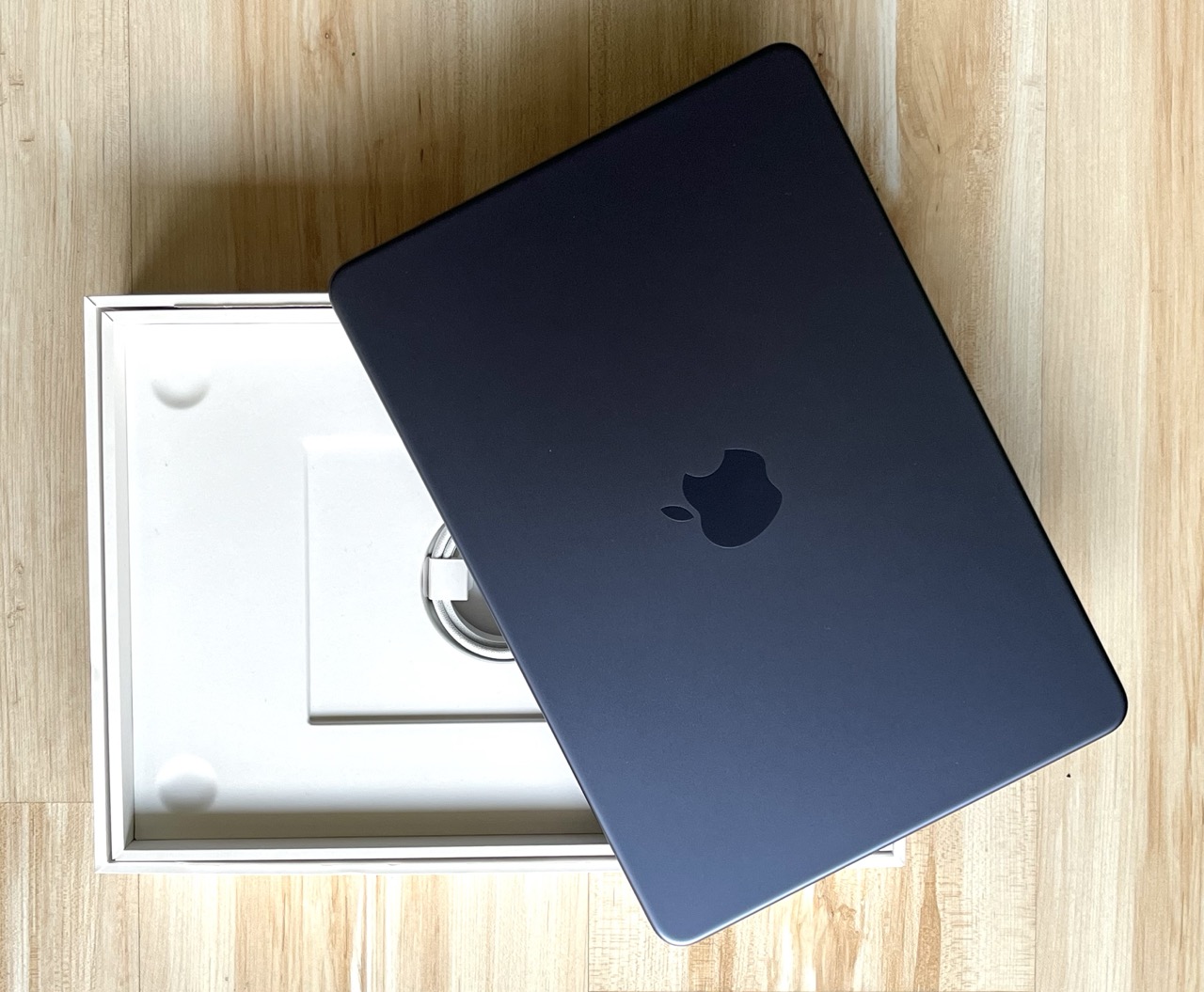
The only part of the hardware specification that you can select is the disk: you can pick either 256 or 512 GB. As our mission is to deal with alleged “Big Data”, we picked the larger option, which brings the price to $700 in the US or €800 in the EU. The amount of memory is fixed to 8 GB. And while there is only a single CPU option, it is quite an interesting one: this laptop is powered by the 6-core Apple A18 Pro, originally built for the iPhone 16 Pro.
It turns out that we have already tested this phone under some unusual circumstances. Back in 2024, with DuckDB v1.2-dev, we found that the iPhone 16 Pro could complete all TPC-H queries at scale factor 100 in about 10 minutes when air-cooled and in less than 8 minutes while lying in a box of dry ice. The MacBook Neo should definitely be able to handle this workload – but maybe it can even handle a bit more. Cue the inevitable benchmarks!
For our first experiment, we used ClickBench, an analytical database benchmark. ClickBench has 43 queries that focus on aggregation and filtering operations. The operations run on a single wide table with 100M rows, which uses about 14 GB when serialized to Parquet and 75 GB when stored in CSV format.
We ported ClickBench's DuckDB implementation to macOS and ran it on the MacBook Neo using the freshly minted v1.5.0 release. We only applied a small tweak: as suggested in our performance guide, we slightly lowered the memory limit to 5 GB, to reduce relying on the OS' swapping and to let DuckDB handle memory management for larger-than-memory workloads. This is a common trick in memory-constrained environments where other processes are likely using more than 20% of the total system memory.
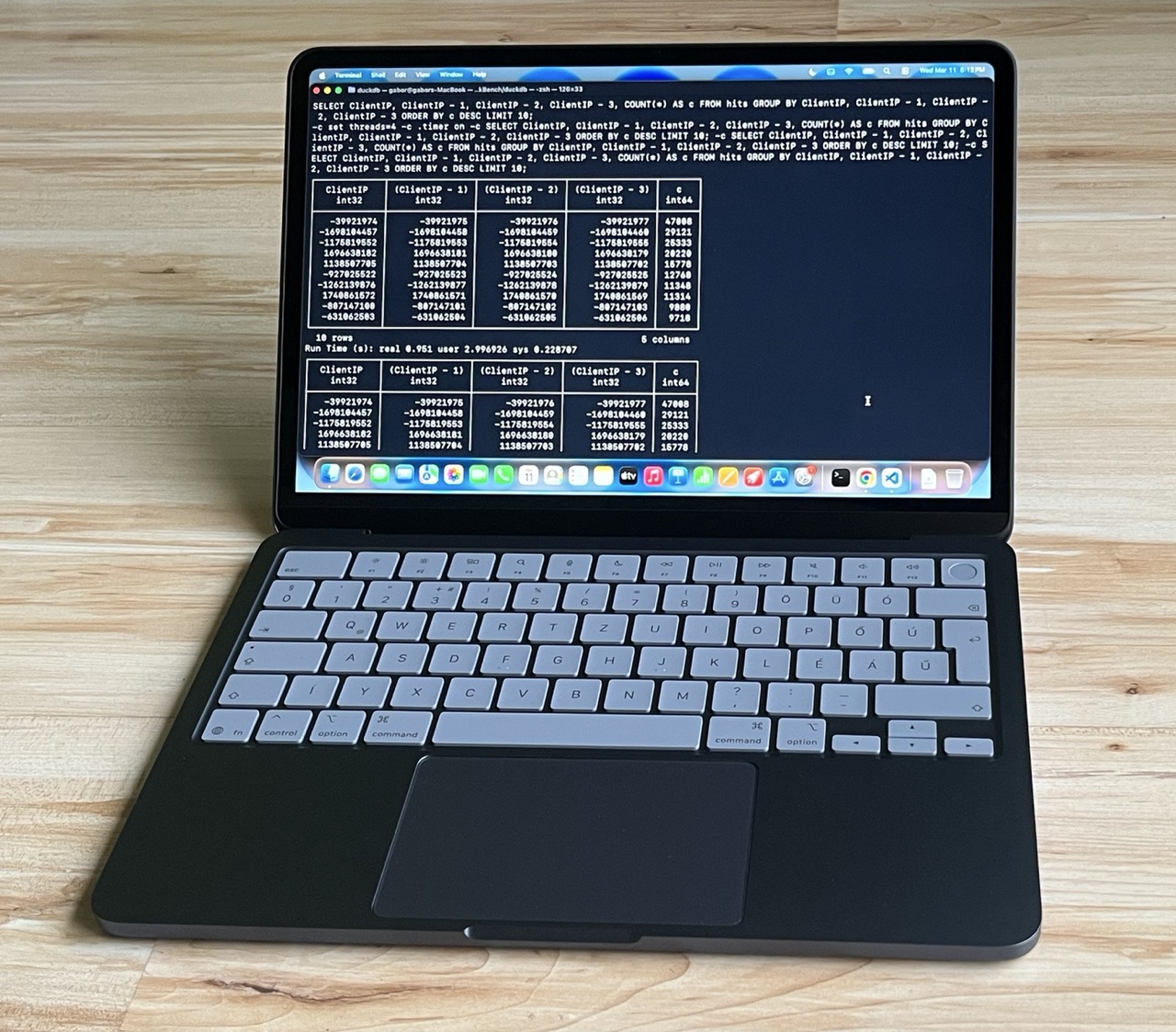
We also re-ran ClickBench with DuckDB v1.5.0 on two cloud instances, yielding the following lineup:
The benchmark script first loaded the Parquet file into the database. Then, as per ClickBench's rules, it ran each query three times to capture both cold runs (the first run when caches are cold) and hot runs (when the system has a chance to exploit e.g. file system caching).
Our experiments produced the following aggregate runtimes, in seconds:
| Machine | Cold run (median) | Cold run (total) | Hot run (median) | Hot run (total) |
|---|---|---|---|---|
| MacBook Neo | 0.57 | 59.73 | 0.41 | 54.27 |
| c6a.4xlarge | 1.34 | 145.08 | 0.50 | 47.86 |
| c8g.metal-48xl | 1.54 | 169.67 | 0.05 | 4.35 |
Cold run. The results start with a big surprise: in the cold run, the MacBook Neo is the clear winner with a sub-second median runtime, completing all queries in under a minute! Of course, if we dig deeper into the setups, there is an explanation for this. The cloud instances have network-attached disks, and accessing the database on these dominates the overall query runtimes. The MacBook Neo has a local NVMe SSD, which is far from best-in-class, but still provides relatively quick access on the first read.
Hot run. In the hot runs, the MacBook's total runtime only improves by approximately 10%, while the cloud machines come into their own, with the c8g.metal-48xl winning by an order of magnitude. However, it's worth noting that on median query runtimes the MacBook Neo can still beat the c6a.4xlarge, a mid-sized cloud instance. And the laptop's total runtime is only about 13% slower despite the cloud box having 10 more CPU threads and 4 times as much RAM.
For our second experiment, we picked the queries of the TPC-DS benchmark. Compared to the ubiquitous TPC-H benchmark, which has 8 tables and 22 queries, TPC-DS has 24 tables and 99 queries, many of which are more complex and include features such as window functions. And while TPC-H has been optimized to death, there is still some semblance of value in TPC-DS results. Let's see whether the cheapest MacBook can handle these queries!
For this round, we used DuckDB's LTS version, v1.4.4. We generated the datasets using DuckDB's tpcds extension and set the memory limit to 6 GB.
At SF100, the laptop breezed through most queries with a median query runtime of 1.63 seconds and a total runtime of 15.5 minutes.
At SF300, the memory constraint started to show. While the median query runtime was still quite good at 6.90 seconds, DuckDB occasionally used up to 80 GB of space for spilling to disk and it was clear that some queries were going to take a long time. Most notably, query 67 took 51 minutes to complete. But hardware and software continued to work together tirelessly, and they ultimately passed the test, completing all queries in 79 minutes.
Here's the thing: if you are running Big Data workloads on your laptop every day, you probably shouldn't get the MacBook Neo. Yes, DuckDB runs on it, and can handle a lot of data by leveraging out-of-core processing. But the MacBook Neo's disk I/O is lackluster compared to the Air and Pro models (about 1.5 GB/s compared to 3–6 GB/s), and the 8 GB memory will be limiting in the long run. If you need to process Big Data on the move and can pay up a bit, the other MacBook models will serve your needs better and there are also good options for Linux and Windows.
All that said, if you run DuckDB in the cloud and primarily use your laptop as a client, this is a great device. And you can rest assured that if you occasionally need to crunch some data locally, DuckDB on the MacBook Neo will be up to the challenge.
If your application won't ever require more resources than a single server or two, then you are better off looking at other alternatives.
That's decently fast but not especially remarkable, most Gen4 NVMe drives can hit 6-7GB/sec.
I ran TPC-DS SF300 now on the c6a.4xlarge. It turns out that it's still quite limited by the EBS disk's IO: while 32 GB memory is much more than 8 GB, DuckDB needs to spill to disk a lot and this shows on the runtimes. Running all 99 queries took 37 minutes, so about half of the MacBook's 79 minutes.
> Command being timed: "duckdb tpcds-sf300.db -f bench.sql"
> Percent of CPU this job got: 250%
> Elapsed (wall clock) time (h:mm:ss or m:ss): 37:00.96
> Maximum resident set size (kbytes): 25559652
I guess they’re using a different definition?
It would be a surprise if more than 0.1% of Macbook Neo users have even heard of DuckDB.
Which means that this article is probably just riding the hype.
Couls you please describe your dev process.
Well, the MacBook Air was also a lot more expensive than the Steam Deck?
I still remember retiring that computer. The first thing I did when I got my Pentium IV chip a year later was download Macromedia Dreamweaver. Did me well.
T420s has loose USB ports and the power socket is almost falling off, so I plan to replace it by a 5 years old T14 G2 in the coming months.
I can afford the latest MacBook, but I'd rather not generate more e-waste that there is, and more importantly I feel closer to my users, and my code is efficient and straight to the point.
My non-hobby laptop is an old cheap Dell from 5-6 years ago.
The best laptop I ever had was a maxed-out Thinkpad P7x, and it came with the most meaningless job ever.
I can only compare that job to the one at a unicorn that gave me the latest and greatest MacBook. Not only the job was meaningless, the whole industry made no sense to me.
A 5 month ROI on a hardware investment would be excellent, so not sure what you're trying to say here?
But that follows A and A+ which were extremely column oriented and date to early 1990s or even late 1980s ; and to various APL implementations going back to the 1960’s
Columnar DBs were very much a thing among APL users (finance and operations research) but weren’t really known outside those fields - and even in those fields, there was a period of amnesia in the late ‘90s/early 2000’s
very much so…
Obviously the LLM inference is super heavy, but the actual work / task at hand is being executed on the device.
If the metal dies in a catastrophic way (multiple nodes at once and loss of quorum, catastrophic DC outage, etc.) you spin it up in AWS.
I setup a self hosted runner and then use that in my CI workflows. Then I disabled it from sleeping so it can clamshell forever and now it sits here in my living room silently workin' https://imgur.com/a/EaBICdo
Just about every physical world telemetry or sensing data source of any note will generate petabytes of analytical data model in hours to days. On the high end, there are single categories of data source that aggregate to more like an exabyte per day of high-value data.
It is a completely different standard of scale than web data. In many industrial domains the average small-to-medium sized company I come across retains tens of petabytes of data and it has been this way for many years. The prohibitive cost is the only thing keeping them for scaling even more.
The major issue is that the large-scale analytics infrastructure developed for web data are hopelessly inadequate.
https://www.apple.com/newsroom/2026/03/apple-introduces-macb...
"The new MacBook Pro delivers up to 2x faster read/write performance compared to the previous generation reaching speeds of up to 14.5GB/s..."
Also there are countless reports of bricked M1 8GB MacBook Airs that are bricked because the SSD used up it's write cycles
Google has big data. You are not google.
You have phones that are faster than cloud VMs of the past. You can use bare metal servers with up to 344 cores and 16TB of ram.
I used to share your definition too, but I now say that if it doesn’t open in Microsoft Excel, it’s big data.
I have a 2010 MacBook Air that I still use when traveling.
The battery is completely shot, but it works fine when plugged in. And if I'm on the road, I don't use my computer until I get to the hotel anyway. And even then, it's just fine for e-mail, browsing, and even Photoshop.
Everything from apple to modern software is rotten to its core.
The tooling — K8S with all its YAML, Terraform, Docker, cloud CLI tools, etc. — is pretty hideously ugly and complicated. I watch people struggle to beat it into shape just like they did with sysadmin automation tools like Puppet and Chef a decade or more ago. We have not removed complexity, only moved it.
The auto scaling thing is a half truth. It can do this if you deploy correctly but the zero downtime promise is only true maybe half the time. It also does this at greatly inflated cost.
Today you can scale with bare metal. Nobody except huge companies physically racks anymore. Companies like Hetzner and DataPacket have APIs to bring boxes up. There’s a delay, but you solve that by a bit of over provisioning. Very very few companies have work loads that are so bursty and irregular that they need full limitless up and down scaling. That’s one of those niche problems everyone thinks they have.
The uptime promise is false in my experience. Cloud goes down for cluster upgrades and any myriad other reasons just as often as self managed stuff. I’ve seen serious unplanned outages with cloud too. I don’t have hard numbers but I would definitely wager that if cloud is better for uptime at all it’s not enough of an improvement to justify that gigantic markup.
For what cloud charges I should, as the deploying user, receive five nines without having to think about it ever. It does not deliver that, and it makes me think about it a lot with all the complexity.
The only technical promise it makes good on, and it does do this well, is not losing data. They’ve clearly put more thought into that than any other aspect of the internal architecture. But there’s other ways to not lose data that don’t require you to pay a 10X markup on compute and a 10000X markup on transfer.
I think the real selling point of cloud is blame.
When cloud goes down, it’s not your fault. You can blame the cloud provider.
IT people like it, and it’s usually not their money anyway. Companies like it. They’re paying through the nose for the ability to tell the customer that the outage is Amazon’s fault.
Cloud took over during the ZIRP era anyway when money was infinite. If you have growth raise more. COGS doesn’t matter.
Maybe cloud is ZIRPslop.
My M1 Air would slow down a little, but was still usable doing the same thing. And they both had 8GB of memory.
My question would be, why does a company need PBs of sensor data? What justifies retaining so much? Surely you aren’t using it beyond the immediate present.
Those speeds on the Pro/Max are impressive though, more in line with Gen5 NVMe drives. Those have been available in desktops for some time but AFAIK the controllers are still much too hot and power hungry for laptops, so I think Apple's custom controller is actually the first to practically hit those speeds on mobile.
Or one could define it as too big to fit on a single SSD/HDD, maybe >30TB. Still within the reach of a hobbyist, but too large to process in memory and needs special tools to work with. It doesn't have to be petabyte scale to need 'big data' tooling.
If Apple would build their laptops serviceable like ThinkPads I would buy one today.
As you say, single machines can scale up incredibly far. That just means 16 TB datasets no longer demand big data solutions.
The main activity was still the traveling, hiking and enjoying some calm time. But instead of spending the usual downtime reading or something else, I had a blast coding and experimenting.
Am probably giving newish iPad and magnetic keyboard a spin on my next trip mostly to see how it goes.
…in reply to someone who just said their experience is fine, and included details. If you just want to rant about Apple, have at it, but you’re going to have to do better than “nuh, uh” if you want to be convincing.
1. WindowServer : 4.33GB 2. Safari pages (~10 open): ~ 5GB (monitor reports per tab) 3. Outlook: 1.45 GB 4. VS Code: 1.43 GB 5. Excel: 1.25 GB
Swap Used: 6.46GB.
Memory pressure is already orange and machine is slow.
So maybe different meaning for everyone. For me it’s getting away from technology and into nature.
They’ve slowly been moving towards making it easier to repair individual broken parts. I’m very happy to see that a new keyboard doesn’t require replacing the entire top case. That was just crazy.
Many people like to think they have big data, and you kinda have to agree with them if you want their money. At least in consulting.
Also you could go well beyond a 16TB dataset on a single machine. You assume that the whole uncompressed dataset has to fit in memory, but many workloads don’t need that.
How many people in the world have such big datasets to analyse within reasonable time?
Some people say extreme data.
8TB is a couple hundred hours of 4k RAW video assets.
https://www.macrumors.com/2021/02/23/m1-mac-users-report-exc...
When I'm hacking on my Linux desktop automation scripts on my free time, I can assure you that my good mood is positively contributing to my mental health.
> So maybe different meaning for everyone.
Indeed.
8GB really shouldn't be an option in 2026, it is just shortsighted and an insanely uneven build.
I could rant about Dell too. Or most other manufacturers (surprise, greed isn't apple exclusive). But Apple at least tries to keep the appearance of a higher profile.
Or for general memory `footprint` is good.
Do you have a source for these "countless bricked SSD's"?
Fair enough; though experience says 8Gb will run VScode, it would very much depend on the use case, I agree. OTOH, I would argue that anyone working VScode that hard probably isn’t buying 8Gb machines, but OP did say they’re running it so it’s up for discussion.
Still does not explain why this balloons over time. Aka if I restart my Mac right now and reopen the same exactly apps with the same exactly windows the WindowServer will take 80% less memory.
https://m.youtube.com/watch?v=MZuv4TIjk-I&pp=ygURZGVhZCBNYWN...
If you send me the number it will get looked at.