Alongside Avalonia 12 and the .NET 11 Previews, I am pleased to announce the first preview of our Avalonia backend for .NET MAUI. Now, you can leverage Avalonia to deploy .NET MAUI apps to new platforms, like Linux and WebAssembly.
Since last fall, we’ve made great strides in bringing the power of Avalonia to .NET MAUI.
Beyond offering Linux and WebAssembly support for .NET MAUI, this new backend advances Avalonia’s vision of cross-platform consistency. There are many great reasons to choose between native and drawn UIs. Going native allows your app to blend in with your hosted platform. But there are times when you don’t want Liquid Glass and prefer a classic look. We want these apps to look and feel the same, regardless of the platforms you choose.
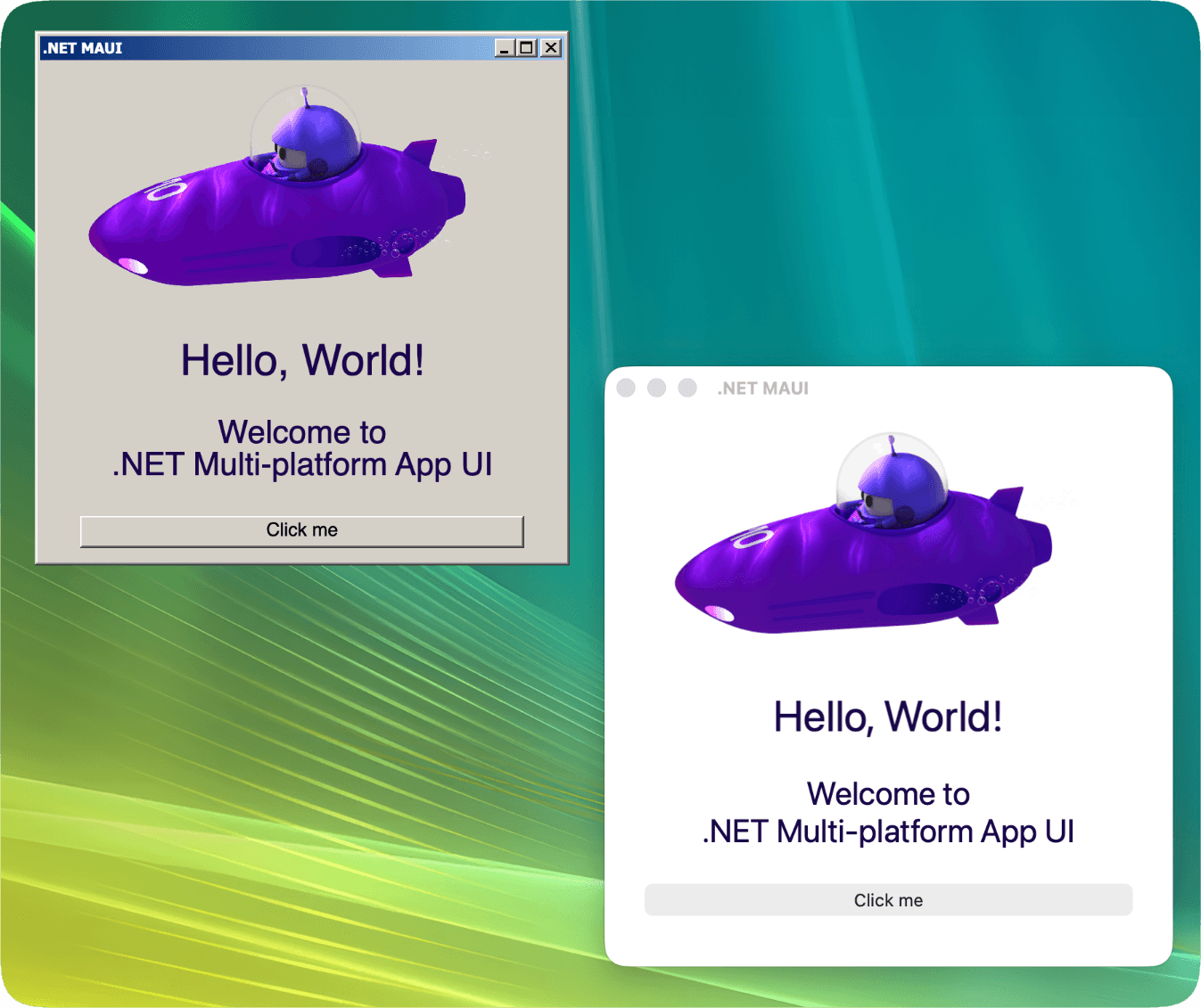
Get started in four steps
Eager to get started right away? Here’s how:
Create a .NET MAUI app.
Add the
Avalonia.Controls.Maui.DesktopNuGet.Add the net11.0 target framework.
Add
UseAvaloniaAppto yourMauiBuilder.
That’s it. Run the net11.0 target, and your app will launch. No need to create an Avalonia bootstrapper; we've already done that for you. Of course, you can extend or disable our source generator if you want full control on the Avalonia side. We’ve provided examples of each approach in the repository to help you.
Improving Avalonia for everyone
For us, this project was a great opportunity to introduce improvements to Avalonia itself. We wanted to close the gap between the control set available in .NET MAUI and Avalonia, to avoid needing to implement .NET MAUI-specific controls. One of the most obvious benefits of that work has been the creation of the new navigation APIs and controls we’re introducing with Avalonia 12. These, and countless other new features, are a direct result of our work supporting .NET MAUI.

Anyone using Avalonia 12 gets the full benefits, and since these .NET MAUI handlers are built on Avalonia primitives, they can be fully customized through Avalonia APIs. And, thanks to Avalonia being entirely drawn, they'll look the same on every platform you deploy to.
How we tested
To test our new libraries, we’ve been porting existing .NET MAUI apps and developing new ones. Some you may have already seen, such as MauiPlanets or our 2048 implementation.
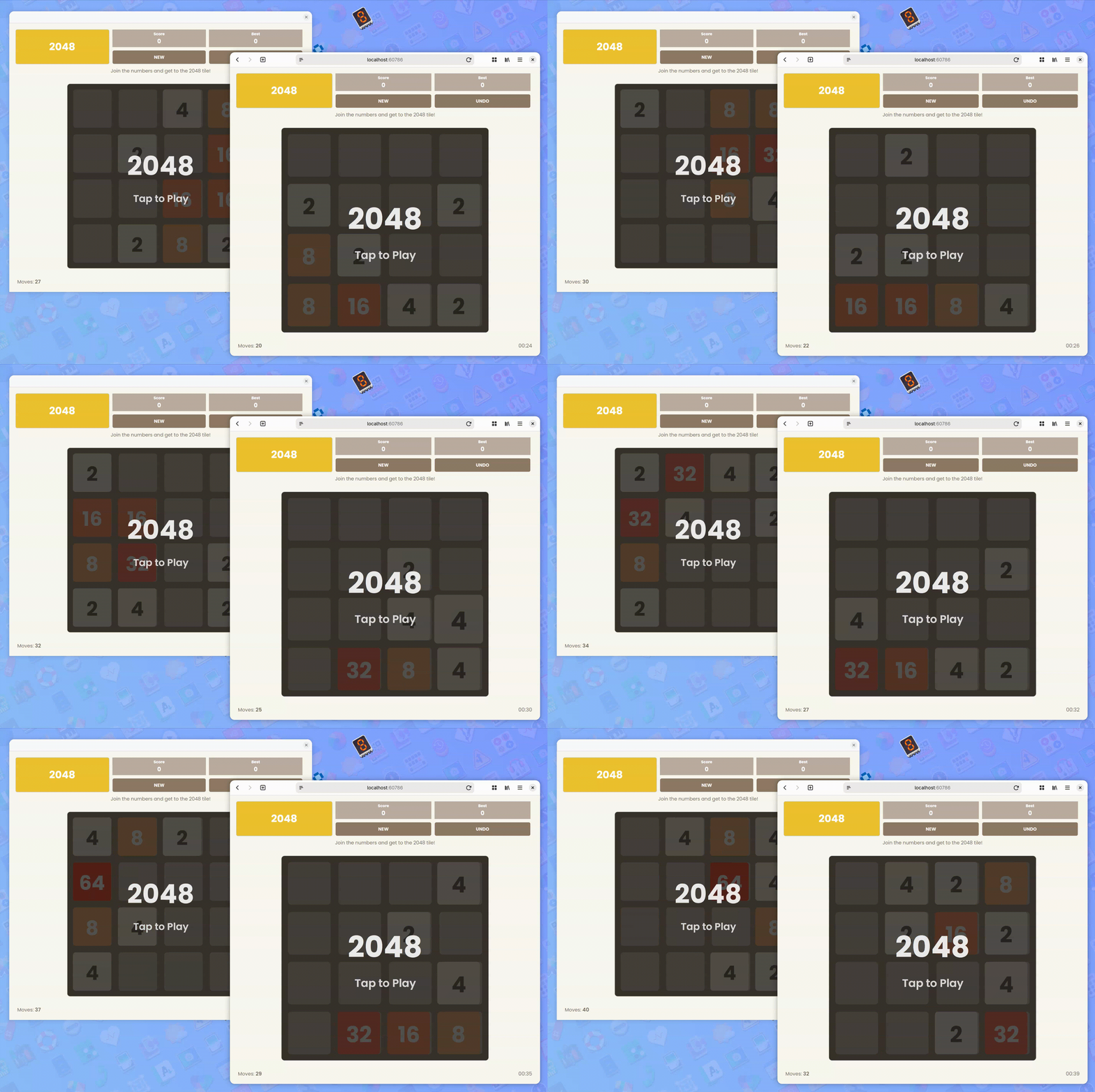
These apps have been extremely useful in validating our work as we strive to meet or exceed parity with the original .NET MAUI versions. With that in mind, we wanted to try larger-scale apps with more features to see what would happen.
Here are some examples of what we’ve done:
.NET MAUI control gallery
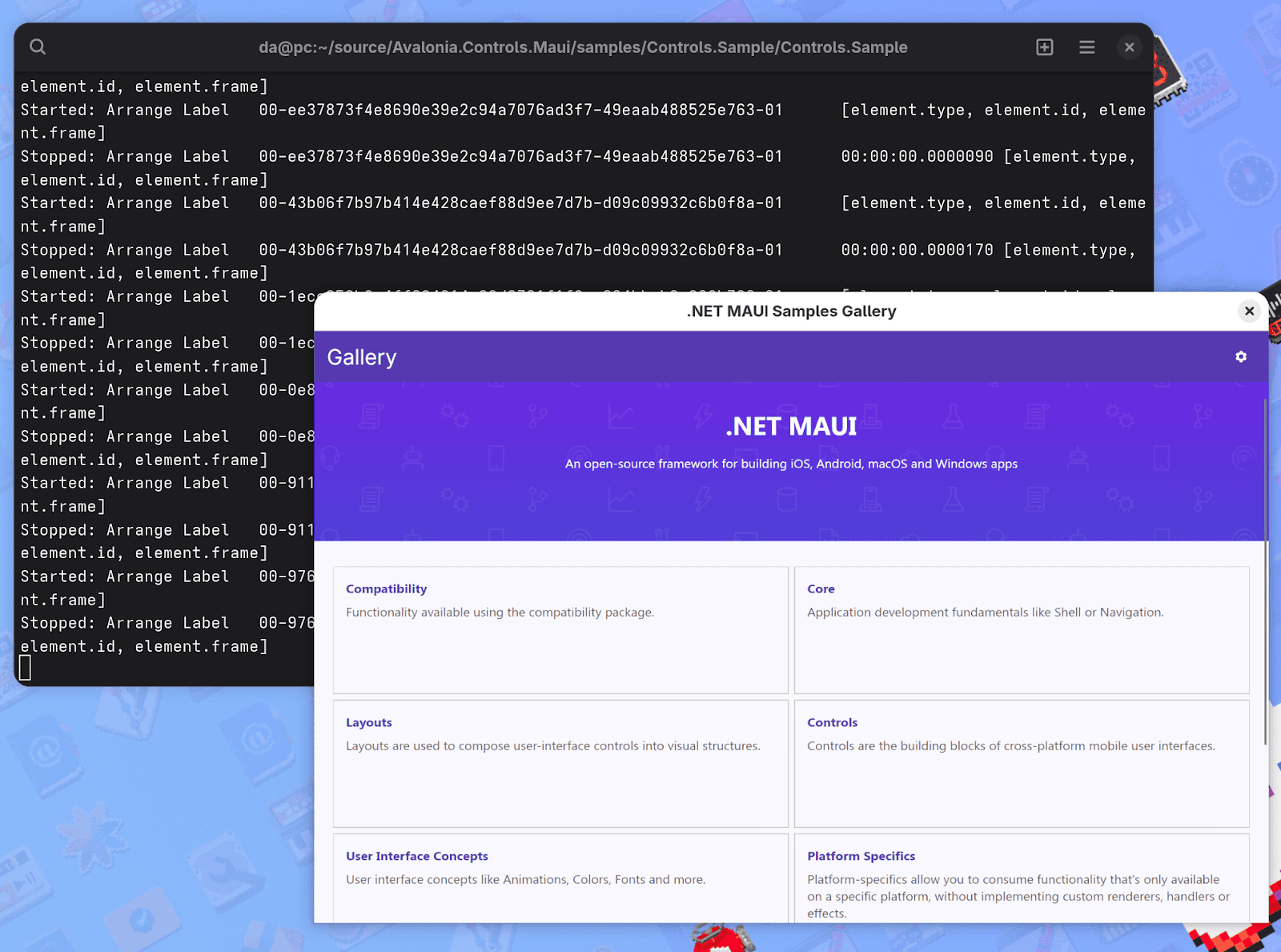
This is used in the .NET MAUI repository to test and demonstrate its services and controls. It has been an amazing tool for checking our controls against the native versions to see how they perform, especially in places like WASM.
AlohaAI
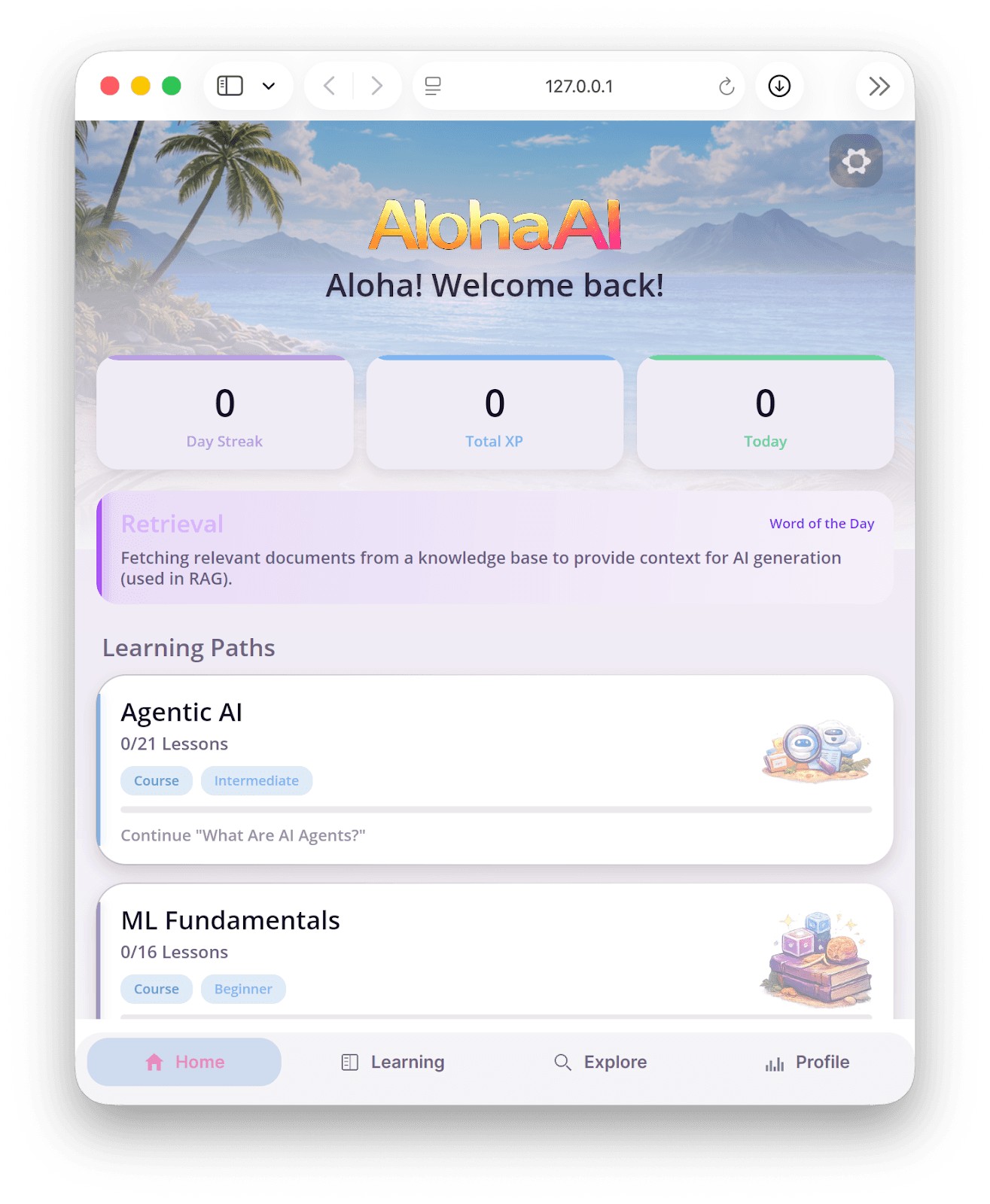
AlohaAI was created as a collaboration between Jakub Florkowski, from the .NET MAUI team, and GitHub Copilot. This app aims to teach concepts in Large Language Models and Machine Learning through gamification. With a very dense UI, involving nested pages and flowing animations, it felt ripe for porting.
We made minor changes to the underlying source code, including adding support for dark and light themes, making it trim-safe, supporting NativeAOT, and adding a custom tab bar for the navigation menu. Otherwise, the app is structured largely the same as the original, and it works equally well across all .NET MAUI platforms, native or drawn.
MyConference
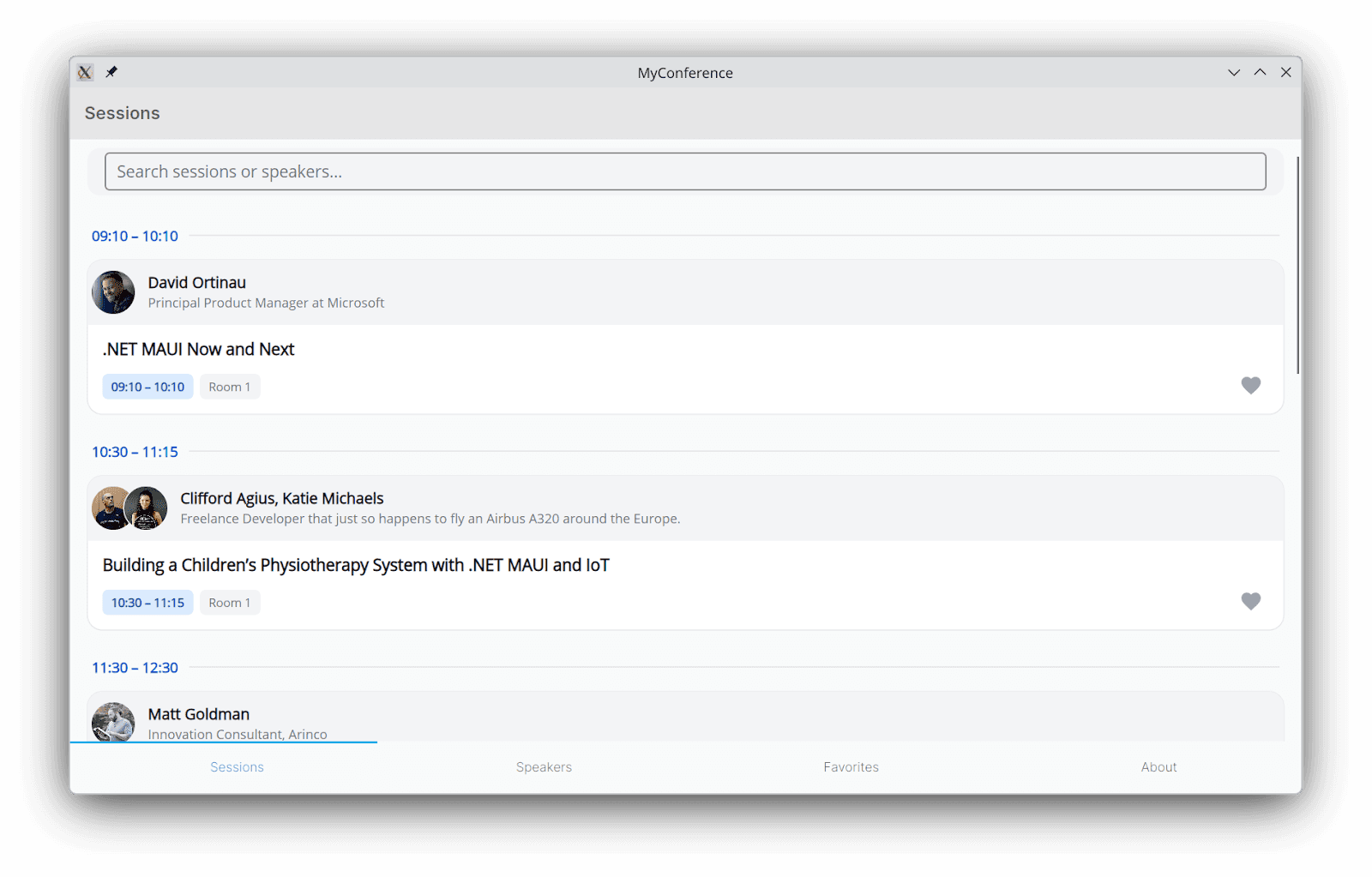
MyConference was developed during a .NET MAUI Live Stream, also by Jakub and Copilot, as a demonstration of "Agentic AI" development. They were able to build a solid foundation of a conference application during the stream, with limited input needed from Jakub as Copilot implemented his requests. It was a slick demo, and we knew we had to port this too.
Like AlohaAI, we had to make some changes for it to work; the base app had theme and trimming issues we needed to address. We also needed to add a CORS proxy so the APIs would work with WebAssembly.
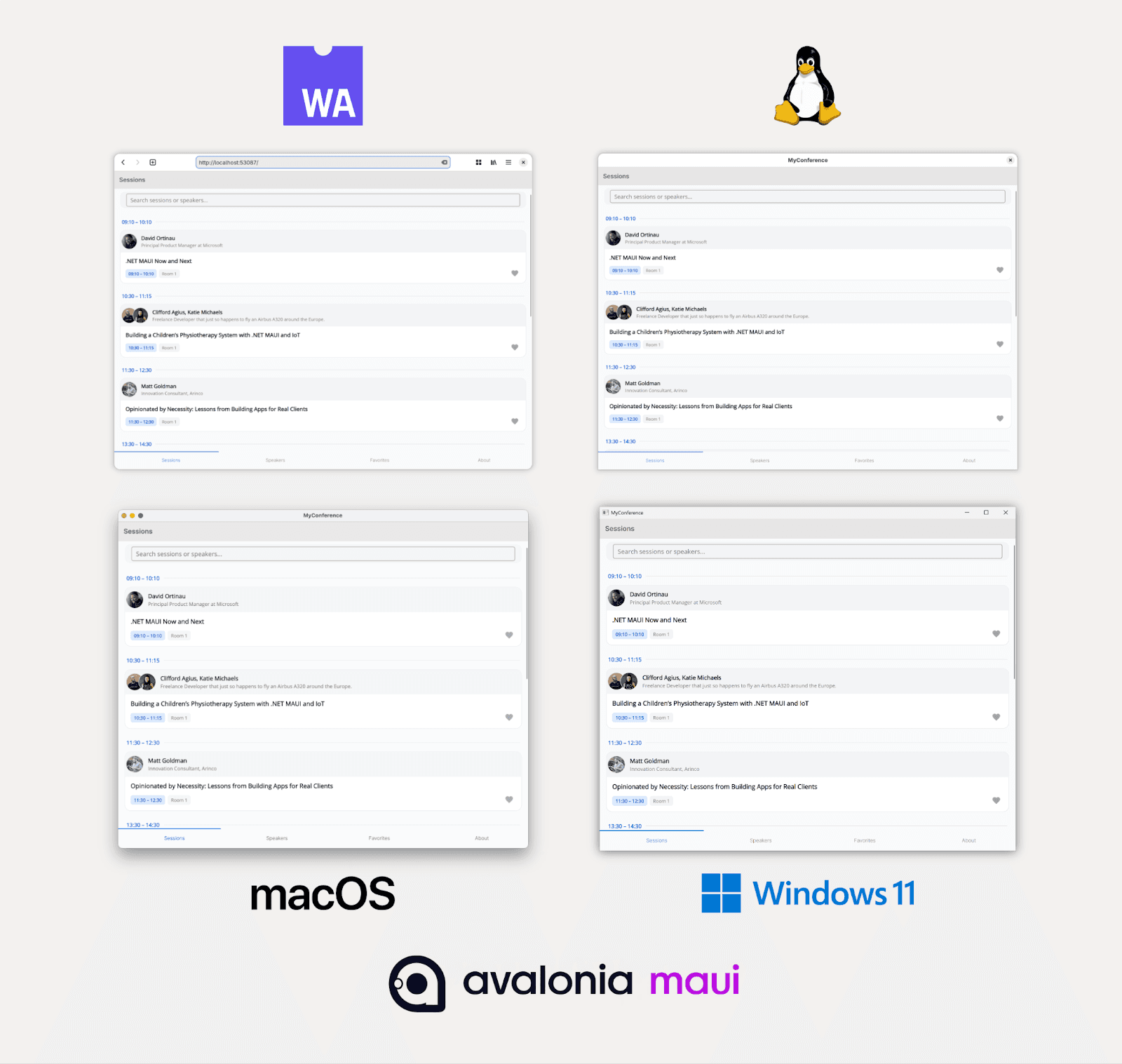
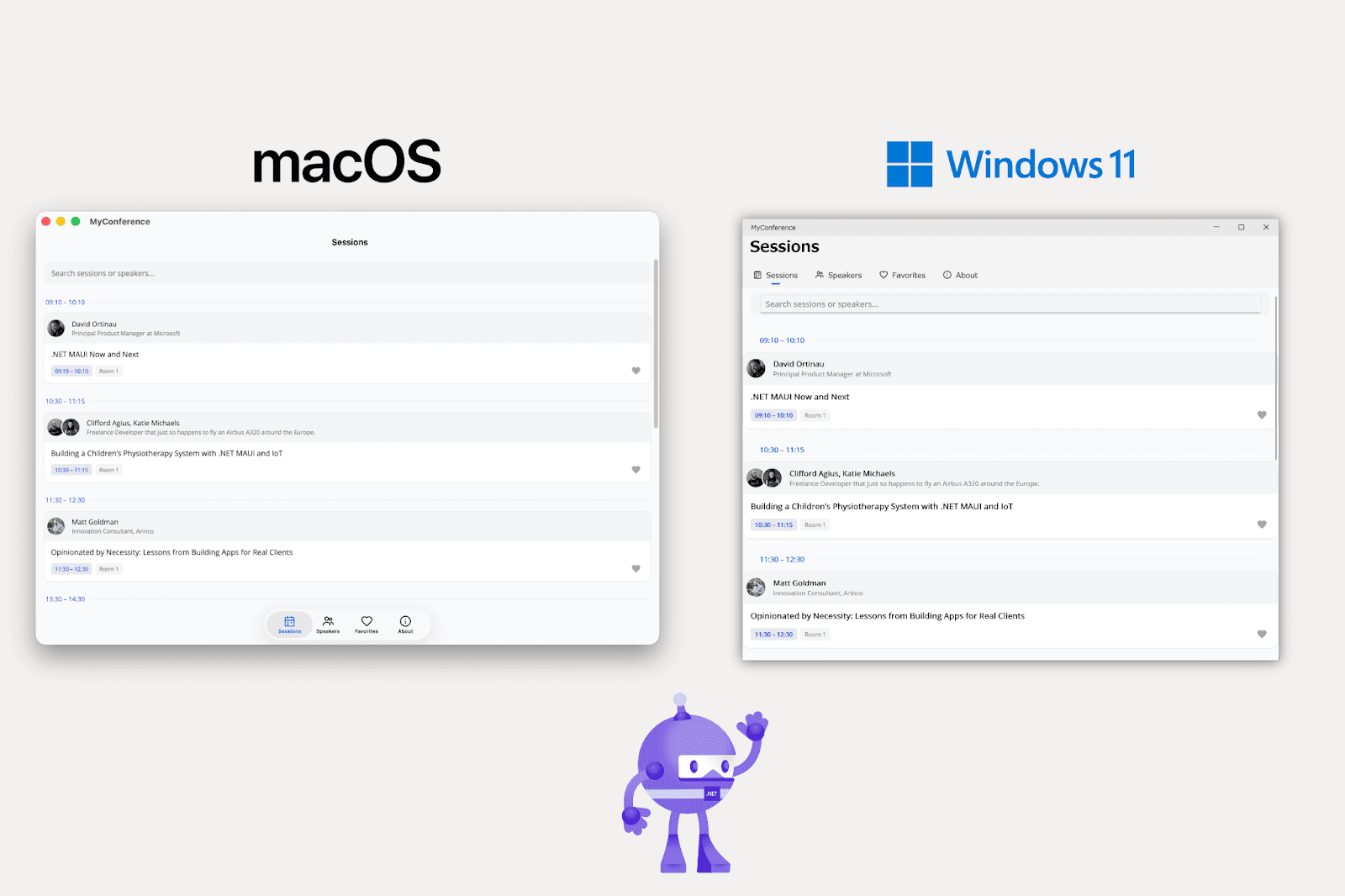
After adding our handlers, everything just worked. Here's the app running on every desktop platform, with both Avalonia and .NET MAUI Native:
Native or drawn?
Running with both native and drawn controls is a good demonstration of what Avalonia offers .NET MAUI users. The native .NET MAUI version uses the operating system’s controls with its native tab bar and navigation pages, making it appear more unified with the host OS. Meanwhile, Avalonia.Controls.Maui has a consistent look and behavior across all platforms. There's no right or wrong approach; both have their merits, but with Avalonia MAUI, you now have options, giving you more control and flexibility over how your app looks and performs.
WebView
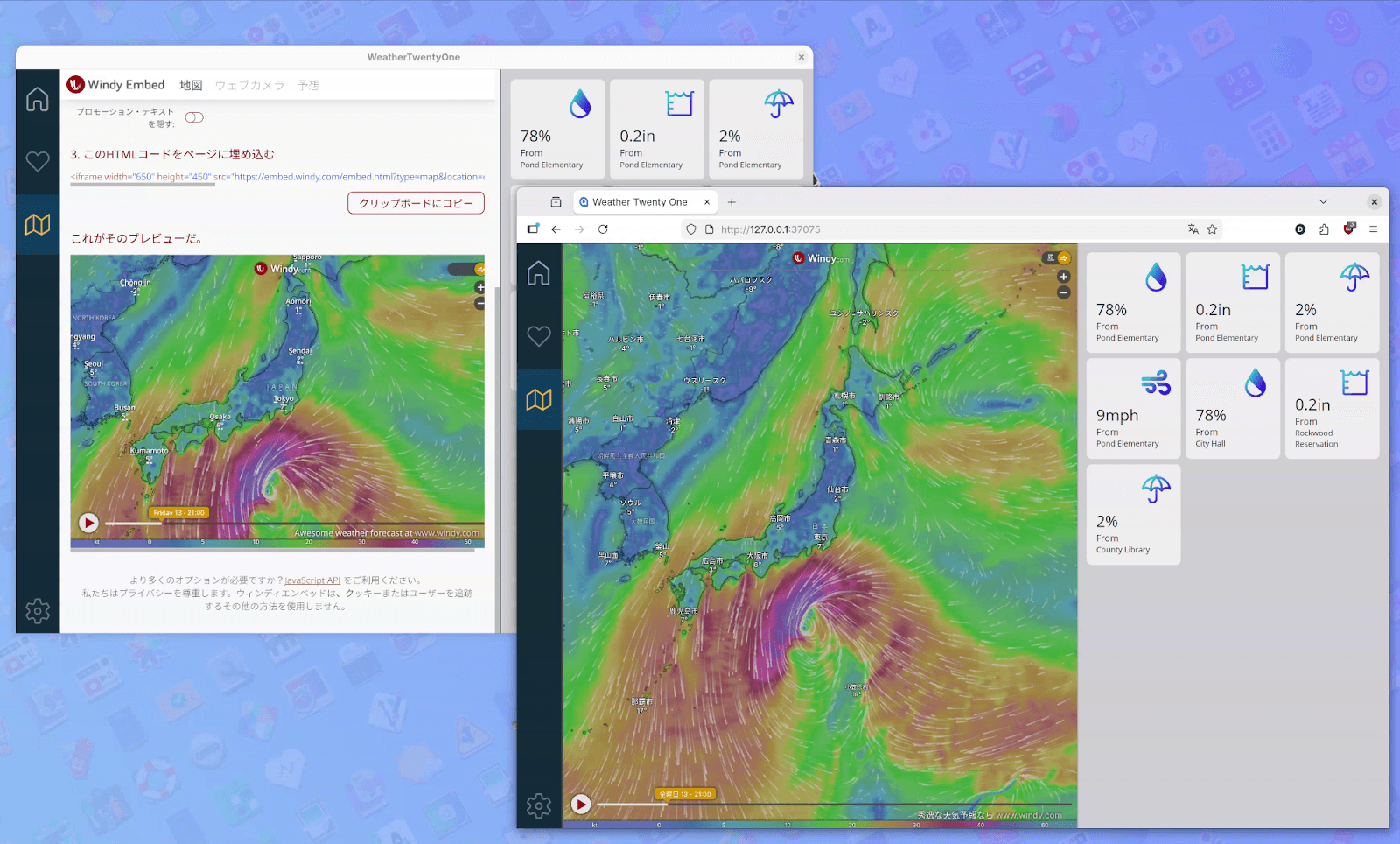
WeatherTwentyOne is a .NET MAUI sample app, originally developed for the .NET 6 launch. It includes novel UI layouts, such as handling the sidebar and grids with FlexLayout. Using our newly open-sourced WebView, we created a port of this app, which works wonderfully on Linux and WebAssembly.
GraphicsView
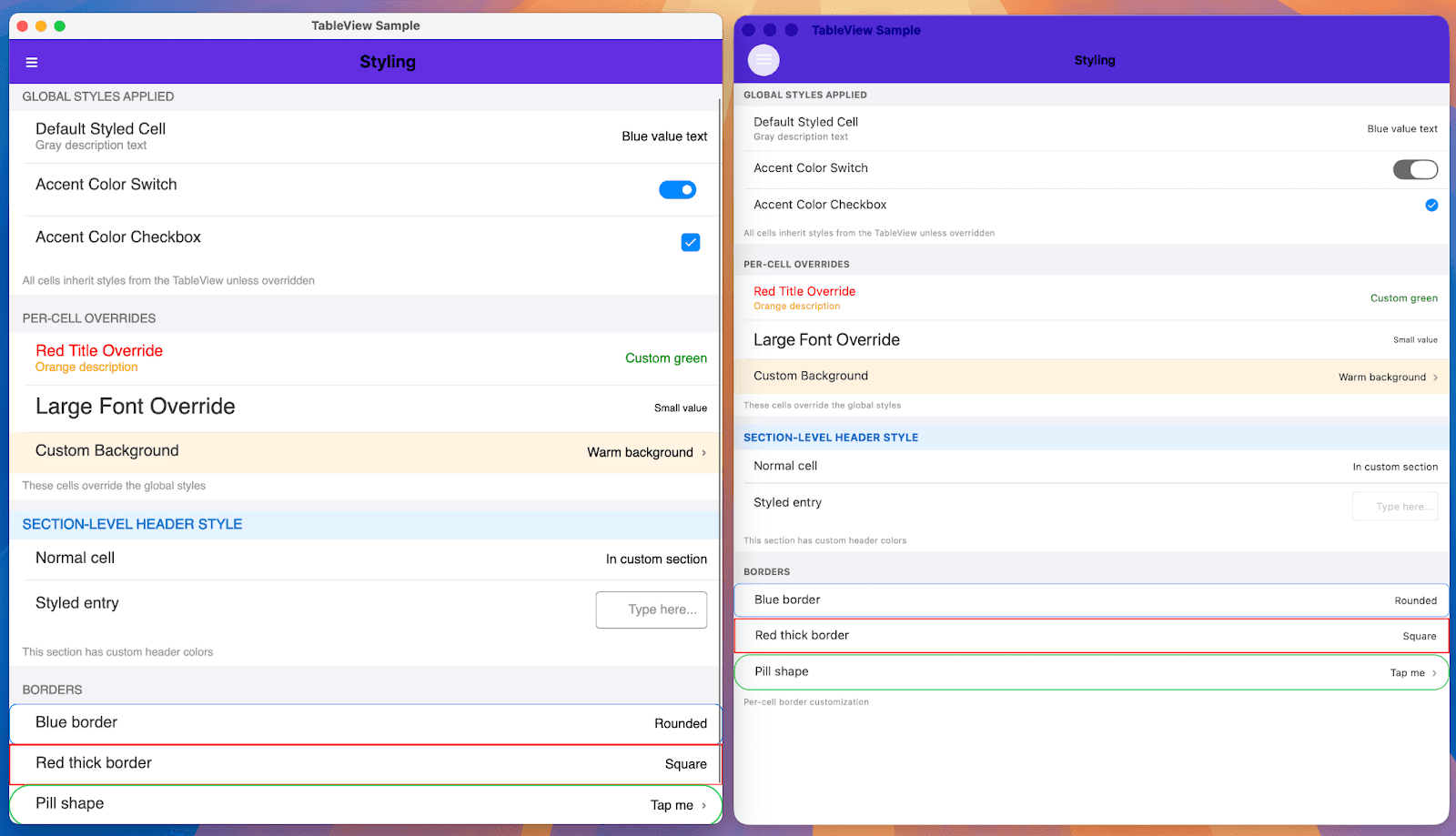
If you built controls on top of .NET MAUI’s GraphicsView or primitive controls, there’s a good chance they already work with our handlers. We’ve been testing existing libraries, such as those from Jonathan Dick and Allan Ritchie, and they largely work without changes.
What’s great about using the .NET MAUI Graphics code is the seamless integration when moving from the existing .NET MAUI platforms to Avalonia MAUI. If your application was already dependent on it, our handlers should work with no surprises; it’s just drawing to a new canvas.
SkiaSharp.Views.Maui

We’ve also wrapped SkiaSharp.Views.Maui to allow dependent libraries to interoperate with Avalonia MAUI. MapApp demonstrates this with a simple map view featuring overlaid controls that can run on Avalonia on desktop and WASM, or .NET MAUI Native. We were able to use the [Mapsui.Maui](https://www.nuget.org/packages/Mapsui.Maui/) library wholesale through our handler system, no changes needed.
Looking ahead
While we’ve come a long way since last year, there are still many areas to address. We have started work on a bespoke implementation of Maui.Essentials built on Avalonia, with expanded support for more APIs over time. We’re also planning to enable interoperability with WinUI to host Avalonia controls within it, completing the .NET MAUI native platform story. For control library authors targeting native platforms, we’re working on establishing simple patterns to allow you to extend your controls to drawn methods.
We are encouraged by the progress we’ve made as we move toward the general release of .NET 11. We’re excited to have people try out Avalonia MAUI; see where they take their applications, which new controls and libraries they try to port, and experience what Avalonia has to offer.
Alongside Avalonia 12 and the .NET 11 Previews, I am pleased to announce the first preview of our Avalonia backend for .NET MAUI. Now, you can leverage Avalonia to deploy .NET MAUI apps to new platforms, like Linux and WebAssembly.
Since last fall, we’ve made great strides in bringing the power of Avalonia to .NET MAUI.
Beyond offering Linux and WebAssembly support for .NET MAUI, this new backend advances Avalonia’s vision of cross-platform consistency. There are many great reasons to choose between native and drawn UIs. Going native allows your app to blend in with your hosted platform. But there are times when you don’t want Liquid Glass and prefer a classic look. We want these apps to look and feel the same, regardless of the platforms you choose.
Get started in four steps
Eager to get started right away? Here’s how:
Create a .NET MAUI app.
Add the
Avalonia.Controls.Maui.DesktopNuGet.Add the net11.0 target framework.
Add
UseAvaloniaAppto yourMauiBuilder.
That’s it. Run the net11.0 target, and your app will launch. No need to create an Avalonia bootstrapper; we've already done that for you. Of course, you can extend or disable our source generator if you want full control on the Avalonia side. We’ve provided examples of each approach in the repository to help you.
Improving Avalonia for everyone
For us, this project was a great opportunity to introduce improvements to Avalonia itself. We wanted to close the gap between the control set available in .NET MAUI and Avalonia, to avoid needing to implement .NET MAUI-specific controls. One of the most obvious benefits of that work has been the creation of the new navigation APIs and controls we’re introducing with Avalonia 12. These, and countless other new features, are a direct result of our work supporting .NET MAUI.
Anyone using Avalonia 12 gets the full benefits, and since these .NET MAUI handlers are built on Avalonia primitives, they can be fully customized through Avalonia APIs. And, thanks to Avalonia being entirely drawn, they'll look the same on every platform you deploy to.
How we tested
To test our new libraries, we’ve been porting existing .NET MAUI apps and developing new ones. Some you may have already seen, such as MauiPlanets or our 2048 implementation.
These apps have been extremely useful in validating our work as we strive to meet or exceed parity with the original .NET MAUI versions. With that in mind, we wanted to try larger-scale apps with more features to see what would happen.
Here are some examples of what we’ve done:
.NET MAUI control gallery
This is used in the .NET MAUI repository to test and demonstrate its services and controls. It has been an amazing tool for checking our controls against the native versions to see how they perform, especially in places like WASM.
AlohaAI
AlohaAI was created as a collaboration between Jakub Florkowski, from the .NET MAUI team, and GitHub Copilot. This app aims to teach concepts in Large Language Models and Machine Learning through gamification. With a very dense UI, involving nested pages and flowing animations, it felt ripe for porting.
We made minor changes to the underlying source code, including adding support for dark and light themes, making it trim-safe, supporting NativeAOT, and adding a custom tab bar for the navigation menu. Otherwise, the app is structured largely the same as the original, and it works equally well across all .NET MAUI platforms, native or drawn.
MyConference
MyConference was developed during a .NET MAUI Live Stream, also by Jakub and Copilot, as a demonstration of "Agentic AI" development. They were able to build a solid foundation of a conference application during the stream, with limited input needed from Jakub as Copilot implemented his requests. It was a slick demo, and we knew we had to port this too.
Like AlohaAI, we had to make some changes for it to work; the base app had theme and trimming issues we needed to address. We also needed to add a CORS proxy so the APIs would work with WebAssembly.
After adding our handlers, everything just worked. Here's the app running on every desktop platform, with both Avalonia and .NET MAUI Native:
Native or drawn?
Running with both native and drawn controls is a good demonstration of what Avalonia offers .NET MAUI users. The native .NET MAUI version uses the operating system’s controls with its native tab bar and navigation pages, making it appear more unified with the host OS. Meanwhile, Avalonia.Controls.Maui has a consistent look and behavior across all platforms. There's no right or wrong approach; both have their merits, but with Avalonia MAUI, you now have options, giving you more control and flexibility over how your app looks and performs.
WebView
WeatherTwentyOne is a .NET MAUI sample app, originally developed for the .NET 6 launch. It includes novel UI layouts, such as handling the sidebar and grids with FlexLayout. Using our newly open-sourced WebView, we created a port of this app, which works wonderfully on Linux and WebAssembly.
GraphicsView
If you built controls on top of .NET MAUI’s GraphicsView or primitive controls, there’s a good chance they already work with our handlers. We’ve been testing existing libraries, such as those from Jonathan Dick and Allan Ritchie, and they largely work without changes.
What’s great about using the .NET MAUI Graphics code is the seamless integration when moving from the existing .NET MAUI platforms to Avalonia MAUI. If your application was already dependent on it, our handlers should work with no surprises; it’s just drawing to a new canvas.
SkiaSharp.Views.Maui
We’ve also wrapped SkiaSharp.Views.Maui to allow dependent libraries to interoperate with Avalonia MAUI. MapApp demonstrates this with a simple map view featuring overlaid controls that can run on Avalonia on desktop and WASM, or .NET MAUI Native. We were able to use the [Mapsui.Maui](https://www.nuget.org/packages/Mapsui.Maui/) library wholesale through our handler system, no changes needed.
Looking ahead
While we’ve come a long way since last year, there are still many areas to address. We have started work on a bespoke implementation of Maui.Essentials built on Avalonia, with expanded support for more APIs over time. We’re also planning to enable interoperability with WinUI to host Avalonia controls within it, completing the .NET MAUI native platform story. For control library authors targeting native platforms, we’re working on establishing simple patterns to allow you to extend your controls to drawn methods.
We are encouraged by the progress we’ve made as we move toward the general release of .NET 11. We’re excited to have people try out Avalonia MAUI; see where they take their applications, which new controls and libraries they try to port, and experience what Avalonia has to offer.