Updated on March 24, 2026 in #dev-environment, #linux
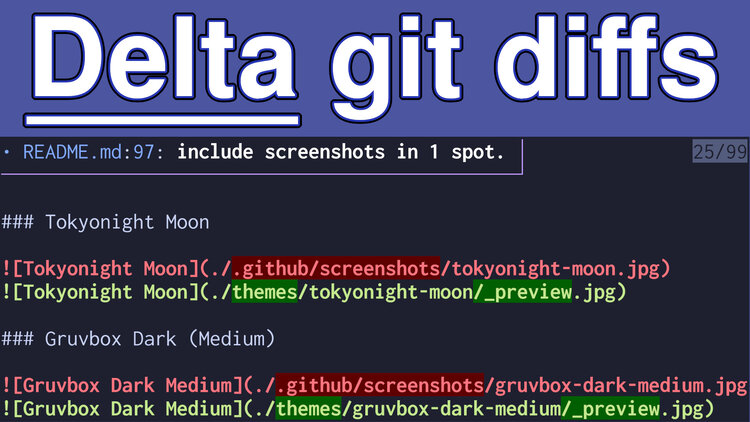
Spotting differences in code is an important part of what we do, Delta is by far the best CLI diff tool I ever used.
Quick Jump:
Want to watch the video to see how it works? It’s on YouTube.
Around a year before writing this post I tricked out git to show its diffs with delta and created a little gd (git diff) script to make it easier to see diffs when doing PR reviews. It’s all up in my dotfiles.
Then I forgot to write a blog post about it because I guess internally I thought to myself “of course I wrote a post about this already, I use this almost every day”. Oops!
This is one of those posts where it’ll be easier for the both of us to watch the demo video to see how it works. My dotfiles have all of the code. If you already know you want it without watching that’s cool too, here’s some of the files of interest in text form.
# System Dependencies
If you plan to use delta, you’ll need to install it.
If you’re using my dotfiles it automatically handles installing everything for you on Arch Linux, Debian, Ubuntu and macOS. If not, you can find delta using whatever package manager is available on your OS. It’s the git-delta package in most.
If you want to use the gd script you’ll need to have fzf installed. Again, my dotfiles take care of installing this for you too. I can’t believe it’s been 10 years since I started using fzf. It’s a gift that keeps on giving.
# Shell Config
You’ll likely want to set export DELTA_FEATURES="diff-so-fancy" in your shell’s profile to get the improved (IMO) look of diffs by default. This gives you great looking diffs where you can see both character and word changes with dual tone colors (light and dark green, etc.).
# Git Integration
With only a tiny bit of git configuration, these git commands will start using Delta:
git showgit diffgit add -pgit blame
The above link shows how to configure your .gitconfig for this.
# Script
If you want to use the delta + fzf powered gd script, it’ll let you view git diffs with a custom fzf menu so you can quickly jump between files, it even supports an optional --side flag if you want side by side diffs:
- Run
gdin a git repo to view agit diff - Run
gd main..in a git repo to compare the checked out branch vs main- I use this all the time for reviewing PRs, it’s invaluable!
The gd script passes the args directly over to git diff so commands like gd --staged or comparing your local branch with a remote “just works”. No new API to learn!
# ripgrep Support
You can use rg --json <search_pattern> | delta to have matches get highlighted with delta instead of rg’s default. I don’t use this a lot but wanted to include it because it’s neat.
The video below shows how all of these commands work.
BONUS: Since I recorded this video I also created a separate script for browsing and searching git log, it’s up in my dotfiles, I’ll make a future post about this at some point!
# Demo Video
Timestamps
- 0:22 – Character diffs are easy to spot
- 0:46 – The custom gd TUI with fzf
- 2:22 – Using normal git diff, add, blame and show commands
- 4:24 – Configuring git to use delta
- 5:28 – Configure Delta to use fancy diffs
- 6:42 – Installing Delta
- 7:27 – The gd TUI script
- 8:45 – Feeding rigrep’s output into delta
How do you view diffs? Let me know below.
Like you, I'm super protective of my inbox, so don't worry about getting spammed. You can expect a few emails per year (at most), and you can 1-click unsubscribe at any time. See what else you'll get too.