I go into "Privacy & Security", "Full Disk Access". A bunch of apps added themselves in there (Anki, Fission, Microsoft Autoupdate, WhatsApp), the toggle is disabled and I've never enabled it. Ok, whatever.
But when I go into "Files & Folders", and under those apps I see "Full Disk Access" in gray. Apps that have Full Disk Access toggled on look identical, with "Full Disk Access" in gray. What the hell am I supposed to make of that?
Is it a bug? Do they have full disk access? Is the UI trying to imply that those apps are solely controlled by the FullDisk toggle and are ineligible to request granular permissions for Desktop/Documents? Or that they are eligible, but haven't requested it? Or maybe they did request it, and I granted it, but I don't get to see it? Who knows?
> only way you can protect your Documents folder from access by Insent is to run the following command in Terminal: tccutil reset All co.eclecticlight.Insent then restart your Mac
We've been building something in this space — Cifer Security uses ML-KEM (post-quantum) for key encapsulation and Poseidon hashing, with Groth16 proofs for verifiability. The server is intentionally blind to what it's storing.
The macOS permission model is theater if the app itself isn't zero-knowledge. Privacy can't rely on UI toggles — it has to be cryptographic.
I personally think the traditional *nix model has served us quite well, and elective sandboxing using containers (à la Docker and so on) is quite good. The Mac sandbox model is probably ok for most normal users, but for power users is infuriating at times. Multiple restarts of Mac and various processes (and when you realize not enough scopes have been granted, another subsequent restart). I think Mac forcing all users into its sandbox system has been one of my least favorite impacts since upgrading macOS, leading to the enshittification of macOS.
The craziest thing is background processes started by Terminal/iTerm (such as tmux) can inherit Terminal or iTerm’s elevated status even when Terminal or iTerm are no longer running, dead, or killed. So you’ll have a bunch of elevated processes without the elevated parent or grandparent process running—it makes me feel the whole permissions scheme is more performative than actually useful.
It seems most likely that this is some kind of bug where that command or its underlying actions should be called every time the user unchecks something in the settings panel.
This is what we get when the iPhone’s permission system is grafted on top of a desktop OS that was never designed for it. I think they could have done something that is more Unix-like and yet friendly to the GUI end user.
But sure, if I was assigned to make an all-purpose desktop operating system today from scratch, I would likely do this differently, but along with a bunch of other things I think (and the app would have to be implemented differently too).
As if that's going to happen.
> In this Friday’s magic demonstration, I’m going to show how what you see in Privacy & Security settings can be misleading, when it tells you that an app doesn’t have access to a protected folder, but it really does.
Is this a GUI bug or is the wifi disabled setting overrided for a split second on startup? I haven't looked into it, but the latter would be extremely concerning.
VPN should be properly implemented though as you're able to verify network requests on your own and don't necessarily have to trust apple. Best guarantee is to have a VPN at router level that can't be circumvented by anything (+ a trusted router vendor)
“8. Confirm that Documents access for Insent is still disabled in Files & Folders.
“9. Whatever you do now, the app retains full access to Documents, no matter what is shown or set in Files & Folders.”
[…]
“Access restrictions shown in Privacy & Security settings, specifically those to protected locations in Files & Folders, aren’t an accurate or trustworthy reflection of those that are actually applied. It’s possible for an app to have unrestricted access to one or more protected folders while its listing in Files & Folders shows it being blocked from access, or for it to have no entry at all in that list.”
With the App Sandbox, sandbox extensions are issues whenever you open a file using the file picker. They only last until the app is restarted.
A caveat is that you can save "Security Scoped bookmarks" (basically a signed base64 blob [1]) and pass that around to preserve access, but that isn't very common.
[1] https://www.mothersruin.com/software/Archaeology/reverse/boo...
Nevermind just saw this: https://news.ycombinator.com/item?id=47716490
It's not a good look for Apple, and it's not great that the permission revocation basically doesn't actually work, but any malware that could have infected the system due to this issue would have also been able to infect the system while the permission was still (intentionally) enabled.
Edit: I saw they accessed his Mac but they had his password. File Vault 2 wasn’t bypassed, and afaik has never been cracked.
It's because in step 6 the user explicitly selected the Documents folder.
The app can access the Documents folder because the user chose that directory in the native file browse dialog during the same run of the app. IMO that's a reasonable trade-off.
There's no privilege escalation here, but there is a misleading privacy settings UI, which offers no obvious way to audit/revoke permissions in the second case
I would like to be able to run arbitrary code with gradual/granular privilege escalation. (e.g iOS/android with more affordances and escape hatches. macOS is getting there, but it's been a pretty bumpy/potholed road). Right now if I download a random github repo, I'd put it in a docker container and give it ports/volumes/etc.
[1] https://www.macworld.com/article/675671/apples-own-programs-...
- it's non-obvious that the second mechanism (a file picker) is a permission granting mechanism.
- it's non-obvious that the second mechanism (a file picker) is a permission granting mechanism whose permission survives the action context that triggered the file picker (e.g "pick a folder to do action A" also magically imbues similarly gated actions B C D and Z with access to that folder, possibly non-interactively even).
- it's non-obvious that the second mechanism (a file picker) is a permission granting mechanism whose permission propagates to an action gated by the first mechanism, a first mechanism for which "Yes" means yes but "No" means "Maybe, depending on past unrelated actions that triggered an unrelated permission mechanism"
I would say that TCC is working as intended, unfortunately, with many obscure behaviors to avoid breaking existing apps.
It's even more unfortunate that a lot of apps that could be easily sandboxed aren't.
Is this part true? The article's fix involves running a command and rebooting the computer. If restarting the app was sufficient, surely you wouldn't need the command/reboot?
And it absolutely was a magic fix. I stand by it.
The Privacy settings applies only to access to the Documents folder without the user interaction.
I feel like it should still be much easier, but the general sandboxing model seems directionally functional. (My understanding is containerization isn't a silver bullet security-wise, still requires fiddling, and would be a resource hog ram-wise if not CPU?)
I wish I could pick a parent folder/file and get a box to control everything (network/disk/folders/peripherals/accessibility).
I think it's reasonable to expect that an application gets access to a file you access through open/save, but the fact that the access to the directory and all the items in that directory persists after that isn't necessarily expected. Especially given that the near equivalent workflow on iOS doesn't behave like this and that's what a lot of users would probably expect. On iOS an app can ask for access to your photos, which you can allow, or limit to specific photos or deny. If you allow access to specific photos and then the photo selector appears, even if you chose an album, the app will only get and retain access to the specific individual photos you gave it access to. It can not read the contents or even the names of any of the other photos in your library.
It seems pretty reasonable to expect that if the "Documents" folder permission is turned off for an app on macOS and you have given the application access to a specific document inside your documents folder, that the application would not also get (and retain) access to read from all the other folders and files within your documents folder.
I agree that this is the default behavior of most desktop OSes (including macOS), but it's also something that seems reasonable for Apple to change given how important sandboxing is to them in general, and how important it is in the broader context of always connected computers with multitudes of arbitrarily networked applications running.
I guess the improvement can be to show the implicit consent in the privacy settings page as well, and have a way to revoke it.
If the app opens a window and prompts the user to select a directory to save a file or load a file, should that access be recorded in the privacy settings page? I'd argue that maybe there should be a verbose version of the privacy settings page, where if you _really_ want to you can see every dir that every app has ever accessed, but the vast majority of users don't care.[0]
I'm less caffeinated this morning though so maybe I misread the whole argument.
[0] edit: And whether the app still has access to that dir. Which maybe that was the point of the article. I am just skeptical generally of these kinds of exposés because while they're generally pretty fair, they'll inevitably get picked up by the geniuses on r/pcmasterrace who will spin it into "Apple Privacy and Security Settings Let Terrorists Invade Your Family Photos"
8. Confirm that Documents access for Insent is still disabled in Files & Folders.In this Friday’s magic demonstration, I’m going to show how what you see in Privacy & Security settings can be misleading, when it tells you that an app doesn’t have access to a protected folder, but it really does.
Although it appears you can achieve this using several ordinary apps, to make things simpler and clearer I’ve written a little app for this purpose, Insent, available from here: insent11
I’m working in macOS Tahoe 26.4, but I suspect you should see much the same in any version from macOS 13.5 onwards, as supported by Insent.
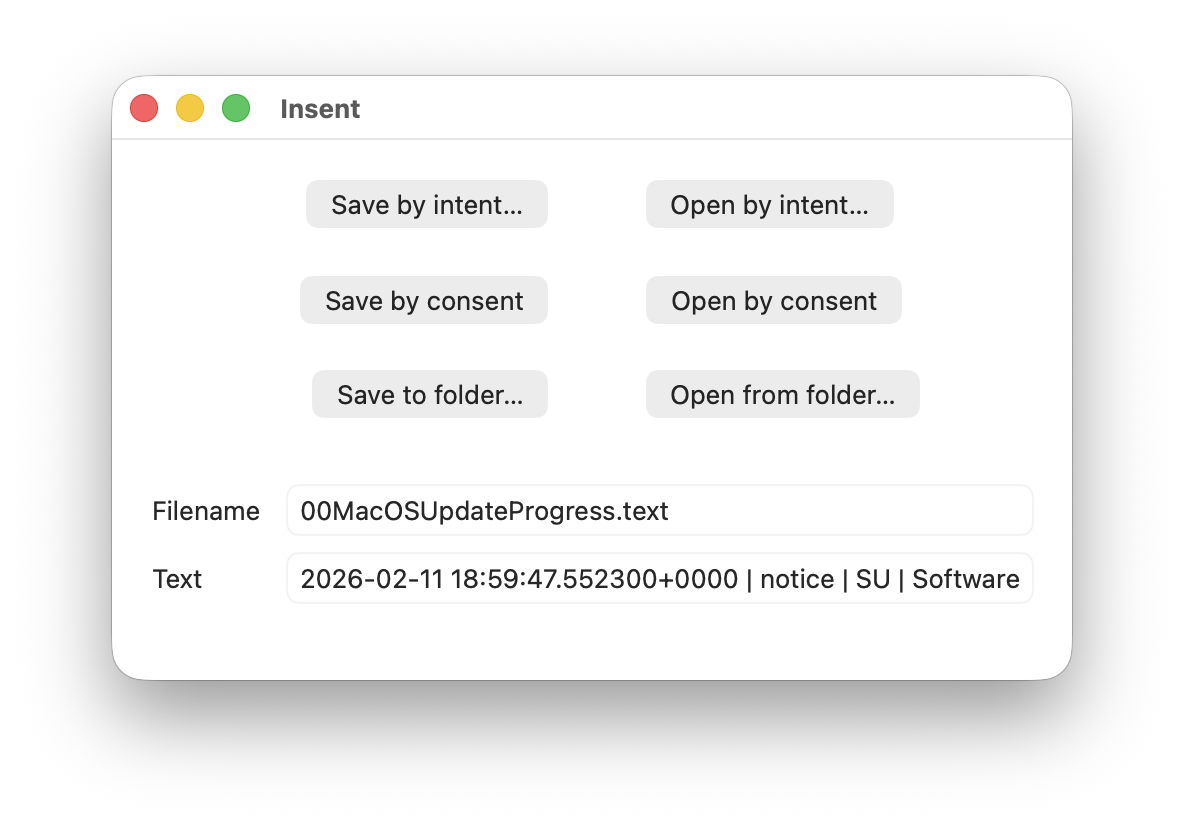
For this magic demo, I’m only going to use two of Insent’s six buttons:
Once you have downloaded Insent, extracted it from its archive, and dragged the app from that folder into one of your Applications folders, follow this sequence of actions:
[Couldn't get contents of Documents folder].Indeed, the only way you can protect your Documents folder from access by Insent is to run the following command in Terminal:tccutil reset All co.eclecticlight.Insent
then restart your Mac. That should set Insent’s privacy settings back to their default.
You can also demonstrate that this behaviour is specific to one protected folder at a time. If you select a different protected folder like Desktop or Downloads using the Open from folder button, then Insent still won’t be able to list the contents of the Documents folder, as its TCC settings will function as expected.
Insent is an ordinary notarised app, and doesn’t run in a sandbox or pull any clever tricks. When System Integrity Protection (SIP) is enabled some of its operations are sandboxed, though, including attempts to list or access the contents of locations that are protected by TCC.
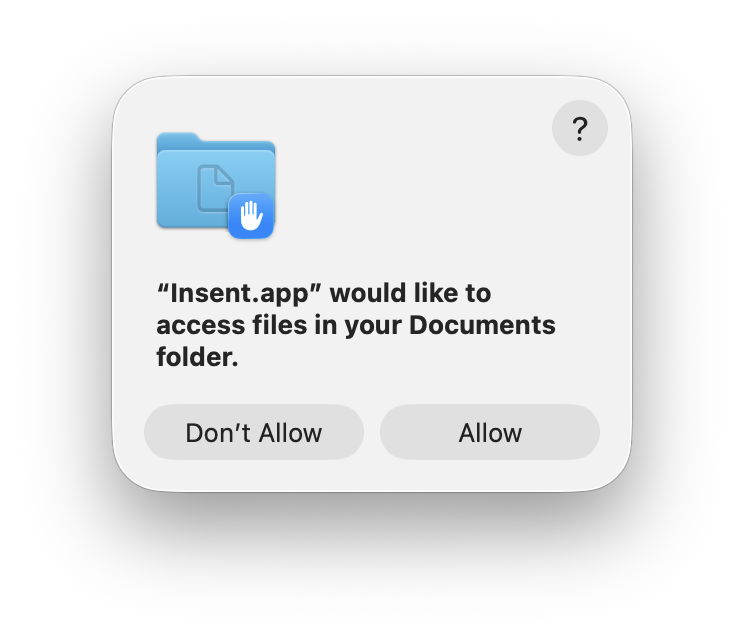
When you click on its Open by consent button, sandboxd intercepts the File Manager call to list the contents of Documents, as a protected folder. It then requests approval for that from TCC, as seen in the following log entries:1.204592 Insent sendAction: 1.205160 Insent: trying to list files in ~/Documents 1.205828 sandboxd request approval 1.205919 sandboxd tcc_send_request_authorization() IPC
TCC doesn’t have authorisation for that access by Insent, either by Full Disk Access or specific access to Documents, so it prompts the user for their consent. If that’s given, the following log entries show that being passed back to the sandbox, and the change being notified to com.apple.chrono, followed by Insent actioning the original request:3.798770 com.apple.sandbox kTCCServiceSystemPolicyDocumentsFolder granted by TCC for Insent 3.802225 com.apple.chrono appAuth:co.eclecticlight.Insent] tcc authorization(s) changed 3.809558 Insent: trying to look in ~/Documents for text files 3.809691 Insent: trying to read from: /Users/hoakley/Documents/asHelp.text 3.842101 Insent: read from: /Users/hoakley/Documents/asHelp.text
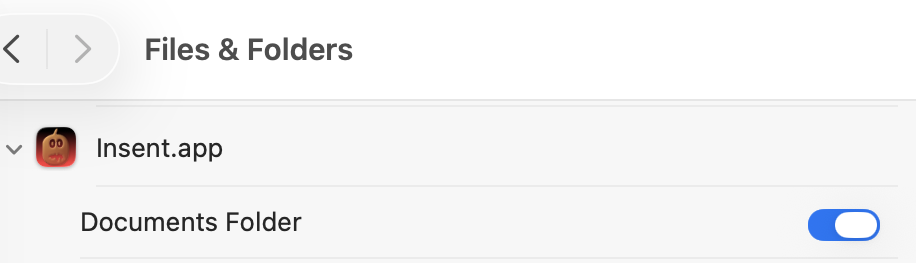
If you then disable Insent’s access to Documents in Privacy & Security settings, TCC denies access to Documents, and Insent can’t get the list of its contents:1.093533 com.apple.TCC AUTHREQ_RESULT: msgID=440.109, authValue=0, authReason=4, authVersion=1, desired_auth=0, error=(null), 1.093669 com.apple.sandbox kTCCServiceSystemPolicyDocumentsFolder denied by TCC for Insent 1.094007 Insent: couldn't get contents of ~/Documents
If you then access Documents by intent through the Open and Save Panel, sandboxd no longer intercepts the request, and TCC therefore doesn’t grant or deny access:0.897244 Insent sendAction: 0.897318 Insent: trying to list files in ~/Documents 0.900828 Insent: trying to look in ~/Documents for text files 0.901112 Insent: trying to read from: /Users/hoakley/Documents/T2M2_2026-01-06_13_03_00.text 0.904101 Insent: read from: /Users/hoakley/Documents/T2M2_2026-01-06_13_03_00.text
Thus, access to a protected folder by user intent, such as through the Open and Save Panel, changes the sandboxing applied to the caller by removing its constraint to that specific protected folder. As the sandboxing isn’t controlled by or reflected in Privacy & Security settings, that allows TCC, in Files & Folders, to continue showing access restrictions that aren’t applied because the sandbox isn’t applied.
Access restrictions shown in Privacy & Security settings, specifically those to protected locations in Files & Folders, aren’t an accurate or trustworthy reflection of those that are actually applied. It’s possible for an app to have unrestricted access to one or more protected folders while its listing in Files & Folders shows it being blocked from access, or for it to have no entry at all in that list.
Most apps that want access to protected folders like Documents appear to seek that during their initialisation, and before any user interaction that could result in intent overriding the need for consent. However, many users report that apps appear to have access to Documents but aren’t listed in Files & Folders, suggesting that at some time that sequence of events does occur.
To be effectively exploited this would need careful sequencing, and for the user to select the protected folder in an Open and Save Panel, so drawing attention to the manoeuvre.
Most concerning is the apparent permanence of the access granted, requiring an arcane command in Terminal and a restart in order to reset the app’s privacy settings. It’s hard to believe that this was intended to trap the user into surrendering control over access to protected locations. But it can do.
I’m very grateful to Richard for drawing my attention to this.