Just even for how tab and panes are setup, and how it's good for scrolling and text selection with your mouse for copy pasting.
Screaming into the void, I guess, but PSA. Don't use buttons for links. In my case, I couldn't right-click and copy the URL, but there are a lot of other reasons not to do this.
Where's the 2026 windowed version that feels exactly like a native terminal/iTerm/ghostty app but keeps sessions alive and lets me reconnect to them, no middle man with Ctrl keys for control.
I know this post will get a lot of hate responses. I don't care. Respond by fax
This lets you put your theme colors in a different file, such as `source-file "~/.config/tmux/theme.conf"` and then your theme switching external script or tool can symlink a specific theme's tmux file to that path.
That's what I do in my dotfiles:
# Main tmux config
https://github.com/nickjj/dotfiles/blob/master/.config/tmux/tmux.conf
# One of the theme files
https://github.com/nickjj/dotfiles/blob/master/themes/tokyonight-moon/tmux.conf
It allows for hot-reloading different themes as well.That said, I'd push back on the idea that the default tmux config is just "ugly". The real usability issue is that the keybindings are so divorced from how people intuitively think about splits and windows that even experienced users can't remember them. The visual defaults are just a symptom of the deeper problem that it was designed for someone who already had a mental model built around screen.
Because the author suggested swapping caps lock and control key, I also recommend mapping escape key at the control key and change the behavior based on whether another key is pressed. For example, if you press control + a, it sends c-a, but if you only press control key and then release, it sends escape. It makes your vim life (and in general) a lot easier. You don’t have to compete the most variable real estate on the keyboard, right next to the A key.
For most bindings like moving, resizing, and splitting,I emulate vim bindings.
Also, -r flag for bind-key command is impotent, because it enables to repeat commands like changing the pane size or move focus. You don’t have to press prefix key each time.
If you want to get fancy look with minimal setting, use plugins like nord tmux theme.
https://github.com/morantron/tmux-fingers
(disclaimer: I'm the developer of the plugin)
https://github.com/cmpadden/dotfiles/blob/6e767691a6b1295260...
— session configuration save/recall (with pane layout for each tab and directory for each pane[0]),
— nvim integration (for seamless split navigation and so that I can create or reattach to a tmux session in an nvim float, even though that nvim usually runs inside tmux),
— a bind to force-reload a pane if (when!) a command hangs.
For switching between tabs, I find that the ideal bind is simply Cmd + pane number. There’s never more than ten tabs that I’d often want to switch to within a single session. The highest number is probably four tabs. Each tab is typically assigned a high-level part of the project.
[0] I always forget what terminology a given multiplexer uses, so let’s just call them “panes” and “tabs”.
[0] https://github.com/tmux/tmux/wiki/Control-Mode
[1] https://github.com/ghostty-org/ghostty/issues/1935#issuecomm...
For the vim/nvim fans out there, I try my best to add "vim-style" key bindings for navigating between panes, so that e.g. ctrl-h, ctrl-j, ctrl-k, and ctrl-l can be used to move around qukcly. My dotfiles are here:
set-option -gq status-style "fg=brightblue,overline"Disconnecting a session's lifetime from the connection's lifetime hardly need such lengthy tutorial.
And displaying and arranging multiple virtual terminals was supposed to be the job of the terminal emulator and the windowing system.
bind-key -n M-n new-window
bind-key -n M-1 select-window -t :1
bind-key -n M-2 select-window -t :2
bind-key -n M-3 select-window -t :3
bind-key -n M-4 select-window -t :4
bind-key -n M-5 select-window -t :5
bind-key -n M-6 select-window -t :6
bind-key -n M-7 select-window -t :7
bind-key -n M-8 select-window -t :8
bind-key -n M-9 select-window -t :9
To switch around quick. So on my system I've got Super-{1-9} for workspaces, Alt-{1-9} for tmux panes.Also if you want a vi-like copy mode (where you can select and copy stuff) that opens using Alt-/:
bind-key -n M-/ copy-mode
set -g status-keys vi
set-window-option -g mode-keys vi
# v to trigger selection
bind-key -T copy-mode-vi v send-keys -X begin-selection
# wl-copy if you use wayland
# mouse selection in copy mode to copy
bind-key -T copy-mode-vi MouseDragEnd1Pane send -X copy-pipe-and-cancel "wl-copy"
# y to copy
bind-key -T copy-mode-vi y send-keys -X copy-pipe-and-cancel "wl-copy"
And btw, Ctrl-Shift-v to paste system clipboardYou can also put the config into ~/.config/tmux/tmux.conf
edit: And if you want a powerline-style design:
set -g pane-border-style "fg=colour252"
set -g pane-active-border-style "fg=colour25"
set -g status-style "bg=default,fg=default"
set -g status-left "#[fg=colour231,bg=colour25,bold] #S #[fg=colour25,bg=default,nobold]"
set -g status-right "#[fg=colour67,bg=default]#[fg=colour231,bg=colour67] %Y-%m-%d %H:%M #[fg=colour25,bg=colour67]#[fg=colour231,bg=colour25,bold] #h "
setw -g window-status-format "#[fg=colour243,bg=default] #I #W "
setw -g window-status-current-format "#[fg=colour28,bg=default,reverse]#[fg=colour231,bg=colour28,bold,noreverse] #I #W #[fg=colour28,bg=default,noreverse]"
Requires powerline-fontsI have two exceptions to this: NeoVim and tmux.
tmux in particular looks very ugly out of the box; I'm not sure why they decided to have a bright green bar on the bottom (presumably to be high-contrast in a low color terminal), but I really hate staring at it all day (since I kind of live in tmux most of the day on both my work and personal computer). I have it set as close as I can to the Wombat color scheme that's built into emacs (and which can be easily added to Vim), because I personally have always felt that that was the most pleasant theme to stare at for long periods of time.
Another thing I do is set the prefix key to backtick. I have no idea why I started doing this, but at this point I'm too geriatric to change, and I still greatly prefer this over ctrl-b. The only issue I've had is when I need to do code blocks in markdown, but I've just gotten used to hitting backtick twice when I need to actually use a backtick.
My hotkey is the backtick, `, rather than a chord.
The one thing I still struggle with - because it happens rarely - is easily copying the contents, full or partial, of a particular pane.
All these newage tmux hippie yuppies can get off my lawn.
set -g status-style "bg=red"
I also like to have the bar on top and the status centered: set -g status-justify absolute-centre
set -g status-position topSeems like they are keeping up-to-date too: https://bookshop.org/p/books/tmux-3-productive-mouse-free-de...
Was quite impressed initially and invested weeks in building new muscle memory, but somehow Zellij crashed with panic more than once, leaving all my processes orphaned. Decided to go back to tmux, and found a simple fix for my Shift+Enter issue.
In case anyone is looking for it, the fix is "bind-key -T root S-Enter send-keys C-j" borrowed from https://github.com/anthropics/claude-code/issues/6072.
I wish it had better defaults but now I run it as is. After a while you get used to it. The only thing I always have to change is the mouse scroll and my brain cannot retain the exact command.
> Probably the most common change among tmux users is to change the prefix from the rather awkward C-b to something that’s a little more accessible.
I like the awkwardness of the default prefix key. I have almost never activated it by accident.
> Intuitive Split Commands
> Another thing I personally find quite difficult to remember is the pane splitting commands." to split vertically and % to split horizontally just doesn’t work for my brain.
This is super intuitive to me. two ' in parallel means splitting horizontally. two ° split by an almost horizontal line means splitting vertically.
> Easy Config Reloads
I reloaded config over a few hundreds of times in my first week learning tmux a decade ago. I only reloaded config once in the last 5 years if I recall correctly. It's not something you should memorize.
[1] https://doc.xn0.org/.tmux.conf
Disclaimer: I am being silly but serious. tmux is absolutely not user-friendly out of the box. It is, however, extremely nice after an absurd amount of tweaking, which is either an endorsement or a damning, depending on your perspective.
I do almost all interactive work while detached from tmux (personal preference)
I also rely on tmux buffers for a textmode "clipboard". I do not use x11
I've been using tmux since 2011 well before it became popular. I only use a fraction of its features
Try `tmux -CC` in iTerm.
For a tmux novice like me, this was a total game changer :)
unbind C-b
set-option -g prefix C-Space
bind-key C-Space send-prefix set -g mouse on
for multi-monitor setups setw -g aggressive-resize on
is also really nice.I also hated dealing with all the wrong colors, escape character support, missing chars and messed up terminal buffers
I am a monthly donor, I think it has the right balance of community plus the lead dev has a vision, opinionated but open to inputs, and focused.
Why now?
At least some of the links in it don't mention plugins (which luckily some comments here do). Beside tmux-continuum and tmux-sensible, I'd recommend jaclu/tmux-menus.
tbh i even forgot what it used to buy me.
for (neo)vim users, flattening vim splits and tmux panes into the same level for switching with ctrl+hjkl is handy too
[0](https://github.com/tolly-xyz/dotfiles/blob/main/.local%2Fbin...)
I use it every day.
I don't use capslock for ctrl though. It's much too useful as the Compose key ;)
Zellij is close to 50 megabytes, but tmux and all dependent libraries (minus libc, it's always there) is about 2 megabytes.
I was looking, thank you!
I do that roughly every 60-90 seconds with tmux - so, until the zellij developers relent (they suggest the "proper way" of copy paste is to pipe the data into a text editor and use that - but has the downside of not supporting system copy-paste buffers.) - no options other than to stick with tmux (or fork zellij - but that seems a bit much....)
I use tmux to reattach to programs after the network connection dies, and not really anything else. I would welcome a version of it that stripped out everything but that, and just replayed the last few pages of scrollback on reattach.
I’ve been relying on the fact that in the worst-case scenario (if a pane hangs and tmux session becomes unresponsive) I can just kill tmux server and not have to hunt down and kill dozens of individual processes afterwards.
I had the same issue with gnu emacs… but at some point i lost my very custom configuration when the disk broke… i resorted to use a mostly-vanilla emacs :)
For example, leave the existing prefix binding (ctrl-b), but also add something nicer for day-to-day use (ctrl-space or similar).
Then, if you're like me and read this years ago, play around with the Light Mode dropdown which was new to me. :)
Switching between sessions with fuzzy finding, and creating new ones when needed, is a wonderful feature.
* If you need a "real" terminal emulator, you can use something like vterm (https://github.com/akermu/emacs-libvterm/).
* If you need to be able to attach/detach Emacs sessions on remote machines, you can use something like dtach or abducto (https://www.brain-dump.org/projects/abduco/).
Interesting...I kinda thought that was 90% of the use case for using tmux.
# Mindless copy and paste command:
#
# # Standard Linux / GNU tools
# wget -O ~/.tmux.conf https://andrew-quinn.me/tmux-conf.txt
# curl -fsSL https://andrew-quinn.me/tmux-conf.txt -o ~/.tmux.conf
# busybox wget -q -O ~/.tmux.conf https://andrew-quinn.me/tmux-conf.txt
# [... many, many others]
The Windows PowerShell one is aspirational and manifesting. I should add some angel numbers to it to hyperstition more of what I want to see into the world.I am 100% in agreement with you. It takes all of 5 seconds to add:
unbind-key -T prefix C-b
set-option -g prefix C-s
To your .tmux.conf on your local laptop (where I use tmux 99.99% of the time) - without worrying about conflicting on that once-in-one-year event where you start up tmux remotely.How come?
https://github.com/jcs/dotfiles/blob/master/.tmux.conf
I’ve only reverted the prefix binding back.
edit: oh, and I think Ctrl-space is the keystroke to get a nul character, and vi uses that character to insert the last entered piece of text in insert mode. It looks like Ctrl-@ does the same things, but tmux might not be able to tell the difference either.
https://fredrikaverpil.github.io/blog/2024/10/20/session-man...
Terminal programs don’t see key events. It’s all text. I just checked st (suckless) code and the RETURN key will send “\r” aka carriage return. Control+j is “\n” or line feed.
Mac WM is horrible, I use aerospace to make it tolerable
Like `dtach`?
i want tmux for three things:
1. easy splits
2. easy scrollback
3. being able to restart a session if my terminal dies
given all that, tmux works exactly as expected.
what are all these "significantly better ui and overall ux"?
Wish they could make this default, not sure why they haven't.
In any case it's not practical to carry your dotfiles everywhere you go. Changes are also a hassle to propagate
It's this year's April Fools' joke: https://xkcd.com/3227/ :P
https://sw.kovidgoyal.net/kitty/sessions/#more-complex-sessi...
For them, there's as much variety of desires as for any other window manager, and there are tons of those. But terminal ones are usually significantly easier to configure in wild ways due to having fewer (but more powerful) knobs to tweak, so a fair number choose just one and configure the heck out of it.
I know I'd get used to them, but the key combos used by tmux seem very odd choices, even to someone who used to code on a real glass tty!
The only issues I've had with it is that sometimes it's hot keys conflict with vim, but you can easily turn it temporarily off with ctrl+ g.
If you're already used to tmux I'm not sure you would benefit much from changing, but it definitely has a better out of the box with pane hints, names, and more user friendly hot keys.
I actually don’t like control mode much though. It’s a terrible protocol. Absolutely abysmal design which leads to a plethora of edge case bugs.
At some point I’ll replace tmux control mode entirely but for the moment it solves the immediate problem.
a lot of servers use tmux which probably has some weird broken edge cases
I had a friend that even had his public keys added to the /root/.ssh/ but I didin't go that far -I didn't even put my own .emacs out - but I at least could use good tools to look at the tcpdump output or giant log files if needed. "Eight Megs and Constantly Swapping" is not that big of a deal anymore.
And if people want to just use some default open source image, just point out that in modern cloud environments, you don't want each node to customize itself, you want to pre-run that process one time per node type in your "directed graph of image delta pipelines" which takes the input image and publishes the cloud ready app-specific images (with your DNS configs, LDAP integration, whatever, plus emacs/neovim and screen/tmux :)
:term to open a terminal in a new vim window (or :vert term)
Standard window movements apply (by default the window prefix is Ctrl-W), most important are: Ctrl-W,{hjkl} to switch between windows, Ctrl-W,{<>+-} to resize windows, Ctrl-W,{HJKL} to move windows to edges, Ctrl-W,{qc} to (force) close windows
Enter normal mode of a terminal buffer with Ctrl-W,N: now you can perform vim motions and scroll the output
Enter insert mode with i and you can type into the terminal again
In insert mode: Ctrl-W "x to paste register x, Ctrl-W . to send a literal Ctrl-W. If too annoying, you can change the window prefix of vim
This goes for vim, neovim also has a terminal mode but it works differently I think
In my previous blog post I gave a quick and easy introduction to tmux and explained how to use tmux with a basic configuration.
If you’ve followed that guide you might have had a feeling that many people have when working with tmux for the first time: “These key combinations are really awkward!”. Rest assured, you’re not alone. Judging from the copious blog posts and dotfiles repos on GitHub there are many people out there who feel the urge to make tmux behave a little different; to make it more comfortable to use.
And actually it’s quite easy to customize the look and feel of tmux. Let me tell you something about the basics of customizing tmux and share some of the configurations I find most useful.
Customizing tmux is as easy as editing a text file. Tmux uses a file called tmux.conf to store its configuration. If you store that file as ~/.tmux.conf (Note: there’s a period as the first character in the file name. It’s a hidden file) tmux will pick this configuration file for your current user. If you want to share a configuration for multiple users you can also put your tmux.conf into a system-wide directory. The location of this directory will be different across different operating systems. The man page (man tmux) will tell you the exact location, just have a look at documentation for the -f parameter.
Probably the most common change among tmux users is to change the prefix from the rather awkward C-b to something that’s a little more accessible. Personally I’m using C-a instead but note that this might interfere with bash’s “go to beginning of line” command1. On top of the C-a binding I’ve also remapped my Caps Lock key to act as Ctrl since I’m not using Caps Lock anyways. This allows me to nicely trigger my prefix key combo.
To change your prefix from C-b to C-a, simply add following lines to your tmux.conf:
# remap prefix from 'C-b' to 'C-a'
unbind C-b
set-option -g prefix C-a
bind-key C-a send-prefix
Another thing I personally find quite difficult to remember is the pane splitting commands." to split vertically and % to split horizontally just doesn’t work for my brain. I find it helpful to have use characters that resemble a visual representation of the split, so I chose | and - for splitting panes horizontally and vertically:
# split panes using | and -
bind | split-window -h
bind - split-window -v
unbind '"'
unbind %
Since I’m experimenting quite often with my tmux.conf I want to reload the config easily. This is why I have a command to reload my config on r:
# reload config file (change file location to your the tmux.conf you want to use)
bind r source-file ~/.tmux.conf
Switching between panes is one of the most frequent tasks when using tmux. Therefore it should be as easy as possible. I’m not quite fond of triggering the prefix key all the time. I want to be able to simply say M-<direction> to go where I want to go (remember: M is for Meta, which is usually your Alt key). With this modification I can simply press Alt-left to go to the left pane (and other directions respectively):
# switch panes using Alt-arrow without prefix
bind -n M-Left select-pane -L
bind -n M-Right select-pane -R
bind -n M-Up select-pane -U
bind -n M-Down select-pane -D
Although tmux clearly focuses on keyboard-only usage (and this is certainly the most efficient way of interacting with your terminal) it can be helpful to enable mouse interaction with tmux. This is especially helpful if you find yourself in a situation where others have to work with your tmux config and naturally don’t have a clue about your key bindings or tmux in general. Pair Programming might be one of those occasions where this happens quite frequently.
Enabling mouse mode allows you to select windows and different panes by simply clicking and to resize panes by dragging their borders around. I find it pretty convenient and it doesn’t get in my way often, so I usually enable it:
# Enable mouse control (clickable windows, panes, resizable panes)
set -g mouse on
I like to give my tmux windows custom names using the , key. This helps me naming my windows according to the context they’re focusing on. By default tmux will update the window title automatically depending on the last executed command within that window. In order to prevent tmux from overriding my wisely chosen window names I want to suppress this behavior:
# don't rename windows automatically
set-option -g allow-rename off
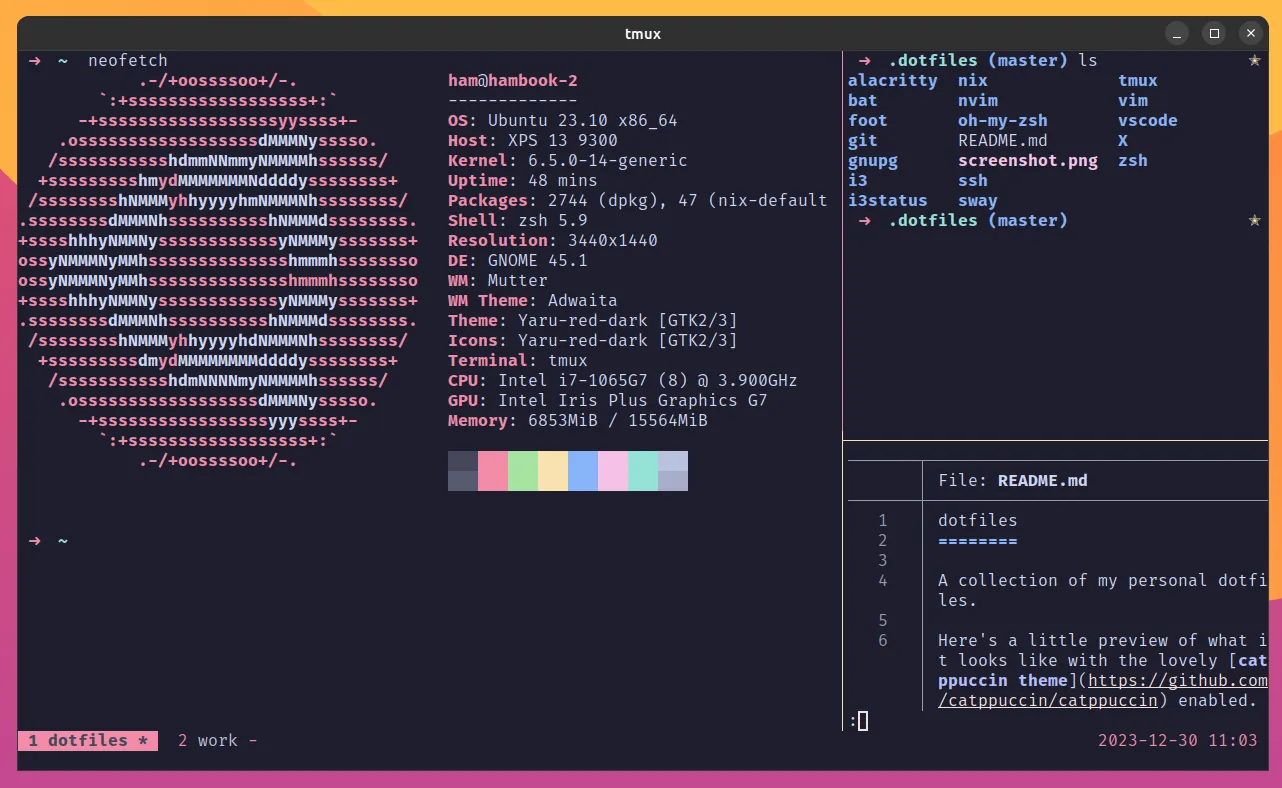
Changing the colors and design of tmux is a little more complex than what I’ve presented so far. As tmux allows you to tweak the appearance of a lot of elements (e.g. the borders of panes, your statusbar and individual elements of it, messages), you’ll need to add a few options to get a consistent look and feel. You can make this as simple or as elaborate as you like. Tmux’s man page (specifically the STYLES section) contains more information about what you can tweak and how you can tweak it.
Depending on your color scheme your resulting tmux will look something like this:
# DESIGN TWEAKS
# don't do anything when a 'bell' rings
set -g visual-activity off
set -g visual-bell off
set -g visual-silence off
setw -g monitor-activity off
set -g bell-action none
# clock mode
setw -g clock-mode-colour yellow
# copy mode
setw -g mode-style 'fg=black bg=red bold'
# panes
set -g pane-border-style 'fg=red'
set -g pane-active-border-style 'fg=yellow'
# statusbar
set -g status-position bottom
set -g status-justify left
set -g status-style 'fg=red'
set -g status-left ''
set -g status-left-length 10
set -g status-right-style 'fg=black bg=yellow'
set -g status-right '%Y-%m-%d %H:%M '
set -g status-right-length 50
setw -g window-status-current-style 'fg=black bg=red'
setw -g window-status-current-format ' #I #W #F '
setw -g window-status-style 'fg=red bg=black'
setw -g window-status-format ' #I #[fg=white]#W #[fg=yellow]#F '
setw -g window-status-bell-style 'fg=yellow bg=red bold'
# messages
set -g message-style 'fg=yellow bg=red bold'
In the snippet above, I’m using your terminal’s default colors (by using the named colors, like red, yellow or black). This allows tmux to play nicely with whatever color theme you have set for your terminal. Some prefer to use a broader range of colors for their terminals and tmux color schemes. If you don’t want to use your terminal default colors but instead want to define colors from a 256 colors range, you can use colour0 to colour256 instead of red, cyan, and so on when defining your colors in your tmux.conf.
Looking for a nice color scheme for your terminal?
If you’re looking for a nice color scheme for your terminal I recommend to check out my very own Root Loops. With Root Loops you can easily design a personal, awesome-looking terminal color scheme and stand out from all the other folks using the same boring-ass color schemes everyone else is using.
There are plenty of resources out there where you can find people presenting their tmux configurations. GitHub and other code hosting services tend to be a great source. Simply search for “tmux.conf” or repos called “dotfiles” to find a vast amount of configurations that are out there. Some people share their configuration on their blog. Reddit might have a few subreddits that could have useful inspiration, too (there’s /r/dotfiles and /r/unixporn, for example).
You can find my complete tmux.conf (along with other configuration files I’m using on my systems) on my personal dotfiles repo on GitHub.
If you want to dive deeper into how you can customize tmux, the canonical source of truth is tmux’s man page (simply type man tmux to get there). You should also take a look at the elaborate tmux wiki and see their Configuring tmux section if this blog post was too shallow for your needs. Both will contain up-to-date information about each and every tiny thing you can tweak to make your tmux experience truly yours. Have fun!
C-a C-a ↩