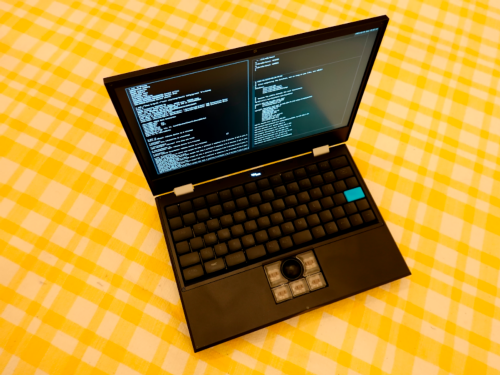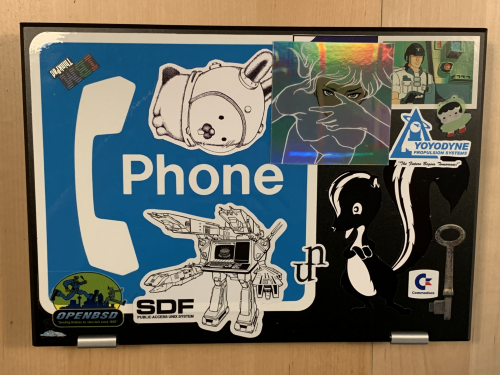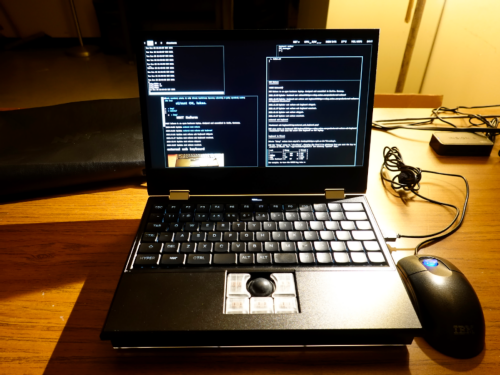
MNT's devices are honestly kinda incredible. I can't recommend them for everyone yet, though that will change soon. Both of them are a kind of "laptop of theseus"; you can open and change and repair them, and honestly I have. Both device's guts are dramatically different than where they started, but changes happened piecemeal.
The Pocket Reform is an incredibly cute device. I can't pull it out anywhere without people fawning over it. Not even just hackers! It's an open hardware cyberdeck you can use as your main device. What's not to love?
The MNT Reform Next will be closer to what many people want out of a laptop. It'll still be chonkier than a normal laptop. But again, these things are incredibly upgradeable and hackable.
Now for the caveats: for most people, I would wait until the MNT Quasar module comes out. The reason being is that while the current "best" module, the RK3588, is honestly pretty good with the 32gb version, it lacks one critical thing for most people and one other critical thing for me in particular. The first thing it lacks is support for suspend. Honestly, it does make working with a tiny computer like this a bit less appealing than the Pocket Reform's form factor could be, since what you really want to do is just be putting it to sleep and taking it out everywhere. The other thing is that Blender doesn't really run on the rk3588 either. You can kind of get a patched version working based on Lucie's patches, and I did, but it doesn't support the Eevee renderer, which is a must-have for me personally.
But the MNT Quasar board will be apparently fixing both of those above issues, and yes, at that point this will be a device that I can recommend generally. And I'll also note that I got the very first MNT Reform when it came out, and holy moly the state of the hardware now vs when it originally launched half a decade ago... it's hugely far between, but the amazing thing is that to get it up to the current state, I didn't need to throw things away, I could just open and tinker with things bit by bit.
In many ways, the MNT Pocket Reform reminds me of the book the main character has in the solarpunk book A Psalm for the Wild Built; a computer that is issued to you at the age of 16 and that which you carry with you for life. You can upgrade and repair it easily, but you don't need to throw it away.
So yeah, it's not for everyone. But if the idea of supporting repairable, upgradeable open hardware made by a lovely bunch of queers in Berlin sounds great? That you can hack on, that has a neat little community, that will be a conversation point amongst fellow hackers for its quirkiness? It's appealing to some, but not all.
It has rough edges but its very usable , especially for somone inclined to hack on their devices. My main trouble being my yearning to use Alpine on it but not quite having the know how personally to get it up and running.
I like it enough though, that I've also got the Next ordered, which I'm very excited for. Being able to upgrade them both more or less ad-infinitum while new boards come out is a big plus too.
I'd go for a framework using the Roma or CIX boards if I wanted to go for an "open hardware but not really" goal.
I love the concept and might just buy one to support the project, but I want something sleeker for my daily use. So I'm considering slimbook & tuxedo atm as buy-from-eu options.
framework stuff is generally neither open hardware nor open software, intel and AMD don't permit it
RK3588 is "almost" open. It boots with mainline u-boot and device tree from the Linux kernel, but needs two blobs: the DDR training blob and the trustzone blob (BL31). It can run without a TEE OS. I recently heard that the BL31 is now open source, but I didn't look into it. Mainline kernel has support for everything, including 3d (panthor driver) and video codecs acceleration (you find it in the v4l submenu). Mainline Mesa driver (panfrost) also works, but... not great - it stutters/freezes when I move the mouse.
Mostly I use it at university (studying psychology) for reading and annotating literature, writing papers using LaTeX, statistics in RStudio, and email, or at home whenever I'm not at my desktop PC and need something with a keyboard or otherwise more capable than my phone. Sometimes I'll take it with me on a trip in case I want to do some writing while traveling.
It sure is a conversation starter. I"m certainly "the lady with the cute cyberpunk-ish laptop" at uni now (I have the purple version)
Things I like:
- trackball: I wish more laptops came with that option these days. Love it - keyboard: I use a columnar layout on my desktop as well so the ortholinear one was very welcome and afaik the Pocket Reform is the only laptop available right now with such a layout. - case: it's chunky but very sturdy. I used to run a few MacBooks over the years and I always worried about their super-thin screen assemblies. I never worry about damaging my Pocket Reform when chucking it in a bag. This thing is really sturdy. - community support: whenever I had any issue, people on the user forum were quick to help and usually a solution was found very soon.
Things that could be better:
- battery life: I get about 4h on a full charge, which is fine. And I can easily get to 8h with a small USB-C powerbank. There's a guide on how to replace the battery cells with larger ones for about 8-10h of running time on the user forum but I haven't gotten around to trying that. Sounds promising though. - performance: the RK3588 is fast enough for most everyday tasks but it sure has its limits. I'm not going to edit my 50MP RAW photos on this machine.
Issues experienced:
- Debian unstable: by default the device ships with Debian unstable (sid) which has caused a lot of issues for me early on, just software breaking a lot. However there's a really good community project providing stable (Trixie) images for Reform laptops and since switching to that it's been smooth sailing. - some battery charging inconsistency: might be related to an early revision of the charging board and I'll probably switch it out for a newer one soon.
Who is this device for?
I'd day it's definitely an enthusiast device. If I just needed a laptop, then yes, I could have gotten an old Thinkpad or a Framework or even a Macbook Air for less money as others have commented, but I think open-hardware projects like MNT Reform are important. That's why I joined the early crowdfunding for the Pocket laptop.
I like that I can actually repair this thing when necessary, upgrade components (like I've already did with the RK3588 CPU), that Linux is the "original" OS for this and not an afterthought, that I can talk to the people designing it (I've personally been to their workshop in Berlin) and contribute things myself.
Knowing Linux basics is certainly helpful too. I would not want to throw a Windows/Mac user with no UNIX terminal experience into the deep end, especially not when running Debian unstable.
It's a nerdy and unique machine for people who are fine with some level of tinkering and I really like it. No other laptop feels like this to use and that's hard to express in specs.
But for mine I really would prefer to wait for the RK3668. My past experience with the current soc is that it's a tad too slow for many cases.
Its over engineered in some ways and woefully under engineered in others. Any real effort in making it more performant or trying to extend it's life will just generate more additional ewaste than it will save by just reusing existing hardware.
I should really write up a long-term review of this thing at some point, but overall I love it. It can be a bit rough around the edges at times, but it's also the coziest little machine I've used in a long time. (And seriously, having a mechanical keyboard in this form factor is great.)
I hope to keep using it long into the future, and the fact that it's open hardware (and that the batteries are standard off-the-shelf pouch cells, or 18650s for the full-size Reform) gives me hope that I will be able to.
I'm wondering what they'll do to replace it. You can still buy the IQS550 chip it's based on and apparently make a very similar PCB. [4] The black frosted glass seems like more of a challenge for most DIY keyboard makers, maybe not for MNT. The replacement project I saw recommended "2mm thick matte acrylic".
[edit: or maybe the TPS65 manufacturing restarted? mouser apparently has it in stock. [5] although that's the A unit without the surface.]
[1] https://shop.mntre.com/products/mnt-reform-capacitive-trackp...
[2] https://www.digikey.com/en/products/detail/azoteq-pty-ltd/TP...
[3] https://mm.digikey.com/Volume0/opasdata/d220001/medias/docus...
[4] https://github.com/geek-rabb1t/GR-Trackpad65
[5] https://www.mouser.com/ProductDetail/Azoteq/TPS65-201A-S?qs=...
I'd love to drop $1700 on a Pocket Reform, it's far more appealing than a GPD Pocket 4, but what makes it hard to justify is knowing I'm just buying into another system hampered by the critical flaw of being an ARM SoC. Even though they're tantalizing as a super-luxury boutique computer, overbuilt and absolutely lovely, at the end of the day I simply can't overlook the awful ARM experience it brings with it.
echo 0 | sudo tee /sys/class/leds/ath9k-phy0/brightness
rather than the style in the article: echo 0 > /sys/class/leds/ath9k-phy0/brightness # needs root permissionsIt doesn't seem either present- or future-secure to have only USB-A ports.
https://web.archive.org/web/20260421151811/https://mnt.stanl...
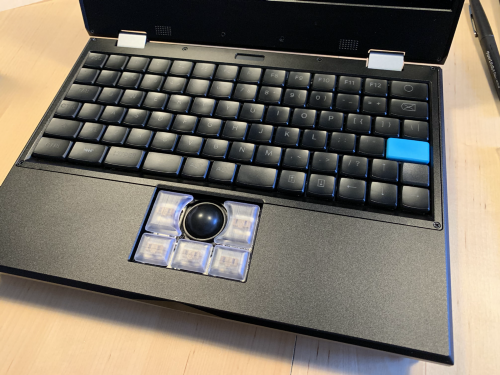
The trackball stays out of the way very nicely when you don't need it and it uses a lot less space than a trackpad would.
Recent Linux kernels are feasible. I'm using mostly stock Debian.
I use one as a Jellyfin/Plex/Immich/NAS server thing. Jellyfin is able to use the GPU for video decode. It works really well.
The other one is in mini-ITX form factor and I use it as a local Forgejo runner for CI jobs, and some other things.
I've managed to get a fork of Llama.cpp running that uses the NPU in these devices to (modestly) run LLMs, even. No real advantage, but neat.
I am satisfied enough that I've put an order in for the Next from these guys. Which would bring the number of RK3588 devices in the house to 3.
The motherboard is modular and the compute part of this is replaceable, it's sort of the whole point.
The modules are mostly compatible between all of their products: MNT Reform, MNT Pocket Reform that are available now and the future MNT Reform Next (a more streamlined laptop) and the MNT Station (mini desktop pc).
Also there's a user story out there where a laptop is a mobile terminal and the actual processing power happens remotely in the cloud. With modern agentic workflows and how fast they're changing it makes sense to optimize for longevity on the client hardware.
Price aside, most just won't be very nice.
https://www.clockworkpi.com/home-uconsole is another great example of a machine I've seen people mod into all manner of special-purpose device that wouldn't work as well with a used business laptop.
The MNT Reform Next that’s scheduled to be fulfilled this year has a much more modern port layout:
for instance, some intel cpus with ME could be hacked from both built in ethernet and wireless OUT OF BAND. The ME was accessible in commercial laptops, but since it was not "supported" the end user had no way of even disabling it.
I agree, it's probably a better idea to stick to something that was sold in high volume - if only for replacement parts down the road. If one really needs low power, an older M series Mac would also suit the bill (sacrificing many of the other benefits of course).
Not sure if that will be directly compatible with the MNT Reform classic discussed here though.
Xorg works, it uses the generic modesetting driver which is accelerated by Mesa panfrost driver, but like I said, with stuttering and temporary freezes when I move the mouse. It happens in all apps: moving windows, vkgears, glxgears, mpv video playback, but "mpv -vo gpu -hwdec=vaapi" started from console plays fine, very smooth. I didn't try Xlibre or wayland.
I think for me it helped that none of the keys are odd shapes and sizes too. The arrow keys for example are the same size as all the others, unlike some (even larger!) laptops.
Framwork is usability and performance first, openness second. MNT is the other way around.
Reproducing what they have aside, you can also modify any aspect of it by remixing their designs. The most common example of this has been custom keyboard layouts (ergo, split, etc).
[0] https://community.frame.work/t/responded-coreboot-on-the-fra...

MNT Reform is an open hardware laptop, designed and assembled in Berlin, Germany.
2021.10.08: ordered mnt reform.
2021.12.27: received mnt reform #000120.
2023.04.17: mnt reform #000120 is now being offered as a loaner by sdf.org.
2023.06.02: ordered mnt reform (2023 refresh).
2023.06.29: bought used mnt reform on ebay.
2023.07.03: received used mnt reform #000158.
2024.11.05: sold mnt reform #000158.
2025.02.24: bought used mnt reform on ebay.
2025.03.05: received used mnt reform diy.

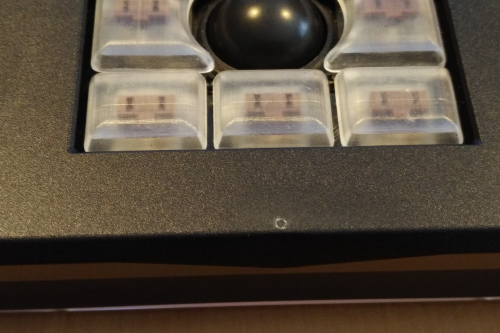
The trackball can press against the screen when the lid is closed, causing a small mark to appear on the screen.
Lid, screen bezel, keyboard frame, and wrist rest are made from milled aluminium. Side panels and transparent bottom panel are made from acrylic.
Screws in the LCD bezel are not covered, and over time the one in the center can start to rub the paint off of the wrist rest.
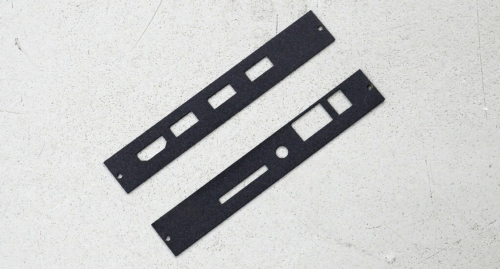
fabricate new side panels - forum thread
My friend kindly sent me a pair of metal replacement side panels. First I tried painting them with a paint brush and a bottle of Vanta Black. This flaked off easily, so I sanded them down and repainted them with black spraypaint (satin finish). Managed to chip that as well during installation. I don’t know what I’m doing.
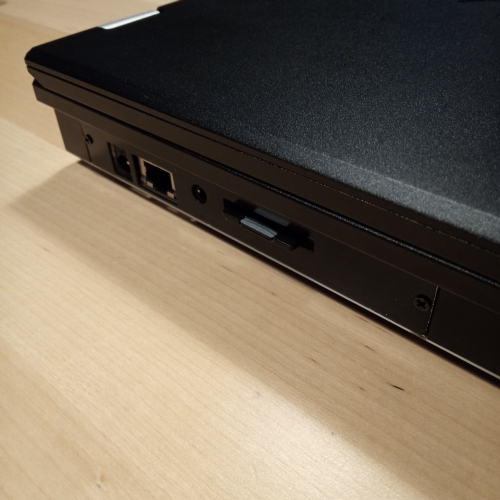
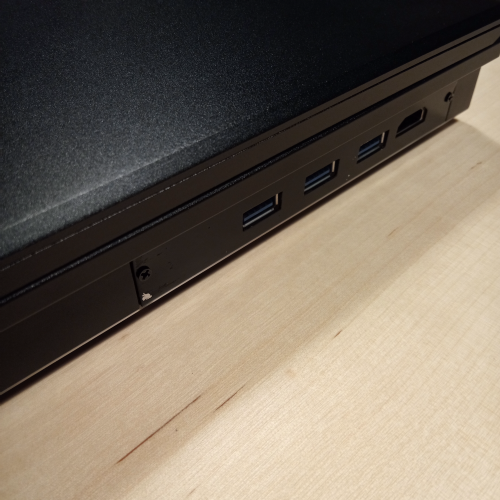
2022.03.03 Update: MNT has now made available steel replacement side panels.
usb-c pd adapter (female) - bought one, it works
usb-c pd adaptor (male, non-amazon) - reported to work
lifepo4 replacement batteries (affordable, out of stock)
lifepo4 replacement batteries (expensive, in stock)
lifepo4 external charger - for recovering depleted cells (2-bay)
lifepo4 external charger - for recovering more depleted cells (8-bay)
laird wifi antenna - improved reception
2022.04.27 Update: I ended up just stretching the original molex antenna down under the trackball, which improved reception even more than buying an expensive new antenna. Because of its shape and the orientation of its cables, the Laird antenna wouldn’t quite reach.
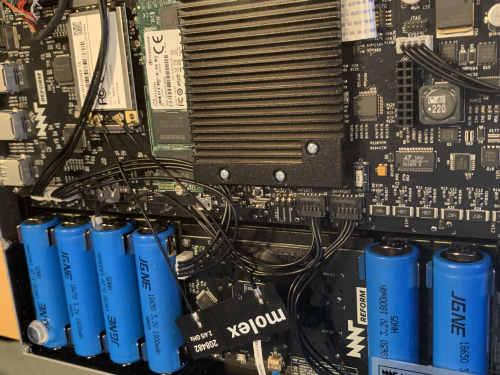
iogear gwu637 ethernet to wifi n adapter - for operating systems where wifi doesn’t (yet) work
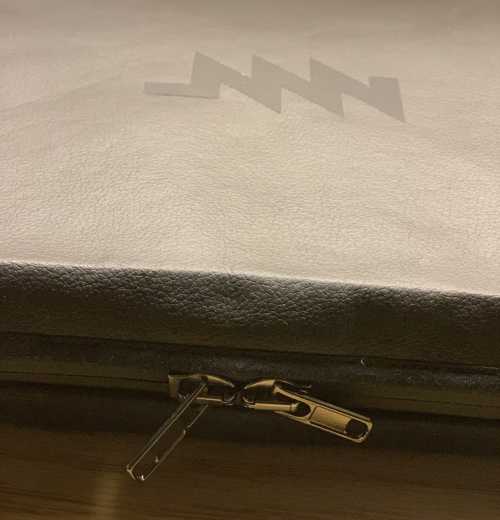
piñatex sleeve - note: pull tabs broke off in the first week
2022.02.22 Update: MNT sent me a replacement sleeve with new, all-metal zipper pulls that are now standard equipment on the sleeve.
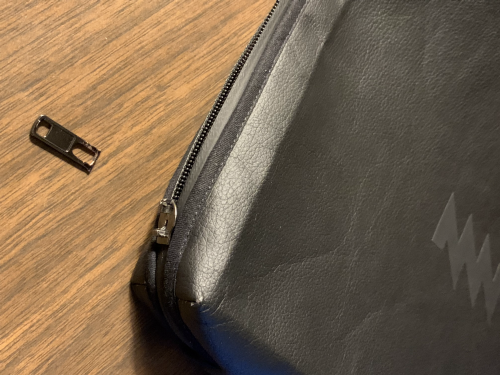
2022.07.16 Update: One of the all-metal zipper pulls shattered as I tried to unzip the sleeve.
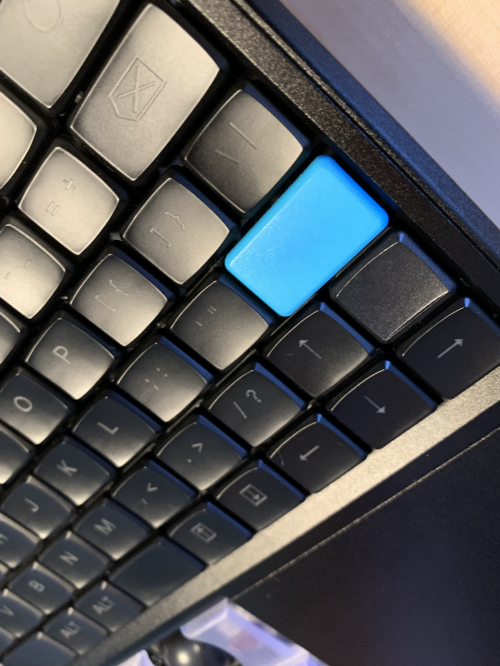
mbk-colors: 1u and 1.5u homing - replacement key caps, some with raised edges to help with acclimating to the non-standard keyboard layout

9front - howto, sdcard image, sysinfo
alpine linux - fully functional (howto pending)
void linux - sdcard image (does not boot on my machine)
debian linux - pre-installed
http://mnt.stanleylieber.com/keyboard/
By default, the speaker output of MNT Reform is a bit quiet, and
changing the volume with PulseAudio won’t dramatically change it.
There’s one more knob you can turn up that is only accessible via
ALSA.
Open a Terminal and type alsamixer. Then press F6 and select
the wm8960-audio card. Navigate with Cursor keys to the Playback
slider and turn it up
Well, there is no wm8960-audio listed on my system, only (default). And Master is already cranked to 100. Investigating, I noticed:
sl@reform:~$ dmesg | grep 8960
[ 3.613559] wm8960 2-001a: Failed to issue reset
edgineer says:
Usually a reboot gets the audio going for me if I see failed to issue
reset (happens on booting from power off). Lukas speculates on a fix
here[1] and another person[2] provided this line in order to rebind the
device without a reboot:
echo 2-001a > /sys/bus/i2c/drivers/wm8960/bind
I was able to replicate the issue and test the above line out just
now. I had to “sudo su” first. Then the audio device showed up in
alsamixer again just fine.
This worked for me, as well.
Update 2022.06.20: After numerous updates, sound no longer works for me in Alpine Linux.

echo 0 > /sys/class/leds/ath9k-phy0/brightness # needs root permissions
foot - foot.ini (sl)
rofi - mnt-reform.rasi
sway - config (default), config (sl)
vga - font (download page)
diy assembly manual - pdf
interactive system diagram and interactive PCBs - html
sources (kicad, etc.) - repository
external usb keyboard manual - pdf
buy, community, faq, ifixit, reform school