Some history on this laptop:
- The StarFighter 16 was originally announced back in November 2022 with an original delivery timeline of 3-4 months: https://www.reddit.com/r/linuxhardware/comments/yjuahx/star_...
- Here's a 500-comment HN thread from Feb 2023 about it (3-4 months later) now with an additional 4-5 month lead time: https://news.ycombinator.com/item?id=34759507
- The latest production updates only go back to July 31 2025 - they mention a 3-5 month timeline from January 2025 (seeing a pattern?): https://starlabs.kb.help/starfighter-production-updates/
There's an "Unboxing" video from Star Labs on the StarFighter from January 22, 2026: https://www.youtube.com/watch?v=HjYJS5AJZpE
So, 3.5 years later, the chassis is still neat, and good on them for plugging away I guess, but for anyone that actually needs a new computer, there's no shortage of higher-end Linux-centric laptops with a better shipping track record (Framework, Tuxedo Computers, Slimbook, etc).
What about the microphone though?
The camera issue has been solved years ago by a simple analog hack of physically obscuring its field of view, with some business units having a physical switch built-in.
The same is much more difficult for a microphone, hence the appeals of privacy-conscious folks about it, mostly unanswered.
Unfortunately the company stopped releasing firmware updates for it soon after they launched Mk V. I don't know if it can be still built from source for the older devices.
I did this because I manage a fleet of BSD based server (BSD runs zfs and bhyve with VM on it) and I wanted the same base system for me.
I wonder how BSD friendly those laptop are.
In any case I am so happy to see some open hardware solution.
If not, I will keep my Intel Thinkpad T14 G2, The Last of the Mohicans that can.
My aging Thinkpad P1 (1st Gen) has a great LCD, but it's also the last non-OLED screen in my life, and I don't think I can buy another laptop without it. In fact it would be a purchase decision driver/upgrade incentive for me. This and longer battery life.
Even though I build lots of C++ code, I still don't think I need more than the Xeon in the P1, horse-power wise.
Not sure who the target market is.. but on the homepage it only lists the CPU's in the era of AI/Models etc I'd put the GPU and VRAM somewhere on mainpage as well.
Even when I view "Tech Specs" still don't see the VRAM ? Just some feedback.
Everything else about the computer I loved, but the power issue often meant it was not available when I wanted it. I eventually sold it on eBay (with full disclosure of the issues).
You're better off buying a Dell XPS on sale, I saw one for about 800$ the other day with 32 GB of ram.
Dell has committed to actual Linux support.
I don't feel like paying a Linux nerd tax when most Windows laptops are fine.
Lenovo seems to have the best support here. Otherwise enjoy the adventure in driver land!
Is this an improvement on how long whatever it's talking about usually gets updates for, or is putting a limit on it at all a bad sign? I've only seen this with regards to mobile phones before.
Does it mean this machine has the potential of having amazing battery life since it can be fully programmed? I am talking as close to MacBook Pro level (not accounting for arm vs intel/amd difference).
Are these a good pick for a non-programmer who is interested in Linux but intimidated by it?
I genuinely don't think there is anything I would want changed on this laptop.
Same goes for the standard one year warranty. Should be two at minimum.
I had my country configured to Belgium while testing this.
I'd love to see more than 5 years of updates, but there is so much to love here, I can look past that!
I wonder why the price difference between the 8845HS and the 285H is more than the cost of some complete 8845HS based systems. Also a shame one can't opt out of the storage or accessories like (yet another) measly 65W USB C+USB A GaN charger.
Other than those things, it actually looks decently exciting. I love the 16:10 + high resolution. Screen brightness isn't amazing, but also better than average. Glad to see 120 hz+ across all of the options. Privacy kill switch is great but the removable magnetic webcam seems a bit overkill/complicated given the kill switch (a simple physical slide would have been plenty as well). The hardware options aren't too bad for an open/Linux focused device. 6 USB ports + HDMI + audio ports is great, given the thickness it would have been cool to throw in a built in ethernet port, SD slot, and DP out to negate most of the need for the dock.
If I hadn't already bought a laptop this year this would probably be high on my list.
I wish framework laptops could come with multiple possible keyboard layouts like the one on the picture.
I'd be worried about having all of my storage in one place. I like to back up data to more than one place if it's important, and never have huge on-device storage because if something happens to damage it, I'm assuming it's game over for all on-device storage (rather than only part of it). I'd rather my storage was safe and cozy in some place far from where my laptops go.
But if you're not all that worried and happen to do data-intensive work or something, awesome, 8TB sounds like a dream.
Glossy screens are, in my humble opinion, a stupid gimmick because they look a bit better at ideal viewing conditions. For mobile devices the viewing conditions are most often not ideal, so it really doesn't make any sense unless the screen has to be a touch screen. I have had one laptop with a glossy screen and I ended up putting a glare reducing sticker on it because the glare was intolerable.
If you're not sure if you want to go Linux yet, it's probably best to try a live USB stick of a few distros on your existing hardware. Get a feel for what the interface is like, how things work, how it works on your hardware, etc, without actually changing anything. Seems like a better bet to me than buying all-new hardware.
Asus has similar materials in recent models I believe; I rather like it.
- control key in wrong place - camera notch - half sized arrow keys
With all these boutique laptop brands, I hope that one of them will eventually produce a pointing stick keyboard offer a route off Lenovo.
The notebook market is dead for me if the notebook can't sleep on 0.3% battery per hour and if it can't wake up within a second or so.
So far only macbooks and >5 years old Intel notebooks can.
https://askubuntu.com/questions/629632/can-you-boot-ubuntu-s...
I'm looking get rid of my MacBook Pro, and I'd like to switch to a Linux laptop, but I'm really worried about battery and trackpad.
If not, how would those rules apply to them?
Edit: tbh, the new "user friendly" idea of automatically converting US prices to the local currency of the visitor in spite of the company not having any connection to the visitor's locale always makes me think of drop shippers, not of legitimate businesses.
Especially if i'm in a non USD non EUR country, I am fully aware that there are different currencies in the world, I already have an established process for converting between those currencies and it's likely to be more to my advantage than whatever Stripe offers so please cut it down.
My Asus netbook started with basic configuration and was maximised during its lifetime, just like any PC desktop.
I can see the EU's take on this, and maybe overall this will even be good. I have some nice Anker chargers and can charge everything we have at home with them (added some USB-C to ligthning/micro-USB thingies here and there), but I'd be a bit annoyed if the EU would force my company operating with small margins to have 2 versions of my packaging workflow.
Maybe they should just "encourage" good behaviour? With a law that is less forcing, ie just say: "If you offer a version without charger, the price must be the same as with charger. " That would (slightly) encourage leaving it out, while not forcing companies' hands.
The laptop is being shipped anyway, so I assume the charger in there may be a "sweet deal" if you need one. 65W GaN chargers are a nice sweet-spot at the moment (size/power/price-wise), ie Ikea has one at 14 eur), wouldn't mine having one or two extra.
They also don't make these computers and are at the whim of their ODM, so unless you opt for Coreboot/Libreboot, there wouldn't be a possibility for that.
https://doc.coreboot.org/mainboard/starlabs/starfighter_mtl.... The previous version is already upstreamed, apparently.
I have a Ryzen 5 AI 340 powered machine and average about 6 hours. I might be able to stretch that to 7 if I dimmed the screen a bunch and only did light web browsing.
This is closer battery life to MacBook Neo, not an Air or Pro under the same workload.
No, every laptop does not look exactly the same and they are not all macbook clones.
EDIT. Actually it looks like I was wrong about that. They do apparently at least make their own chassis’s unsure about the motherboard’s or screens though.
It is still a crazy question though because if you seen most laptops in the last 15 years there is basically no room for them except on the large workstation thinkpads or large gaming laptops.
I must also mention that I'm happy to see the UHK has a ball-retention ring; this used to be normal for trackballs but companies moved away for it for some reason.
You do realize you’re paying for the charger, right? And you don’t like the option of not having to purchase the charger?
My findings on it: https://sjg.io/writing/suspend-battery-drain-framework-13-ub...
Tbh there are more issues if they wanted to be compliant with EU regulations. I'm fine that they aren't compliant (they aren't in the EU, after all), but it's something to be aware of when ordering from them.
The banks that lent the AI industry the money are already trying to sell their debt.
You have lpcamm2 just sitting around in a drawer? Or did you get last-gen?
If you ship to multiple countries you can reduce the SKUs even more as the laptop SKU isn’t country specific anymore.
Offering a version without the charger for the same price would not reduce ewaste which is the point.
IIRC my Thinkpad T14 G2 has S3 and it draws 0.3% per hour, pretty much in line with what Macbooks draw when sleeping.
The StarFighter has a metal case, so when running at high power levels (45W sustained according to the spec sheet) it will either get uncomfortably hot somewhere on the case or at least a bit noisy from the fans, but since it's a bit thicker than the 2019 MacBook Pro it should be able to cool itself more effectively. But when running at the performance level you're used to the power draw should be plenty low enough to make temperature and fan noise not a problem: roughly double the peak CPU performance means you can turn down the power limits a lot and still have a better-performing machine.
I recommend looking for a used laptop with a Core Ultra 7 165U (<$500) or a Core Ultra 7 268V (>$1000). Maybe an HP EliteBook. Either one would be faster than your old i9 and run much cooler.
I know that USers think their laws apply everywhere, but that's just a myth.
Yes, the DRAM dies all come from the same wafer supply and fab capacity, and those limits are the cause of the current prices. However, once the memory OEMs have packaged DRAM dies into something like an LRDIMM or SOCAMM, the cake is baked. It's no longer usable in a laptop or desktop. No amount of X-year-old LRDIMMs (hypothetically) flooding the market will be useful for anyone's desktop or laptop. And then there's HBM, where the dies are directly on-package with the CPU or GPU.
Second-hand, revalidated server DRAM components may contribute somewhat to a price decrease, but those won't be the components you or I will be purchasing (unless you run a true server platform as a desktop, in which case, shine on you crazy diamond!).
The same is partly true for GPUs: there are PCIe versions, but most are OAM or SXM modules. You might be able to jury-rig an SXM module into a desktop? Adapter cards exist for at least some SXM versions, and you could figure out the cooling somehow? But it's probably more trouble than it's worth.
Last time I tried to replace the display in a laptop, I had plastic bits of bezel flying all around.
Everything else is just enforcement.
StarFighter
A full-size Linux performance laptop with premium materials, a haptic trackpad, open firmware options, and room for heavier workloads.

Intel® Core™ Ultra
Ultra
processor lineup
Ryzen™
9
processor
Up to
64 GB
7500MT/s LPDDR5X memory
16-inch
120 Hz
IPS Display¹
Up to
18 hrs
battery life
Micro-Arc
P EO
Oxidised Finish
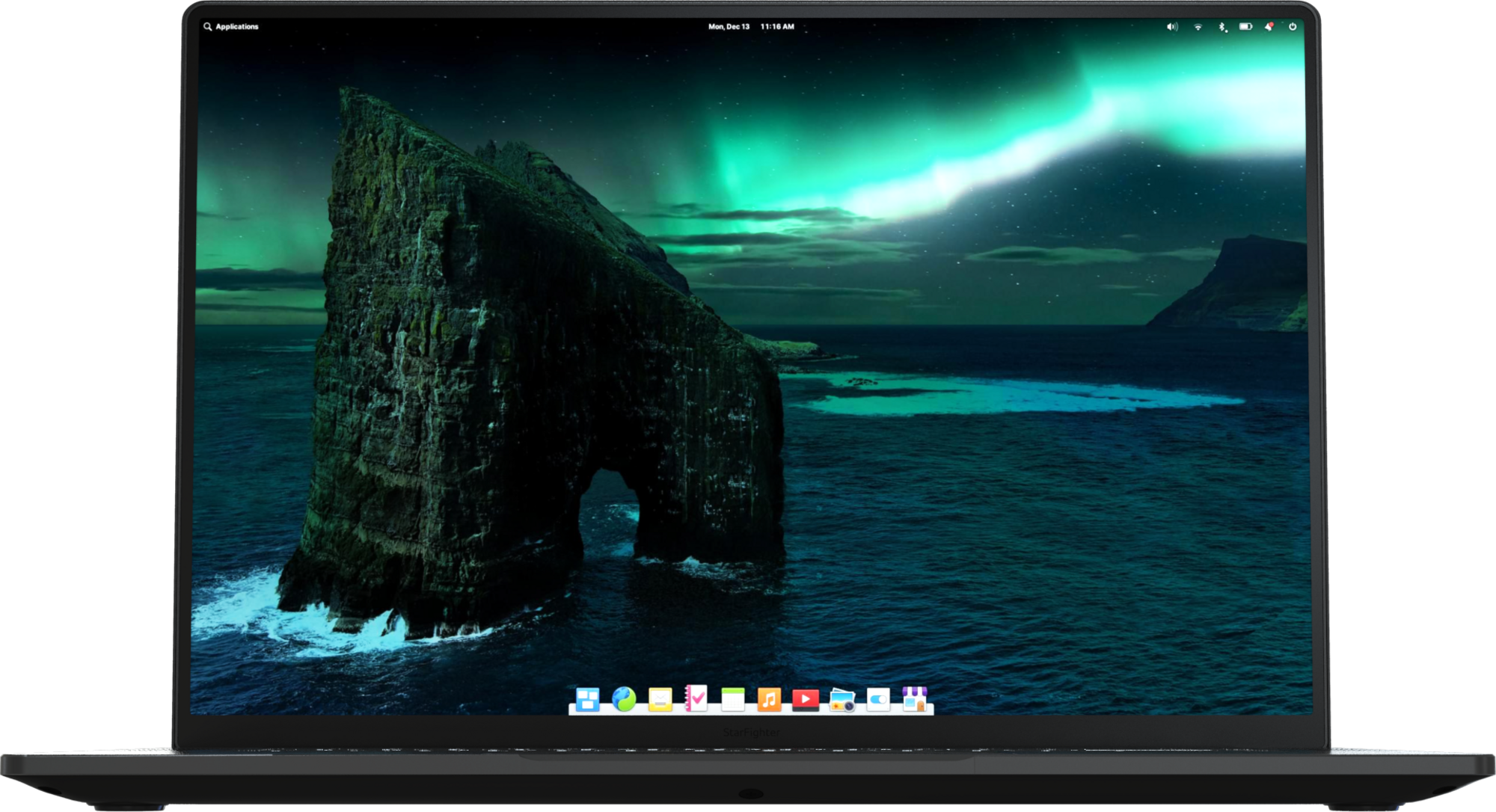
All matte. No glare.
A true matte display with a protective coating allows colours to shine while diffusing ambient light.
3840x2400 4K Resolution
Enjoy highly accurate colours that are crisp and clear.
16:10 Aspect Ratio
Work proficiently with a screen ratio designed for productivity.
625cd/m² of brightness
Visible in nearly any light, you can work indoors and out - wherever you're most productive.
120Hz Refresh Rate
Experience silky smooth images with a refresh rate double that of a standard display.
178° viewing angles and 180° hinge
Get comfy on the couch, share your screen, or work however you're most comfortable.

Do
you ever
get a feeling
like you're being
watched?
Removable Webcam
With its easy-to-disconnect magnetic connector, you can simply unplug the webcam whenever you want to ensure that no one can access it.
Built-in Storage
The built-in storage lets you store the webcam inside the chassis when you're not using it.
Maximised Viewing Area
The removable webcam also allows for minimal bezels on all four sides, giving you a maximized viewing area for your screen.
Future Proof
Its future-proof USB connection, you can easily upgrade or replace the webcam with future accessories.

Kill
Switch
The perfect solution for maintaining control over your wireless connectivity. With the simple flick of a switch, you can disable your wireless, ensuring that it is never on unless you want it to be. This eliminates the risk of accidentally leaving your wireless on and vulnerable to hackers or other security threats.
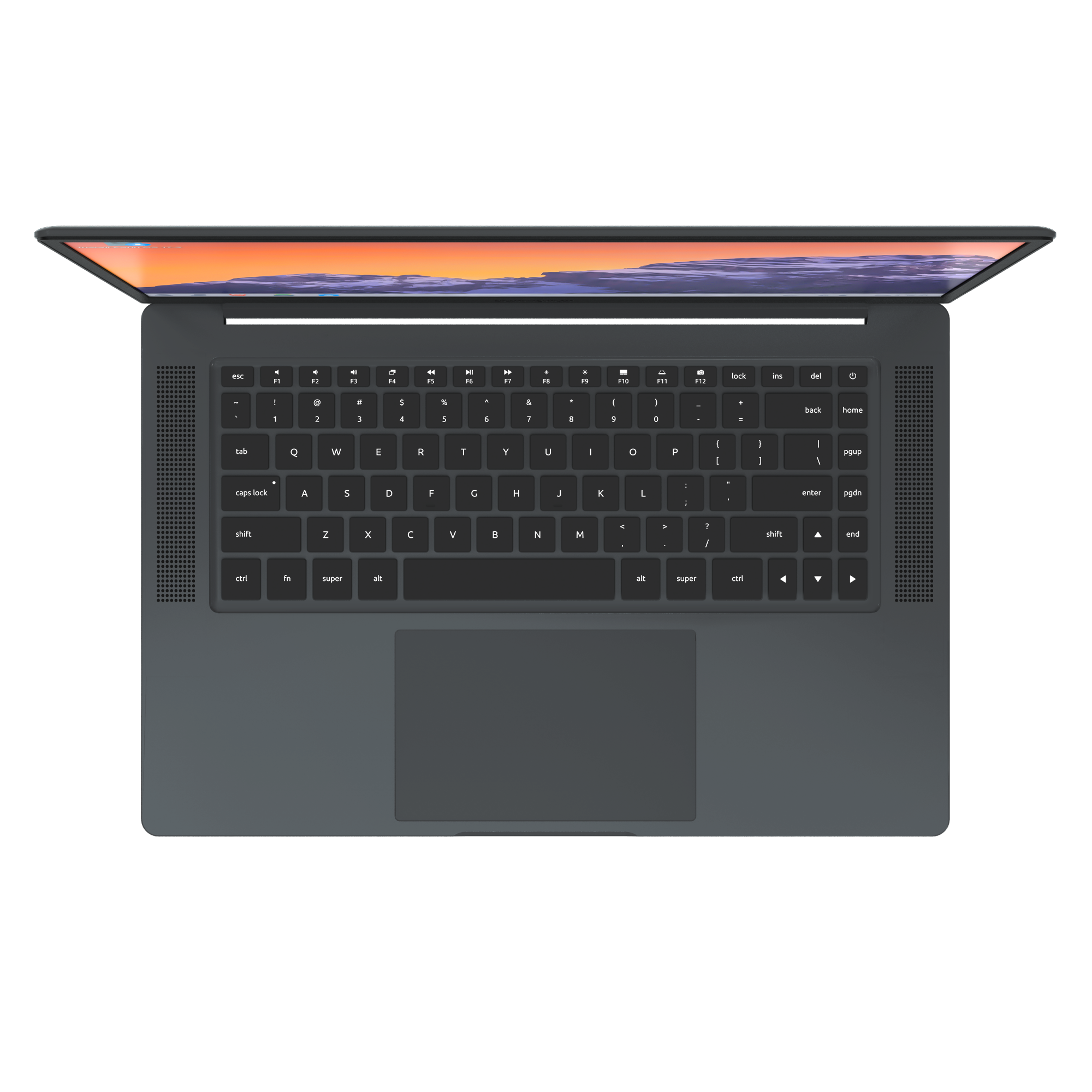
A keyboard
that's pure
function.
Backlit Keyboard
Comfortable backlit keys with snappy scissor mechanisms.
Media Keys
Media keys for playback, volume, brightness, screenshots and more.
Function Lock
Switch between media and traditional function keys with one tap.
International Layouts
Available in US English, UK English, French, German, Nordic and Spanish layouts.
LED indicators
Subtle LED indicators built into the keys let you know when Caps Lock or Function Lock are enabled.

The
Haptic
Trackpad
An oversized solid-state trackpad; instead of physical buttons, it detects pressure and vibrates to simulate a click. It allows for 100% of the surface area to be clickable, with unparalleled consistency.
Its glass surface is legendary; dyed, toughened and treated with an oleophobic coating.
Plasma
Electrolytic
Oxidation
Plasma electrolytic oxidation (PEO) is a coating technology that results in ceramic layers on the target material. The result is a textured finish four times harder than steel and naturally resistant to fingerprints; this durable coating will withstand the test of time.
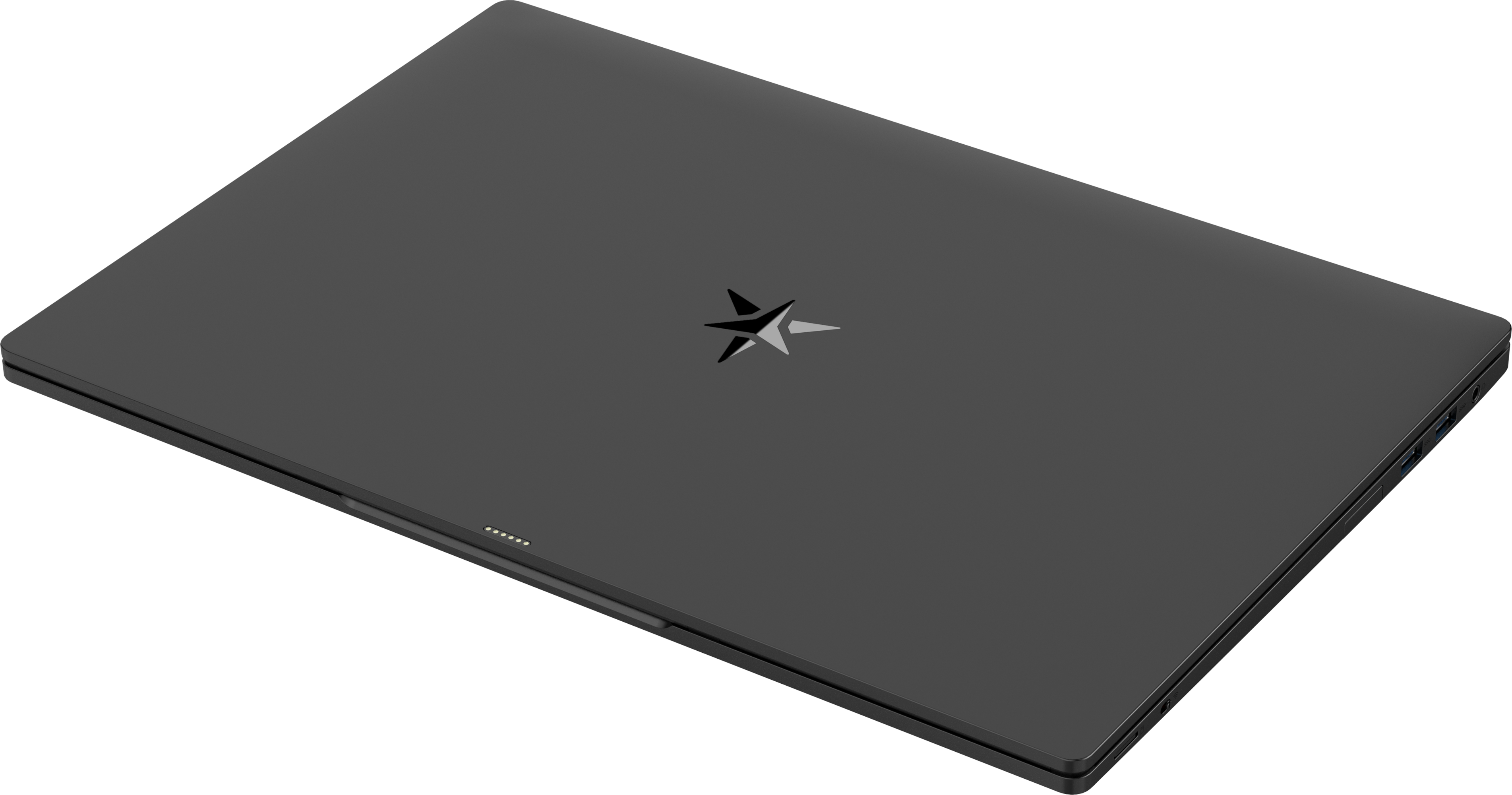
Versatile Connectivity

WiFi 6E and Bluetooth 5.3
For all things wireless.
USB-C
With Thunderbolt™ 4/USB 4 for charging and expansion.
HDMI
For easy output virtually everywhere.
USB-A
Full-size USB 3.0.
USB-C
With Thunderbolt™ 4/USB 4 for charging and expansion.
Combo Jack
For audio input and output.
USB-A
Full-size USB 3.0.
USB-A
Full-size USB 3.0.
Micro SD
For importing from a camera and mobile data transfers.
Open-source firmware powered by coreboot and edk II.
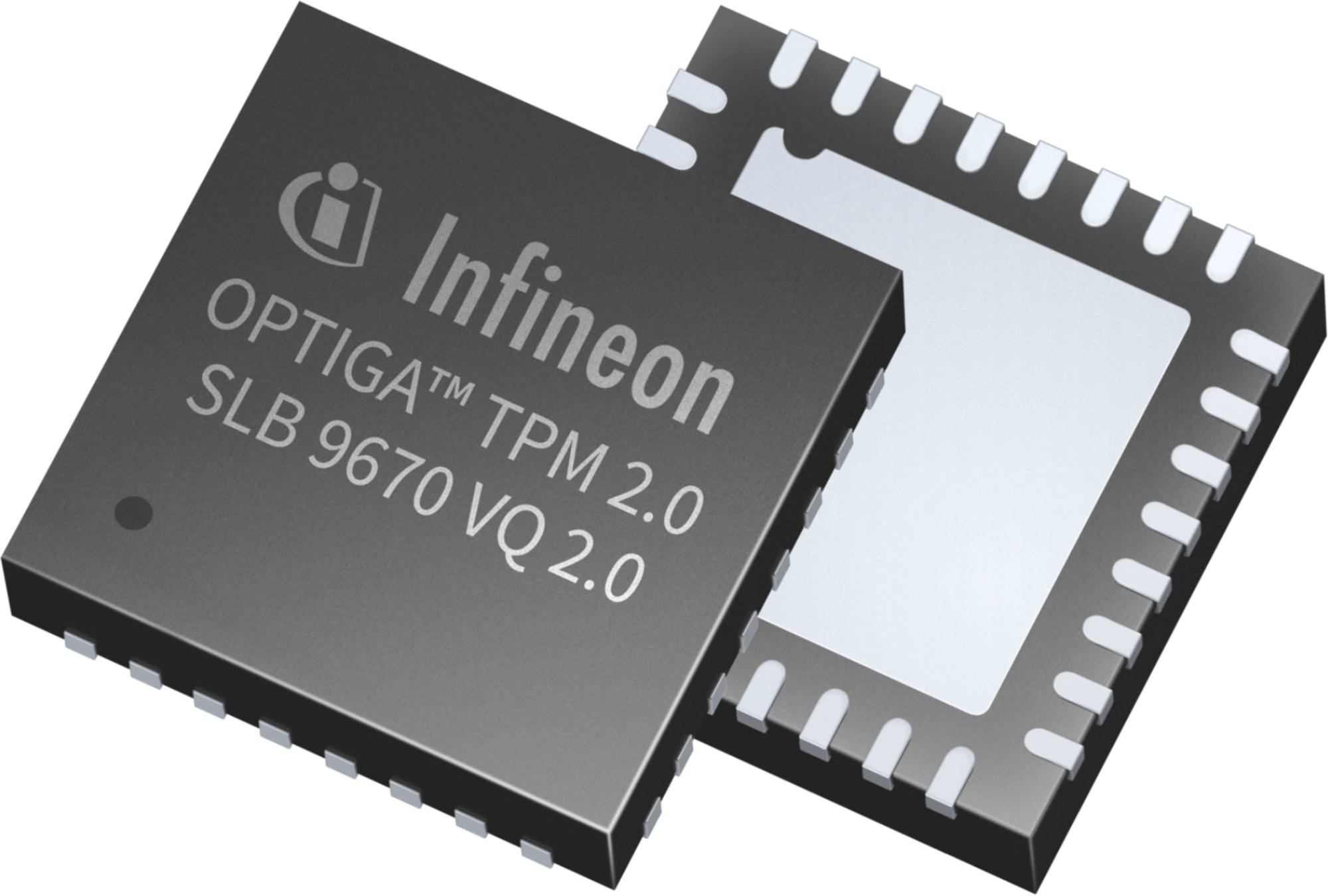
Measured Boot
Secured boot flow gives you peace of mind.
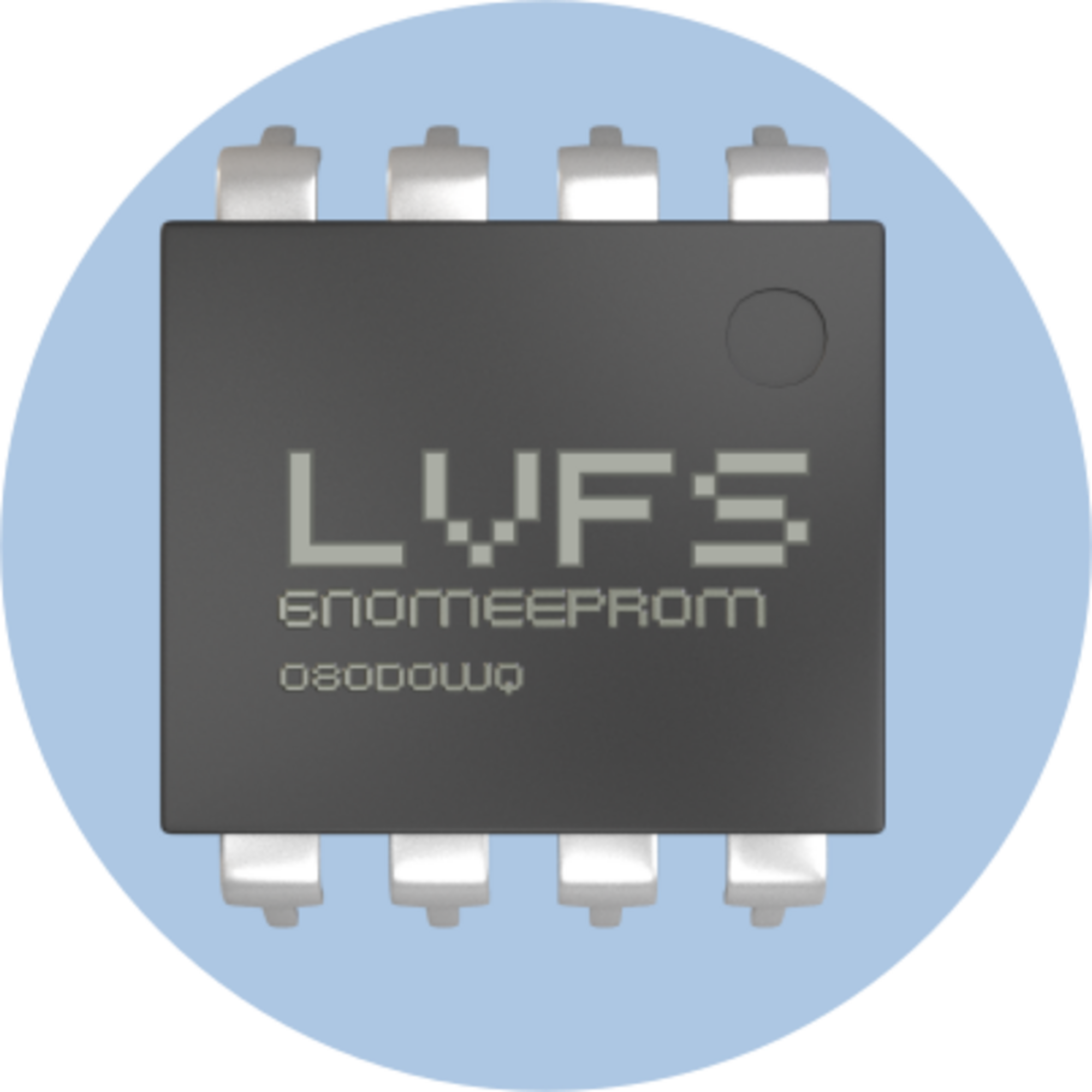
5-years of updates
Backed by secure updates delivered via the LVFS.

Lightweight Firmware
Super efficient firmware that only takes 0.76s to POST.
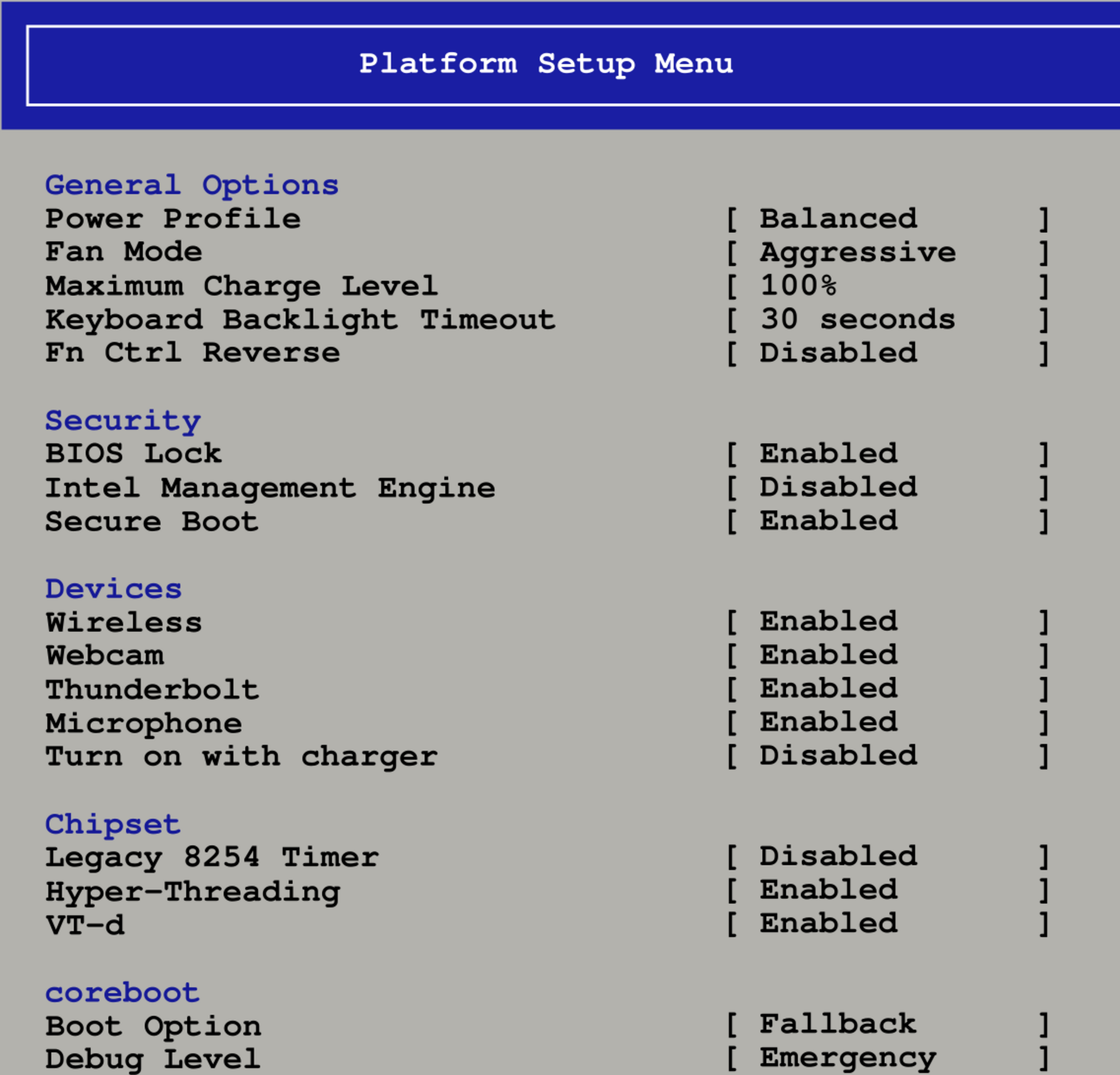
Endless Firmware Customization
Tailor your firmware effortlessly using the Advanced Configuration interface, a nod to the trusted feel of traditional BIOS.
From perfecting system performance to ensuring compatibility across diverse Operating Systems, the realm of endless tweaking awaits. Delve deep into the extensive options and mold your firmware to your unique specifications.
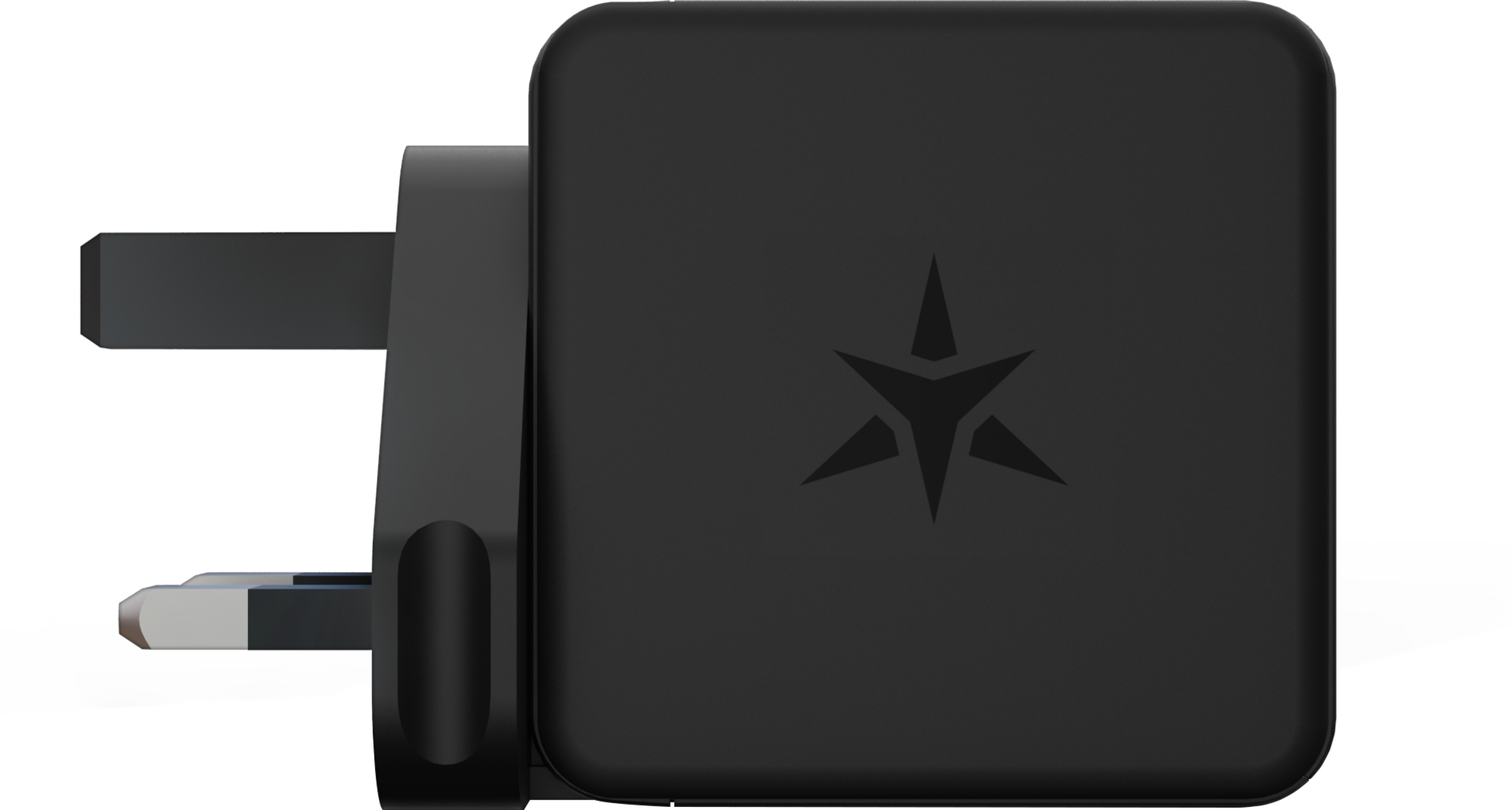
Minuscule Charger.
Massive Battery.
Experience the power of our minuscule Gallium Nitride charger. With 65 watts of charging power over USB-C, this charger is 30% smaller than traditional chargers, making it easy to take on the go. Plus, its advanced technology ensures efficient and reliable charging for your devices.

Easy Updates.
Firmware updates for the BIOS, Embedded Controller and SSD are just a click away with the power of the LVFS (Linux Vendor Firmware Service).
Open warranty.
Laptops designed for open-source software need open warranties. Our 1-year limited warranty allows you to take your computer apart, replace parts, install an upgrade, and use any operating system and even your firmware, all without voiding the warranty.
If you sell medical devices (apparently even down to toothbrushes) in the USA, you have to follow FDA rules. If you sell children's toys in the EU, you've had to follow EU consumer regulations (e.g. CE mark) at least since the 90s. Going back to the 70s, if you sold a physical product in the US as a foreign company you had to follow local rules about maximum delivery times and minimum warranties. If you don't follow the rules, your shipments get blocked at customs, and any marketplaces (Amazon) selling your products get fines as well for not verifying you appropriately, so marketplaces will verify and ban your business too if you blatantly violate local rules (e.g. selling devices containing radios without FCC approval). If you're selling laptops at any scale, you need to follow the local rules for every country you ship to.
There'll certainly be cases everywhere where enforcement isn't perfect (if you contact a tiny vendor in China and they ship to you directly and you sign for & pay the customs yourself, in practice you'll get away with it, or you can always travel to a country to buy a product and carry it back personally) but in the general case local regs on physical product sales are not unusual or optional at all.
https://europa.eu/youreurope/business/product-requirements/l...
They don't have to do business in EU if they don't want to follow the rules.
You're gonna have to point to part of the regulation where thats not allowed. there is a mechanism for deletion. so long as its done within 30 days its still within spec
The overall point being that if you want to use a product/service, you'll look past minor violations of local regulations on account deletion or charger bundling.
For standard desktop CPUs, the memory controller doesn't support the signaling required to communicate with an RDIMM. There's no clever AliExpress adapter that will magically give a component within your CPU capabilities that it simply doesn't have.
However, if you have a true workstation, you don't even need some adapter from AliExpress! Xeon 600, Threadripper 7000, Threadripper 9000 all support RDIMMs natively.