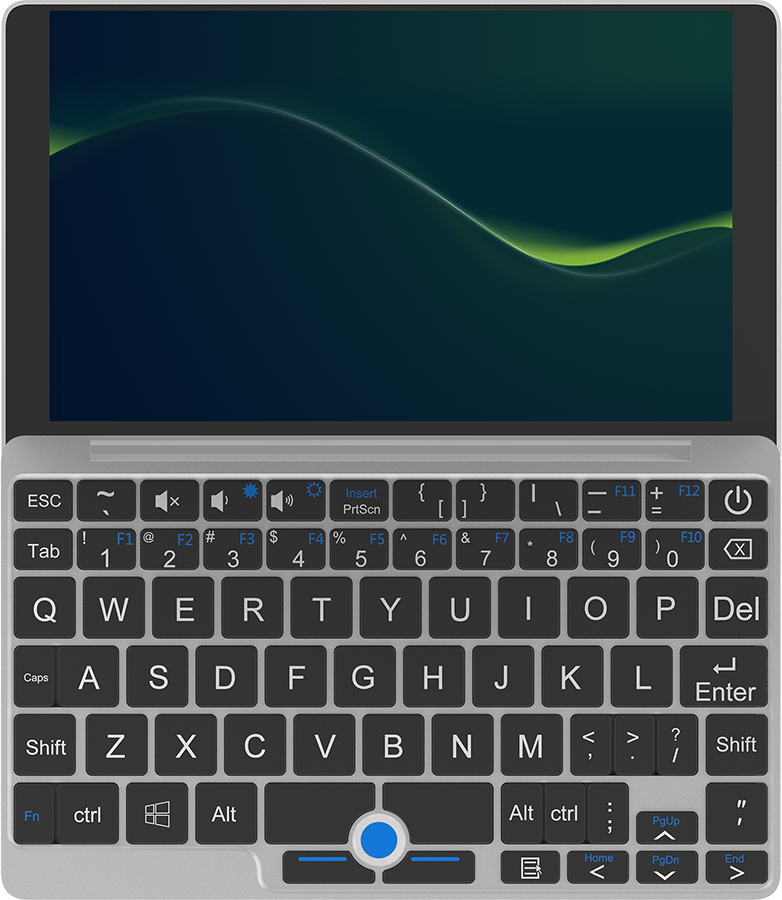
Or really buy any laptop rated highly by Dave2D or other reviewers that's 4 to 5 years old.
I will note that I also had the screen rotation issue described in the post, but it was easy to solve at the desktop environment level in COSMIC. I didn’t bother dealing with it elsewhere because I honestly don’t mind if the grub menu is sideways.
https://www.zdnet.com/a/img/2014/10/03/9f923860-4b47-11e4-b6...
So, unusable for blind typing.
920g for a 10" is also crazy much. LG make 14" laptops under a kg.
I want something like the Sony Z4 tablet. About 600g with keyboard dock. Thin, waterproof (not the keyboard), days of standby, 4G supported, the keyboard was excellent.
If it would be possible to run a current version of Android on it, it would be perfect.
I do have my ASUS EEEPC 701 4G Surf still working. I think it is 18 years old at this point? It is rocking Antix, in its 3.6 GB hard drive. It broke the S key in the keyboard last night and I ordered a replacement.
I use it as writer deck and to ssh to my server and raspberry pi from the sofa.
It is built in a very resistant way? Survived my kid so far.
I used to play with omarchy. It is good enough for a lot of use cases. For powerful work I just connect to remote session.
Perfect for planes in economy
As others have noted the company has done some pretty shady things with some of their other products, and I would not really expect a warranty, so this isn't really a recommendation. But my personal experience after ~six months of use has been good.
Different category to a 15” 2kg cheap 5 year old dell.
I bought a tablet from this brand few years back. Screen edges were non responsive to touch within months.
It is being thrown away in the first place for a reason.
My T14 has even a dedicated slot for a SIM card.
(Note: My estimate on this is purely based on Apple implementing/expanding the use of their own cell modems, which also includes their wifi chip. It seems logical that they would quickly adopt the same chip for wifi in their laptops, thusly getting LTE/5g 'for free'. Definitely no insider knowledge on this)
I think my desire for this kind of product is something lighter, but this set of notes on the Chuwi feels like the compromises GPD gives you but with less power.
Lots of 15.6" Windows laptops come with 1080p screen which is painful to look at.
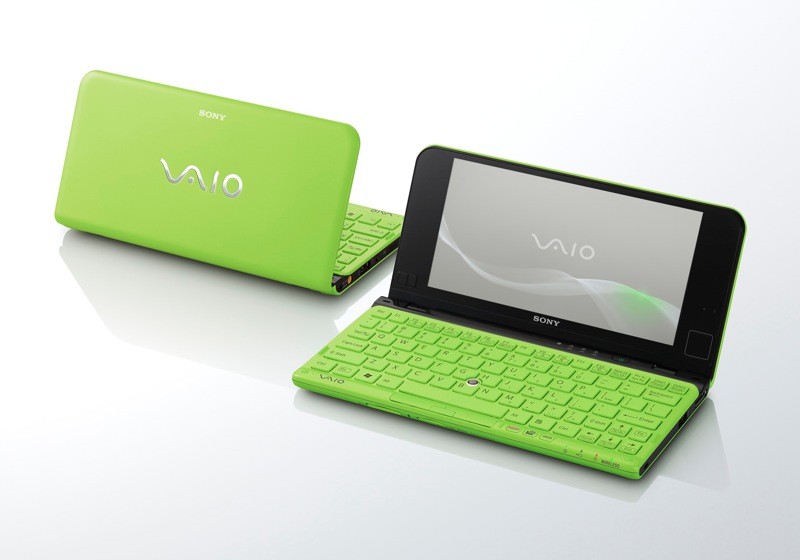
It was Japanese, naturally.
At linux.conf.au 2007 we chose a smaller conference bag, designed to carry your electrical accessories and nick-knacks... it turned out to be the perfect size for the new EeePC (and later the MacBook Air 11").
16GB ram is cool though.
I'm a big believer in cheap, small, low-power laptops. For simple tasks, you don't need that much compute.†
But you can't skimp on the keyboard! Especially because, one of the big advantages of a low-power laptop should be for writing!
------
† Okay, Electron exists... you shouldn't need all that compute.
I don't share the complaints of the OP about the keyboard or the screen, though. The keyboard is fine, I can hit about 110WPM on it, slower than my regular pace, but enough that there's no dramas. The layout is great: Occasionally there's keys that are too small (looking at you, apostrophe) but everything is at least in the right spot, which is way more important.
The 2K display at 10" is high enough DPI that everything is totally crisp, and you can unlock ~95Hz (bad for video, good for everything else) with a bit of a tweak. You can also smash a byte into the EC at the correct offset and access the full unrestricted BIOS -- mostly to crank the RAM up to 4800MT/s.
I'm running vanilla Arch with Niri and Noctalia, and it's a dream. It's my primary dev machine, used in combination with a remote server with a tonne more grunt. If it broke tomorrow, I'd buy another - and I wouldn't do that with my macbook.
To the OP:
* Accelerometer support, EC-byte-bashing to get BIOS unlock: https://github.com/greymouser/minibook-x-tools
* 95Hz EDID fix: https://github.com/sonnyp/linux-minibook-x/issues/7#issuecom...
My main pain point is RAM (even with zram), but considering the MacBook Neo was just launched with the same amount I don't think I'll need to stop using it unless it finally decides to kick the bucket. A lot of laptops like the Minibook are better on paper but the build quality isn't there.
I bought it because I was going on holiday and didn't want to take a real laptop both in case it got stolen and to dissuade me from using it. I ended up using it more than I would have a normal laptop because it's so small and easily carried.
My current use case is for my commute into the office, it easily fits on the microscopic train tables and doesn't add much weight to my bag. Highly recommended.
I can't say I agree with the author's assessment of the keyboard in this submission. I find it more pleasant to use than the other laptops I have access to.
It's actually the keyboard that surprises me the most: I think it's really good (and I consider myself a bit of a keyboard snob). I've never had any issue like the author describes, of having to strike keys just-so.
PostmarketOS has a small handful of Snapdragon 870, 865 tablets (~5 year old, Cortex-A77). But it feels like it's by hook & by crook. Meanwhile it feels like bootloaders are just getting more and more locked down, making it less interesting whether mainline Linux support developers or not.
Client side (device) sets the current draw. Weird take to not use the supplied psu.
I had no idea other vendors like Chuwi were providing netbook like devices. I will be doing more research tonight. Great post by OP!
They're Android tablets with non-removable keyboards.
The idea of a netbook was very small, cheap, portable, full-featured computer that you could use like a normal computer.
All the ports, your desktop OS, and so on.
Chromebooks ain't it, even if they compete in the market segment that made netbooks a success.
Getting from zero to a fully working OS was a mild journey, but I'd do it again.
I think it was a year or two latter I got a Chuwi Lapbook 12.3, which was a great machine. Lovely 3:2 screen off the Surface Pro, again a pretty good Intel small-core set-up, decent ram, ok SSD, all so cheap. Great metal case. Lovely machine, at such a great price. https://www.notebookcheck.net/Chuwi-LapBook-12-3-Celeron-2K-...
Nowadays it’s probably a performance / battery saving “feature” attempt.
I've done that with mine. Worked great, and now I get around 30 hours of battery life with a lean linux distro, as long as I'm only like reading websites or writing on it.
As a data point: I'm 100% converted personally. A Chromebook is what goes into my backpack and the device I use for all my general day-to-day UI clickery, and it's a better fit for my needs than Windows (not nearly as bad as it used to be but still sort of a PITA to make work as a Linux-focused dev environment) or Linux (not nearly as much of a PITA for a connected consumer network device but still has the occasional wart trying to get something weird to run).
– Linus Torvalds
If you are an adult, able-bodied human male, and you even notice a laptop being "heavy" becauase it's over 1000 grams, I am sorry but your health is fucked. I am not a strong man. But if you are so weak 200grams extra or whatever bothers you, sort your life out. Seriously. You will feel so much better.
the brand is trash.
13th Gen Intel, 14” screen, 16GB/512GB at about $350.
Lenovo and Dell both make similar business laptop models at around the same age and price point.
Businesses sell off perfectly functional laptops in bulk because they are on regular refresh cycles for employees, not because there’s anything wrong with them.
On the Mac side, MacBook Air M1.
At least with Lenovo laptops, that is very common. You con't need to order the laptop with a radio; it can be easily upgraded.
https://www.macrumors.com/2011/08/14/photos-of-a-prototype-m...
You (we) are old :)
I’d love to see someone retrofit a modern soc into the vaio p motherboard form factor. There were a few partial efforts on GitHub but seems like Sony’s miniaturisation skills remain undefeated.
When film is converted to 50 Hz TV, the film is sped up 24->25 fps and every frame shown twice. When converted to 60 Hz TV, there is "2:3 pulldown": every even frame is shown twice, every odd thrice. (Actually, both PAL and NTSC have interlaced video modes, with only every other line updated each frame, so as to conserve bandwidth.)
BTW, when 60 Hz computer monitors were introduced in Europe and used in office spaces with fluorescent lights with passive ballasts that flickered at 50 Hz, some sensitive users suffered headaches from using the computer screen for too long. These days, both fluorescent lights and LCD backlights tend to flicker at much higher frequencies that it isn't much of a problem.
The hardware feels great to hold (though the touchpad is still meh). I covered the Google logos with a glossy black vinyl Obsidian sticker.
At least it can charge off a powerbank, but that's pretty standard now.
I'd rather not have to underclock the RAM and be careful in which order I plug my USB hubs in order for the system to be stable even if I still end up with great performance.
They're sometimes an odd size, but when I hit the wrong key due to a sizing constraint, I don't even have to think: Backspace, hit the right key with mildly adjusted positioning.
I've tried a few machines with different layouts, and that's never the case - and having to stop and look at the keyboard to find a key interrupts flow in the worst kind of way.
[1] generally 24fps because that is culturally what film looks like and people get very weird whenever anyone tries to fuck with it
How's the Windows support with this flow?
Run Windows and Windows programs that I use.
> it's a better fit for my needs than Windows
Happy for you. The key here is your needs.
Psh, Fuck that. Install actual Linux on it (I have Debian on mine) and don't deal with ChromeOS (if you don't want to).
I think, realistically, the issues the author describes - particularly with the keyboard and trackpad - would drive me up the wall for any kind of serious use.
But then, if you're travelling on holiday, do you really want serious use? I like your rationale of taking something that's bad enough that you won't want to use it but you have something if you really need it even if it didn't quite work out that way for you.
And, apart from theft, and depending on where I'm travelling, maybe a cheap device that I don't mind the authorities rifling through the storage of wouldn't be such a bad thing. Like I don't necessarily want $RANDOM_CUSTOMS_PERSON_IN_SOME_COUNTRY to have access to my bank statements, account details, or to get into my social media accounts, or whatever.
And it would be nice not to have to worry about any of that stuff if the machine did get stolen (sure, the drive on my main laptop is encrypted, but physical access is always a massive force multiplier when trying to gain access to a system or its contents).
I read this review with mounting excitement until I got to the part about the things he doesn't like. And yeah, those things would drive me up the wall too.
Although it might be fine if that touchy keyboard works well for touch typists. For me, that's everything.
I also just acquired a 2014 MacBook Air for two packs of coffee to use as a distraction free tty writerdeck and toy around with, as it's my first piece of Apple hardware.
But actually interlaced content exists too. Each field is independent, there's no frames to speak of.
Early video game systems based on NTSC/PAL ran at 60 fps or 50 fps, but ran off-spec signals to always hit the same half of the display lines (odd or even). 4th gen systems (genesis/mega drive and snes/sfc) had a few games that used interlaced output; later systems had many, running PAL@60Hz became a common option too.
For a list of devices: https://docs.chrultrabook.com/docs/devices.html
Well... yeah. Likewise your post is clearly about your needs, which are different. But that's not what you said, you said it "wasn't a computer" and you couldn't use it "like a normal computer". Which is obviously wrong. But I guess "normal computer" means "windows" to you, which (especially given the forum you posted on!) is a little surprising.
So what you wrote (but apparently not meant) seemed mistaken to me, thus the correction. But if you want windows then just buy windows. Your market is well served.
A Chromebook is a first class consumer device backed by a Big Threatening Tech Giant that works on all sites everywhere because no one wants to piss off Google. And it's still Linux and runs great. I'll take it.
What's wrong with them? The M1 was popular and now people selling them are competing against a lot of other people selling them which suppresses the price. Like it or not, Macs are mainstream and therefore aren't going hold a "magic" high price.
I was too, and then AI came out, and now Codex just makes my Linux work how I want it, no needing to fiddle with .config/gconf whatever crap. I just tell it to fix my two finger scrolling on my trackpad, and it does it.
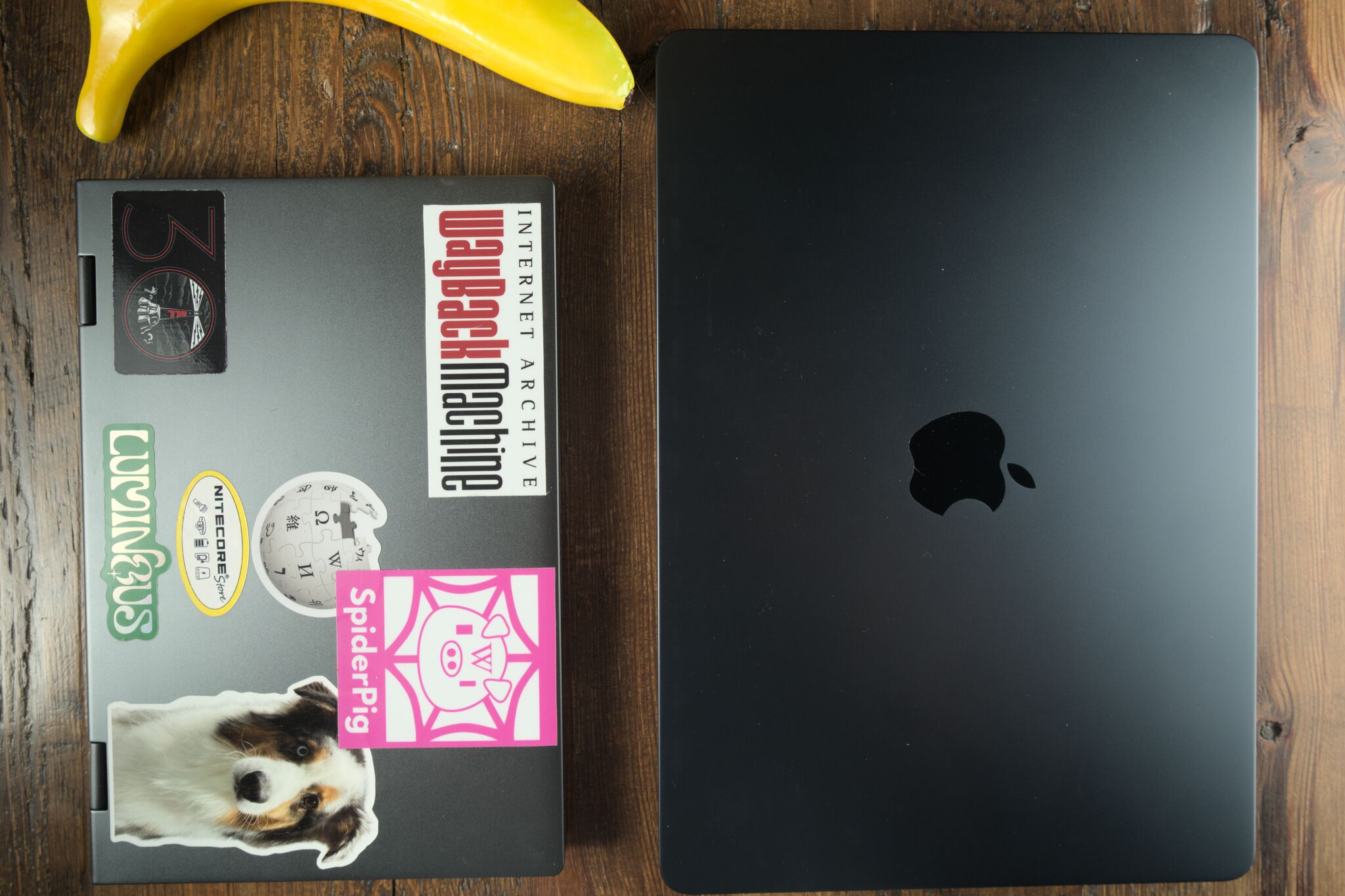
As for size and dimensions, the difference is under 200 grams, with the MBA being smaller than the 2009-ish era netbooks the blog post compares the Minibook to. Everything is a matter of trade offs.
I don't have the same problems with my model, possibly theirs is bad. I don't like that the keyboard is teeny and in the ANSI layout but I got used to it.
The trackpad isn't great but that's just yet another reason to avoid using the mouse and do everything with the keyboard.
That being said, I would never use it for fulltime use. I'm not even using it to type this message even though it's right next to me. I use it while travelling and it remains off at all other times.
Me too. But the tray table compatibility resonates. I had hoped someone would build a modern netbook as a detachable focused on productivity and light gaming (say, Steamdeck class), maintainability and (modular) expandability; a modern road warrior that's also a nice hobbyist machine that stands some abuse. Framework was/is positioned to put something out, but they decided to release the F-12 instead.
There's nothing in the market like them, which is a shame - I think a slightly better quality Minibook (Chuwis are plain crap) would be a very solid laptop.
All of them, specifically.
I don't want to think about which windows program can or can't run with Wine.
This includes:
* Microsoft software, from MSTeams to Windows itself
* Audio production software (DAWs and VST plug-ins)
* Games
* Device-specific software (like drivers/software for portable thermal printers)
* CAD (nTop, only supports Windows, for example, and don't tell me I don't need it; same for many Autodesk products. NX and Rhino don't have Linux support)
The last one is the most fun, as I'm a CAD developer who worked on nTop in particular.
Normal computer means a choice of OS to run on it without having to hack it to do that job.
Chromebooks aren't sold as general-purpose computing devices. They aren't "normal computers" in the same sense that cell phones aren't.
>which (especially given the forum you posted on!) is a little surprising.
I'm a CAD developer and user. I need Windows for my work.
I would hope that this forum includes people who are in touch with the real world.
How's nTop Linux support coming along?
That's too high a standard. When we consider MacOS along with Windows and Linux, there are basically no computers that let you freely choose between all three without hacks.
And even just considering Windows and Linux, a big chunk of the laptop market only supports Windows properly.
A laptop that runs any normal desktop OS is a normal computer.
If you must use windows, then you must use windows and you don't have a choice. None of that has anything to do with the nonsense about Chromebooks not being "real computers" or whatever, that's just the rationalization you've decided on. Obviously they are real computers.
If you can hike all day there is no way you are weak enough for this to even register.
Also drivers are often better on Linux.
I think at those sizes, what reads as small differences give an outsized experiential factor.
Sure, I can blame Chrome and JS, but ultimately, the core 2 duo and 8GB RAM did not keep up very long.
It still works, but a few specific apps started to really drag on it.
There are many countries where I wouldn't be at all worried about that, but I'd still be concerned about the possibility of theft (which, let's be real, can happen anywhere: I went on a trip to Switzerland once - generally considered very safe and low crime - where somebody had their laptop stolen from their room).
Netbooks are dead, but the Chuwi Minibook X scratches the same itch.
The Minibook X is a 10.5″ x86_64 sub-ultrabook with 16GB RAM, a 512GB NVMe drive, and only one majorly annyoing Linux quirk.
I needed a knock-around laptop, so I bought myself a Minibook for my birthday last year. The more I tote it around, the more fun I’m having with this ridiculous little computer.
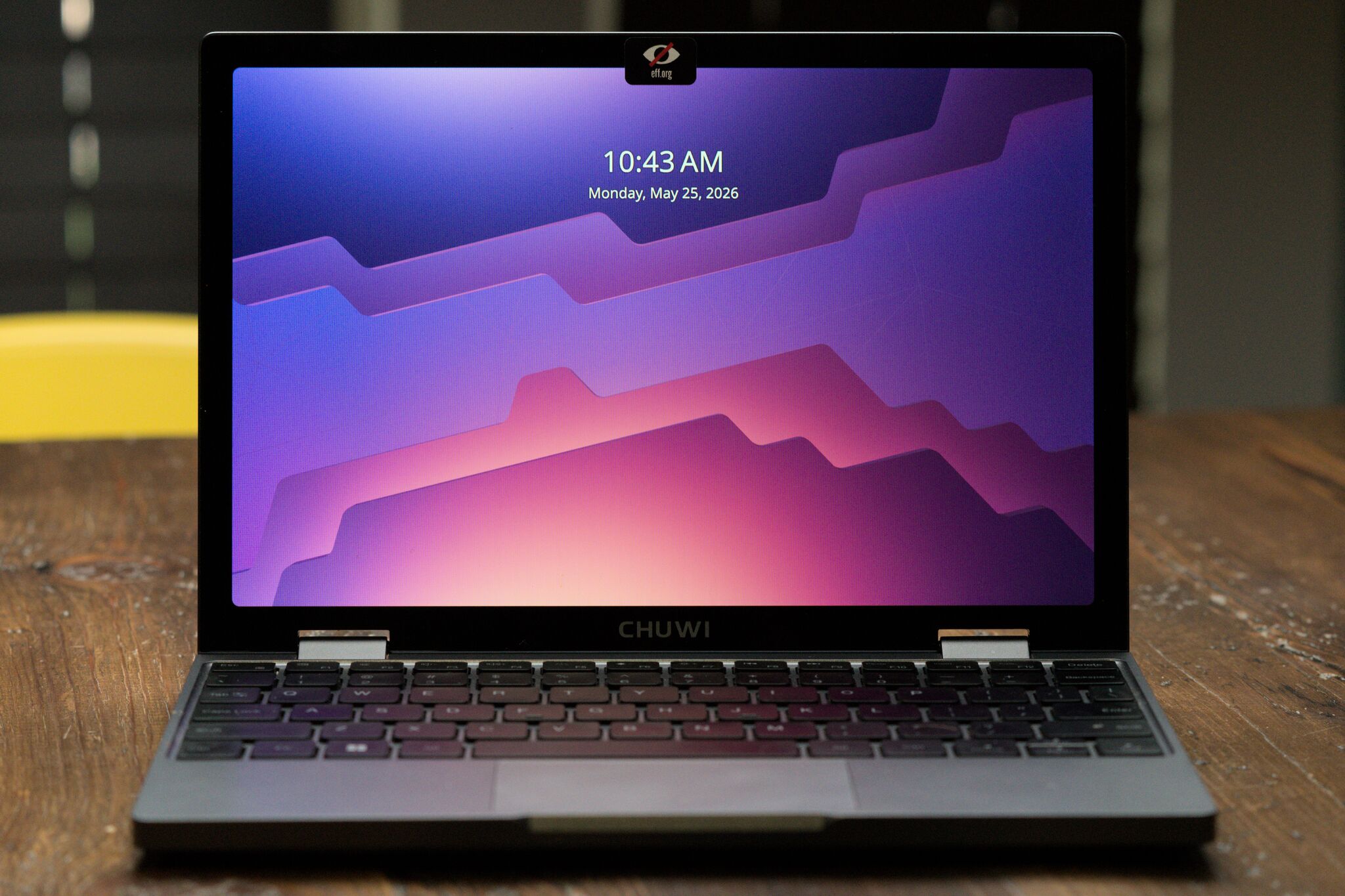
Much like the netbooks of yore, the Minibook is a budget machine. But it’s 2026, so even budget machines pack more oomph than I need from a utility laptop.
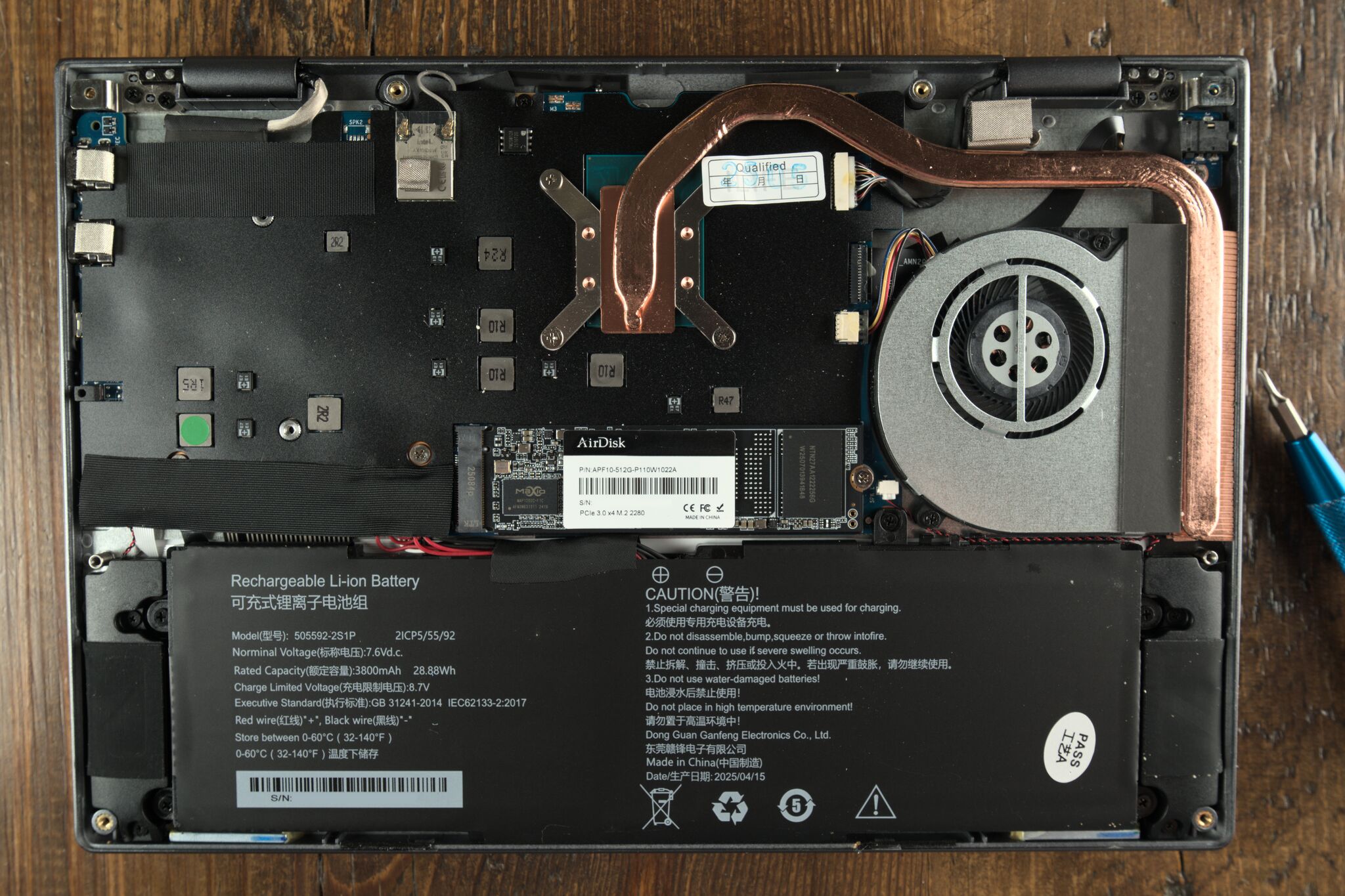
One oddity is that the Minibook comes bundled with a 12V/2A USB-C charger. I chucked the charger; I worried I’d fry some 5V SoC someday. The Minibook works fine with a PD charger.
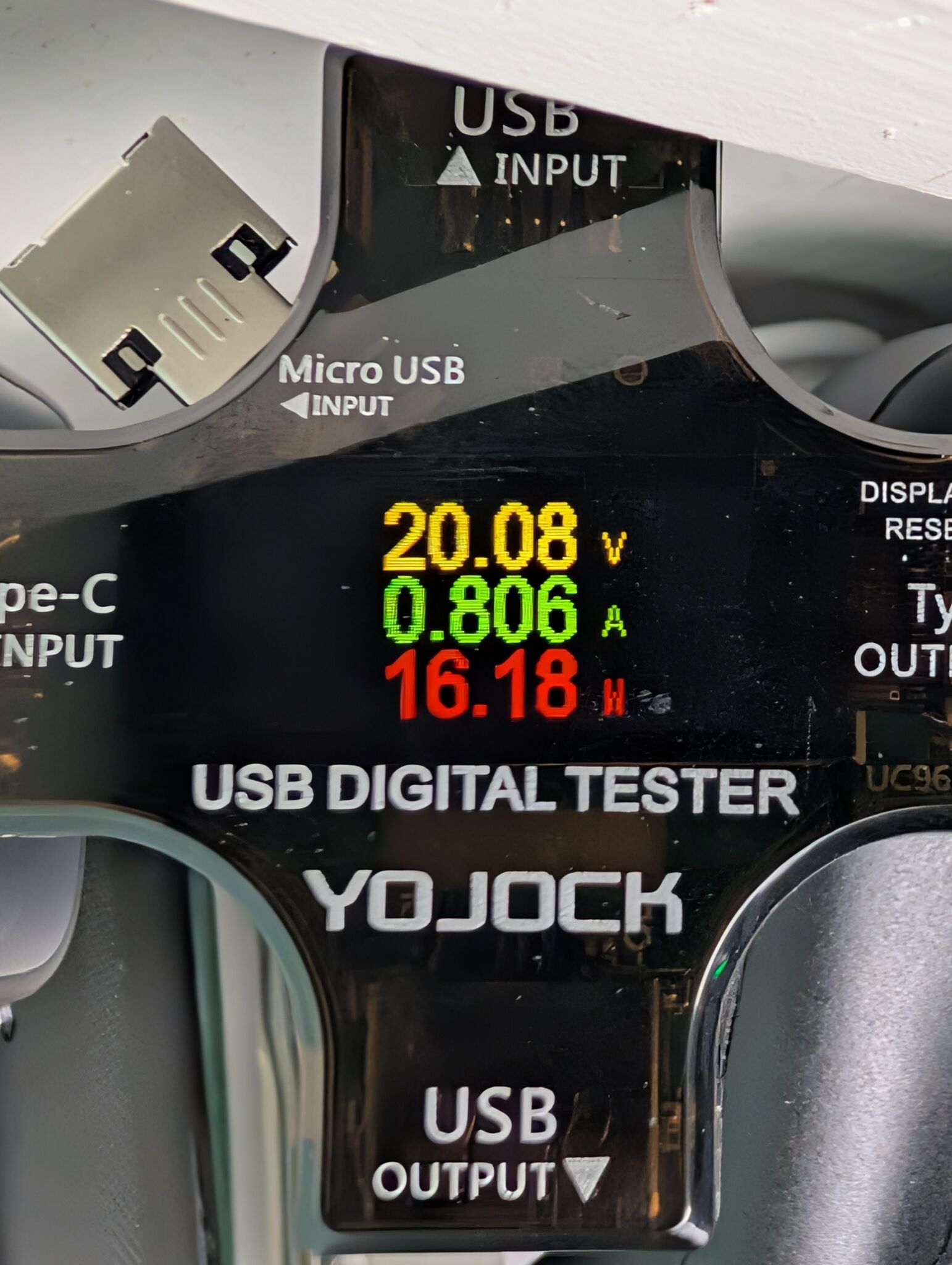
I’d assume the 12V charger was a cost-saving choice, but it also creates some weird possibilities for DC/off-grid setups.

The fediverse told me that Minibook runs Linux “boringly well,” which was almost true.
I tried Debian, then jumped to NixOS for kicks.
What works:
But on first boot, the screen orientation is 270° clockwise:
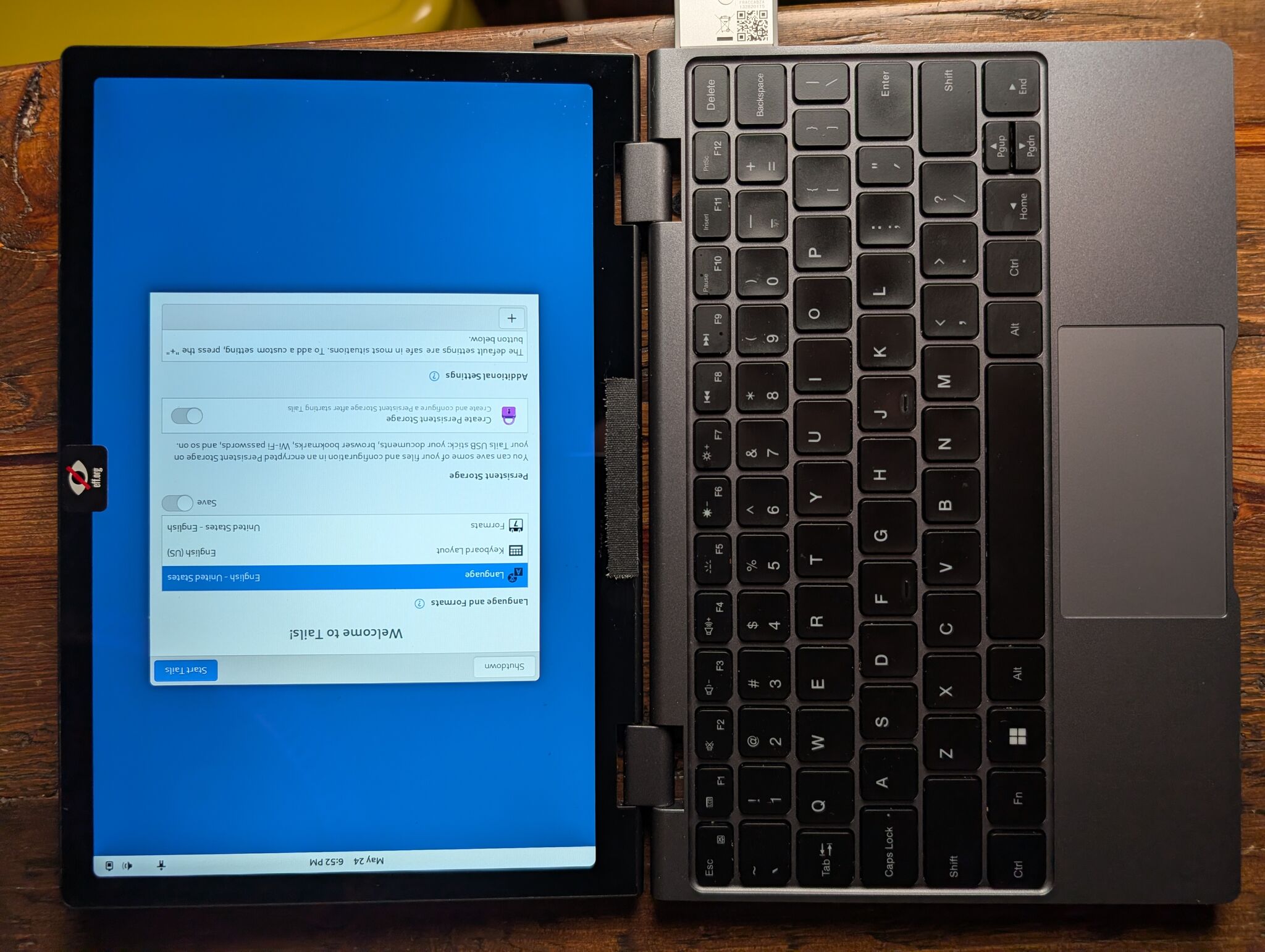
The Chuwi’s screen is a panel from a cheap tablet; the screen rotation issue is a hardware problem (the screen is mounted sideways). To fix the screen’s rotation, I had to tweak screen orientation at every software layer. Fixing this problem was a journey:
systemd-boot to grub, carrying some unmerged GRUB rotation patches on top.boot.kernelParams = ["video=DSI-1:panel_orientation=right_side_up"]; and boot.initrd.kernelModules = ["i915"]; (see Kernel docs for modedb default video mode support)xrandr --output DSI-1 --rotate right. Wayland picked this up from the DRM connector. This one was easy.fbcon=rotate:1 to kernel parameters boot.kernelParams = ["fbcon=rotate:1"]; (see Kernel docs for framebuffer console boot options)Behold, the final result in all its glory:
Non-rotated system boot. Zero Cool's bootscreen courtesy of mainframed/Hackers-Plymouth
This computer is mind-bogglingly small. The build is sturdy and totable; it’ll hold up to a backpack jostling.
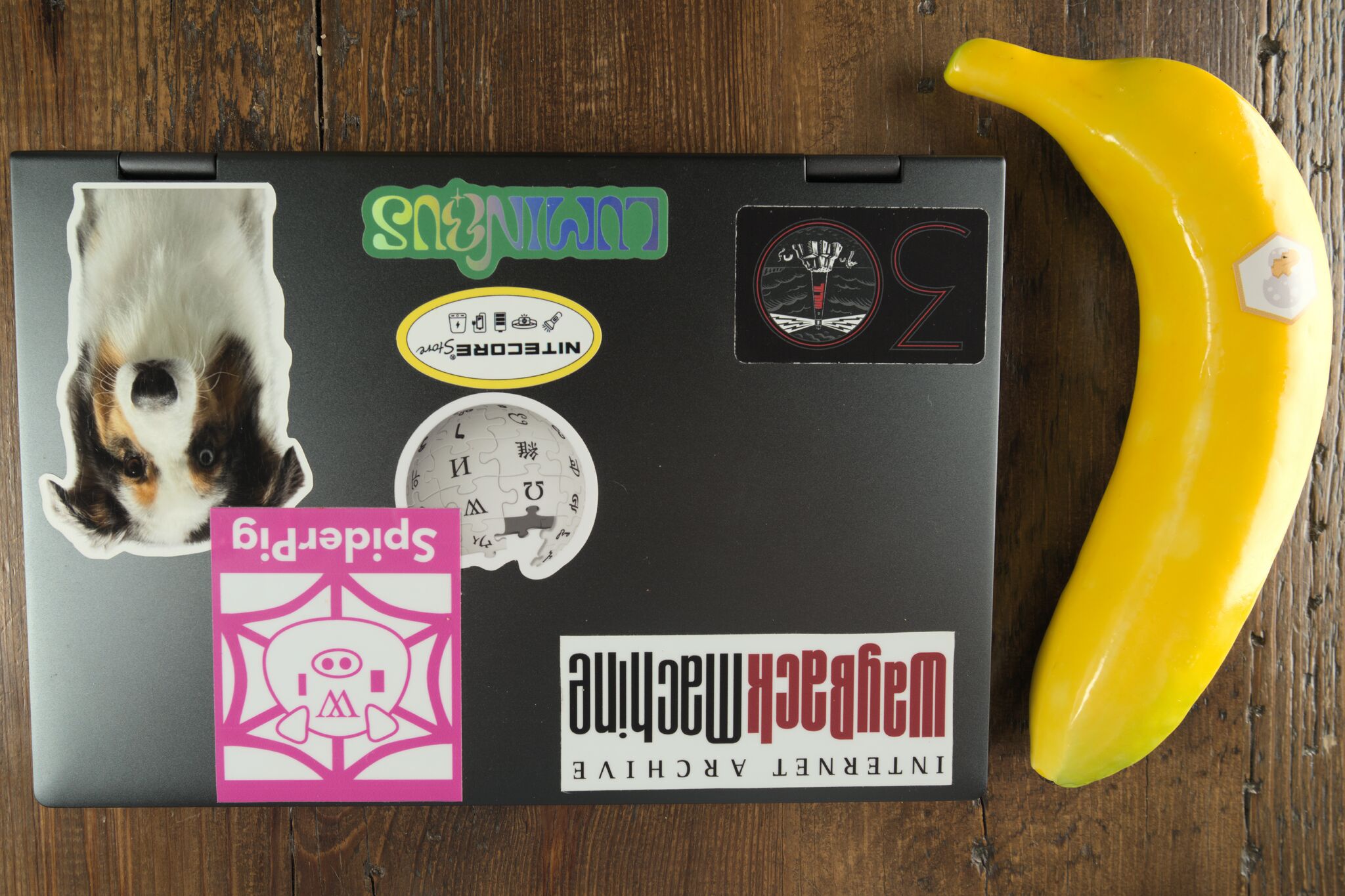
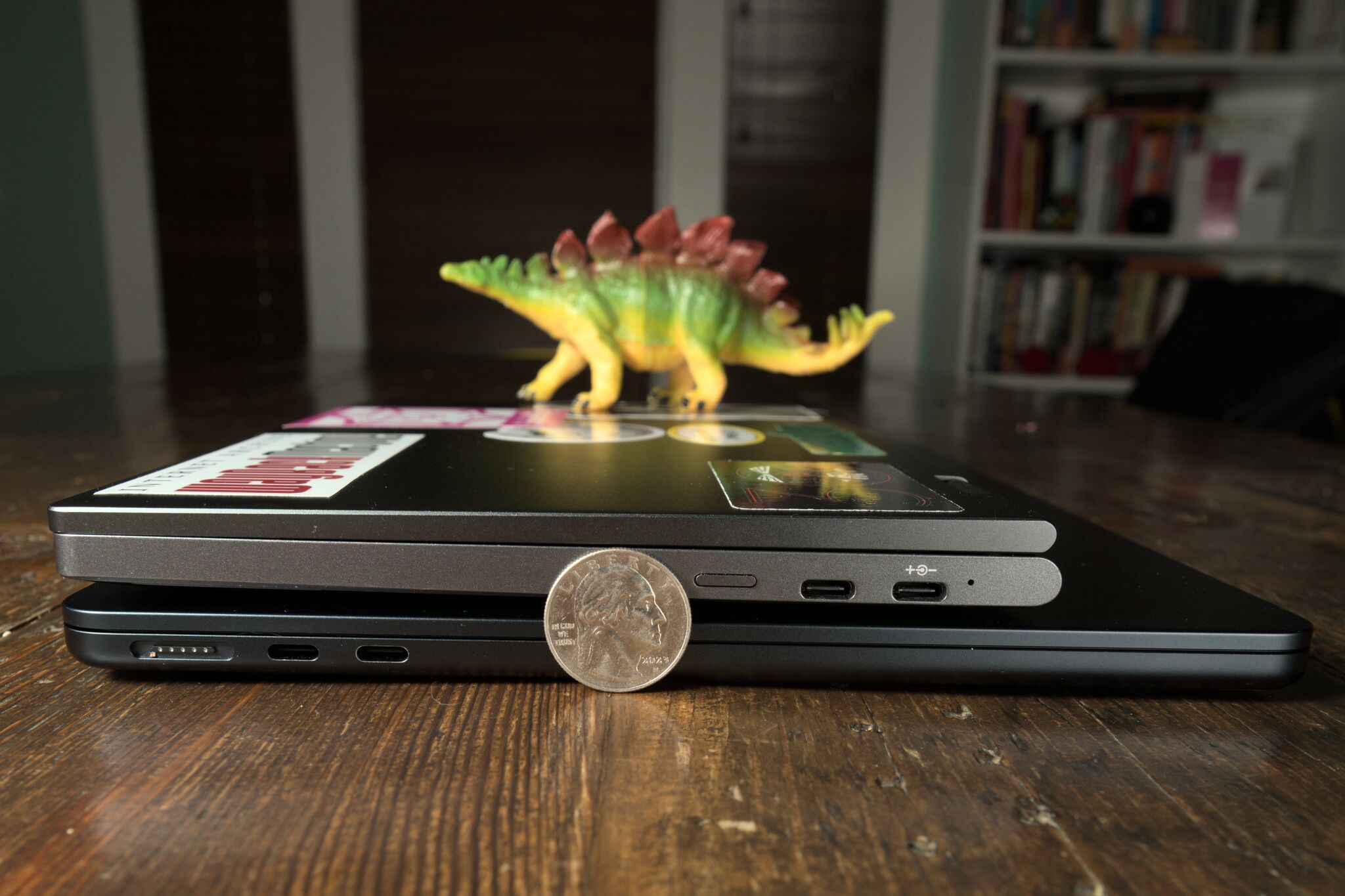
The laptop’s case is MacBook-esque: aluminum and good-looking. The MacBook Air’s dimensions dwarf the Chuwi’s, but the two laptops are about the same thickness.
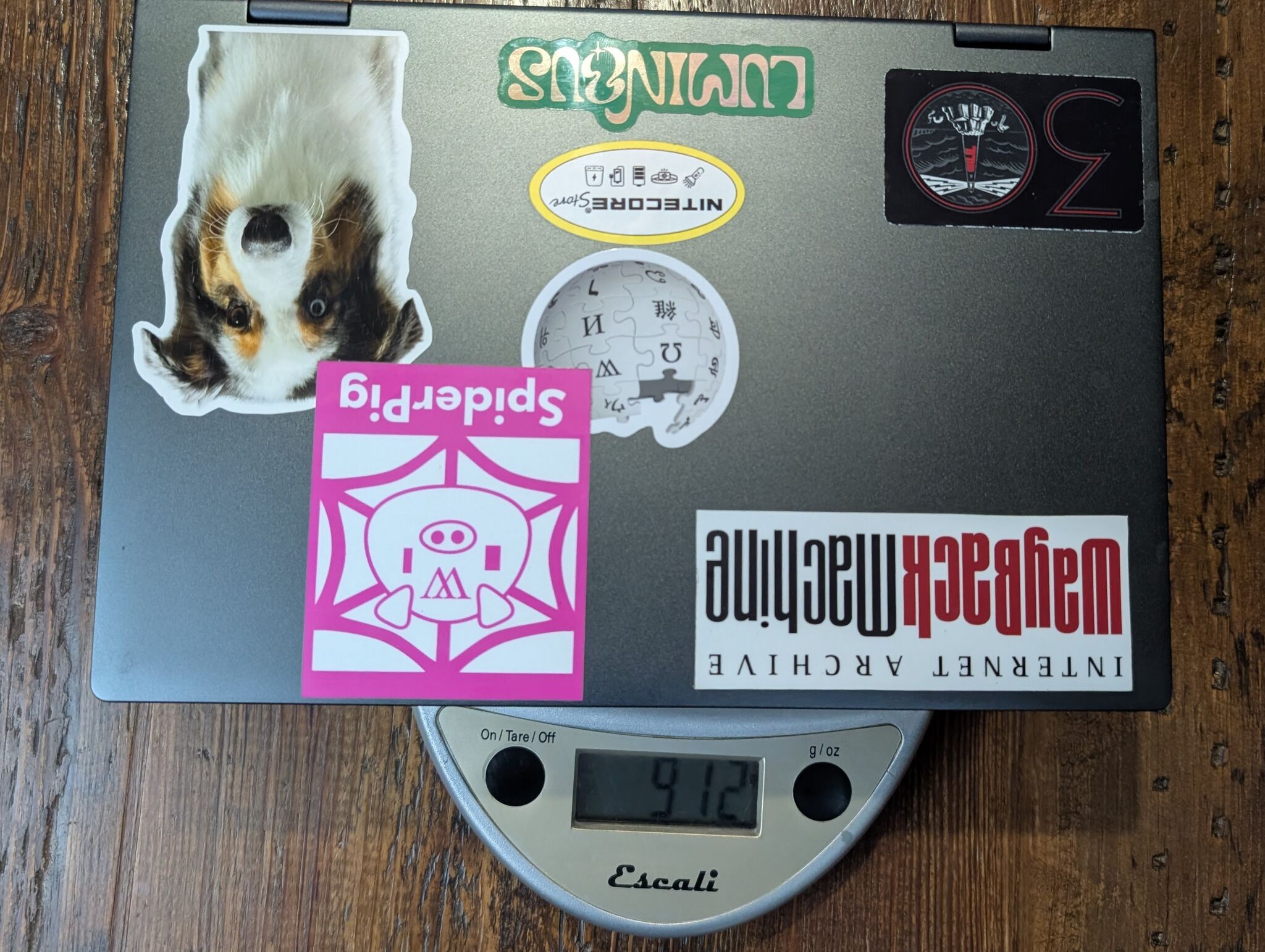
A notebook that weighs more than a kilo is simply not a good thing
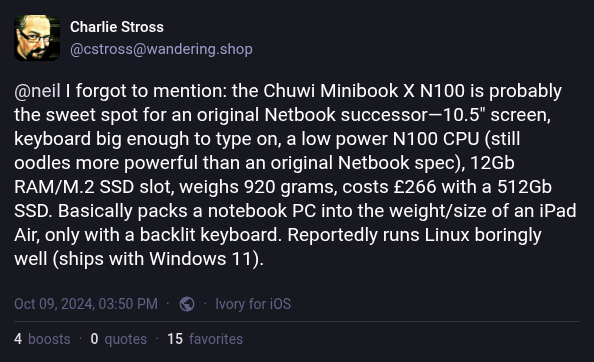
The Minibook weighs in just shy of a kilo at 912 grams.
tl;dr: you get what you pay for. But battery life and cooling are better than I’d have guessed.
The Minibook X was never going to compile the Linux kernel in record time. But the performance matches the specs, it stays cool, and it has enough battery life to run a movie marathon.
Numbers:
Battery: When I left the 1995 classic film “Hackers” looping in VLC, the battery lasted about 6 hours.
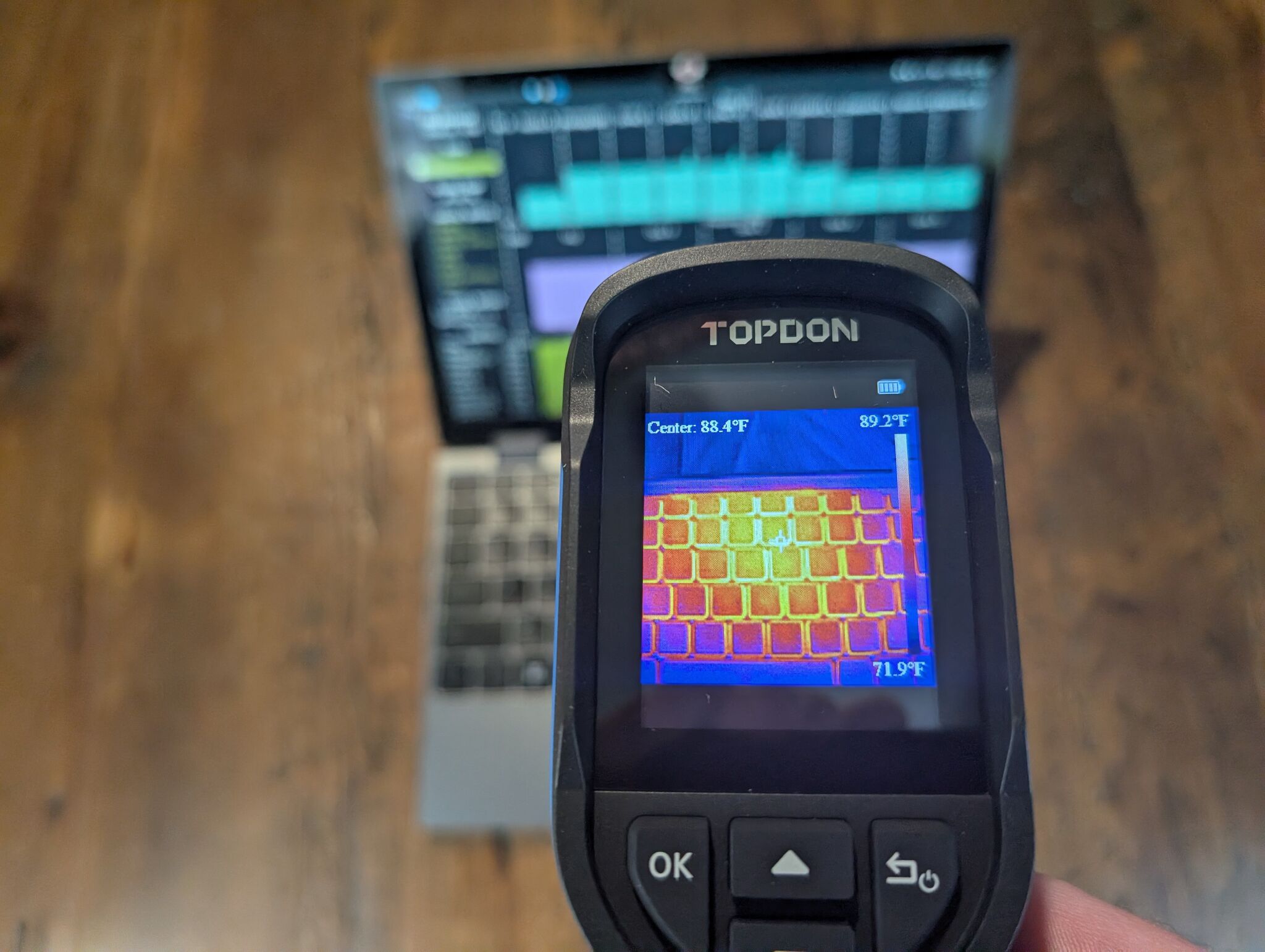
Heat: Running stress-ng for 10 minutes, the hottest part of the laptop chassis remained below 90°F (32°C):
There’s so much to dislike about this laptop:
But “terrible” is in comparison to the nicest modern laptops in existence. Everything I listed here works fine. I’m honestly blown away when I tune my expectations to the sub-$400 laptop range.
In The Death and Life of Great American Cities, Jane Jacobs wrote, “new ideas require old buildings”: cheap spaces let people try risky ideas.
The Chuwi Minibook X is an old building.
I can brick the Minibook and have a normal Monday on my serious work laptop. Nothing has to work, which makes it perfect to try out new Linux desktop stuff:
Cheap, weird computers like the Chuwi make it safe to play. And playing with computers is still fun.
Playing Melatonin on Steam on the Chuwi