Docks are horrifying products. Thunderbolt docks are doubly horrifying. They ordered in every single competing dock they could find, from that era's products, and found that every last one was garbage in some way or other, usually fatally so. The Thunderbolt interface in particular, and the firmware that needed to run on that interface controller, was the source of a lot of issues. None of them were particularly intrinisc to the protocol, but the hardware available was junk and the software available was worse. They couldn't really order up a custom non-garbage IC just for a $100 accessory that sells in limited volume. (Apple, however, could and would; they'd also demand to control the whole stack. This shows.)
They were very proud they got the thing working as well as they did, even though they all knew it was still pretty much trash. It was still better than the competition. Which is sad, but what can you do?
(At least it wasn't the Wi-Fi chip. The Surface Book's Wi-Fi adapter was chosen by higher-ups as the same one used in the XBox, presumably for sourcing reasons. It is trash. Again, much blood, sweat, and tears were spilled making it work as well as it does.)
(I also have the exact circuit for the LED that lights up on the charger cable. Apparently it was a big deal, which I find hilarious.)
It's a shame, Microsoft could really do something if they created an ARM device that had the battery life of Apple Silicon, yet was a real computer that wasn't locked down, ensured/promoted ARM compatibility with their ecosystem. Heck, I'd even be OK with Windows 11, I know how to remove all the garbage now and could run WSL (though I'd prefer to just boot Linux on it).
Maybe instead of hardware they should just stick to the knitting and deal with their quality issues around both the OS and the Office suite right now.
Isn’t that what this is? (Or is supposed to be?)
Everyone except Bill Belichick, who famously hurled his Microsoft Surface to the ground when he was first forced to use it:
It's awful. It feels like it's actively refusing to work properly with Linux.
Fair - it's not for Linux, and clearly that is expected with a Microsoft device.
I've recently had to call their support for missing rubber feet. I figured I could get the replacement mailed(that was how it went when it first happened about two years ago). An AI answered, did not understand what I was saying at all, hung up the call. I called again; it told me to check the website and hung up, not even giving me a chance to say anything.
Okay. Guess I'll never buy anything from you ever. Ordered them off of Aliexpress and moved on.
As an Apple user who can’t make iPad OS work I am always tempted by the surface but..
Every time I contemplate the surface (I like the hardware / concept) it seems the software I might want to use doesn’t support arm..
Or every model after that just slowed down to a crawl after a year. Or the keyboard connection not working reliably.
No thank you very much.
What does this mean ? How can you make the world ?
What aspects are these?
Why are all the pictures so dark? You can't see it!
I've heard there's still a large backlog of both software problems, and hardware problems with the platform. The software problems could be fixed with time, but they'll still give a shitty first impression. I'd have thought Nvidia would just bury this and try again with a successor run of silicon with a new design.
This thing seems practically destined to just be a repeat of the Snapdragon laptop debacle.
It is so hard to believe that when more than 1000 employees at my employers are also using at least one dock (Dell and Thinkpad both) and using them very well.
Not sure if that's still the case but truly astonishing
https://support.microsoft.com/en-us/surface/surface-dock/tro...
I use a Surface Go at home (running BlissOS) and a Surface Pro as my work "laptop" (running Debian KDE). I forget which generations they are, but they're probably 8-ish years old, so if they haven't died yet, they're probably good. They both work well for what I use them for, and are better laptops than actual laptops for what I need a laptop to do.
Also, USB-A in 2026? Really? That was already an automatic disqualifier for me at the start of the decade.
https://www.microsoft.com/en-us/surface/devices/surface-lapt...
But it didn't age too well, the battery is giving up and the SSD is pretty slow. Plus windows being a real slug doesn't make the experience that great anymore
Also unlike the rest of HN, I don't have complete hatred of Windows. I wouldn't mind picking up one of these, but I'm almost certain the price is going to be somewhere between unaffordable and completely ridiculous.
Then I realized that it used the same shitty Windows with the same shitty registry that I had mostly avoided for my whole life to that point. I certainly wasn't jumping in on that tablet.
First one had a battery bulge and got a free replacement to the current version. I think that went from 2016 to 2017. That one actually lost a battery bank and I got another upgrade to the 2018 version. The keyboard died on that one for some reason and they just replaced it for free.
I could understand if platform decay has occurred since 2018 though. But for a while, it was excellent.
Alas, it is a laptop from Microsoft so hardware support in Linux is probably going to be painful as always.
Hard to say whether you'll get the Macbook Pro experience though.
Bloody cperciva put an end to that.
Ask Shakti, Shiva's creative sister.
Reminds me of all that "Lions. Not Sheep." gear I see people rockin'. LOL
It'd be alright with Linux, probably better than a MBP if you're working heavily with AI (but no other reason to buy it TBH).
If the battery is fully dead, you have to remove it and charge it using the separate battery charger.
That means you can't travel with only a USB-C cable.
Still, Windows is a problem here. I wonder what the monthly fee is to get rid of the ads?
A (quite large) company that I worked for stopped offering surfaces to employees after the average lifetime over the 3 years they offered them was under 1 year. We even had a terrible batch of Dells at the same time that still handily outlived the surfaces.
Small sample size (N=3) but, nobody I know that works at Microsoft uses a surface or any other Microsoft branded laptop.
Oh boy, don't get me started on Dell haha. Sure, they've got a better service model (people come to you), but at least in my experience they contract with service people who service multiple brands who can't help but shit-talk Dell. Not very confidence inspiring, particularly when the cause of the issue ends up being a connector not being fully plugged in from the factory.
I didn’t check how much this costs, but if you use AI locally a lot, it’s going to be amortised pretty quickly. Burning 100$ a month on tokens has become insanely easy. I remember when it was unimaginable for me…
Too bad the software is awful. Thankfully the Linux Surface community is pretty strong. Proprietary Microsoft drivers don't make it easy, but we're getting there...
https://github.com/linux-surface/surface-pro-x
I'll buy another one if there's some commitment from Microsoft to be more open source friendly, but since this will never happen, they can keep their HW.
Doesn't Windows come with something like Apple's Rosetta to do on the fly translation? I expect it wouldn't work with games, but most other kinds of software should work.
Rosetta worked quite well for Apple so I would expect Microsoft could do something similar.
?!?
https://surfacetip.com/surface-laptop-studio/
notes:
>Supports Microsoft Pen Protocol (MPP)
which is NTrig --- or do you use a Wacom AES stylus? (bought a Bamboo AES stylus, but it wouldn't work w/ my Toshiba Encore 2 Write 10)
Or are you genericizing "Wacom" as "active digitizer stylus"?
Surface-linux has done a ton of work to get some support, but yeah: they are quite the special devices:
> In contrast to other devices, however, some newer Surface devices route their keyboard and touchpad input via this controller. Unfortunately, every new Surface device requires some (usually small) patch to enable support for it, since devices managed by SAM are generally not auto-discoverable.
There is a huge feature matrix, so at least you sort of know what you are getting. Amazing work from open source folks! https://github.com/linux-surface/linux-surface/wiki/Supporte...
But as for getting rubber feet, I'm sure it's some backwards process with Apple too, if at all possible.
Then Panay left, Windows 11 has been a debacle, and Nadella seems to give zero fucks about anything which isn't Copilot or Azure, so the Surface momentum that they spent so much time building has just coasted to a complete stop. It's sad.
Plenty of cases where Surface isn't. Microsoft like to think they can make hardware but they're no better than other OEM and it's clearly not a focus for them
I went through a period of using a Macbook Pro with a dock. At the time the best option seemed to be the Caldigit TS3. It's a sleek device but luckily someone else was footing the bill because:
- 3 of them failed on me. THREE;
- You really learn how bad cables are. I got in the habit of ordering 2-3 at a time because experience taught me that at least 1 of them would be bad or die;
- It exposed just how bad the USB-C situation was (and still is). Is this just a power cable? Or you want data too? How about an alt mode so you can do DisplayPort passthrough? Well good luck with all that. There's no cue that the cable can do any of that. And if a cable can, it's typically 3 feet or less in length, expensive and prone to failure.
A lot of people don't know how complex a modern USB-C or Thunderbolt cable really is. It typically has a chip in each end of the cable. So the failure mode is not just the cable, it's the two chips as well. Bend or twist the cable too much. Gone. Damage the head of the cable. Gone.
Oh and USB-C is made more complex because it can be plugged in either way. The cable and the chips at either end and the controller on either side need to be able to seamlessly handle all 4 combinations (or 2 of the cable is truly symmetric pin-wise; it might be, I'm not sure).
I hope that this tech is more stable now but I honestly doubt that it is.
I'm reminded of an old quote I heard (not sure from who) that said we went from a world where no cables fit but if they did, it worked, to a world where the cable always fit but nothing works. That's USB-C in a nutshell.
Docks have to handle a lot of bandwidth. Even passthrough requires bandwidth. It's a nice idea but it's a hard problem.
Will never buy one if it's Windows only, though.
I've had several Surface devices over the years, the original SurfaceBook, and a Surface Pro 4 and Surface Pro 6. The Pro 4 was the most reliable and the Pro 6 was prone to overheat. But execution in the mechanical build was quite good.
That said the battery in my SurfaceBook went all Spicy Pillow on me, the Pro 4's power slot ended up dying, and the Pro 6 just stopped responding one day (it was a work laptop so I just gave it back but still). I'm still waiting to see how folks with Macbooks experience the end of life.
If MediaTek would partner with Framework to make a motherboard I'd totally try it out :-).
the clamp around setup was a very poor choice
At that point the main problem for a service is to figure out when they are dealing with someone who could solve the problem through the website, and when they are dealing with someone whose problem is too complicated to be solved that way. Although it also seems like many people don't want to spend the money on doing that analysis and serving their customers, as you have pointed out.
These days I use a Samsung Galaxy Book 3 Pro 360 (w/ a spare which I panick bought when I wasn't sure if they would do a Book 4 --- now they're up to a 5), Kindle Scribe Colorsoft, Samsung Galaxy Note 10+, and have a Wacom One on my MacBook (both of which need upgrading....)
I’m not sure how you say that on a release that is literally about new surface hardware
https://apps.apple.com/us/app/adguard-pro-safari-ad-blocker/...
I’ve had one cable begin to fray in all that time (a thunderbolt 4 caldigit cable). It swapped it out for an Apple cable and kept going.
I’ve used OWC docks, which aren’t known to be the best, but have worked great for charging, usb, Ethernet, FireWire, display (both over daisychained thunderbolt and display port), and SD cards. The only thing I have used them for extensively is audio. My monitor is a Thunderbolt 2 monitor with USB breakout. In between it and the dock is a two drive SATA enclosure.
I recently threw an extra Thunderbolt 3 dock I had on a USB-4 mini computer running Linux and it worked without any issue.
I’m sure there may be things that don’t work well, but its worked for me. I even wrote an app to have a global hot key to eject all my attached disks (DriveLight). Press the key combo, wait for the eject sound, pull the cable and go.
[edit:typo]
from all the comments on here it seems like that model was an anomaly and the rest of the product lineup is often pretty lacking.
Then Microsoft had the episode where some of their Surface hardware would not reliably stay in sleep mode and cooked itself while being transported in a bag. At the time, Microsoft tried to excuse this by claiming that "a fundamental Computer Science problem" needed to be solved to fix this issue. Strange how other manufacturers could do this without overcoming unsolvable problems in frontier CS research.
While I'm usually a die-hard Microsoft fanboi, I have concluded that their Surface line is terrible.
Mine works pretty well — have used it with three Intel MacBooks in the past and now currently two different Apple Silicon MacBooks.
One of the Intel MBPs did not like it. Would reboot every time I unplugged it from the dock. I blamed that MacBook for that one, since nothing else was ever a problem. I sent every crash report to Apple, along with some choice words that my $2,500 MacBook should be able to handle connecting to a very commonly owned TB Dock. Eventually they did fix it and it stopped being an issue.
Has ended up one of the more reliable pieces of tech gear in my life, especially given the absolute mad complexity of TB3 behind the scenes.
Most people could pick up a modern Windows ARM laptop and everything they do would work just fine, just potentially with less heat and longer battery life than their older Windows laptop.
The primary annoyances would be Windows itself and its ad and engagement driven UI reminding you about Copilot and Edge every chance it gets.
Pretty much. I broke down and finally bought my first Windows machine in over a decade to play Subnautica 2. It was so infuriating to use I returned it a week later. You literally have to hack it with shell commands to bypass Microsoft login now. Never again.
It's not as good as Rosetta 2 was, but its still pretty good.
Problem is not everything runs through emulation though. There's still a lot of edge cases for super old enterprise crap.
My ISP has actual techies answering the phone, and their approach is more "well that's a bit crap, I can have an engineer there by Thursday". I've only needed them a couple of times in a decade, but I've been left with a mile-wide grin both times. As long as that's true, I'm a customer for life.
"It belongs in the hands of world makers."
Only around 2024-ish the situation with USB and TB docks seemed to stabilize.
It was a rather nasty bug. Firmware is full of nightmare scenarios like that.
Microsoft announces the Surface Laptop Ultra powered by NVIDIA RTX SPARK
Microsoft just dropped a bombshell at Computex 2026 by unveiling the most powerful device ever to bear the Surface name. The newly announced Surface Laptop Ultra is a direct answer to Apple and its dominant MacBook Pro lineup. Built in a deep partnership with NVIDIA, the new flagship laptop runs Windows on Arm and completely redefines professional computing.
Ever since the Surface division came into existence, I’ve always wondered why they didn’t go all in and make an ultra-powered device. As the MacBook Pros started gaining rave reviews from YouTubers, I started waiting for Microsoft’s response, and now we finally have it. Surface Laptop Ultra is arriving in stores this fall, 2026.
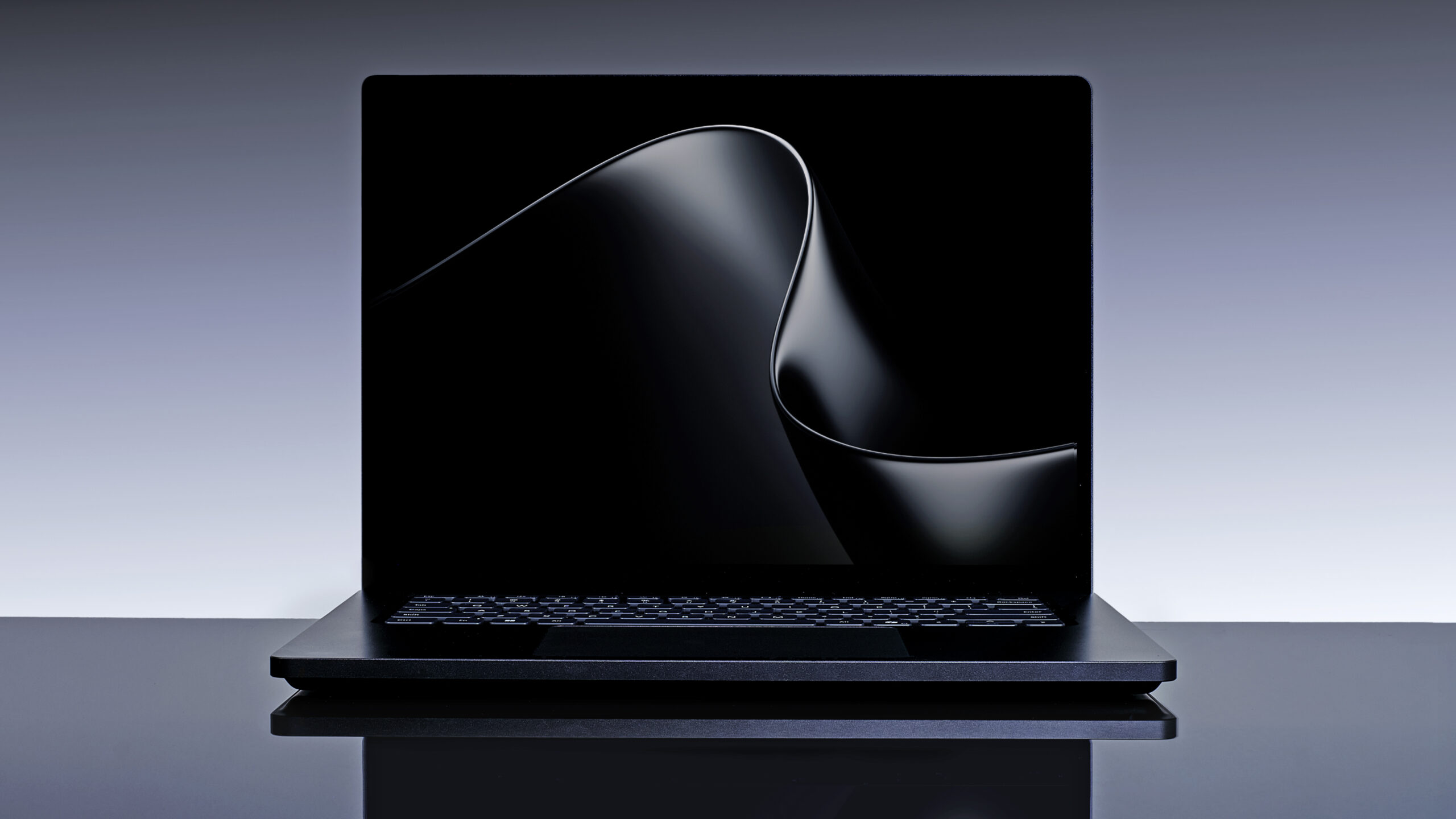
Surface Laptop Ultra. Image Credit: Microsoft
The raw power promises to blow past standard x86 laptops equipped with discrete graphics. The device will undoubtedly carry an ultra-premium price tag when it launches later this year, partly due to the current global RAM supply constraints and the premium nature of the NVIDIA partnership. Regardless of the high entry barrier, bringing true workstation power to a portable Arm chassis is exactly what the Windows ecosystem desperately needed.
https://www.windowslatest.com/wp-content/uploads/2026/06/Surface-Laptop-Ultra-short-video.mp4
(Scroll to the bottom to see the full official introduction video of the Surface Laptop Ultra)
The hardware specifications for the Surface Laptop Ultra are absolutely staggering. The chassis weighs less than 4.5 pounds (~2kg) and houses a prominent dual-fan cooling system designed to prevent aggressive thermal throttling during heavy rendering workloads. Microsoft is offering the sleek device in Platinum and Nightfall color finishes.
Opening the lid reveals a beautiful 15-inch mini-LED PixelSense Ultra touchscreen. The panel features a sharp 2880 by 1920 resolution at 262 pixels per inch. The screen hits an incredible 2,000 nits of peak HDR brightness, easily making it the brightest display Microsoft has ever shipped on any device.
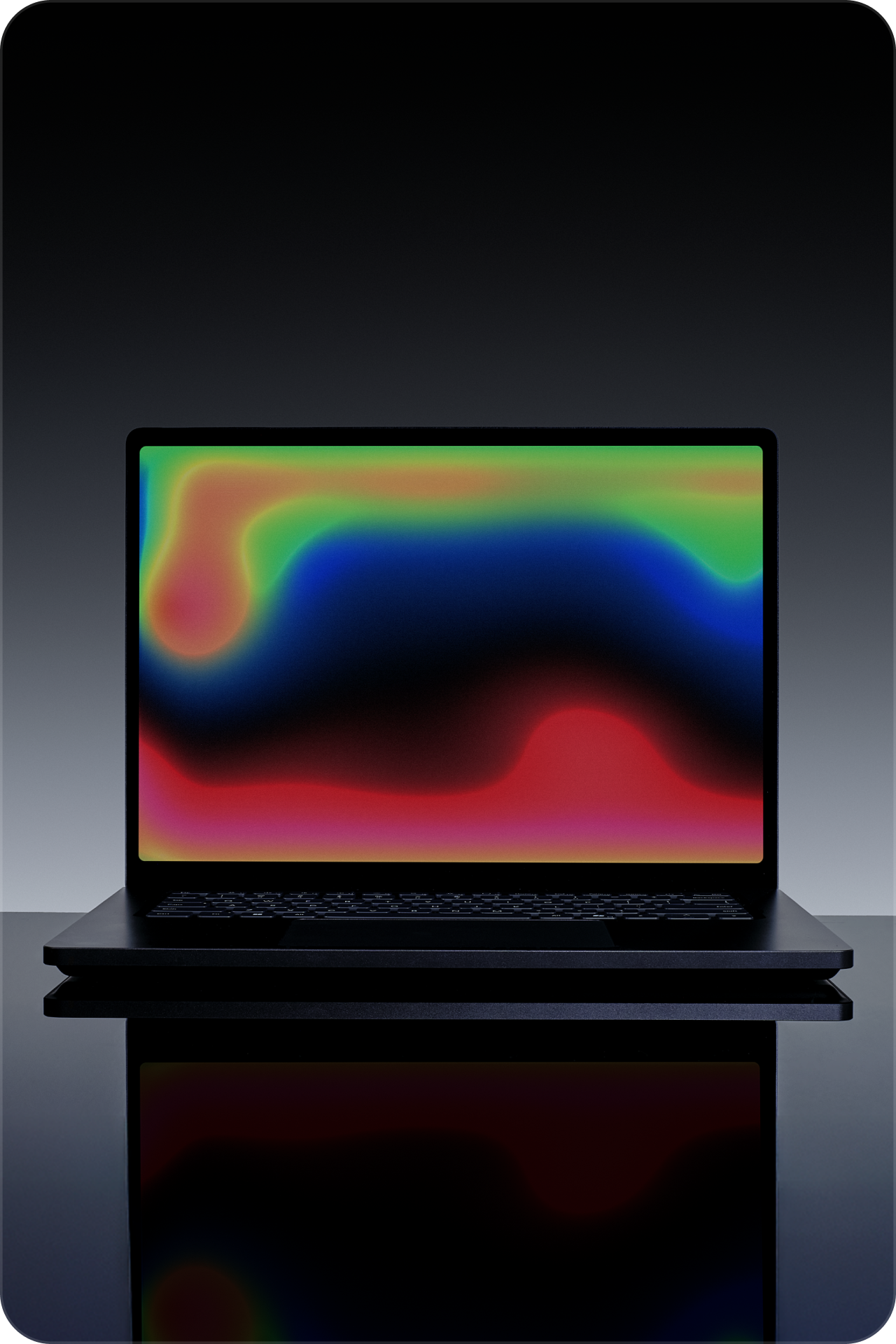
Source: Microsoft
You will also find the largest haptic touchpad ever integrated into a Surface laptop. It’s well known that the Surface trackpads are among the best in the industry, surpassing even MacBooks in several aspects, and now that we are getting haptic feedback improvements in Windows 11, it’s even more rewarding.

Source: Microsoft
Connectivity is another major win for professional creators. Microsoft intentionally packed the laptop with every port you actually need in the field. The built-in selection includes a full HDMI port, USB-C, USB-A, a dedicated SD card reader, and a standard headphone jack.
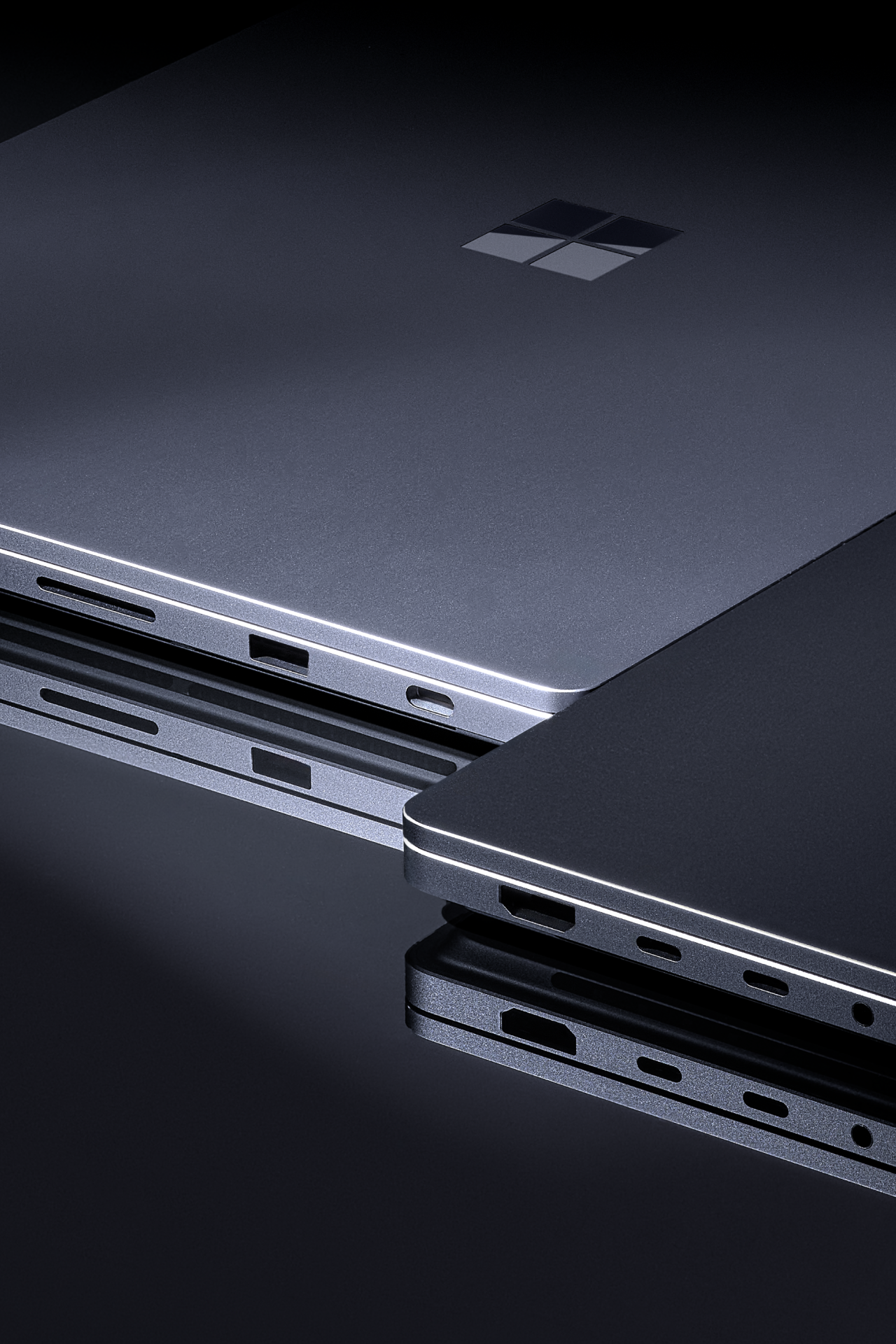
Source: Microsoft
The real magic happens on the motherboard. The Surface Laptop Ultra features up to 128GB of unified memory. The system dynamically allocates the RAM pool between the processor and the graphics card based on workload demands. Having full CUDA support and unified memory allows the laptop to run 120-billion-parameter AI models entirely locally without relying on cloud processing. The machine delivers a staggering one petaflop of AI compute to handle demanding scenes and compile cycles.
Even with all this hardware prowess, Microsoft hasn’t forgotten about repairability. The company assures that repairs will be straightforward, and they’ll also provide repair guides and replacement parts available for purchase. And in case you’re wondering about storage upgrades, Surface Laptop Ultra also supports a replaceable SSD.
| Feature | Specification |
|---|---|
| Processor (CPU) | 20-core NVIDIA Grace CPU (Arm architecture, co-developed with MediaTek) |
| Graphics (GPU) | NVIDIA Blackwell RTX GPU (up to 6,144 CUDA cores, 5th-gen Tensor Cores, FP4 precision) |
| System Architecture | NVIDIA RTX Spark platform (NVLink-C2C chip-to-chip interconnect) |
| Memory (RAM) | Up to 128GB unified memory (Dynamic CPU/GPU allocation, full CUDA support) |
| AI Compute | 1 Petaflop (Runs up to 120-billion parameter models locally) |
| Cooling | Prominent dual-fan cooling system for sustained rendering |
| Display | 15-inch mini-LED PixelSense Ultra touchscreen |
| Resolution & Density | 2880 x 1920 (262 pixels per inch) |
| Brightness | Up to 2,000 nits peak HDR brightness |
| Weight | Less than 4.5 lbs |
| Touchpad | Large haptic touchpad (Largest on a Surface device) |
| Ports | 1x HDMI, USB-C, USB-A, SD card reader, 3.5mm headphone jack |
| Finishes | Platinum, Nightfall |
| Battery Life | Rated for all-day battery life |
Hardware of that caliber requires a highly optimized operating system to function properly. Microsoft explicitly tuned Windows 11 to extract the absolute best performance from the new silicon architecture. The engineering teams implemented a new workload profile scheduling system designed to efficiently scale tasks across all 20 processor cores.
Windows 11 on Arm is optimized for NVIDIA RTX Spark. Image Credit: Microsoft
Power efficiency is a critical factor for a portable workstation. Microsoft worked closely with NVIDIA to enable the Microsoft Power and Thermal Framework on the new platform. The framework standardizes power delivery to ensure the laptop stays cool and maintains exceptional battery life during intense creative workloads.
The unified memory configuration also forced Microsoft to rewrite specific system limits. Windows now features a smarter, significantly higher limit on the total system memory accessible by the GPU. The operating system also manages page sizes more efficiently in shared memory regions, ensuring developers have the flexibility they need for heavy rendering.
![]()
Running local AI agents securely is a huge focus for the new platform. NVIDIA is bringing the OpenShell runtime to Windows, utilizing new security and containment primitives designed by Microsoft. The containment features sandbox local agents like Hermes and OpenClaw so they cannot interfere with your core operating system.
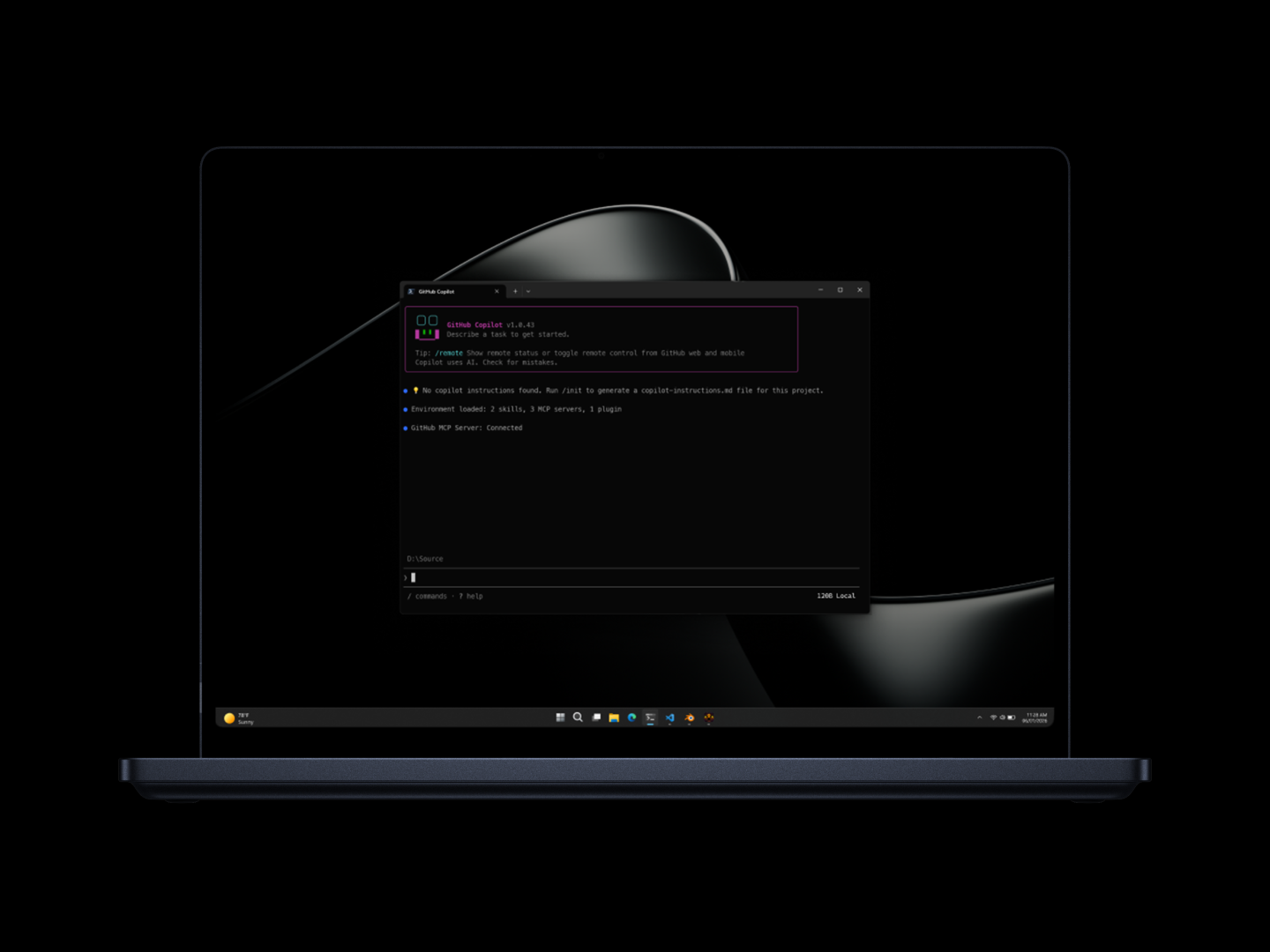
Image Credit: Microsoft
Legacy application compatibility is equally crucial. Microsoft optimized the Prism emulation layer specifically for the new microarchitecture. Prism utilizes the raw power of the silicon and recent AVX and AVX2 instruction set extensions to run older x86 applications smoothly under emulation.
The beating heart of the Surface Laptop Ultra is the NVIDIA RTX Spark platform. The custom silicon represents a monumental leap for Windows on Arm. The setup combines a 20-core NVIDIA Grace CPU, co-developed with MediaTek, with a high-performance Blackwell RTX GPU.
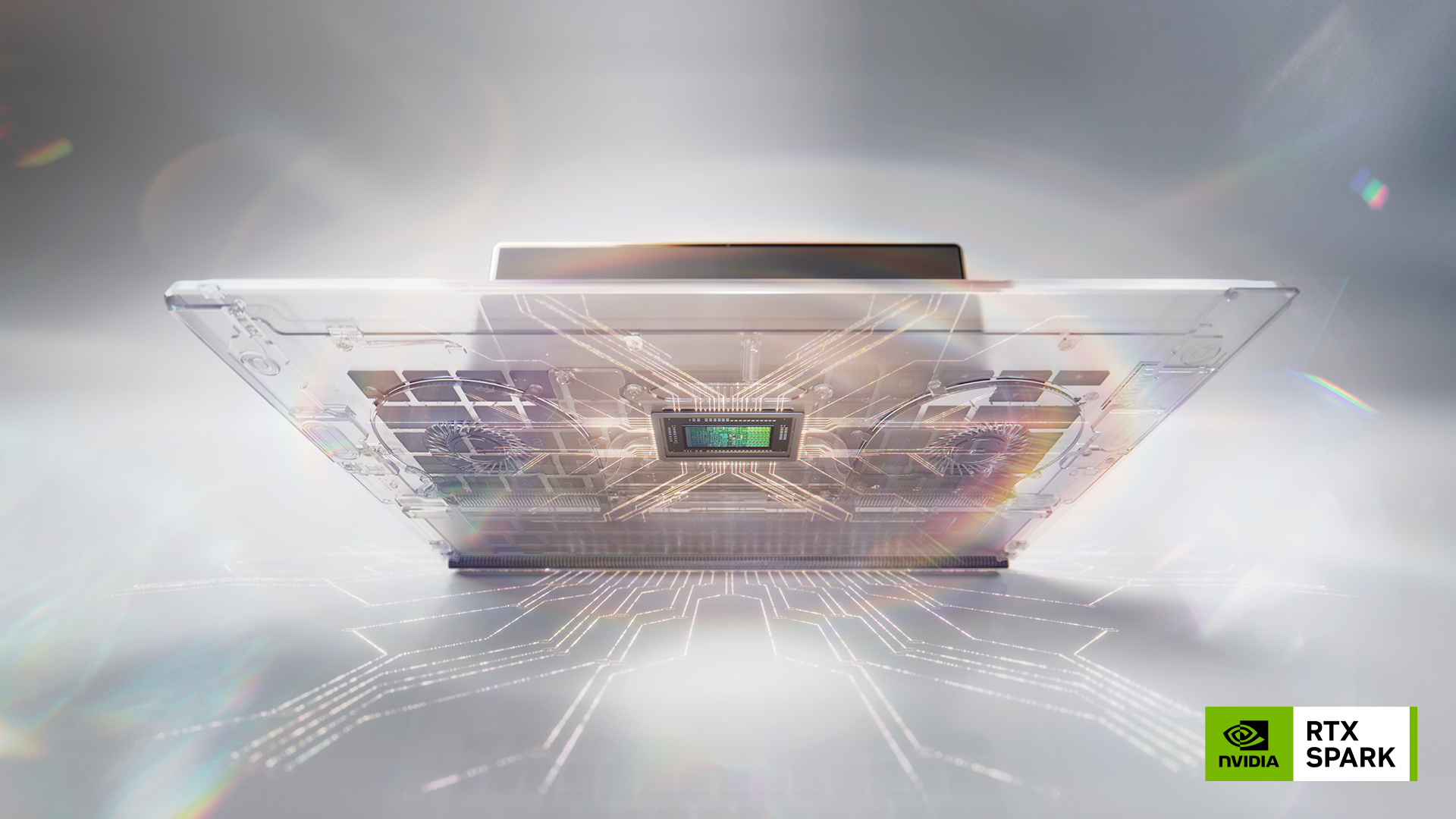
NVIDIA RTX Spark. Image Credit: NVIDIA
In case you’re wondering, this is the same NVIDIA N1X chips that were making their rounds for the past 2 days.
The graphics processor packs up to 6,144 CUDA cores alongside fifth-generation Tensor Cores featuring FP4 precision. NVIDIA connected the CPU and GPU using the high-speed NVLink-C2C chip-to-chip interconnect. The result is a platform that can effortlessly edit 12K video, render ultra-large 3D scenes, and play AAA video games at 1440p resolution at over 100 frames per second.
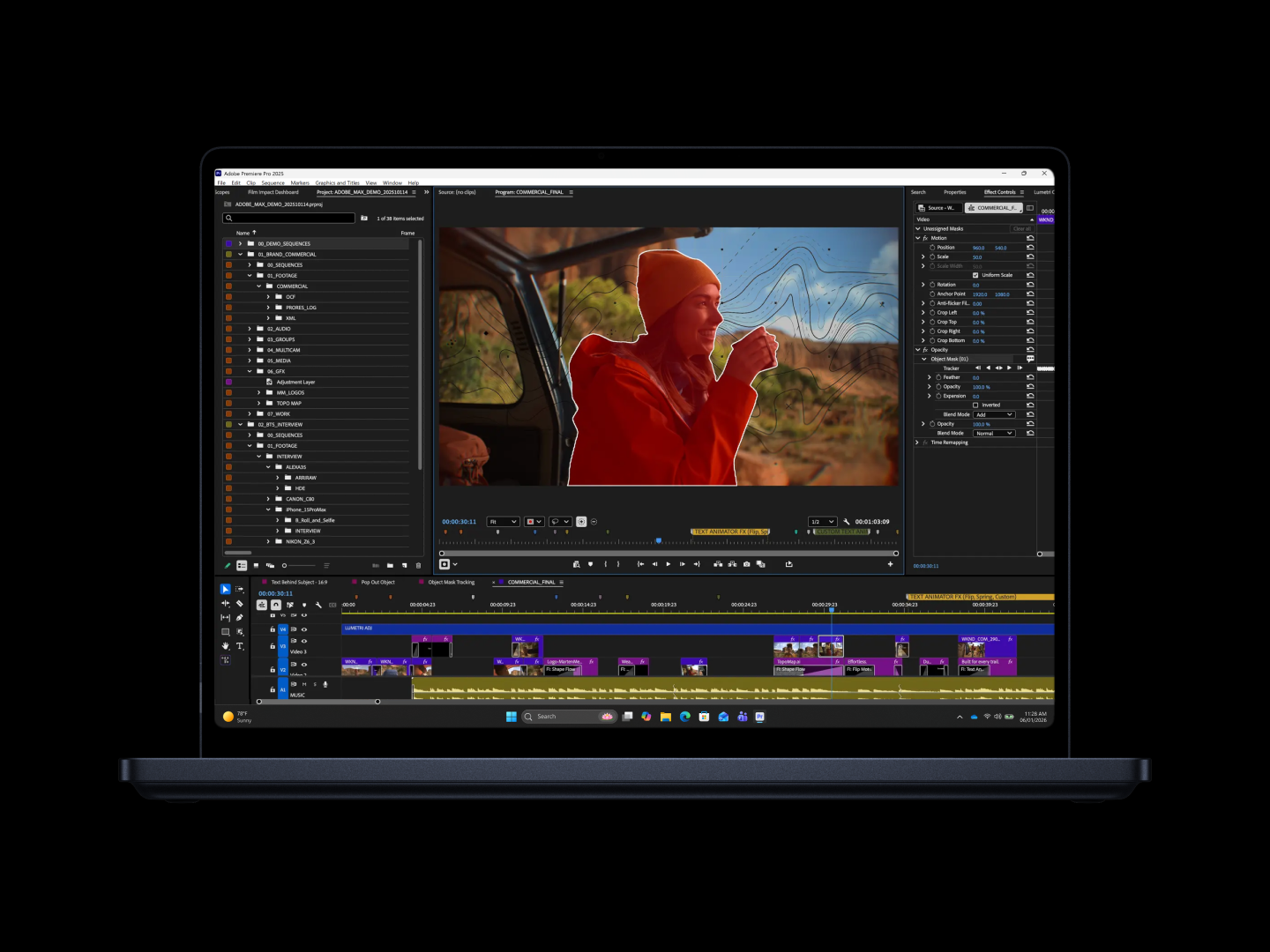
Image Credit: Microsoft
Gaming on Arm is finally coming of age thanks to the NVIDIA partnership. Native anti-cheat solutions from Epic and BattlEye are fully supported on the RTX Spark platform. Major developers are jumping on board, with Riot Games bringing League of Legends and Valorant natively to the architecture, alongside KRAFTON bringing PUBG Battlegrounds.
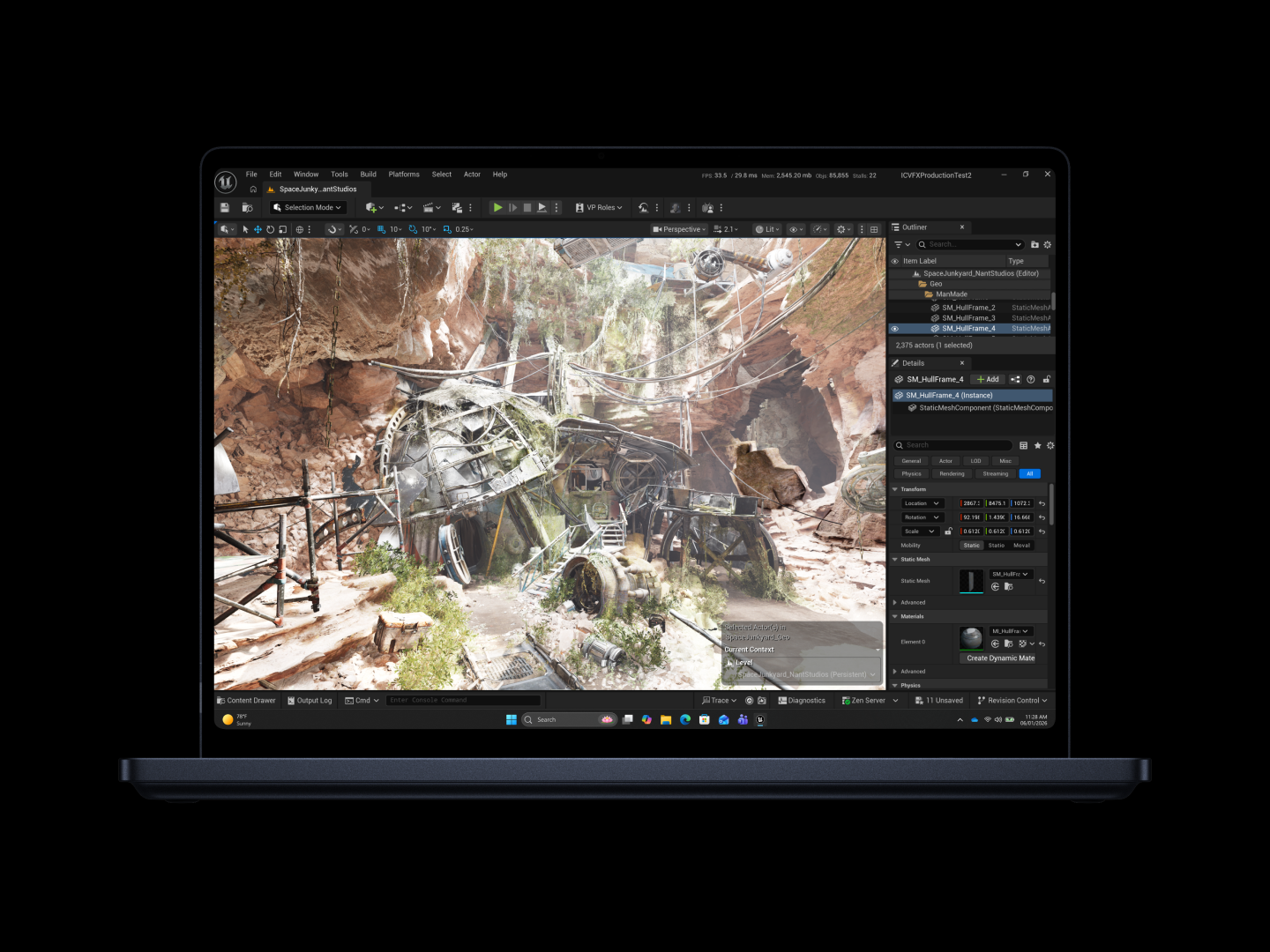
Image Credit: Microsoft
NVIDIA already commands a legendary reputation for graphics drivers and deep developer partnerships. The company is actively working with Adobe to rearchitect Premiere and Photoshop specifically for the RTX Spark platform. The updated creative suite will tap directly into the unified memory and TensorRT software to deliver real-time performance boosts for coloring and editing.
Qualcomm completely revitalized the Windows on Arm ecosystem, but the RTX Spark platform takes performance to a completely different tier. NVIDIA brings native CUDA support and unmatched GPU prowess to the table. Seeing how the Surface Laptop Ultra ultimately compares against the latest MacBook Pro models will be the most exciting hardware battle of the year.
Well, from the looks of it, everything about the Surface Laptop Ultra screams premium. Remember that this is the same company that recently announced an 8GB RAM Surface Laptop for $1300. This will have up to 128GB. Not to mention the deep NVIDIA partnership for a completely new chip.
So, chances are that the Surface Laptop Ultra would be too expensive to even consider for most professionals. However, in their blog about a “powerful new chapter for Windows PCs”, Microsoft also announced various devices powered by the NVIDIA RTX Spark from the likes of ASUS ProArt P16 and P14, Dell XPS 16 Creator Edition, HP OmniBook Ultra 16 and OmniBook X 14, Lenovo Yoga Pro 9n, and MSI Prestige N16 Flip AI+
I’m particularly interested in the Yoga Pro 9n, since I’m already a fan of the Yoga Pro 9i. What do you think about the Surface Laptop Ultra?
Chances for Microsoft and Nvidia combo doing the same are questionable. Better look for other non-Microsoft laptops on the same platform.
Suddenly all the Windows K2 stuff makes sense, but I doubt it'll be enough. Its too little too late for Microsoft.
And their hardware is much more locked down. E.g it cant be reverse engineered as easy as Apple Silicone because Nvidia GPUs basically run own OS inside themself.
So practically only Nvidia able to build open source drivers for this, but so far it looks like it will take them another decade with current rate.
NVIDIA already lowered power draw at idle by 18W with a currently out of tree driver leveraging PCIe hotplug for the NIC earlier this year.
I think that quite a bit more people bought those to use them without the ConnectX than what NVIDIA expected.
Thanks for finally answering this mystery for me.
Docks were bad, bad products in those days. They were no longer the dedicated bulky-but-reliable things of years past, or the modern finally-debugged dongles we've got now.
This was Intel's Alpine Ridge and it was hell. (At least, I think that was the one. Certainly, it was hell!)
I would be happy to eat my words "later this year" (per their timeline) but past Surface interactions lead me to believe it will be more of the same as in the past. Bad performance, bad battery life, bad build quality, bad compatibility.
For the sake of competition and options, I really hope to be proven wrong... I just wouldn't bet on it.
Apple doesn't have this problem because they don't even make docks they're so problematic. Enjoy dongles, Mac users.
Modern docks usually run their own internal OS and require frequent reboots to even attempt to appear stable.
The worst part is most use docks to get Ethernet, but docks nearly universally use low quality USB Ethernet controllers internally (vs PCI) making the whole exercise rather pointless.
Microsoft maybe had a chance when they decided to build their own Surface tablets/laptops but trying to make an OS that worked for that but also worked for your corporate issue Lenovo laptops is (as Apple seems to know), impossible.
A little earlier than that. With Intel's Lunar Lake / Panther Lake, x86 laptops are again in the same ballpark as a Mac efficiency-wise. There are reputable reviews where people are getting 16-20 hours of battery life out of them doing real work, in both Windows & Linux.
M5 is probably still better, but at least the x86 machines don't embarrass themselves any more.
It's a pretty low bar to meet.
Every Mac I've owned has had a hardware failure. Keyboard (x3). Dead trackpad. Display backlight. Logic board. LCD failure. Multiple drive failures. One Apple TV that shit the bed. Many within warranty, some not.
Apple's warranty service is pretty good, but to gloat about "quality"... it's more like when Sonny Corleone throws money at the guy's feet after he smashes his camera.
I've been using a Qualcomm ARM laptop for the past year, and pretty much everything I use runs natively on it.
Worse than all of that, long-time Mac users are abandoning the OS.
Unfortunately for Surface pro, some parts of the touch screen was damaged during battery replacement. But the parts that works, works well.
For hardware issues too it's pretty good, though I've only ever dealt with the Genius bar, and never done a mail in of the product in question.
For software I've never really seen this kind of service at scale, e.g. with Microsoft. And for hardware, it's essentially chatbots in a loop these days which I experienced with Lenovo trying to get support for a laptop that wouldn't power on (never managed to get a human to support me and gave up).
but also, it was really easy to accidentally lock the screen while removing it, at which point youd put it back on to get the password filled in again
that and if the battery got low, youd be stuck with it in the wrong configuration, so the screen would get scratched
I will note that mine have all functioned as docks for effectively-stationary PCs, so there's basically zero cable wear happening.
https://www.techtimes.com/articles/317428/20260530/nvidia-ar...
And how Linux fix the software problem?
Anyway, the whole trend to change from x86 to Arm on laptops is bad news for compatibility. It might be that the era where you can download an iso and expect Linux to run on a random laptop is over, and Linux users will have to stick to only a couple of devices with well known support. Did Valve release a laptop yet?
Because us nerds like to say “the software is awful,” but really, the bones of Windows are not awful at all. It generally works well, it just takes a lot of work to get all of the BS out of your way.
If you’re looking for open source friendly, just buy a Framework 13 Pro and be done with it.
By the way, the other news from Computex is Dell and HP’s Macbook Neo competition, and they really look legit. So, Apple is waking up the PC industry a bit, showing them that they are endangered. Hopefully Microsoft gets the memo.
No way I am spending any money on this future brick.
I swear, people just live in their echochambers these days. Win 11 pro + WSL2 is literally the best, do it all OS you can get these days.
Most peoples experience is with Windows home, which ironically is about as intrusive as Mac OS. When you get Windows Pro, you can disable all the annoying AI/Advertising shit that comes with Windows, and at that point, you get a system that is cleaner than Mac OS.
Then you install WSL2, which is a full linux environment down to being able to run graphical apps, use gpus natively, and even talk to usb ports.
Ive been on Win11 Pro for 4 years. The only major things that are installed under windows for me are VPN Software, Steam (with games), Ollama, and Browser. Everything else, I run under WSL2.
(But, you bring up a great point, regardless!)
When I read it, the first thing I thought of is the NSA program named PRISM.
Anyway, I was curious so I googled for differences between the Apple and Microsoft programs and Apple included x86 translation circuitry on their CPU. I wonder why Microsoft didn't do the same?
"Nothing wasted. Everything intentional."
That's the most ChatGPT line ever, where everything has to be a cringy punchline
"A machine like this should not sit still. It should be pushed. Taken to the edge. Used to make real what others call impossible."
I really hope no human would write something like that
That thing Didn't Work more than it Worked, but options were slim. Eventually it fully died about 14 months in. I didn't even bother checking to see what the warranty terms were. TS3 Plus, back in 17 or 18. What a piece of shit.
Sounds like it's a good thing I didn't bother trying again in the early 2020s and only recently bought a new dock.
That's the most uncanny marketing for an ARM laptop I've ever seen.
I could be wrong but my understanding is that 24/7 dedicated servers are wildly economically unviable. The reason cloud tends to cost less than local today (other than the subsidization) is because you aren't running models 24/7. So like 6 hours of cloud per weekday might beat the yearly cost of building local machines, but it's not in the same universe if you're running 24/7, as evidenced by two months of H200 rental costing more than the DGX Spark this Laptop is built out of.
Dell XPS series have been available with Ubuntu since 2012 at the very least.
Outside of that though, there's still hit and miss quality on the PC OEM side of things. 1080p screens are still the default for a ton of models, even higher end ones, and the OEMs keep missing the point of why people prefer Apple hardware.
Several are coming out with 8GB machines now at macbook Neo price points with....1920x1200 screens, probably a low quality panel, and questionable trackpad. Again, missing the entire point of the Neo.
Lucky you. My ISP is so incompetent they connected me to another customer when they wanted to connect me to another support agent (Vodafone).
When I submitted an AppleCare replacement request for it, the employee said “Oh man, I hate it when that happens!” and approved it.
I figure that’s the script, or maybe he had a chronic issue of running over his own phone.
I see you haven't interacted with marketing people. I can 100% believe that some marketing person wrote the copy.
Sorry to shatter your hopes but any garbage an LLM writes is mimicry of some human written garbage that came before.
It can only write cringe because we taught it what cringe looks like
"Taken to the edge, and pushed off this edge. To garbage bin."
There’s a Thunderbolt dock built into every display that they sell
It gets so hot in my bag I actually worry about it starting a fire one day. I now take it out every night.
Obviously I tried googling but no dice. Nothing changed, settings seem in order, no idea what to do.
Requires ancient .NET. That actually is available for Arm though.
Required Jet DB driver 2010, which doesn’t exist on Arm, although it’s only needed for the installer.
Requires SQL Server embedded 2012 and 2016, which don’t exist on Arm at all. Yep, both versions.
Also required PowerShell version 2, which was deprecated in 2017, although they magically figured out how to fix that once Windows 10 was EOL’d and Win. 11 doesn’t support v2.
The vendor has zero plans to ever support this on Arm.
They will eventually get their lunch eaten by a new competitor who decides to just release a macOS version.
Also not at all equivalent to being forced into linking an online account before being allowed to use your computer at all.
Thanks god reverse engineering with AI is a thing now, so the path forward looks nicer. But still...
Anyways, the Surface Pro X is such a nice HW. Too bad the company who built it is so bad.
At my bigco, we have all but given up on it and moved everyone to EC2 or Macs for non-Windows workloads.
Thankfully AI nowadays does an amazing job in issue diagnostic and resolution, and even patches the kernel to make stuff work, so this is the viable solution.
I run Linux in a VM and Docker on it, and WSL2. No problems with anything.
I don't see any ads. I turn a number of "intrusive" features off, but nothing is hacked; these are just settings you can switch off.
(I am running Pro, though.)
Professional softwares, WSL2 and awesome native apps (Dopus, AHK2...)
I always try Linux but the fragmented nature just is not for me for desktop usage.
Further, it doesn't seem like Microsoft made x86 emulation as seamless or performant as Apple did during the various MacOS CPU architecture changes.
Every use case I've looked at has been a minefield of app incompatibility and poor performance under x86 emulation.
For music production for example - https://www.sweetwater.com/sweetcare/articles/windows-on-arm...
As such, when you’re marketing your competing product, maybe don’t lead with the fans.
What Stockholm Syndrome is this? Why should you have to do this in the first place?
Why? Just to get ARM? Buy a brand that actually works with the kernel and distros to get their hardware working with linux. Get your money to the people that actually help the software ecosystem.
When you spent premium, put your money where it makes a difference.
It seems the issue on Apple hardware is the fight to get Linux booting on bare metal with full support (what Apple supplied for Windows with Bootcamp when moving to Intel), which is the fight Asahi Linux is waging. Is WSL aiding in getting Linux booting from bare metal on proprietary hardware?
I think that GP comment is not intending to throw shade at ARM SOCs (many of which are quite nice, including those from Apple an Qualcomm), but specifically the Microsoft products built on them.
The developers on WSL (the Python project, Django) tend to have a simplified environment. For example they don't run Celery (I never investigated why) and run all the background jobs synchronously or they don't run those jobs at all.
The ones on Macs (the Ruby project, Rails) have the full environment but I remember that they skipped some integration tests because they always failed on their Macs (Capybara and Chromedriver, I don't remember the details.) I was the one running the full test suite. By the way: all the CI services I used in the last 10 years are particularly bad at running those kind of tests. Maybe it's the amount of memory or the timing of the operations and those CI VMs (or containers?) don't play well with the assumptions of the test frameworks. Any language, any framework.
And then you install multiple Electron apps.
It’s easily in my top 3 most hated things about my MacBook. Plus, knowing Apple and the history of that “feature”, it will only ratchet towards becoming even more of a pain over time (it was actually tolerable back before they removed the hotkey to bypass).
For me, after running Win11debloat one time Win 11 disappears into the background 95% of the time, like an OS should. Unfortunately I don’t the luxury of doing something equivalent on MacOS without completely disabling SIP.
People downvoting me because Microsoft are just silly. It is literally undeniable that Microsoft has done more to provide Linux support in the windows ecosystem than Apple has with MacOS. The closest thing Apple has done to “support” Linux is add a hypervisor without a GUI that they’ll tolerate you using but don’t really support. Try opening up a case with Apple about a Linux issue running a hypervisor.framework Linux vm and let me know how it goes…
Microsoft will absolutely support issues you run into with WSl.
They must have made major improvements since the last time I used it then, because filesystem issues was the #1 reason I moved away from WSL
Still unacceptable for home edition users, but Microsoft has been segregating its userbase and features into Home/Pro/Enterprise for decades.
x86 Most random Linuix ISOs will boot on anything. I've seen software compiled before the hardware had finished being designed boot just fine. (in the latest case lstopo was very confused, but everything still worked!)
ARM, I go looking for a build for my chip/device in particular.
x86 I just buy hardware and it works, ARM I check for OS builds before buying, and wonder if the builds will continue to get updates.....