which was then continued via boxer-plus which adds apple silicon support
https://github.com/Solid7s/Boxer-Plus
edit: I think it has apple silicon support. I am getting mized messages when I look it up.
Mind you there are countless DOSBox forks out there and the vanilla original one is probably the least interesting one.
Nowadays the three most popular one would be DOSBox-X, DOSBox Pure, and DOSBox Staging
https://dosbox-x.com/ https://github.com/joncampbell123/dosbox-x
https://schelling.itch.io/dosbox-pure https://github.com/schellingb/dosbox-pure-unleashed/
https://www.dosbox-staging.org/ https://github.com/dosbox-staging/dosbox-staging
1 boxerapp.com
So .. is there going to be any chance of getting multiplayer networking setup for some of the GOG's? Has anyone accomplished this in the DOXBox-*'en .app'o-sphere yet?
Straight from the article:
> there are actively developed alternatives like DOSBox-X
I've tried GOG DOS Games, GOG Windows Games, Steam Games under Proton, nothing was particularly usable.
Got the very same games working under Faugus Launcher and Dosbox-X. The UX is a bit worse but my games run without any issues, and I've stuck with those since then.
I always run the GOG installer in WINE and then copy the game into my git repo for DOS stuff, make sure the game works, git commit it, and then I know it will always just work and I will not have to think about that again (plus I can version manage all settings and save-games for all the games and also sync between my different machines without relying on any cloud service).
What do you want to be "interesting" about dosbox?
Also the forks add some additional niceties, e.g. DOSBox Staging has some very nice CRT filters that basically make games look almost like the real thing (i have some actual CRTs to compare). DOSBox-X has a GUI to setup options while the emulator is running which is very convenient.
GUI config, load games from zip and image files, controller support, save states, various sound, graphics, and network enhancements etc.
There is more to this than simply being a DOS emulator.
Quality of life improvements? Expanded (experimental) hardware support?
1. Running games that only ran at 10FPS on original hardware at a smooth 60+FPS, by calling the game's own rendering logic more frequently than the original hardware could "afford" to, but without breaking game logic (i.e. by forcibly decoupling the game's physics ticks from its presentation ticks);
2. Using out-of-viewport but in-{tile/frame}buffer data to expand the viewport to fill my screen (which can be very janky under some rendering paradigms, due to offscreen parts of tile/frame buffers being dynamically partial-updated with a loading seam; but which can work very well under other rendering paradigms, like the SNES's mode 7 where the tilemap was usually just fully populated once at mode-switch time);
3. Making games that used vector-graphics for at least part of their display, and soft- or hard-rasterized those vector graphics into the native low-resolution framebuffer, instead rasterize those graphics at my display's native resolution;
4. having the emulator recognize particular bitmap assets (tiles, sprites, 3D meshes/textures) the game is telling it to render, and swap these out for hand-crafted HiDPI / high-poly versions of those assets from an asset-pack file (as opposed to relying on the caprices of a DLSS-like upscaling model.)
Mind you, to have features like this work well, they often leave the realm of "interpreting the control-register pokes from the game differently", and enter the realm of "the game being patched to take advantage of the capabilities of the emulator." Then, as with these GOG games, you're no longer just shipping a ROM "and an emulator configured to run it well"; rather, you're shipping a co-designed product: an emulator tuned to run that ROM, and a ROM tuned to run in that emulator.
---
By doing this, you technically leave the realm that MAME-like "archival preservation" emulation usually aims for, of "faithful emulation" of both a game's logic and its presentation.
However! "Faithful emulation" folks shouldn't despair. The nice thing about this technique, is that this is all done by wrapping the original ROM in an emulator + shipping runtime-applied IPS patches.
In other words, the original game ROM is still there, unmodified, under an "isolation layer"; and everything being done to modify it is done using "reversible, conservation-grade" techniques.
Which means the emulator can provide a launcher UI to turn any of those presentation "enhancement" features on-and-off. If you're the "faithful emulation" type, you can just turn them off!
(And, under this paradigm, even with the "enhanced emulation" features on, the game logic is still preserved as-is; you're only modifying the presentation. The original game engine is still running; the original instructions are still executing cycle-accurately to how they should. So the "game feel" is preserved perfectly. If you were good at the original game, you'll still be good at playing an "enhanced emulation" of the game; nothing will be "off" about it. Even input movies recorded against the un-enhanced game should replay unmodified against the enhanced game!)
Contrast this to the average "HD remaster", where the game is at the very least recompiled for a new platform (with different timing guarantees), if not entirely rewritten atop a new engine. In that process, there's no "isolation layer"; no way to guarantee a preservation of any part of the original game logic in the remastered artifact. And like George Lucas, game developers coming back to their own works 20–40 years later, just can't help but want to tweak things. So these HD remasters end up breaking "game feel" in all sorts of ways.
> https://www.gog.com/forum/general_archive/mac_dos_game_editi...
I've hoped for years someone would pickup the source and get it going again, it's essentially abandonware right now, no changes in nine years. The website is like a time machine back to the peak skeuomorphic mac app era. It still has the nicest UX of any of the DosBox variants I've tried. In this era of agentic rewrites, modernizing this app is probably the cheapest it has ever been too...
Nice thing with DOSBox-X is there is a built-in command to set config parameters, so for games that require special settings or to slow down etc that can be set up from its launcher BAT file. All games share the same dosbox config file with default settings.
> Starting with macOS 28, Rosetta 2 will be largely discontinued. Apple says that after that point, it “will keep a subset of Rosetta functionality aimed at supporting older unmaintained gaming titles, that rely on Intel-based frameworks.”
https://9to5mac.com/2026/02/16/macos-26-4-will-notify-users-...
It's the Mac native x86 software that hasn't been updated in most of a decade that would be affected.
For the consumer, the benefits of backwards compatibility are obvious, but it’s sad that companies don’t see it as a selling point.
Well, we wouldn’t want anyone using their perfectly functional copy of Photoshop CS6 would we…
As my sibling post says, it's more likely to work only for some older mac os native games.
Their attitude has been "we built new hardware, we built new software, we have the tools to develop for these new systems, adapt or die".
This Rosetta 2 transition is actually a couple years longer that their first PPC -> Intel transition. There's more time to adapt this go around.
If you want to continue to run older software, do what you would do in Windows 11 and spin up VM with an older version of the OS.
I keep a Windows 2000 VM with no network access around just to occasionally play Heroes of Might and Magic 3.
What they say is "we will keep a subset of Rosetta functionality aimed at supporting older unmaintained gaming titles, that rely on Intel-based frameworks" which sounds like OS X games. But even if it is all-inclusive "retro" games, that means the 1,000s of contemporary games runnable via Crossover through Steam for Windows are being shut out.
They relented under pressure to continue allowing Linux virtual machines, so hopefully they continue to revisit this decision.
https://developer.apple.com/documentation/apple-silicon/abou...
I'm not sure what the total cost of these are, but it's not zero.
GOG is great. I bought a few old games from them: SimCity 2000, Theme Hospital, Syndicate Plus. And by old games, I mean games from my childhood that still play like a good game, and not like digital drugs the likes of which are available for free from the mobile app stores.
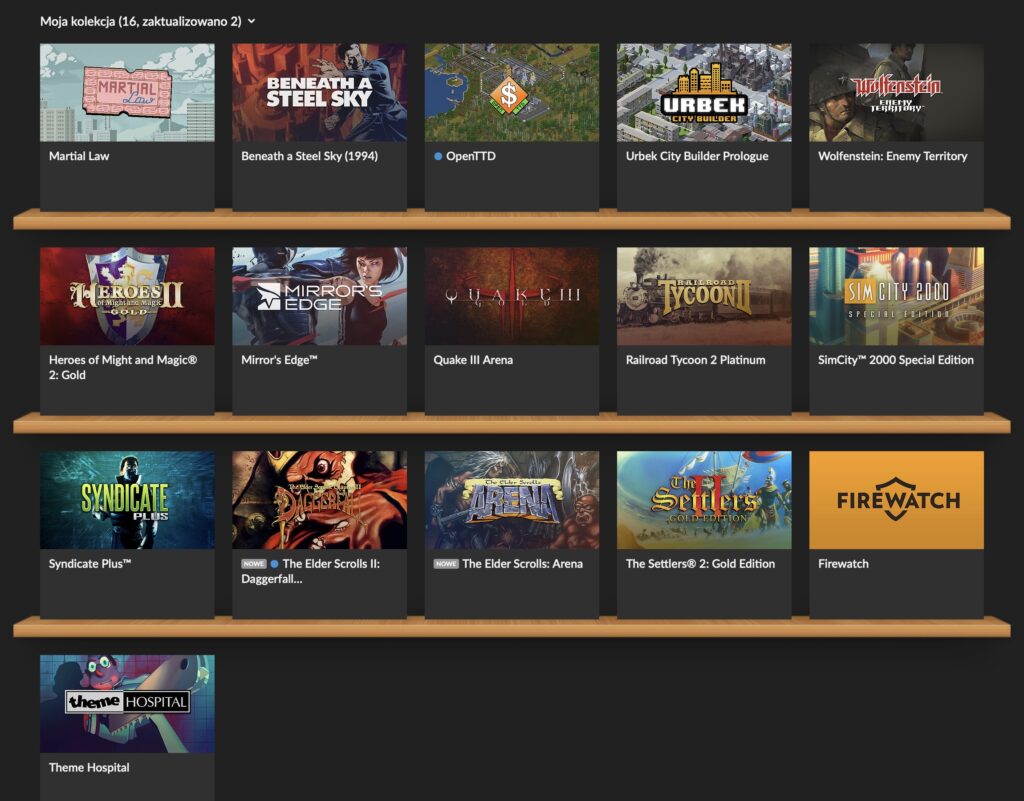
My GOG catalog, short but sweet.
Anyway, the thing with GOG is that for DOS games, they basically ship the installers with DOSBox inside. Some of the games are prepared for both Windows and macOS (like the ones I mentioned earlier). But some are prepared only for Windows, like Settlers II or Heroes of Might & Magic II (HoMM2). And these are my two favorites!
In the old days of Intel Macs, it was fast & easy to spin up VirtualBox or install Windows on the side with BootCamp. But my latest machine is an M2 MacBook running macOS, so virtualized x64 Windows is painfully slow.
I know I can try running an arm64 Windows 11 with Apple native virtualization, but for one I don’t have the key, and for two there is another option I just discovered, namely using DOSBox for Mac.
The steps are simple, but you need a Windows machine for a moment (like an old Intel MacBook with Windows :)).
First, install DOSBox for Mac.
Second, let’s say you want to run HoMM2. Download HoMM2 installer .exe from GOG, and install it on your Windows machine.
Third, copy these installed game files to your M-series Mac, to something like /Users/<USER>/GOG/HoMM2 where <USER> is your Mac’s user folder.
Fourth, create a DOSBox configuration file in /Users/<USER>/GOG/macoshomm2.conf.
[autoexec]
@echo off
mount C "/Users/<USER>/GOG/HoMM2"
imgmount D "/Users/<USER>/GOG/HoMM2/homm2_macos.cue" -t iso -fs iso
C:
cls
heroes2.exe
exit
This defines a DOSBox script that firstly mounts the HoMM2 folder so DOSBox can read it, then also mounts the required gameplay CD, and finally starts the game.
Fifth, create a Mac command file to easily run all this with a double-click, and place it in /Users/<USER>/GOG/RunHoMM2.command.
#!/bin/zsh
set -euo pipefail
ROOT="/Users/<USER>/GOG"
DOSBOX="/Applications/DOSBox.app/Contents/MacOS/DOSBox"
cd "$ROOT/HoMM2"
exec "$DOSBOX" -conf "$ROOT/HoMM2/dosboxhomm2.conf" -conf "$ROOT/macoshomm2.conf"
Here, we just point our local DOSBox for Mac to run HoMM2 instead of using the DOSBox for Windows that ships with the game. Double-click the command file and just like that, the game works on a Mac with Apple Silicon!
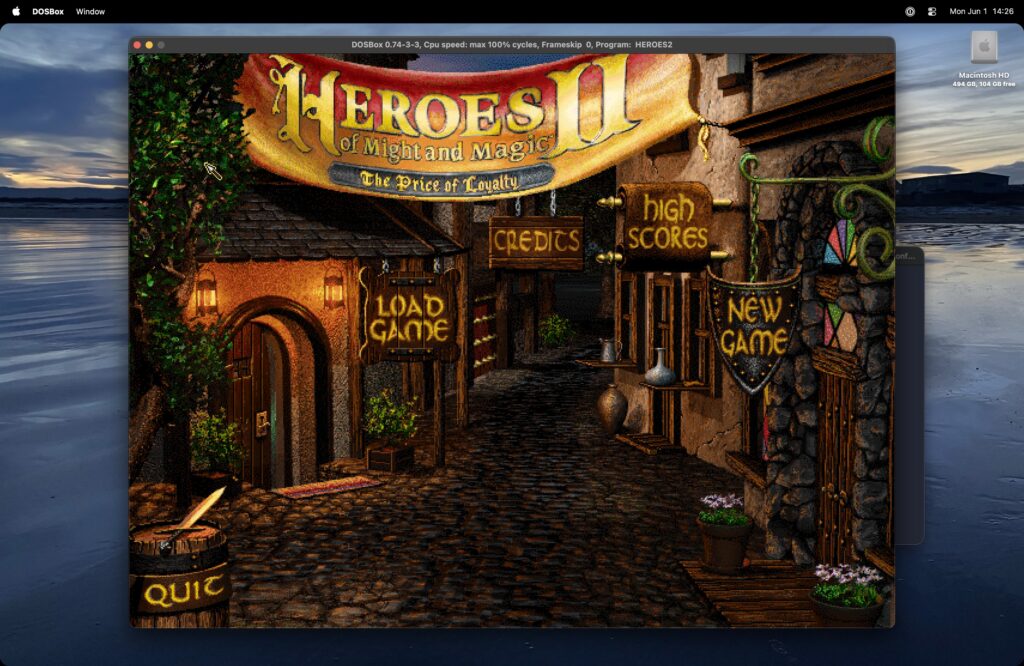
Screenshot from an M2 MacBook running HoMM2.
Note that macOS is complaining that in the future versions DOSBox for Mac won’t work anymore, but for now it does, and there are actively developed alternatives like DOSBox-X.
If you want to play in a window instead of fullscreen, or adjust display settings, you can use the many parameters that DOSBox offers and explains in their docs, like the scaler which is fun. Just put them at the top of the .conf file, for example I like to use this:
[sdl]
fullscreen=false
fulldouble=false
fullresolution=desktop
windowresolution=desktop
output=openglnb
autolock=true
waitonerror=true
[render]
aspect=true
scaler=normal2x forced
Happy Children’s Day!