Jun 5, 2026
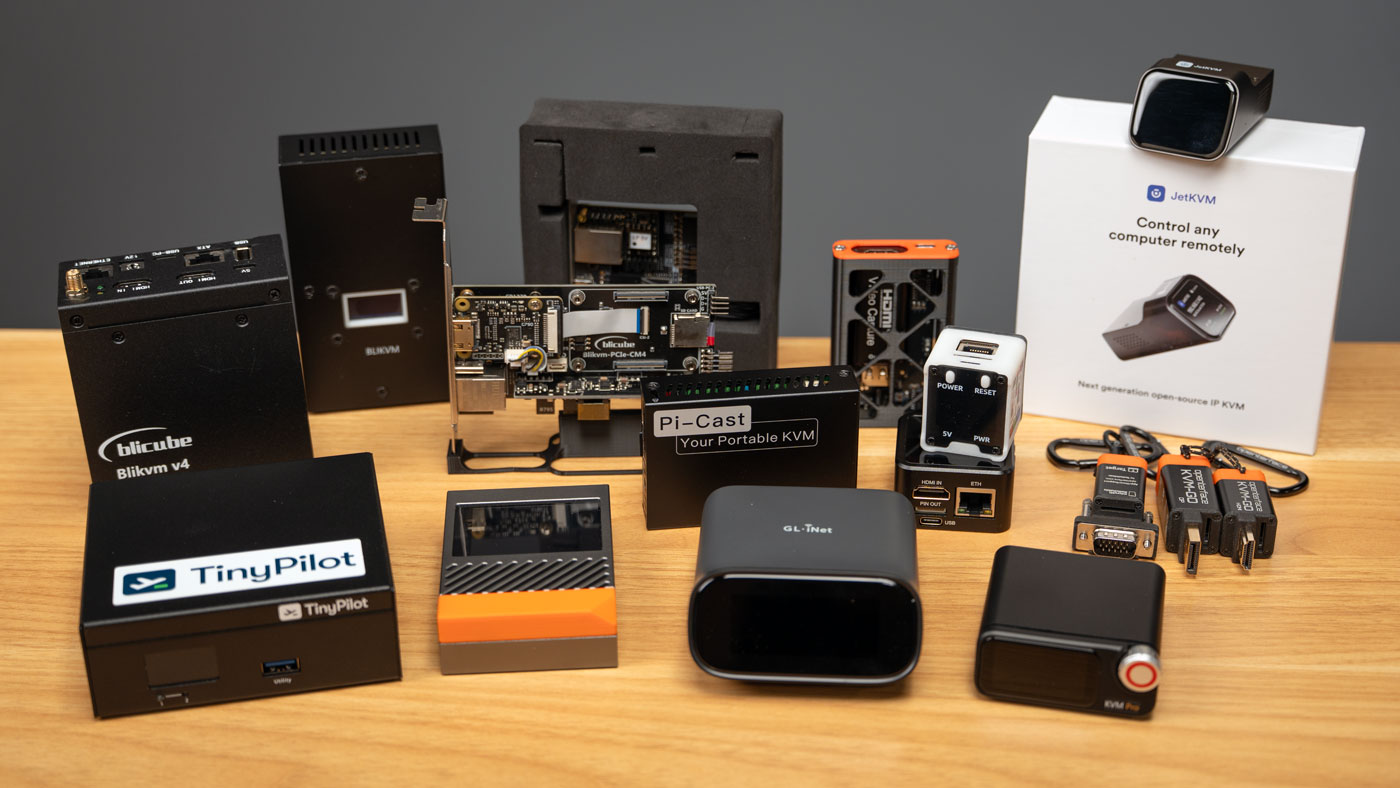
Since the PiKVM came out in 2017, there's been an explosion of IP KVMs. I've tested almost every one. But what are they good for?
You can use Remote Desktop, Screen Sharing, or VNC to remote control a computer from anywhere on a LAN. And if you don't have a private VPN, you could use RealVNC, Raspberry Pi Connect, or wire up Tailscale or Pangolin for fully remote access. Those solutions are great, and so is SSH if you don't need a full desktop.
But there are situations where you don't want to have remote control software running on the computer. When I'm benchmarking remotely, I don't want screen sharing using up any resources. Or what if you have a computer you want access remotely no matter what. Screen sharing and SSH don't work if the computer's locked up—or turned off!
Enter the IP KVM. High end server hardware has this feature built-in (HP's ILO, Dell's iDRAC, or IPMI), but not everyone has access to server motherboards. Even if you do, the BMC might be wildly out of date, or you might want to connect through a GPU, and not through the built-in VGA graphics.
IP KVM stands for "IP Keyboard Video and Mouse". Basically, these devices allow you to control of your computer over an IP network.
High-end IP KVMs have special features like PoE support, HDMI passthrough, and backup 5G modems. But sometimes you just want no frills remote KVM, and for that, there are even sub-$50 models you can buy.
In this post, I'll run through all the KVMs I've tested.
But before we get started, a word of caution:
One of these devices actually got me a visit from the FBI. And all these things can be security holes, just waiting to be exploited. Any form of remote control needs to be treated like an open door into your network—make sure you put a good lock on it.
Keep them updated, don't buy one if you don't trust the vendor, and firewall them off as much as you can. Using an IP KVM allows remote BIOS access, which can be pretty dangerous!
To see just how damaging things can be, check out this article about some pretty serious vulnerabilities some of the devices I'm about to review have run into.
But let's start with the PiKVM.
PiKVM
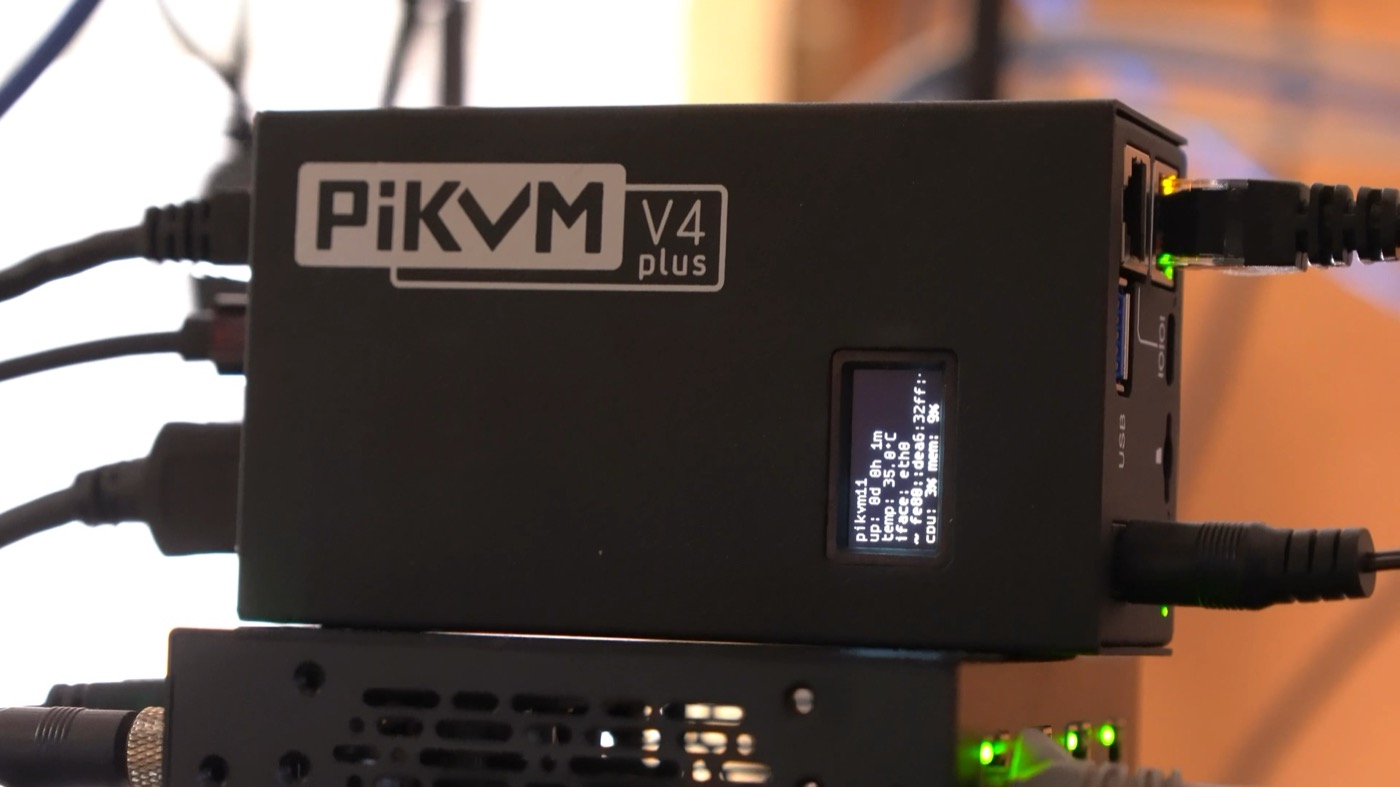
For me, this thing started it all. The folks at PiKVM built the open source software that was used in every first-generation clone, and cemented Raspberry Pi as the computer used in these things. My Dad and I tested all the PiKVM models, and I like everything but the price. I 100% recommend them, especially since you're directly supporting the folks who wrote the software. But I also know many people stop looking once they see the price tag.
Going from $275 to $400 bucks, they offer features like HDMI passthrough, two-way audio, power controls, addons for KVM switching, 5G backup, and a fully open source software stack. They even have instructions for building your own, if you have a Pi and you want to save some money!
Prices:
Chipset: BCM2711 (Raspberry Pi 4/CM4)
Topline features: 1080p at 60fps, HDMI passthrough, two-way audio support, ATX power control, multi-computer option with extra hardware, a PCI Express slot for 4G or 5G cards for redunant Internet, and uses around 3W of power
Open source: GPLv3 license, source is here, basis for almost all the Raspberry Pi-powered KVMs
BliKVM
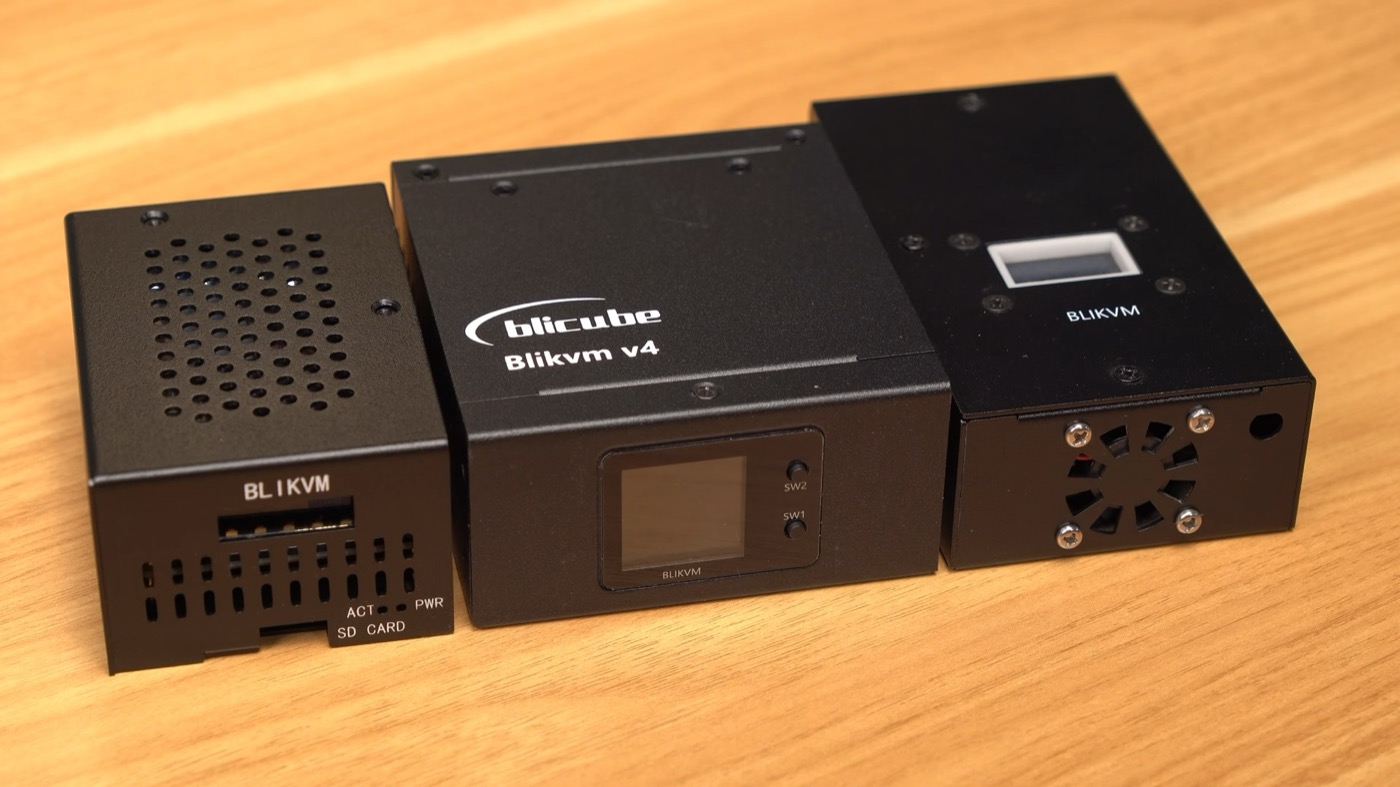
The BliKVM is basically a PiKVM, but cheaper, because the company benefitted from the software PiKVM already built. The hardware has the same benefits and tradeoffs. But on the software side, you're not putting money back into the open source project that started it all. They modified the software and UI a bit, and they acknowledge where they get the software, but honestly? Starting over over $200 for a cheaper Allwinner version, they're outclassed by newer KVMs. My favorite thing BliKVM did was their PCI Express version, that you can slot inside your computer.
- $235 to $300 on AliExpress
- Chipset: Allwinner H616 or Raspberry Pi CM4
- Topline features: Versions with Pi or Allwinner chip, a PCIe card version you can stick inside a PC, and plenty of accessories if you need extra features like HDMI passthrough. A bit of a messy setup, but it has everything out of the box.
- Open source: GPLv3 license, source is here
GL-iNet Comet
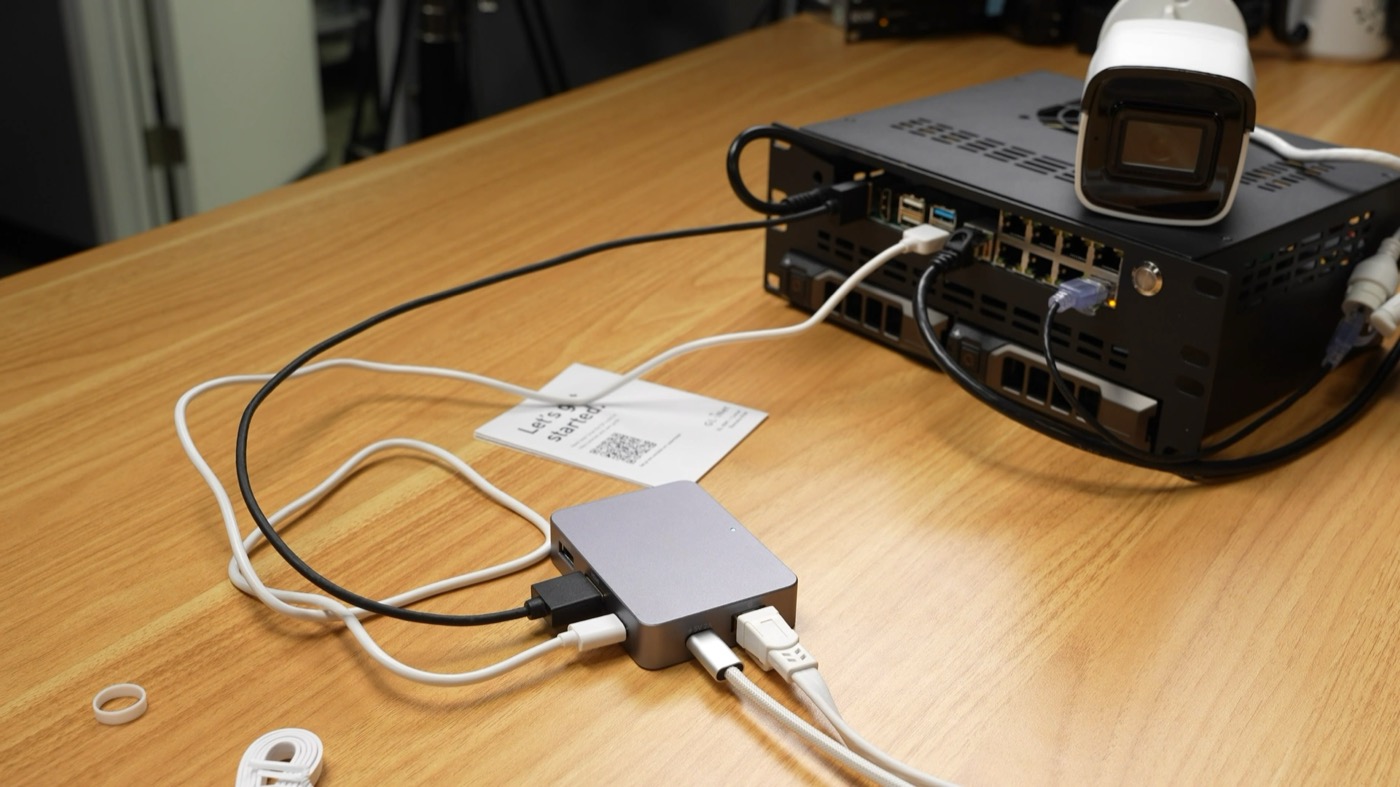
GL-iNet is quickly expanding their IP KVM offering. They kicked off their KVM journey with the $99 Comet. Like BliKVM, their software is a fork of PiKVM. So between that and using a cheaper single-core Arm SoC instead of Raspberry Pi, they can cut down the cost a lot. They also bump the supported resolution up to 4K, and they have external options for ATX power control or even a cute little FingerBot add-on, for remotely pushing buttons.
- $99.99 from GL-iNet
- Chipset: RV1126
- Topline features: 4K at 30fps, 8GB eMMC, option for ATX board and Fingerbot for remote power button pushes
- Open source: Self-hosted cloud feature, KVM UI based on PiKVM, source is here
GL-iNet Comet Pro
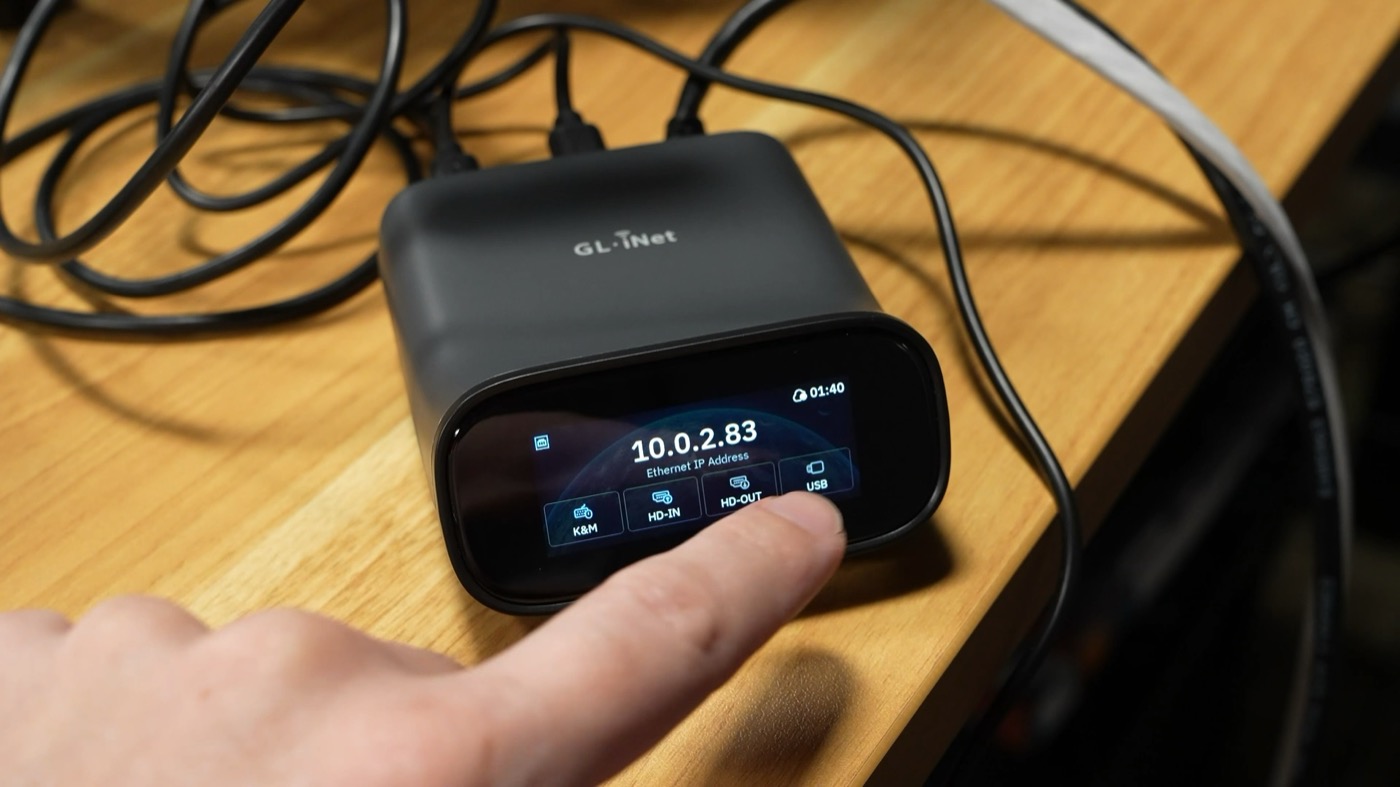
The Comet is barebones, so they also sent me a Comet Pro to test.
Aside: Most of the KVMs I'm testing are review samples. Even though none of the companies paid any money or have a say in what I write, I want to be clear: I only paid for a few of the KVMs under test.
The Pro isn't quite double the cost, but it adds WiFi, 4x more onboard storage for bootable ISOs, a touchscreen, HDMI passthrough, and it still supports the FingerBot and ATX power control add-ons.
GL-iNet has a couple other unreleased KVMs which I hope to test out someday (one for USB control, the other for 4-computer switching).
- $179.99 from GL-iNet
- Chipset: RV1126B (unconfirmed)
- Topline features: 4K at 30fps, built-in WiFi, 32GB eMMC, touchscreen, HDMI passthrough, option for ATX board and Fingerbot for remote power button pushes
- Open source: Self-hosted cloud feature, KVM UI based on PiKVM, source is here
Sipeed NanoKVM Cube
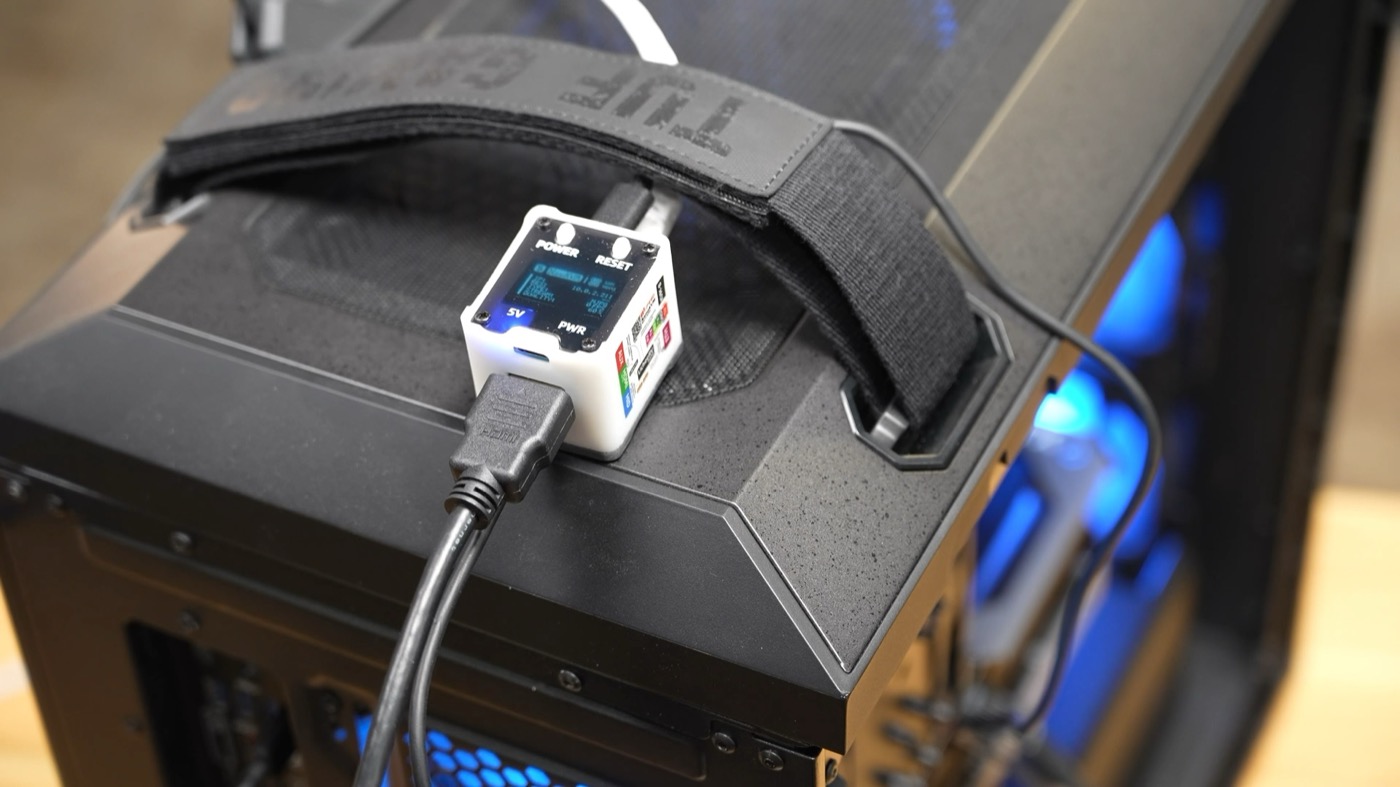
This is the little guy that got me an FBI visit. The NanoKVM Cube is so cheap at $70, that apparently hackers were sending these to US workers to access corporate networks, in some espionage scheme. That doesn't mean the NanoKVM is 'bad', just that they're cheap and inconspicuous, and that made them great for North Korean spies.
Of course, Sipeed who makes these things didn't help the fact by including a tiny microphone. I made a short video about it. The problem is Sipeed built the NanoKVM with a RISC-V development board, that just so happens to include a tiny microphone.
But in general, if you're nervous about using hardware like this from China, then pick something else. Sipeed also took a while to open source their firmware, which also didn't help NanoKVM's trust level.
But I still like the Cube, if for no other reason than it showed manufacturers you could build tiny IP KVMs under $100.
- $69 on AliExpress
- Chipset: SG2002 (RISC-V)
- Topline features: 1080p at 60fps, 32GB microSD, Comes with ATX breakout when buying full kit
- Open source: KVM UI source
Sipeed NanoKVM PCIe
I haven't tested it, but Sipeed also makes the NanoKVM PCIe form factor, for installation inside a computer.
- $73 on AliExpress
- Chipset: SG2002 (RISC-V)
- Topline features: 4K at 30fps, 32GB eMMC, HDMI passthrough, options for PoE, WiFi, ATX breakout adding on up to $120 total
- Open source: KVM UI source
Sipeed NanoKVM Pro / Pro PCIe
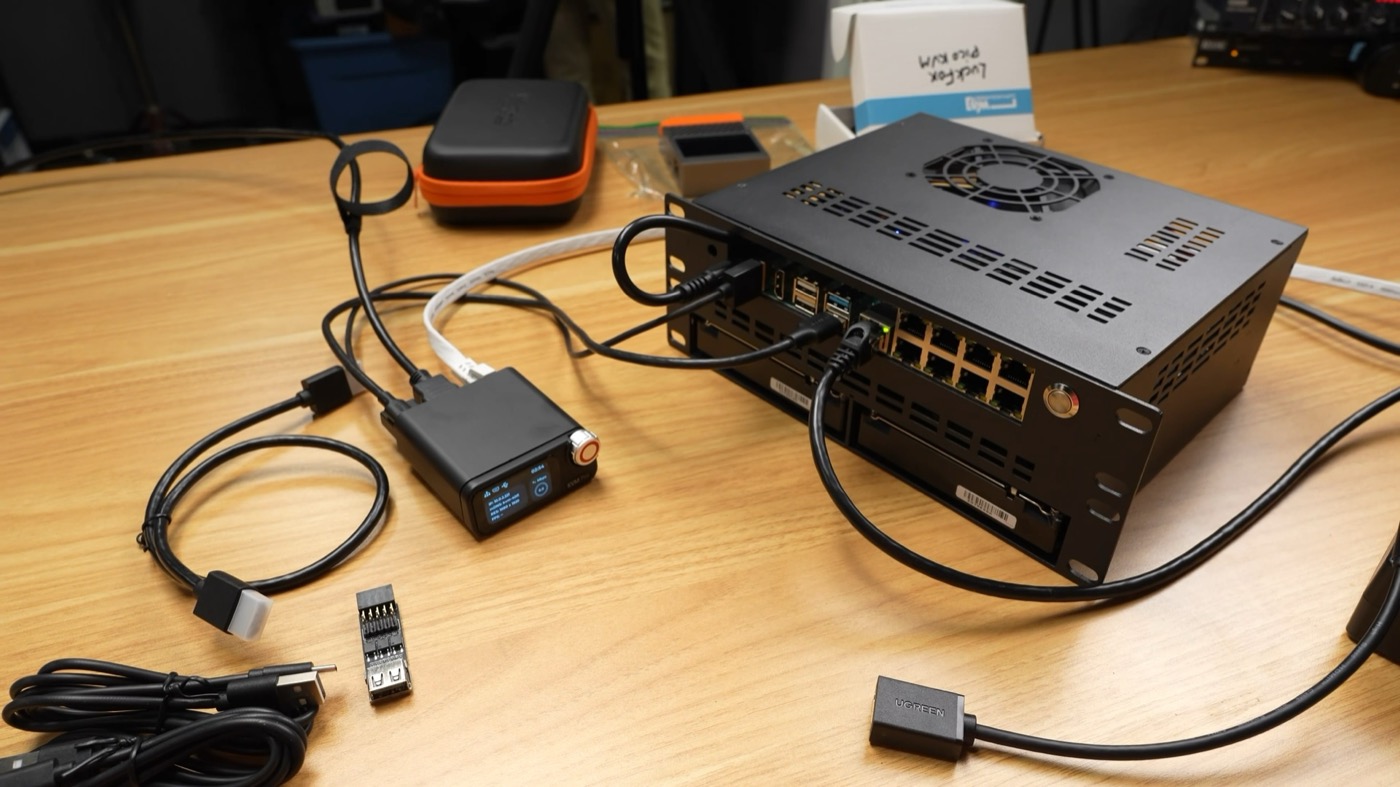
Sipeed also branched out like GL-iNet and made a Pro version with a touchscreen, a control wheel, WiFi, and HDMI passthrough.
And they made two PCI Express card versions. And all these things are pretty cheap still (under $100). The cheaper NanoKVMs are built around the Sophgo SG2002 RISC-V chip, and the Pro models use Axera's dual-core Arm AX630C chip.
I've tested all their different models, and they work great. Sipeed's UI is completely custom, too, and quite minimal. Availability at least in the US can be hit or miss, but I'm not sure if that's more from tariffs, production speed, or import restrictions.
- $99 on AliExpress
- Chipset: AX630C
- Topline features: 4K at 30fps, 32GB eMMC, HDMI passthrough, PoE, built-in display with control wheel, options for WiFi, ATX breakout adding on up to $120 total
- Open source: KVM UI source
JetKVM
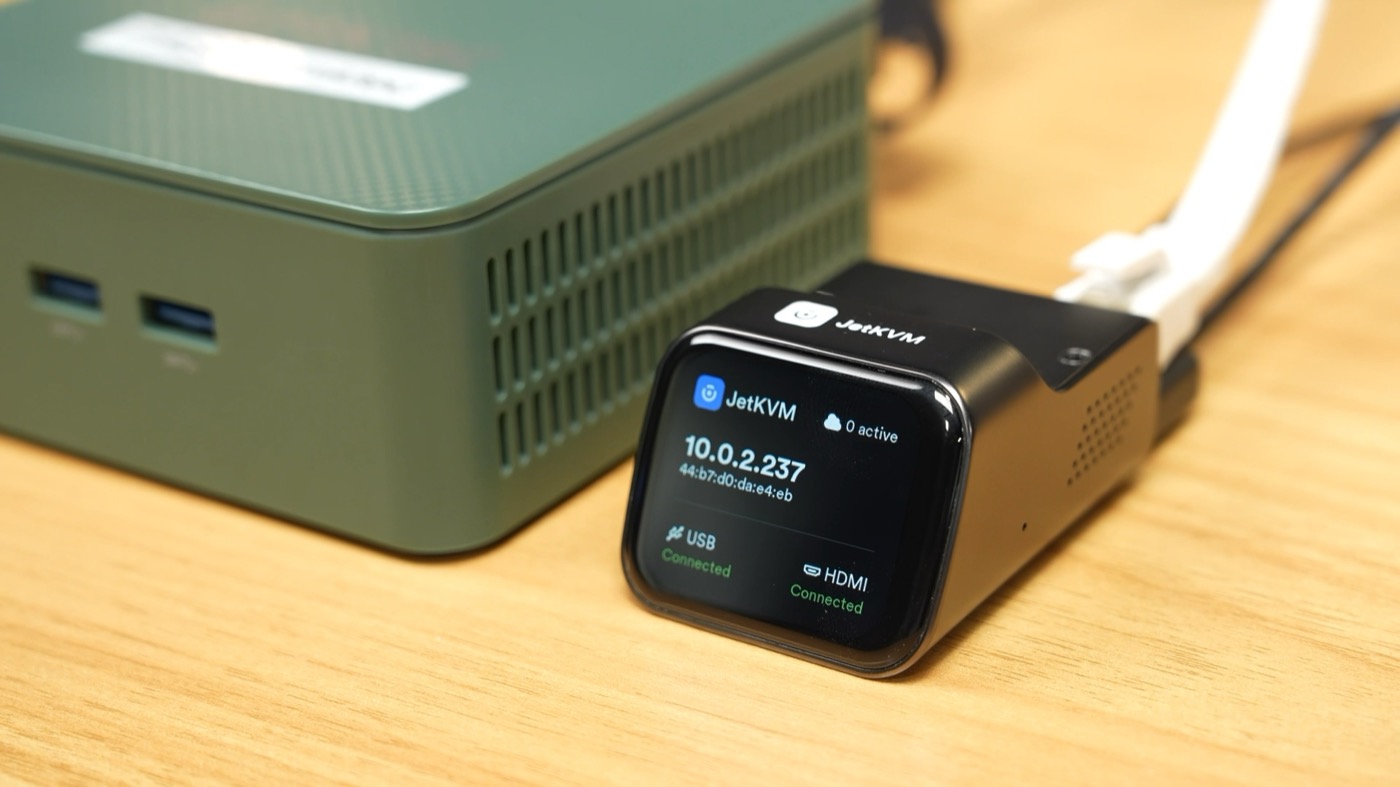
I tested the JetKVM pre-launch, and I still enjoy the JetKVM's fast UI and clean aesthetic. The two little screws up top mean you can hard-mount these into rackmounts, like I'm using in my clock rack:
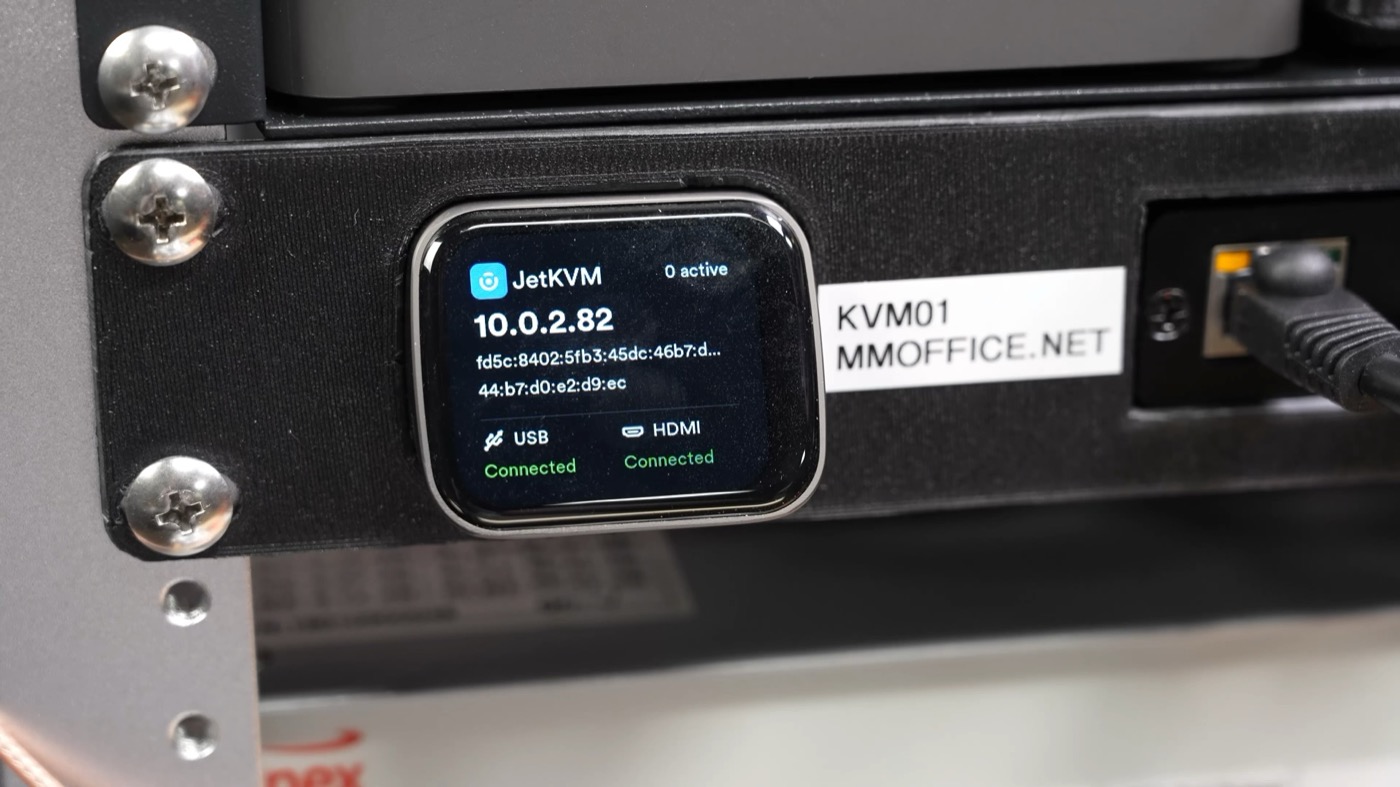
I don't know if it's just me, but this whole setup feels like one of the most polished. From the packaging, to the solid metal unit, to the snappy UI, I still use JetKVMs around the studio more than any other device.
These use a single core Arm SoC, which helps them stay around $100, but because of import issues, they never got to ship in quantity at the same low price I think they intended.
There are some quirks with the first version, like no built-in PoE, and a mini HDMI port on the back that needs an adapter, but overall this is one of my favorite little IP KVMs. There's apparently a new PoE version that also has full-size HDMI and a microSD card slot, but I haven't been able to buy one yet.
WisdPi makes a PoE splitter you can use to power it over Ethernet (that's how I'm powering it in my clock rack).
The JetKVM is a lot like the PiKVM in that the team behind it devoted a lot of time and resources to building an entirely new open source software stack...
Also like PiKVM, other companies quickly forked it and built their own tiny, cheap KVMs, diverting a portion of the potential market.
- $103 on wisdPi
- Chipset: RV1106G3
- Topline features: 1080p at 60fps, 16GB eMMC, touchscreen, small zinc-alloy body, ATX, Serial, DC Power control attachments sold separately
- Open source: KVM Go-based App (GPLv2), Firmware (upstream licenses)
LuckFox PicoKVM
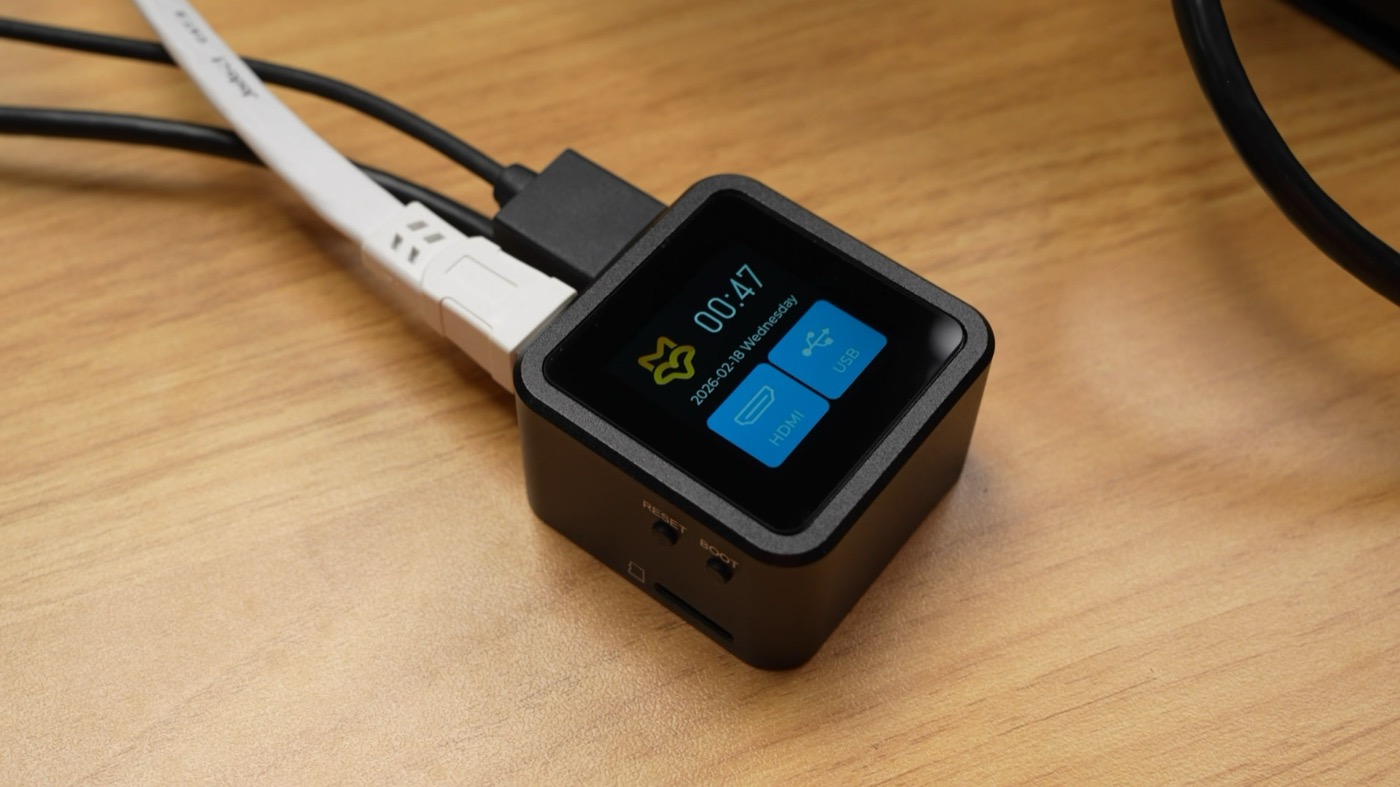
One of the companies that cloned it is LuckFox. They're a newer embedded device manufacturer, and their PicoKVM is basically the JetKVM, but square, with the screen on top. The price is a bit lower, though, and if you don't need it rackmounted, I guess it's a viable option.
- $61.99 on Waveshare
- Chipset: RV1106G3
- Topline features: 1080p at 60Hz, 8GB eMMC, Touchscreen, GPIO for ATX power, microSD expansion
- Open source: KVM UI is a fork of JetKVM (GPLv2), and they provide hardware schematics
LeafKVM
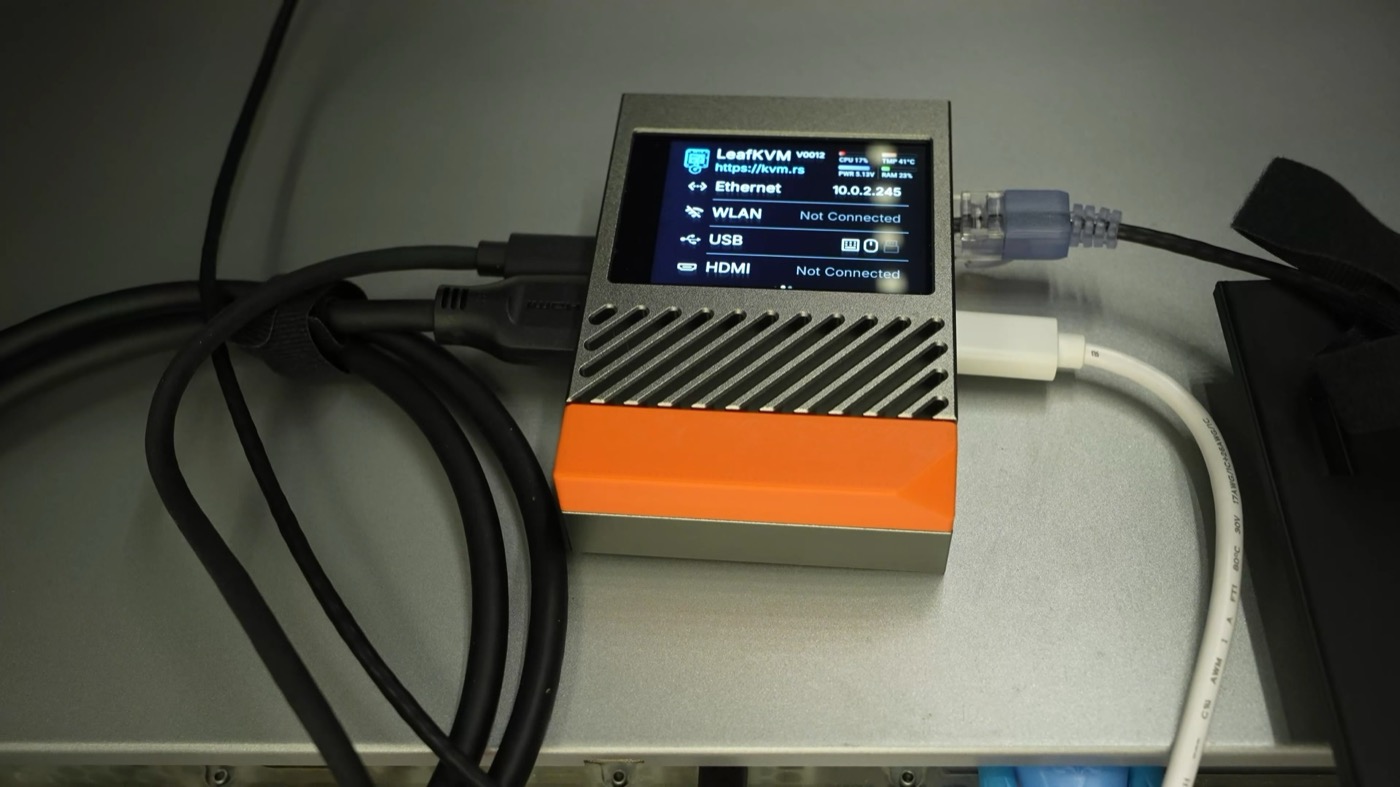
Another KVM that built off JetKVM's software is the LeafKVM. Unlike the JetKVM, it built in a larger display, and added one feature I haven't seen anywhere else: a VGA adapter that doesn't need extra power. You have to buy their adapter, and it only works with the LeafKVM (for now), but it worked perfectly on my old Xserves. The Xserve only has two USB ports on the back, so using one for a VGA power adapter is wasteful.
The big problem I have with LeafKVM (at least for my rackmount use) is that ports go out both sides. It's like the Raspberry Pi: cables splayed out all over the place.
But it's just finishing up a crowdfunding campaign on Crowd Supply, where it's $120 right now. The price will likely go up after the campaign is over.
- $120 on CrowdSupply, price increase after campaign ends
- Chipset: RV1126B
- Topline features: 4K 30fps (or 1080p 90fps), microSD storage, IPS touchscreen, WiFi built in, HDMI preview on device, optional ATX power control, PoE support (option), special VGA to HDMI adapter that doesn't require extra power (when used with LeafKVM), as well as RustDesk support in software
- Open Source: hardware planned on CERN-OHL-HW license, software build scripts "will be provided", UI forked from JetKVM
TinyPilot Voyager 3
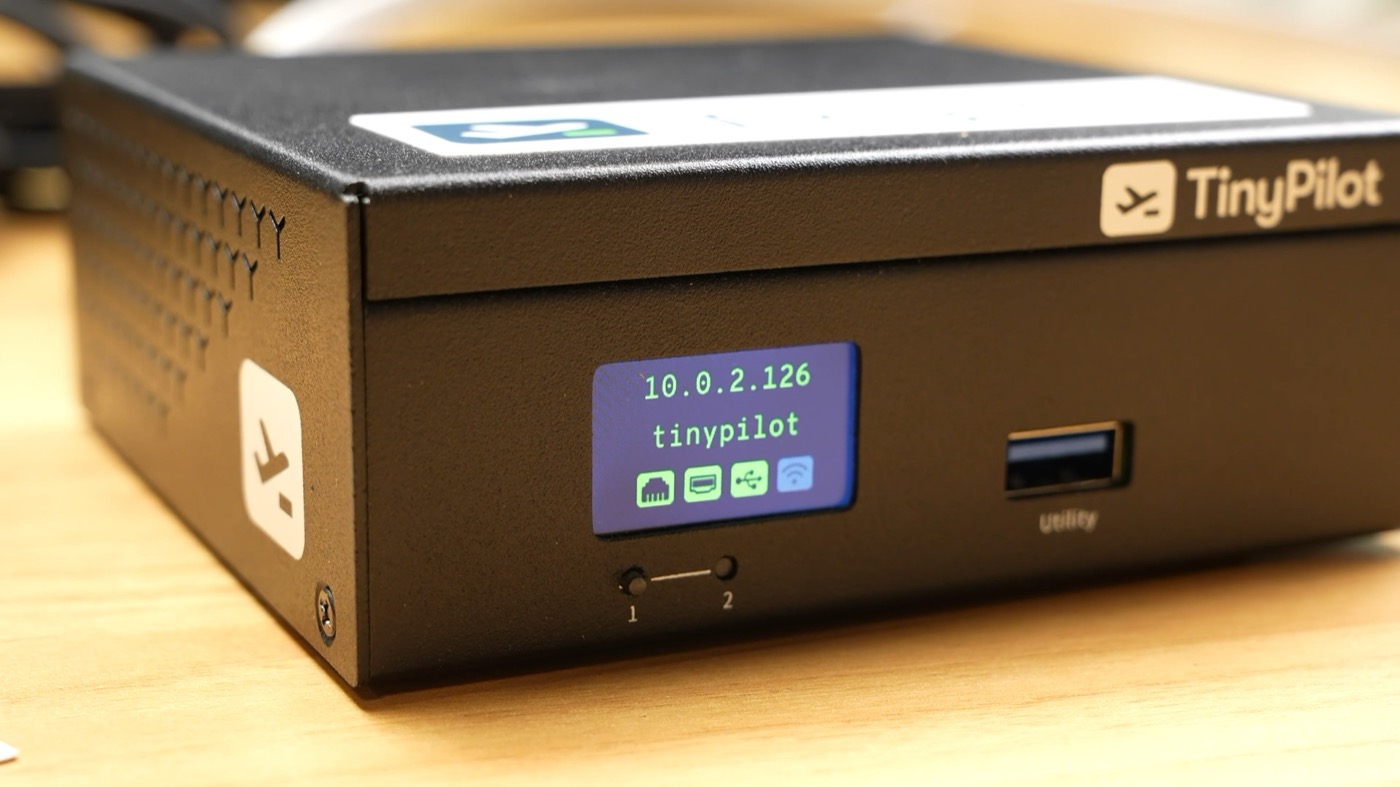
Now getting back to a PiKVM-style Pi-based device, TinyPilot is another box I've covered before, except they're up to the Voyager 3 now. Their 3rd generation hardware is even easier to set up, and it's even laid out in a more thoughtful box, compared to some other solutions.
TinyPilot targets more the business side users than a hobbyist looking to save a few bucks, judging by the price and how they have licensing and management set up. It's still good to see this thing kicking around after a few years, and I think features like RBAC and extended warranty options help.
They also partnered up with distributors in Canada, Europe and the US, meaning it's easier to get these units wherever you are, especially compared to some of the cheap Chinese options.
Finally, they're building out a central management system called TinyPilot Dashboard that you can self-host; it's still in beta, but I got it working through my Mac running in Docker.
- $379.00 on TinyPilot Store ($499.00 for PoE + 2nd LAN)
- Chipset: BCM2711 (Pi CM4)
- Topline features: Web access, 1080p60, built-in status LCD, HDMI passthrough, metal case, rackmount options, RBAC with up to 8 simultaneous users, 1-year warranty (with options for extended warranties, up to 4 year), ships from North Carolina, USA, or Ontario Canada, available through CDW, Insight, SHI, DigiKey, Amazon Business, or in Europe through Welectron — bottom line, built for business use, probably not the best option for individuals running it in a homelab
- Open source: Community version is free, MIT-licensed. Pro license is perpetual per device.
Openterface KVM-GO
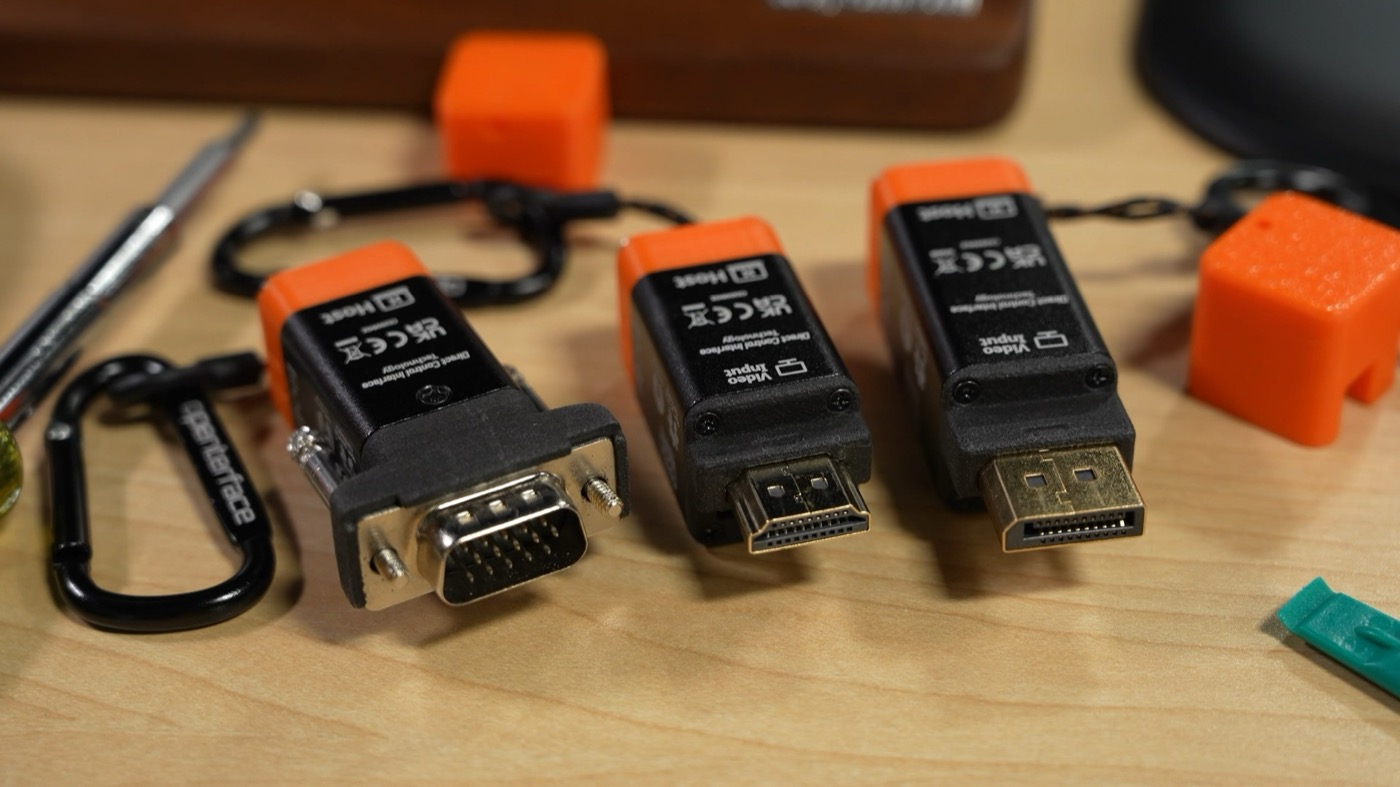
At this point, all these KVMs have been 'traditional' IP KVMs, where you plug them into Ethernet and you can access a computer across your LAN.
Openterface's KVM-GO is not that. It's meant to just plug one computer into another, like if you're in front of a rack with a tablet, and want to jack in and control it.
I've used it a few times for interfacing with my older machines and some servers, because they sell a VGA model that's little bigger than a standard VGA plug itself. But it can be awkward getting their control software running. I also had trouble plugging it in on one machine, due to clearance issues.
My favorite feature is these are powered over the same USB-C connection you use for control, so you don't have to find an extra wall plug or even use PoE.
They have versions for direct connection to VGA, DisplayPort, or HDMI, and the kits cost about $120 each, or a little over $300 for all three.
They also make a more generic Mini KVM for $99, but I haven't tested that.
- $119 for each kit, or $319 for full set on Crowd Supply
- Chipset: Macro Silicon MS2130S
- Topline features: 4K at 30fps (default 1080p), Bluetooth for iPad use, aluminum alloy case, USB-C powered, microSD storage
- Open source: OSHWA Certified after Crowdfunding
- Also have a Mini-KVM for $99 on Crowd Supply
Sipeed NanoKVM USB / Pro
Speaking of USB, Sipeed also makes USB versions of their NanoKVM, also for around $100.
- $99 on AliExpress
- Chipset: SG2002 (I think)
- Topline features: 4K at 30fps (60fps Pro), Aluminum Alloy case, HDMI passthrough, browser and desktop apps available
- Open source: KVM UI source is https://github.com/sipeed/NanoKVM-USB (GPLv3)
Pi-Cast
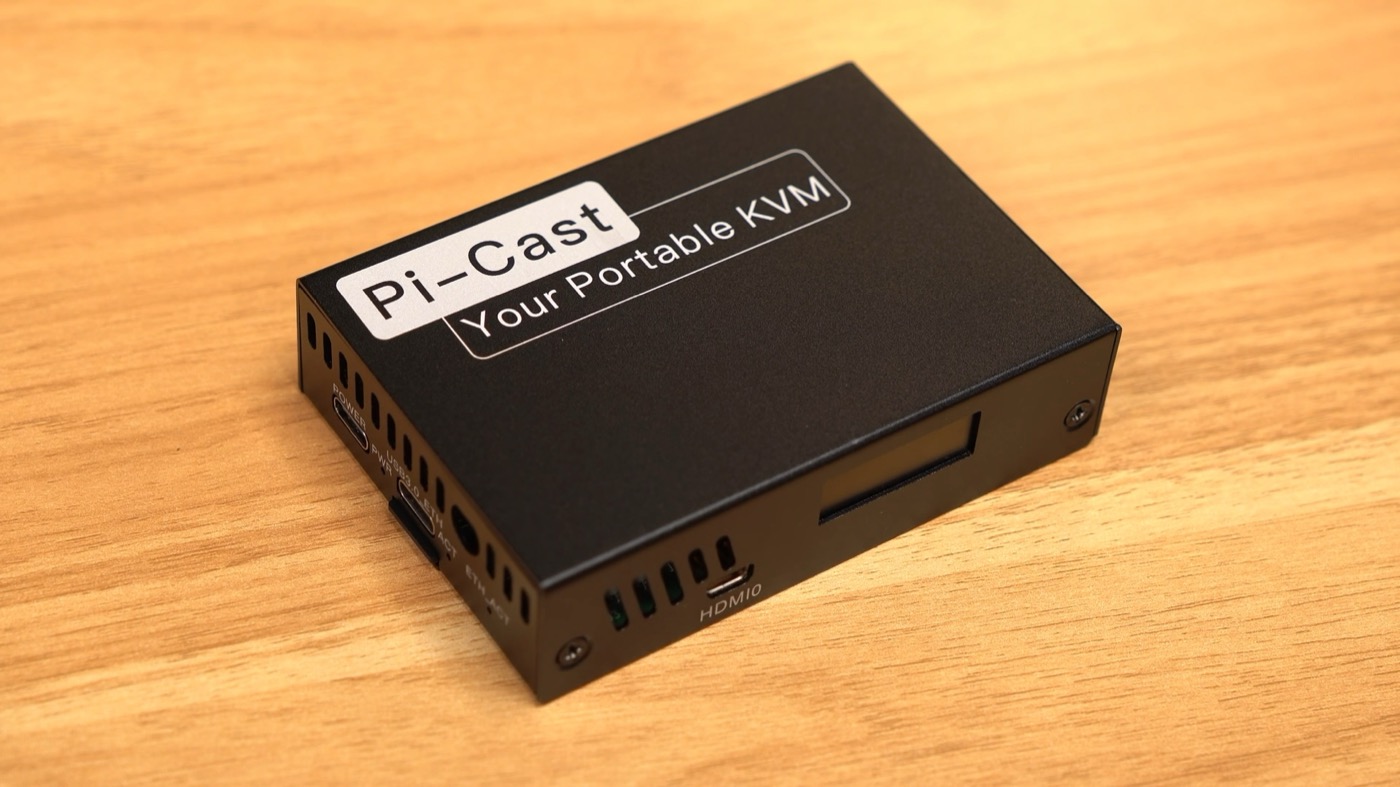
I actually had some trouble getting the Pi-Cast working on my iPad. But basically, it's a PiKVM, but instead of accessing it over the LAN, you access it over a direct IP connection that's set up through the USB-C port you plug into your computer.
It's similar to the other USB KVMs I've mentioned, except it hosts its own webserver, so you don't have to run special software on your computer.
But because it runs on a Pi, it's a bit more expensive, coming in at $214.
- $214 on CrowdSupply
- Chipset: BCM2711 (Pi CM4)
- Topline features: 1080p at 60Hz, OLED status display, OTG port for direct connection to iPad, WiFi AP built-in, options for ATX control, PoE, LTE/5G, Dual-ATX KVM switch control
- Open source: Software is PiKVM-based, schematic available here
DezKVM-Go
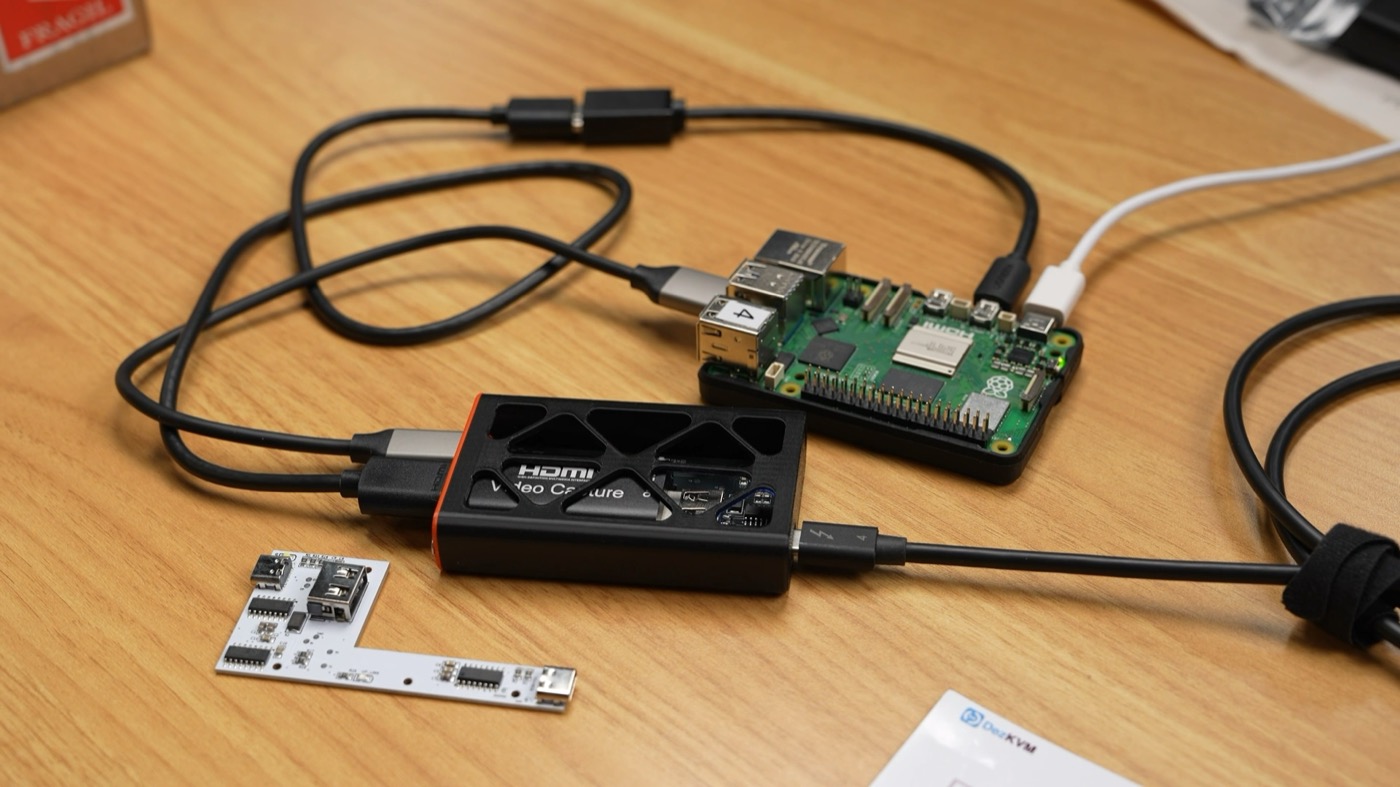
On the opposite side of the pricing spectrum is the DezKVM-Go, the cheapest KVM of the bunch, which also works through USB.
It's made by Toby Chui, and it's an open source hardware design, with a little open source web app you can either run from GitHub or self-host.
That means you don't even need an app on your iPhone or whatever, you can just run it in the browser. Well, at least if your browser is Chrome, Edge, or a recent version of FireFox that support Webserial.
This thing is so cheap because it relies on a this little HDMI to USB adapter. It muxes in keyboard and mouse control over USB, and device control is handled through WebSerial.
It worked great on my Windows laptop, but I had trouble in Ubuntu 26.04. I'm not sure if it's a Linux permissions thing or what, but just something to keep in mind.
If this were $200 I'd complain, but not for $25. For that, it's a neat little box that maybe more people could contribute to, to make it the most handy way to jack in from a crash cart.
$24.99 on Tindie
Chipset: Uses 3rd party HDMI converter (MS2109), and generic USB chips
Topline features: Self-hosted or GitHub-hosted web UI, no app required; have to plug into a computer to use. WebSerial requires Chrome, Edge, or Firefox
- Can be extended with DezKVM software with an SBC or miniPC to manage one or multiple systems over IP
Open source: Software is custom Go and JS, licensed as GPLv3. Hardware is Creative Commons non-commercial. Toby Chui designed it.
ArkKVM
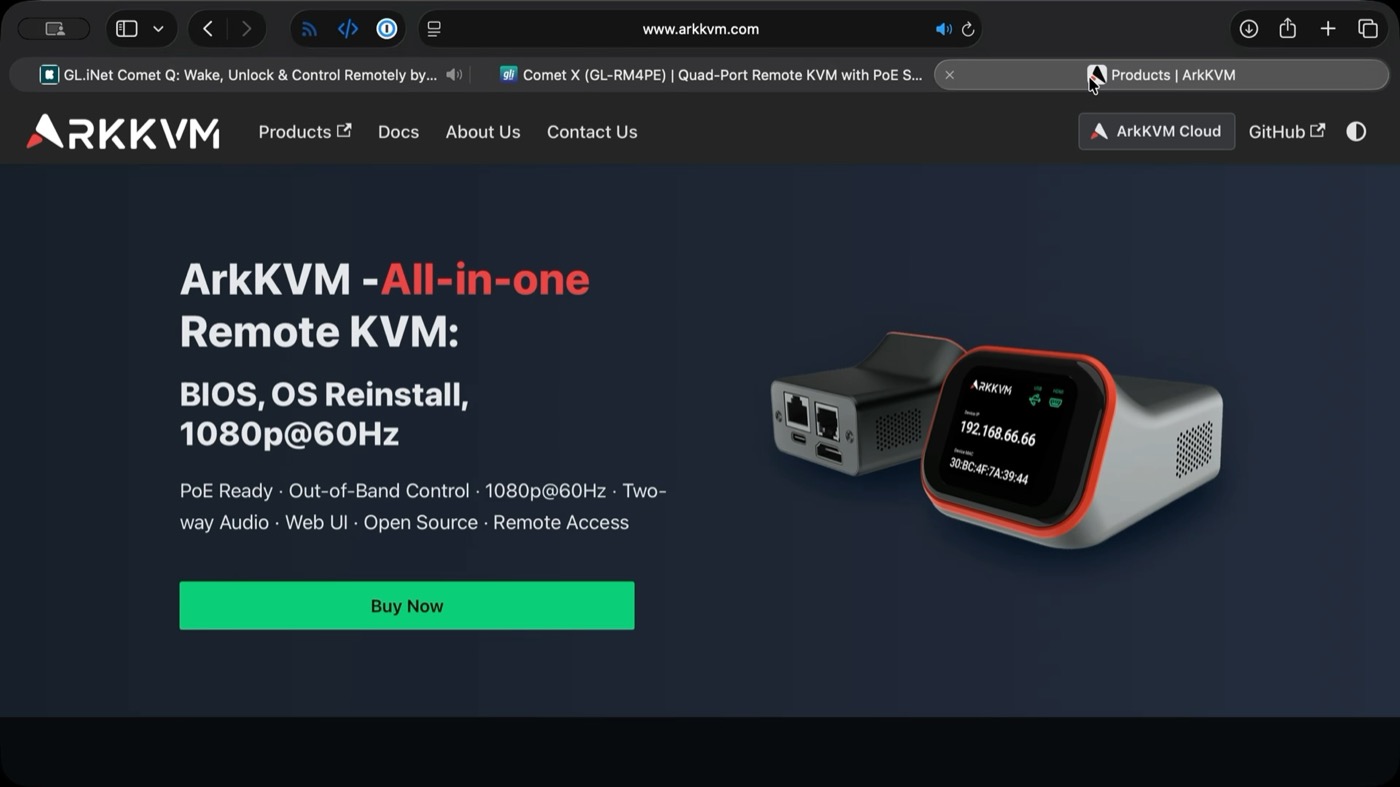
The crowdfunded ArkKVM looks like a JetKVM clone that fixes a few minor annoyances I had with the first-gen version by using full-size HDMI and including PoE support out of the box.
- $99 on ArkKVM store
- Chipset: RV1106B
- Topline features: Almost a clone of the JetKVM, fixing a few shortcomings, but without any screws. Screws can be nice for hard mounting like in racks.
- Open source: ArkKVM told me they'll be releasing the Rust code for the UI and the image sometime in June, but time will tell. I know some companies are better about it than others: https://github.com/arkkvm
Conclusion
If you have to choose an IP KVM, first start with your list of must-have features.
The main thing I want is having all the ports on one side, to make it easier to put in a rack or cable manage. That rules out a few units, but what I need is different than what you need.
I think we can all agree we want a good value, though; slapping a $400 remote control box on a $300 mini PC is a bit much—but maybe you need a special feature like backup 5G Internet.
The KVM I use the most around the Studio is the JetKVM. It's tiny, bus-powered, and simple. And most of the time, that's all I need.
A lot of features are still being actively developed, like on the JetKVM it looks like it's finally getting audio support a year after launch. So look at the links I put in the description for the latest specs.
Even while I was writing this post, GL-iNet announced more KVMs, the Comet Q for USB control, and Comet X with a built-in 4-computer switcher.
Bottom line: the market for these things is booming, and there are probably more IP KVMs on the market by the time you're watching this.