As we all know we can even pay 10x more for items and get next to no raise in our wages, but because it was done slowly in an "official" and "professional" manner, most folks didn't even complain, they just screamed into the giant pillow we call "the internet".
Corporations of the 2020s love the internet's digital pillow and its magical crowd-quieting capabilities. If only the ancient roman empire had invented the internet they would be ruling the entire planet by now and we could watch gladiators on youtube :P provided we don't stand out too much (then we would be said gladiators)
edit: This title is just incredibly misleading. OP seems to have made a mistake here in thinking that this is something that Google has done when it's just that their corporate IT/ Sec team now enforces using Chrome.
It will only accelerate moves towards location of data, self-hosting, etc. The technologies to make this possible are much easier than they ever have been.
https://knowledge.workspace.google.com/admin/security/create...
The Org admin can put all sorts of restrictions on who can do what based on the client device setup.
Want to check for DBSC? Enjoy not knowing whether the browser vendor decided to just roll a simple software implementation.
Nothing good comes from browser detection over feature detection anyways. It's time to do away with user-agents and other overt identifying markers, and if we're still not in a better place, aggressively start stubbing features.
* to some degree they still are. Firefox still ships with an user-agent override list for certain websites that have outdated user-agent sniffing for feature detection (and other fixes in about:compat).
1. Make it ridiculously easy to install hardware vendor keys and register it with OS of choice. (like a standardized dialog box in UEFI and a standardized/regulated IPMI-like interface)
2. Allow for only measured boot on those devices.
3. Provided facility to verify signatures.
Do this on consumer and enterprise laptops and desktops alike and all of these weird set of conditions just go out of play and replaced by something much much simpler.
Some IT departments just see a “more secure” checkbox and will always check it, even if it doesn’t make sense holistically- sometimes compliance incentivises (or forces) this behaviour.
A common example is forcing intune/device enrolment for mobile devices (including ipads)- but not for the infinitely less secure laptops: because no such endpoint enforcement checkbox exists
can you put a restriction to ban Chrome and force Firefox then?
What? Are you serious? An organization has EVERY right to enforce whatever controls they deem appropriate for their environment. Period.
Other way to look at it is, the company is paying for everything, and they get to make decisions based on what suits their security needs.
Sadly, it is much more difficult to pretend being on a different browser than it was in the past. :/
Few comments based on common threads
- No we don't have, or use, IAP and haven't configured it
- Yes I'm the admin so can confirm this
- "Context aware access" is only available on enterprise, we're just on "Workspace business plus"
Happy to answer any other questions
Those are real, practical reasons. Not just "if I do this I get to check another box".
Yes. I know. It's a pain that when you cannot do what you want to do. But it's not your laptop. It's the company's. Supporting more browsers to the same standard that I just described would take engineering resources, of which I do not have an infinite supply. And the priority goes to keeping the company secure.
If course the reverse can also be argued, for example that Firefox supports proper adblocking.
Of course Google is going to suggest using Chrome, if they detect that the browser might be out of date.
At the end of the day user-preference is what dictates which browser is used and how it is configured. Developers will have to deal with what users choose to do on their end.
You can only patronize people for so long before they look for a way around silly restrictions. Trying to keep someone safe by putting up walls, whether the threat is real or imaginary, is pointless when it is in the user's power to trivially defeat those walls - and when extension and browser developers are going to line up to sell them demolition tools (see ad blocking).
Advice is going to go much further than roadblocks, long term.
> https://knowledge.workspace.google.com/admin/security/contex...
In particular "Allow access to devices using Chrome browser with security requirements" would present this message.
Do your homework before yelling "Fire!".
Being forced to use various tools for compliance is frustrating, doubly so if it helps create a stronger monopoly position, because a monopoly position creates stagnation, which makes worse products.
But those worse products are forced on users, even when better ones start to come about.
This is the crux of my issue, Microsoft is the king of this behaviour, and they are using this a lot which is squeezing the metaphorical testicles of almost all companies in Europe.
Sure, which is why you should lock down the laptop. Blocking Firefox in Google Workspace seems like entirely the wrong layer for this.
People know how it ended, but don't seem to remember how it started, which is a shame.
See the whole thing with libxml2 for example, or how they started boringssl to "fix" the issues with openssl, but they run it as an internal project you cannot depend on.
But it is my craft, and to be limited to what tools I can use in my craft can decrease the value of my work, and in doing so decrease the company's productivity.
You can make Firefox pass CAA if you want. You take the Chrome "SecureConnect Reporting" (Context-Aware Access) plugin, port it to Firefox with some light changes, and you can report whatever you want to CAA.
* A user intentionally leaking sensitive documents outside the corporate network
* A user installing an infected browser extension that gives attackers access to corporate resources
* A user accessing malware or ransomware which infects corporate resources.
That's on top of the cost of having the IT department having to debug issues among users with bespoke tool sets which can often interact in unintuitive ways.
There are many stupid ways that companies "optimize" costs that cost them more in the end. Standardizing the browser and extension set for data loss protection is not one of them.
And if your company has any web presence or apps, you usually can't cherry pick which browsers your customers can use. That means some portion of your company will need access to other browsers for QA purposes.
Why did you even compare it to IE6, out of the curiosity?
After the lawsuit against Microsoft, and the raise of Firefox, Safari and Chrome we had it all good again.
Then devs had to get comfy with Google offerings, including shipping Chrome packaged with their pseudo native applications.
I find this incredibly amusing, and at a different point in my life I'd already be gone.
When you outsource IT, there are many, many misaligned incentives.
But really, we have a couple of million enterprise end-users, some of which surely using Edge. If we as much as move a button without telling them about it three months in advance, it's the end of the world. In 10 years time, no customer has raised it.
Call me old school, but wedging an already dominant browser to be the only full fledge option in GSuite using companies reeks anti-competition.
Same here, but only on Chrome. Firefox works fine.
How so? Bad actors buying existing extensions with large user bases then publishing a new version which does bad stuff is a pretty common pattern. It certainy seems like a reasonable concern for a corp IT department.
There is zero problem here guys.
Two different companies can partner together and release features in both of the company's interests.
If the organization is indeed enabling a specific check for Chrome that seems a little over the top but they're the ones supporting their users and if they want to make their life easier by only dealing with one browser that's their decision to make. It's like saying that everyone has to use Windows, or a specific line of laptops, or any other standardization to simplify the support workload.
At the time of writing (2026-06-18), Google Workspace appears to be starting to warn users from Firefox that they must use Chrome. This was for a Google Workspace Business Plus account and workspace, from an up to date browser and OS.
At this time, Firefox access still seems to work but I’ve no idea for how long.
| 📝 Update as of 15:31Z 2026-06-18 | Google support called and claim this will only happen for admins trying to access https://admin.google.com and that it isn’t blocking, it’s just a recommendation. They said they will not be documenting this publicly | | ——————————— | :———————————————————————————————————————————————————————————————————————- |
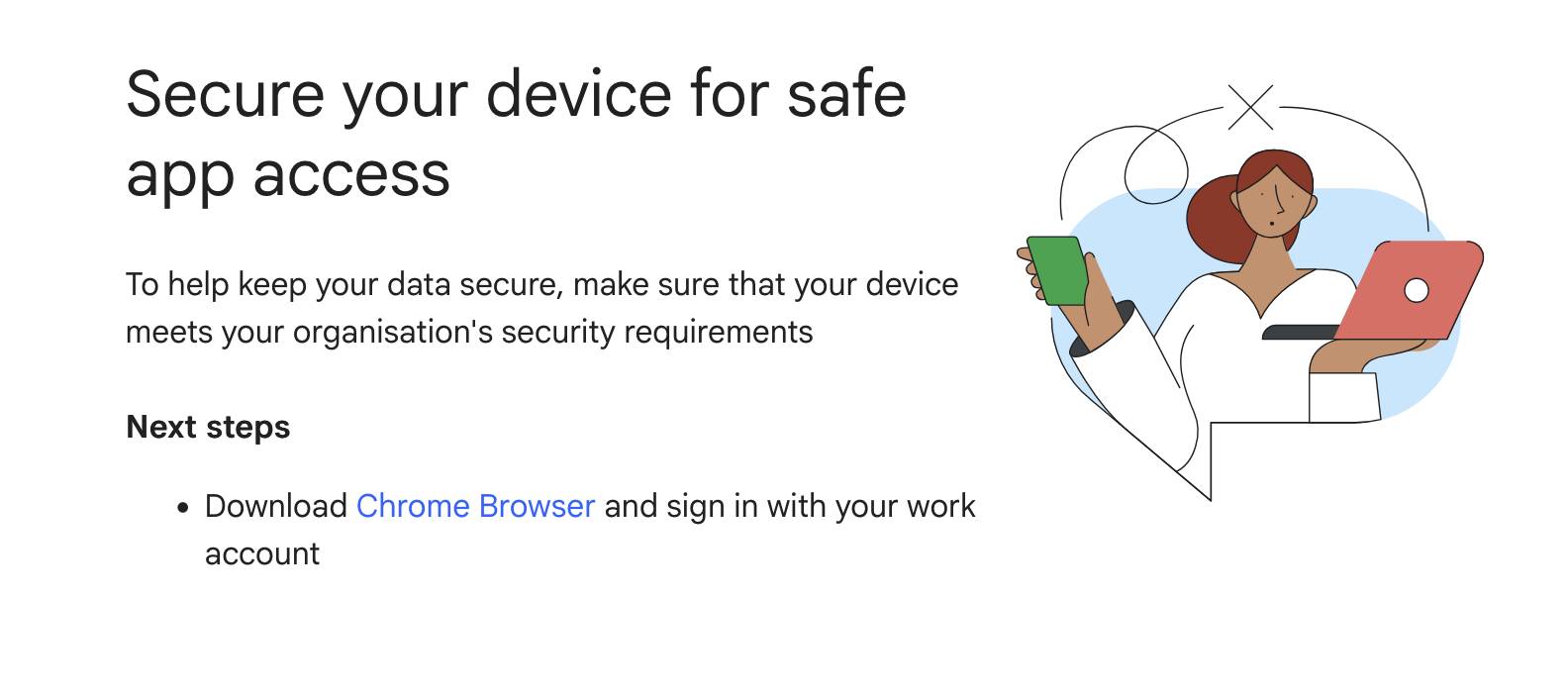
Icon indicating that the user may soon lose their access to their account.
Secure your device for safe app access
To help keep your data secure, make sure that your device meets your organisation's security requirements
Next steps
Download Chrome Browser and sign in with your work account
This was from a webpage with url https://access.workspace.google.com/remediate?urlparams=REDACTED
Screenshot below
Absolutely nothing useful, repeatedly transferred around and took ages.
«««< HEAD «««< Updated upstream =======
I’m publishing this in full, none of this actually addresses the issue
[redacted personal information about myself and the support staff]
I appreciate you accepting my call earlier.
To ensure your users have the best, most secure, and feature-rich experience with Google Workspace services, it's crucial to use up-to-date, compatible web browsers. Using supported browsers provides access to the latest features and offers improved security and performance.
Here are the browsers compatible with Google Workspace:
Google Chrome: We recommend and fully support the latest version of Google Chrome. Chrome typically updates automatically, ensuring access to all Google Workspace features and functionality.
Mozilla Firefox: Google Workspace works well with Firefox. We support the current and the previous major version. Please note that Firefox does not currently support:
Offline access to Gmail, Google Calendar, Google Docs, Sheets, and Slides.
Client-side encryption in Google Meet.
Apple Safari: Google Workspace also works well with Safari. We support the current and the previous major version. Safari does not currently support:
Offline access to Gmail, Calendar, Docs, Sheets, and Slides.
Desktop notifications in Gmail.
Microsoft Edge: Google Workspace works well with Microsoft Edge. We support the current and the previous major version.
Key Recommendations:
Keep Browsers Updated: Always encourage users to run the latest versions of these supported browsers. For Firefox, Safari, and Edge, when a new browser version is released, we begin supporting that version and stop supporting the third most recent version.
Enable Cookies and JavaScript: To use Google Workspace effectively, ensure that both cookies and JavaScript are enabled in the browser settings.
Unsupported Browsers: While some functionality might work on older or unsupported browsers, we cannot guarantee full feature availability or performance. Users may encounter issues or find some applications do not open correctly.
Mobile Access: For the best experience on mobile devices (Android, iPhone, and iPad), please use the dedicated Google Workspace mobile applications, which are built specifically for these platforms.
By following these guidelines, your organization can maximize the benefits and security offered by Google Workspace.
For future reference, please check and review these articles:
Supported browsers for Google Workspace | Support & troubleshooting | Google Workspace Help
Service-specific Google Workspace requirements | Support & troubleshooting | Google Workspace Help
Should you have any further questions, we'd be happy to provide assistance. This case will be closed in the next 3 business days, you can always reply to this message within the next 30 days and the case will reopen.
Thank you for choosing Google Workspace, and I hope you have a wonderful day!
Kind regards,
[redacted]
My team need to make sure that their software works in multiple browsers, and I personally prefer using firefox and don’t want to be forced to use Chrome for no discernable benefit.
Sadly not, I’m the admin and can confirm the following
Google Workspace Business PlusWhen Microsoft did this with Windows, AD, and Internet Explore, it was deemed a breach of anti-trust laws. The question is whether such laws apply to Google given they don’t have a monopoly in the identity services domain.
If you’d asked me 5 years ago, I’d have said “no way”, but recent judgements with Apple and their App Store lead me to think there is still hope. Regardless of how remote that might be.
Can you elaborate on why you think that Firefox is inherently insecure in some way for accessing Google workspaces?
> It's a paid product, they are actually allowed to do this.
If that were the only metric, then no monopoly would ever be broken up for any reason (which I guess is the way regulation seems to work nowadays, but at least in theory it's supposed to be possible for it to happen sometimes). The idea that using market pressure from one product a company sells to squeeze out competition in another is totally fine as long as the first product is paid is not a premise I agree with.
Meanwhile, in our current reality, both Google and Apple have or currently are shoehorning platform level attestation into the web in various different ways, something they are mostly able to do because they have so much control over multiple major ecosystems (among platforms, browsers, web services.) Mostly, even making them "standards", which would be hilarious if it wasn't literally evil. (Apple's approach to sneaking this in is innovative, in that it technically is a hardware platform attestation mechanism, but it was sold and initially implemented as a convenience feature. That and the underlying PAT technology can be used in strictly non-evil ways, like Kagi's rather clever application.)
It's a lot of words to say that I didn't mean literally impossible, but if we're going to get pedantic then a lot of words it is.
But who outside of Google is running exclusively ChromeOS? My impression from looking at the JS part is that it's mostly obfuscation, with the possible exception of ChromeOS.
I feel like the secure connect client being closed source would have been an effective deterrent 5 years ago, but these days everyone's throwing LLMs at everything. So an attack that would have taken effort doesn't present nearly as much of a barrier anymore. At least as long as there remain some platforms that don't enforce full attestation...
I don’t see why I should give affordances of good will to Google here.
They’re not stupid, they know that this is an effective lever to further cement full-fat chrome as the default browser for the internet.
Monopolies aren't a prerequisite for antitrust action, they're the failure state when you should have acted sooner.
When there are unpatched browser vulnerabilities, attackers will use ad networks to inject attack code into reputable-but-ad-laden websites. And even when there aren't unpatched vulnerabilities out there, many ad networks will happily accept scam ads, ads that trick people into downloading malware, fake download buttons and suchlike.
But if they all use Chrome, wouldn't those be really weak ad blockers?
Almost nobody outside of the minority of internet users fighting against chromium hegemony cares about Firefox. Firefox lost its casual users years ago. Hell, even most of those people sticking with it out of principle are doing it while gritting their teeth. It's been a subpar browser for a long time and the Mozilla organization kinda sucks.
Why would any for-profit enterprise waste their time or money on Firefox?
Why wouldn't money be an incentive. If businesses are willing to pay to have locked down browser access their cloud files, and the cloud file website wants to make money by charging businesses for this feature it makes sense that they may pay a browser to develop such a feature to use with their website.
The browser is where basically all your work happens, especially as a Workspace customer—think about how much of your work is done in the browser. That makes it a huge, attractive attack surface. And attackers don't even need a browser vulnerability; they can just convince an employee to install a malicious browser extension, and suddenly they can steal passwords, watch everything you do, and hijack your sessions on other sites.
So security teams need visibility into what's happening in the browser. Google does a decent—not great—job of providing this through Managed Chrome: centralized logs, control over which extensions can be installed, even alerts when someone reuses their Workspace password elsewhere.
Firefox, Safari, and most others don't offer these business controls, which means a security team allowing them is flying blind. And a blind security team is gonna have a bad time… mmmkay.
On support: someone mentioned using Firefox to verify their app works across browsers—god's work, truly. But not every vendor does that, so IT ends up fielding "this site just isn't working" tickets that turn out to be browser compatibility issues. Fewer supported browsers means a smaller surface to support and a better experience all around.
This can't be enforced where you're not using your corporate identity. A Dropbox account on your personal email is still accessible from any browser.
Allowing users running who knows what version of Firefox (or any "non-validated"/unmanaged browser, not necessarily just Firefox) browser running who knows what extensions can be pretty unsafe. There are lots of malicious extensions out there that are stupid simple to install.
In the Workspace world, Chrome can be configured and enforced to have certain kinds of settings applied. Only allowing certain extensions. Ensure certain version ranges. That sort of thing.
I just don't think that matters much. CAA is policy enforcement, it is not a full MDM solution, nor is it antimalware.
This is a difference between America and Europe in mentality towards this.
Everything is a monopoly these days. Its practically meaningless in these conversations.
Every feature of their apps needs to be easily integrated into whatever random POS every single food truck uses! I should be able to buy tacos from any taco vendor through the Taco Bell app. They're a monopoly!
But someone thinks it is, which is harmful to them on top of being an annoyance to everyone else.
If you don't want your user to run whatever version with whatever extension you can do that.
Of course, so far the only workable model for web browsers is having a giant megacorp fund their development and maintenance. Which is a huge issue, and we will do basically nothing about it.
(Don't get me wrong. I have high hopes for Ladybird and even Servo, but they may come too late if effectively-proprietary features force most users to stick to Chrome anyways.)
But how many companies are running Workspace + Windows with on-prem AD? I suspect that number is shrinking pretty rapidly. You can do it with InTune as well, but it starts to get real messy if your users aren't on Windows or you have non-windows endpoints.
If you're a mac shop, on google workspace, and using something like JamF (or even Intune+EntraID), you are stuck deploying .plist files to each endpoint, you don't get compliance reporting back, and you lose a ton of visibility.
These are all things that don't matter to each individual user, but are hugely important to IT/security in the company, and Firefox unfortunately just doesn't have any centralized management platform for it.
This feature supposedly ensures (or at least pushes users to) only the approved browsers running approved configurations are allowed to log in to the company's instances of Workspace.
But if either side is close to a monopoly, both cannot be part of the same company, even if that means breaking an existing company up.