I think there are things in Linux like live kernel patching (kexec, ksplice), but why by 2026 is this sort of architecture of live system updates not a common or included feature yet?
People hate updates and having to reboot and have downtime right? Security updates to core systems are more important than ever now too. So why hasn't this problem been tackled I wonder?
Wouldn't it be great if our systems could update without us having to reboot and interrupt our workloads?
The downside is that I often get shunted off into additional authentication workflows, since the prolonged delay caused by my manual approvals triggers some alerts. One of the entertainment ticket buying services is really convinced I'm committing some kind of fraud.
So, in general, I reboot everytime I start using that machine, at least once per day, sometimes more frequently.
Fun fact: in a former life, I worked for a retailer with 1000s of remotely deployed machines and no field-based tech support. One of the OSes we used back in the day had a bug that caused their license authorization service to fail after a certain amount of uptime. We had hundreds of machines that reached that uptime, all on the same day. Suffice it to say, that was not fun.
I also need to restart my iPhone or my airpods will refuse to connect.
I preferred the days where I would restart after 6 months, just because it felt right.
And I'll likely do it again.
Not always by choice. I can crash the system by playing a certain game (they still treat the Apple platform like crap).
I can also put it into limbo, with Xcode, one of the most bountiful bug farms on Earth.
it feels bad in some sense but I don't like my environment being interrupted!
I need to reboot
uptime
13:37:37 up 257 days 21:20, 1 user, load average: 5.19, 5.04, 5.63
I had over a year last time :(That being said, I hibernate at the end of my day. For some reason, merely closing my Dell laptop just isn't as smooth on reopen as my Mac. The startup is almost as long as a full reboot.
I do hibernate sometimes though, and that is pretty much the same final state power-wise as doing a shutdown (more so for my laptop as it does not keep keyboard/mouse powered in S4 and its the same with the hall effect sensor for the lid).
I used to work at an office where we pair-programmed with clients all day (Pivotal Labs), and most of our computers had some sort of "automatically restart / restore from a known-good image". I liked this, as it resulted in less cruft over time, and some intentionality about what getting a computer into a productive state means. It also got me thinking of using automatic routines to accomplish goals, and not being so attached to my open tabs, etc. Let it gooo....
To be more specific about this - for those wanting to get into blogging/publishing, this could mean auto-opening the website project folder using VSCodium upon user login, so its ready to go for the morning coffee. More half the time I just close it - but as a "default", it makes it easy for me to do the thing I want to do.
sudo crontab -e -u root
#-----------------------------
# RESTART COMPUTER DAILY
#-----------------------------
00 04 * * * /usr/sbin/shutdown -r +5 "Rebooting in 5 minutes. Run 'shutdown -c' to cancel"These days I like to turn my work Mac off at the end of the week just so I feel a literal sense of closure. It's not really the applications minimizing and running in the background; it's ME.
At least if you trust the NSA's advice: https://s3.documentcloud.org/documents/21018353/nsa-mobile-d...
I think windows and Linux users usually shut down their laptops when they are done.
I believe this is because of how Mac is designed, nothing really closes. You close an app and it's just "minimized". Same behavior as with the lid, you close the lid and it suspends.
If I recall correctly, at some point, this also affected the iPhone, you were not able to "fully close" apps and they decided to add a screen so you could swipe and "close" the app (some run in the background, same as android)
My desktop is like an actual desktop. I have my tools laid out exactly how I want them for the task I'm working on. I want to come back to them in exactly the same place when I pause for the night or weekend.
I have to clean it up occasionally, to close out things that I'm no longer working on or forgot about. But I'd rather do that incrementally than all at once. Forcing a reboot is like tipping over a physical workbench with a bunch of tools and in-progress projects on it. Just awful, and often takes hours to set back to its original position (at least browser tabs restore reliably these days).
It's kind of a power hog and generates a lot of heat, so I try not to run it if I won't be around.
Shut down != reboot, but you get the idea.
Not sure how much is that quality of dev went down vs quantity of threats went up.
can't be hacked if it's completely off
can't get struck by lightning or surges if the surge-strip is flipped off
fans and spinning drives have lifetime on motors
I remember it too, like it was yesterday. Wait - it was yesterday.
I see people rebooting Linux boxes to cargo cult trying to fix all kinds of issues and I’m like - rebooting is not a solution. This is not Microsoft Windows.
You still have to reboot for things like kernel updates. As far as I'm aware, live patching the kernel is just for security issues.
As to why, I assumed it’s because security fixes are in basically every update these days. And it’s easier to change core systems with a restart than live
Though I shouldn't use the word "common" as the occurrences are rare. My guess is 4-6 times a year over the past five years. Would love to know what causes it but the randomness of the symptoms would make investigating a bit difficult.
This lasted many years, across multiple apple laptops, across multiple different OS versions, across multiple different Corporate management solutions!
Mac users, like Linux users, refuse to acknowledge that it can be possible for there to be a problem that they have not personally experienced. They never extend this doubt to problems on Windows.
This is why everyone believes Apple hardware is always flawless despite nearly every machine having serious design issues that hamper or even break the machine, like a display cable getting changed to be too short in a design update such that after a while your display goes really wonky in a way that is really difficult to google, such that your IT department wont figure out that it's a known and unfixed design fault, and spend weeks trying to reinstall the OS and other troubleshooting steps.
Found it: "By default, Windows computers use a "Fast Startup" feature when you click Shut Down." It actually performs a sort of hibernate, saving state data of the system (but not necessarily of all running programs - that's another setting). Restart clears those state registers and begins a new, fresh Windows session.
So, ideally: Perform a Restart, not Shut Down, at the end of your day.
Just recently bought a new NVme so I had to reformat, but went 80+ days without a reboot.
The only thing that usually runs all the time is my mini-pc, which i use as a server but due to the ongoing heat (and me not using it much at the moment), i've shut that down as well.
Then again, I primarily use a desktop, so that probably factors in.
That's not how electricity works. Hot may be open but your ground and return is not.
0 0 * * * sleep $((RANDOM % 86400)) && /usr/sbin/shutdown -r +5 "Rebooting in 5 minutes. Run 'shutdown -c' to cancel"I used to reboot into every kernel patch but often I leave .0 running for a very long time now. They seem stable and the kernel moves fast enough nowadays there's often another .0 right around the corner. There might be exploits but they're not a valid threat model for my little desktop.
If something smaller like Mesa updates, I can reload everything simply by logging out/back in, no need for a full reboot/LUKS unlock.
It's also just nice to start Monday with a fresh boot.
If nothing else, it keeps me from getting to the point of 200 tabs open that I'm totally definitely going to need again "soon"
I remember having around 280 days of uptime on Windows 7 when it went end of life. Having a UPS helps a lot to protect against short power outages or blips.
Nowadays I run Arch Linux, it's been 12 days since a reboot. Not trying to break records, I reboot to apply kernel updates when it's convenient. Since I use tmux and have terminal heavy workflows it takes 1 command and a few seconds to resurrect all of my sessions to get back to where I was at before.
I guess not. However, this is sort of dishonest since I do sometimes do execute kill -1 or reload individual kernel modules.
One of the reasons I don't like to reboot: Windows taking a few seconds to show the warning, so I have to either babysit the computer until it shuts down or come back the next day with an unrebooted computer.
Now I just use shutdown /f to force shutdown/reboot and forget about it.
Red Hat Enterprise Linux[1] and Oracle (Enterprise Linux) Unbreakable Linux[2] both use it as a selling point.
This feature is still a bit ad hoc because, in most setups, rebooting a system isn't a huge burden and is much simpler than using boutique commands to live-patch it.
[-1] https://en.wikipedia.org/wiki/Ksplice
[1] https://www.redhat.com/en/topics/linux/what-is-linux-kernel-...
Microsoft literally bought these 6 or 7 servers to migrate to IIS so they could “beat” Apache. It took more than double the servers, but after I did the initial work it was moved to a different team and I don’t know how the uptime compared.
- Install all updates
- Save tabs off to Obsidian (or Raindrop now)
- Reboot
Feels good coming in on Monday to a fresh session.
- You can "Quit" the application without closing all the windows, and then the next time you start the application, your windows can come back.
- You can close all the windows without "Quit"ting the application, and you don't have to wait for the application to load again in order to open a window later.
Additionally, since application lifecycle is managed separately from the open windows, apps can do cool things like saving and restoring the set of open windows through a system restart. Which Windows and Linux still haven't managed. (Maybe Windows can try to restart the processes... I think I saw that becoming an option more recently)
I've never rebooted often in general, even when I daily-drove Windows. Then, it was because it was annoying to get my preferred workspace back after a Windows restart. Now, I daily-drive macOS and I don't often reboot until the machine gets slow/janky because the machine doesn't really need a reboot until then. And I don't hate reboots as much as I would for Windows because macOS is a lot better at session restoration
IMHO "pretty much" understates the risk.
Malware can easily install itself as a system service, timer unit, XDG autostart or your shell profile among other places. I'll be the first to admit I never check all these places regularly.
The only thing that should be putting minds at ease is regular OS installs from fresh images.
Resist the temptation to do an "in place" upgrade and go with a clean ISO each time your distro comes out with a new major version.
It's a pain but thanks to configuration management or even shell scripts it's manageable for me now.
Admittedly six months is probably too long as well but at least it stops something lurking on a server or my desktop for years.
8:59PM up 1858 days, 22:51, 1 user, load averages: 1.69, 2.21, 1.60
dblrabbit@cookie:~ $ uname -a
FreeBSD cookie.server 12.2-BETA1 FreeBSD 12.2-BETA1 r365618 GENERIC amd64
9:05PM up 1859 days, 13 mins, 1 user, load averages: 1.19, 1.32, 1.39
dblrabbit@mookie:~ $ uname -a
FreeBSD mookie.server 12.2-BETA1 FreeBSD 12.2-BETA1 r365618 GENERIC amd64
9:14PM up 245 days, 8:46, 1 user, load averages: 1.26, 0.97, 0.91
dblrabbit@dragoness:~ $ uname -a
FreeBSD dragoness 16.0-CURRENT
Currently serving: vm's, dns, email, mx-relay, and multiple shoutcast radio relays 24/7 and some other miscellaneous stuff. Colocation is fun, do I win?5years; I'm 37 now, I was 32. Life seemed easier then.
"Fully closing" a process is not necessarily cleaner than letting the system allocate intelligently, despite what one's puritanical upbringing might make them believe. (Consider how artists often need a messy space to optimally hold their processes.)
Yes, that they actually got sleep working properly.
Some of this seems to be getting worse with the move to wayland. There is no design concept like windows D3D device reset or lost device, or display timeout/recovery, so drivers are apparently charged with perfectly remembering all the state that compositors create, through all the sleep states, with predictably bad results.
Kind of reminds me of how slow Windows computers used to boot back in the Vista and 7 era.
Needing to shut down to me indicates something is broken.
You need to test when servers go down, and people who use them should know and understand what happens when the are off.
12 22 * * * kill 21342Every crash cuts deep if it doesn't resume correctly.
My UnRAID server has been up for more than a month, and would be much longer were it not for a system update there, too. The uptime of the VMs on the server are also affected by this.
fun thing is that graphene had the feature to automatically reboot on a timer after inactivity for a while, but now ios also ships it :D
Also, my Win11 desktop is "fast" to get from POST (which takes > 2 minutes to do RAM check on every boot with 192GB RAM) to the login screen, but it's a good few minutes from log in before windows has started all the background stuff and it's actually functional.
I have a Linux server that can run for years without needing a reboot. But my laptop I just shut it down after my work is done
Electricity also wears down electronic components, so I think it also shortens the lifespan of your PC parts.
Do you have some unusual hardware that requires a driver, or otherwise install something that requires a driver?
Lightning hit an antenna that was disconnected but near a radio and blew up the radio, the PC it was connected to, and then everything connected to the switch that was connected to the PC via cat5, and just for good measure, everything connected to an outlet on that side of the house within 15' of the computer outlet. once it gets in, it doesn't matter if stuff is off or on or whatever.
My main complaint is that my PC seems to have crazy clock drift? And windows just doesn’t seem to care? It doesn’t actually cause problems but I will check and see that it’s off by >5 seconds and that just shouldn’t ever happen. My phone is always accurate to <0.05s and same in Linux. Idk why windows isn’t.
Systemd added support in recent 2.61. Theres also now ways to have user stores, that survive across switches. https://www.phoronix.com/news/systemd-261
(Disclaimer: I'm aware that there may be valid reasons for this workflow, but in most cases it's just digital hoarding and the above advice is sorely needed. If you really need 1800 tabs, you know who you are and you can safely ignore me.)
To those who worship uptime, how many kmods do you have loaded? Must be nice not subscribing to openwall/NVD/CISA/cve.org
Back in the spinning rust era, though, a good unsuspend could be something like 50 times faster to get to a running computer. Possibly more, depending on what your OS needed to start up.
It is still more convenient to have my previous environment most of the time, and still faster to unsuspend than boot, but it isn't as much of an advantage as it used to be, no.
My old HP laptop had a slow-ass BIOS that I was convinced had some kind of bug. I replaced it with a brand spanking new thinkpad 2-3 months ago. Guess what? The freaking BIOS is EVEN SLOWER somehow!
They all wake up instantly from sleep.
I therefore only shut them down when I know they'll be unplugged for a while, because for some reason the HP eats through the battery even when off. If suspended, the battery will be out of juice in like two days. Haven't tried any of this with the Lenovo yet.
Suspend used to work great, but since MS figured they should copy Apple half-assedly, suspend is borken. And I have really no idea what we've gained in exchange.
At one instance, I rolled over to a coworker who has just rebooted theirs and had a whole 5+ minute conversation.
As for being wasteful, sure, but it adds up to an insignificant rounding error of my total energy use so it's not something I lose any sleep over.
It doesn't require it to stay up, and if things were better at retaining state across restarts I would care less, but it's a nuisance to have to log back into things, and get things back exactly how I left them.
I often have half a dozen projects up on different virtual desktops, and leaving them how they were when I worked on it last makes it easier to get back up to speed.
EDIT: I used to leave screen sessions running on servers instead, as the workaround to having to reboot my local machine. But it's nice not to need to.
Although... 30 days is maybe a bit misleading, because I ran some heavy shaders without thinking that triggered the GPU watchdog and forced me out of my session. I think killing all user processes is almost like a reboot, although not according to uptime.
Not really sure what to do about it because there is no official support for Pixels in this country.
I’ve been doing this, or something similar, for at least 15 years now. Dozens of mass-bookmark “folders”. I’ve never once looked at the bookmarks I made, not a single time. I even have old bookmark files archived here and there, from machines and browsers for which the bookmarks weren’t auto-backed-up to “cloud” storage like my Safari stuff is. As soon as I can get a local llm running that’s up to the task, I’ll probably have it build some kind of table with categorization out of all of them, then have it edit out entire categories of crap until I have something I might actually scan over to recover a few interesting tidbits. Finally make some use of them, now that tools can take enough of the pain out to make that a less-daunting prospect.
Worth noting on Windows the restart function only does that if you hold Shift or have Fast Startup disabled.
I like restarting my Mac on Saturday mornings. It’s a silly thing really. You don’t really need to restart computers anymore unless some update takes place or there’s something wrong; shutting down on purpose is even more rare. Which is exactly why I like it.
I could just close all my windows and have a clean desktop environment, and I could probably write a script for it or find an app for it, but I enjoy the manual process. Maybe I’m a bit weird, but I like seeing all these warnings: “You have unsaved work! Are you sure?” Yes, I’m sure, I’m not working today, take this document and shove it..! “Microsoft Edge is preve…” Bam! Force quit! Kill kill kill!
Yeah, it’s probably not the smartest way to do this, but sometimes you just need to throw responsibility and reason to the wind. Just for a bit.
Most of my work is saved to the cloud anyway (OneDrive)1, and most of my personal stuff is saved periodically in Emacs, where it’s synced to my various devices, so I don’t really lose anything. Besides, I think anyone who’s been dealing with fixing technology would tell you that the reset option is one of the best ways to resolve many of your computer’s problems. It also gives you a chance to go to the bathroom or grab a cup of coffee.
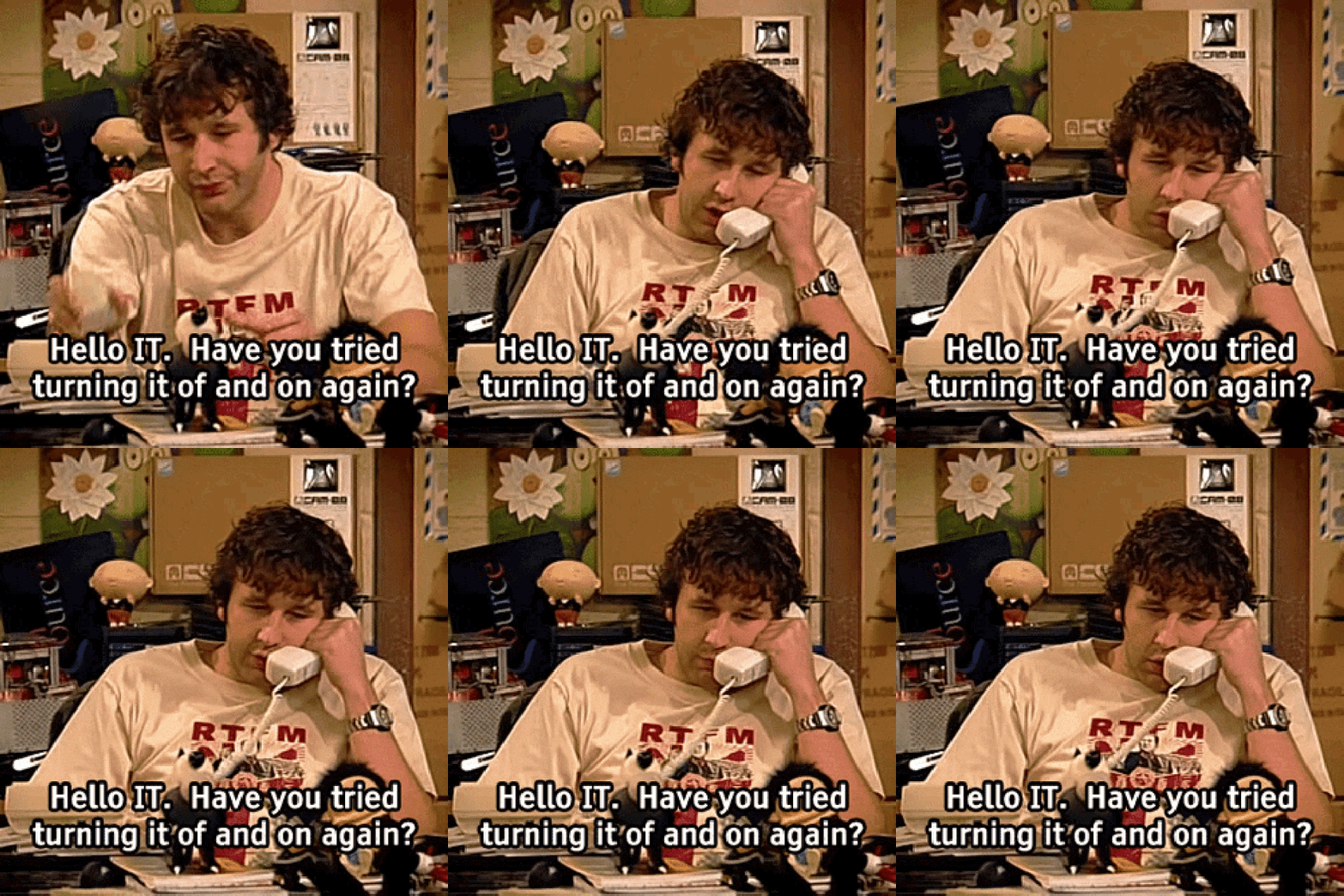
Have you restarted this week?
1 Every time I write how I save my work to the cloud, or using Microsoft apps, I like to remind myself and my readers: it’s not my choice. It’s work. They make me do it.